File Deep Info: Data Inspector
Hidden Content, Clean Metadata
Designed for iPhone, iPad, Mac
Free · In-app purchases
- Age rating4+
- CategoryUtilities
- Developer军 黄
- LanguagesEnglish+ 7 more
- Size8.7 MB
Links to the official App Store page
Download.org hosts no file of File Deep Info: Data Inspector. The button opens its official App Store page, published by 军 黄. Listing last checked on Nov 23, 2026.
Screenshots
About
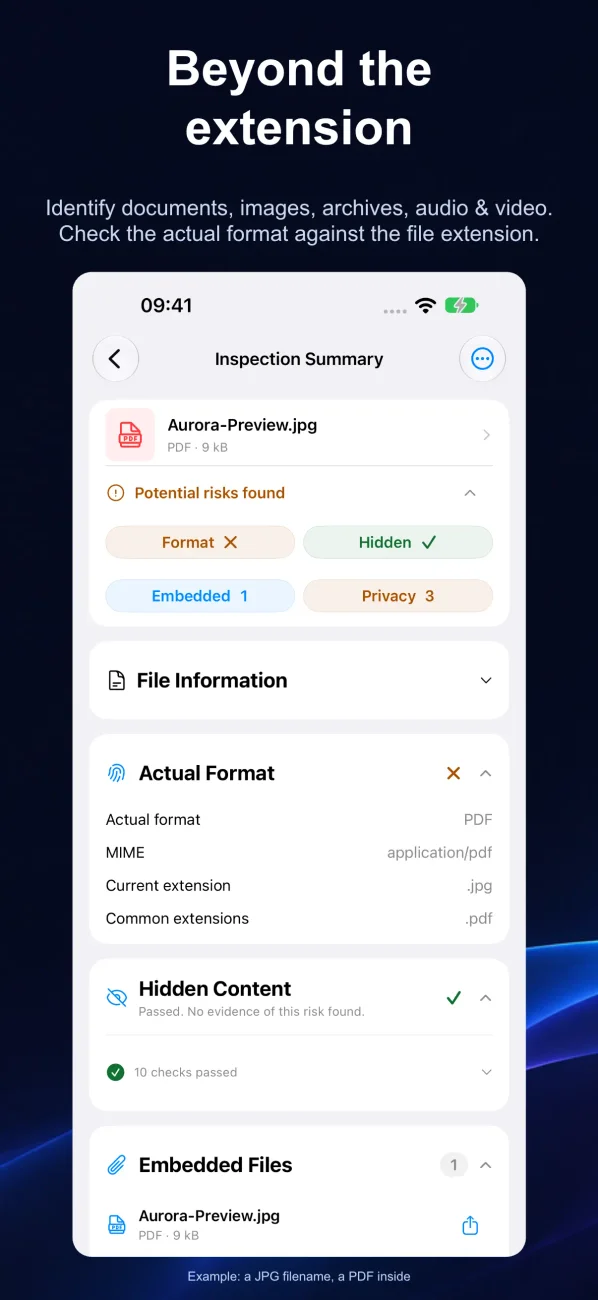
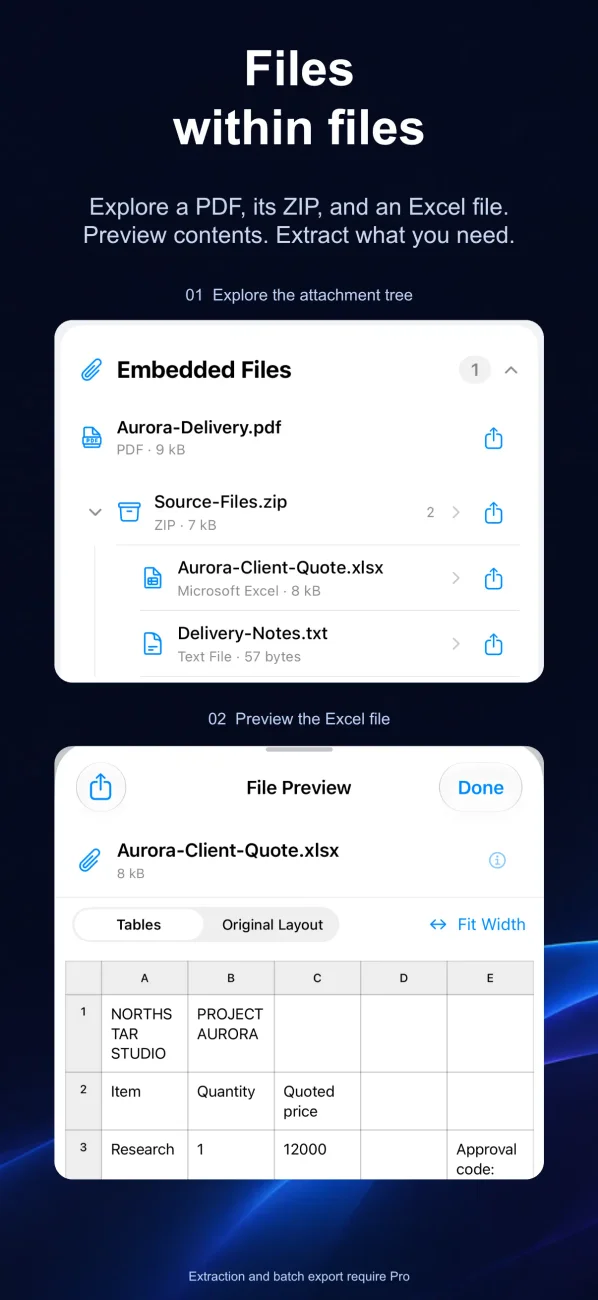
A file that looks like a JPG may actually be a PDF. A document you share may contain unintended embedded files. Research papers, proposals, bids and contracts can reveal sensitive information through tracked changes, author details and other document properties.
File Deep Info for Mac, iPhone and iPad identifies actual file formats, reveals hidden content and embedded files, and helps you remove sensitive metadata.
IDENTIFY ACTUAL FORMATS
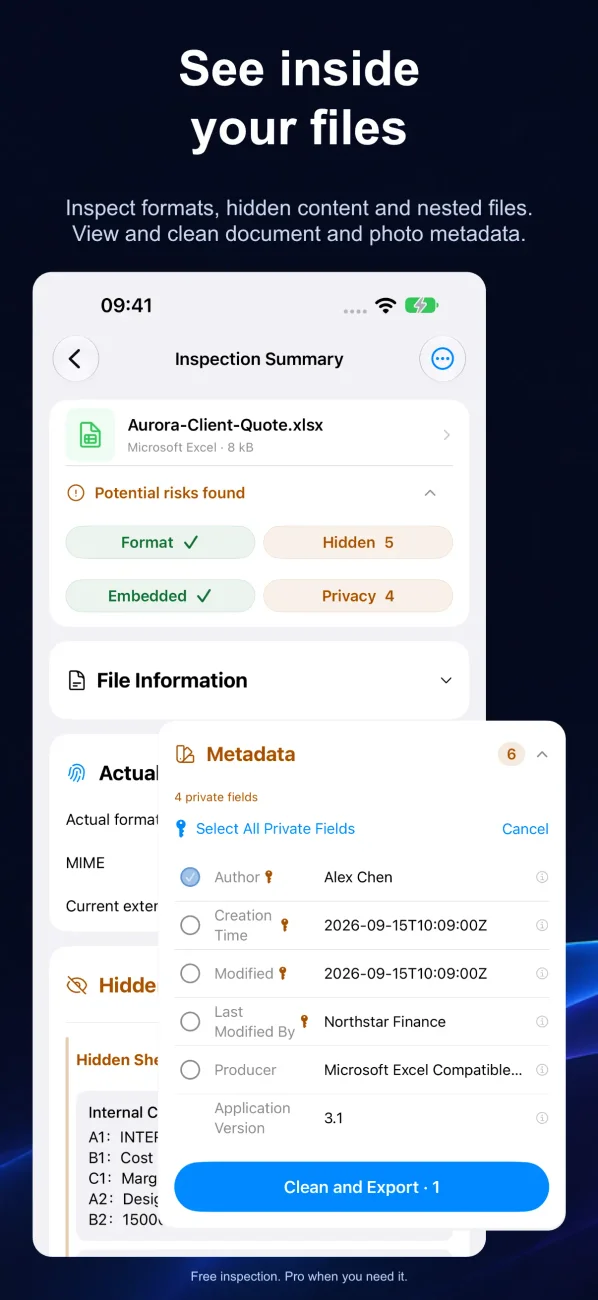
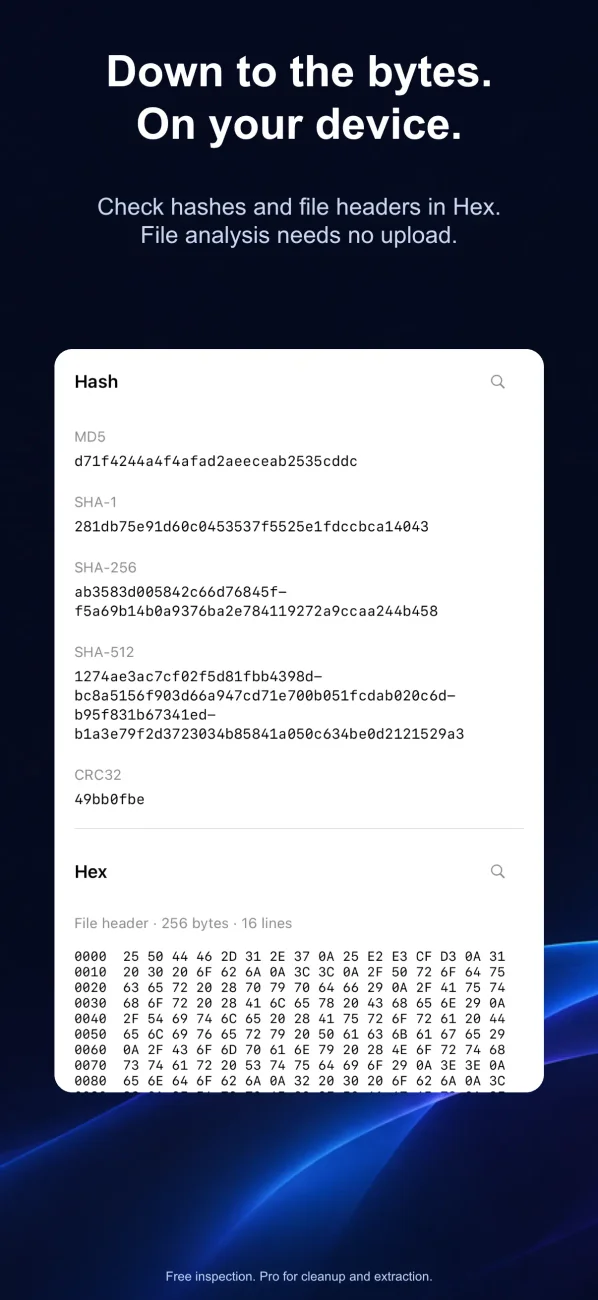
Identify file types from their contents and spot mismatched extensions. Inspect documents, images, archives, audio, video, databases and binary files. View file properties, hashes and hexadecimal file headers.
DISCOVER HIDDEN CONTENT
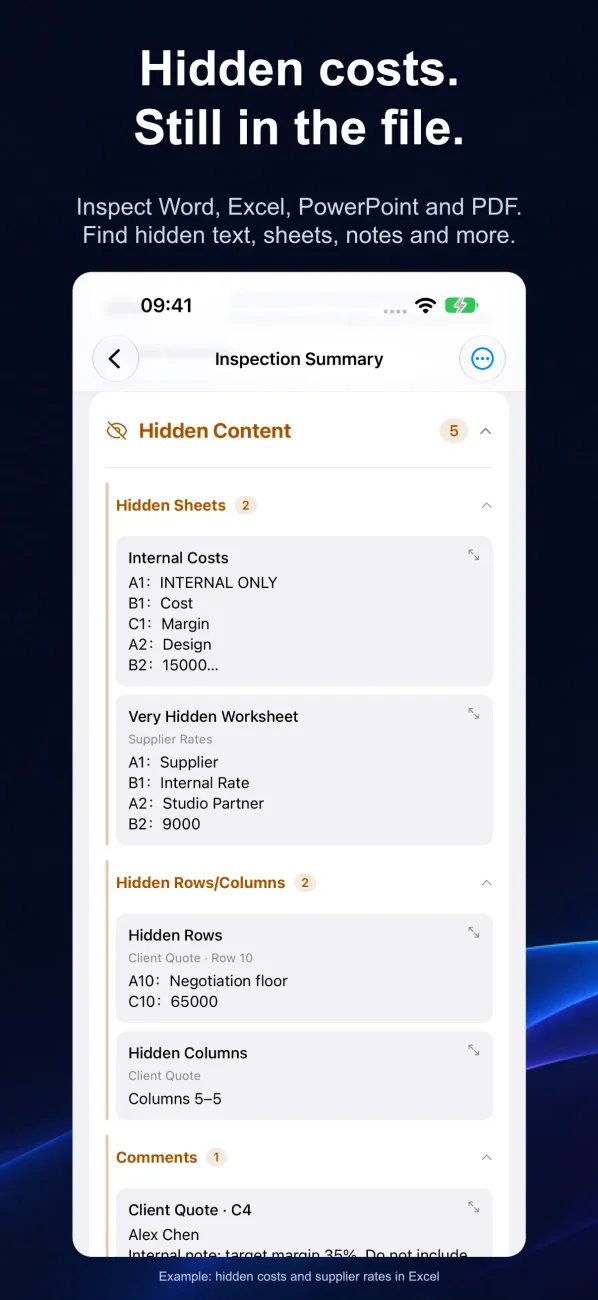
Check Word documents for hidden text, comments and tracked changes; Excel files for hidden sheets, rows and columns; PowerPoint files for hidden slides and speaker notes; and PDFs for hidden text, layers and attachments.
EXPLORE EMBEDDED FILES
Browse embedded files in a tree, preview supported content, and extract, batch-export or inspect files further.
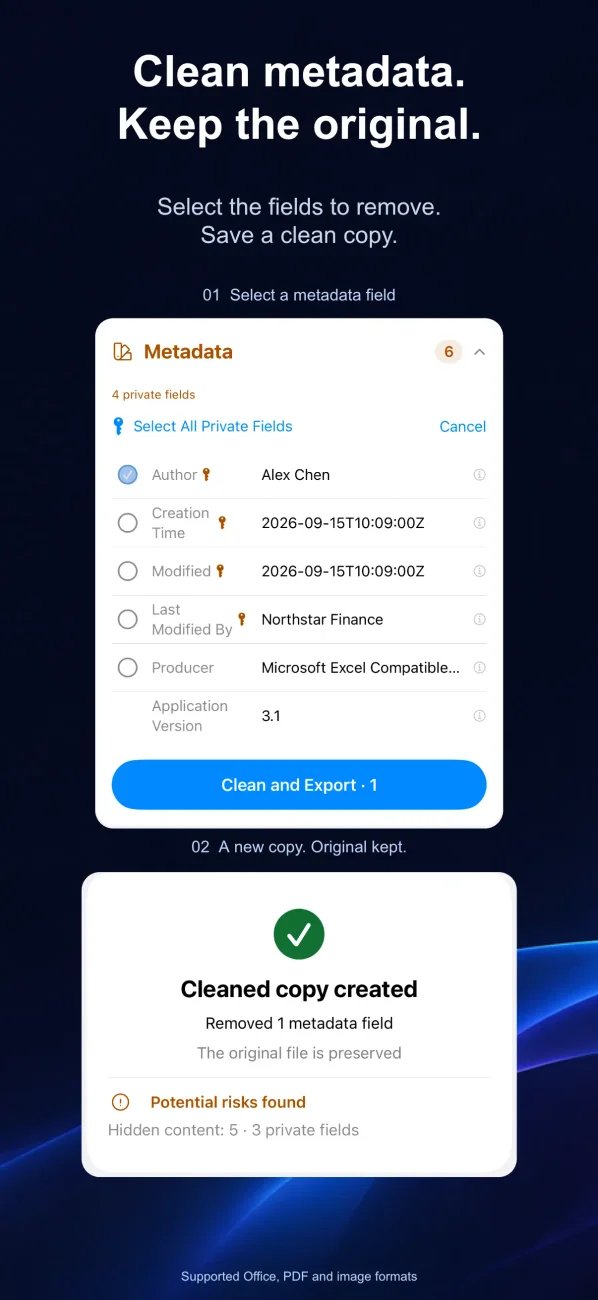
REMOVE METADATA. KEEP THE ORIGINAL.
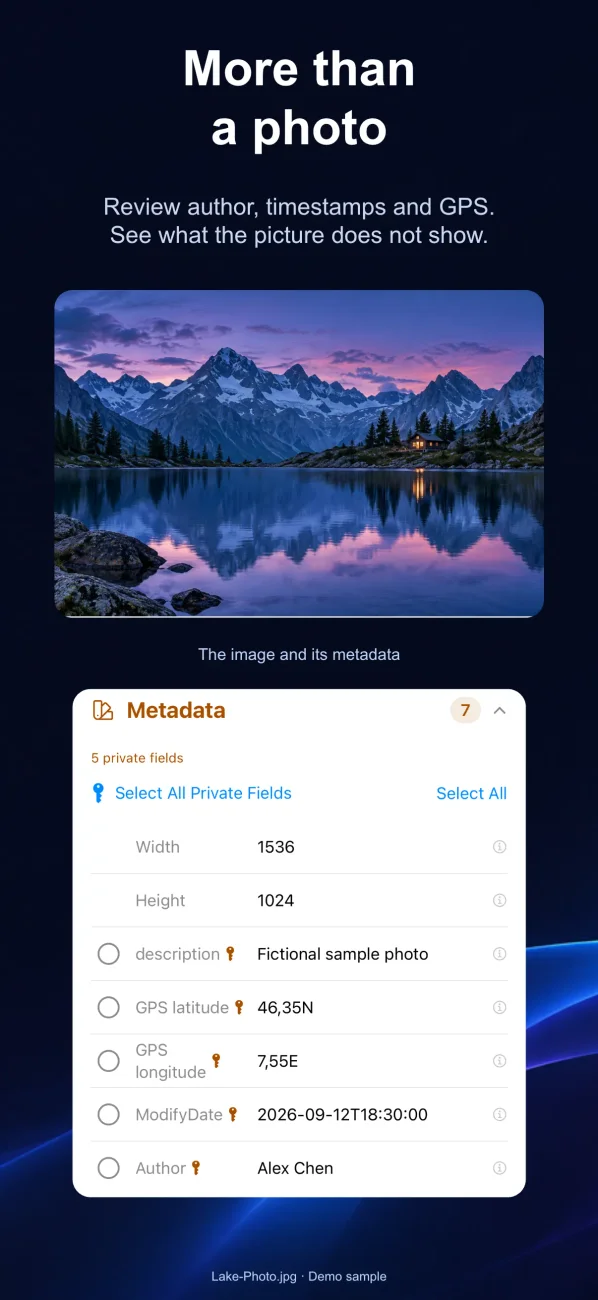
Review authors, editing information, photo EXIF and GPS metadata. Select fields to remove and create a cleaned copy while preserving the original file.
CREATE FILE INSPECTION REPORTS
Preview a full or summary report covering file information and inspection results. Export as PDF for reference or sharing. Choose Simplified Chinese, Traditional Chinese, English, Japanese, German, French, Italian or Spanish, with a consistent layout across devices.
PROCESSED LOCALLY. NO UPLOAD REQUIRED.
File analysis, metadata cleanup and report generation run locally on your device.
File inspection, metadata viewing and supported previews, including report previews, are free. A one-time Pro purchase unlocks saving cleaned copies, embedded file export, batch export, and saving and sharing PDF reports.
Help and feedback: https://filedeep.info
Terms of Use: https://www.apple.com/legal/internet-services/itunes/dev/stdeula/
What’s new
Version 4.2.0 · Nov 17, 2026
• Filter inspection results to quickly find hidden content, embedded files, and private metadata that need attention.
• Improved inspection summaries with separate counts for all items and items that need attention. Photo metadata labels now match across details and PDF reports.
• Added format recognition for Apple crash reports, JWT tokens, and SRT and WebVTT subtitles.
• Fixed an issue that could drop paragraph breaks or links when extracting PowerPoint speaker notes.
• Added Italian and Spanish for the app interface and PDF inspection reports.
• Existing files are automatically rechecked after updating.
• Added EMF image recognition and preview. Valid embedded EMF images are excluded from the items that need attention.
App privacy
What 军 黄 declares on the App Store about how this app handles data.
-
Data not collected
The developer does not collect any data from this app.
Privacy practices may vary, for example with the features you use or your age.
Information
- Seller
- 军 黄
- Category
- Utilities
- Version
- 4.2.0
- Updated
- Nov 17, 2026
- Released
- Mar 15, 2026
- Size
- 8.7 MB
- Requires
- iOS 17.0 or later
- Age rating
- 4+
- Price
- Free
- In-app purchases
- Yes
- Languages
- English, French, German, Italian, Japanese, Simplified Chinese, Spanish, Traditional Chinese
- Copyright
- © 2026, FileDeep.Info
You might also like
-
 SimfyAI DataAnalyze data with tinyAI
-
 XFiles: SFTP, FTP & NAS FilesDual-Pane File Manager & SSH
-
 NetProbeX - Network ScannerWi-Fi Devices & Open Ports
-
 TunnelProxy: Mobile ProxyYour phone or ready-made IPs
-
 MobileyMe: Lost PhoneKeep your number on any phone
-
 Magnifying Glass: Read & ZoomLED Magnifier & Menu Reader
-
 NetInspectorLocal Network Scanner
-
 Web Page TrackerTrack websites effortlessly.
-
 iXflash FileUtilities
-
 Media Inspector - EXIF ToolView & Edit Photo Metadata