FilmSlate Mobile
Slate your film photos
Designed for iPhone, iPad, iPod touch
Free
- Age rating4+
- CategoryPhoto & Video
- DeveloperGotham West Studios
- LanguagesEnglish
- Size32.2 MB
Links to the official App Store page
Download.org hosts no file of FilmSlate Mobile. The button opens its official App Store page, published by Gotham West Studios. Listing last checked on Nov 18, 2026.
Screenshots

About
FilmSlate ends the era of handwritten roll notes, lost negative sleeves, and "what camera did I shoot this on?"
THE LOOP
1. Open the app. Type your roll's metadata — camera, film stock, ISO, lens, push/pull, project, notes.
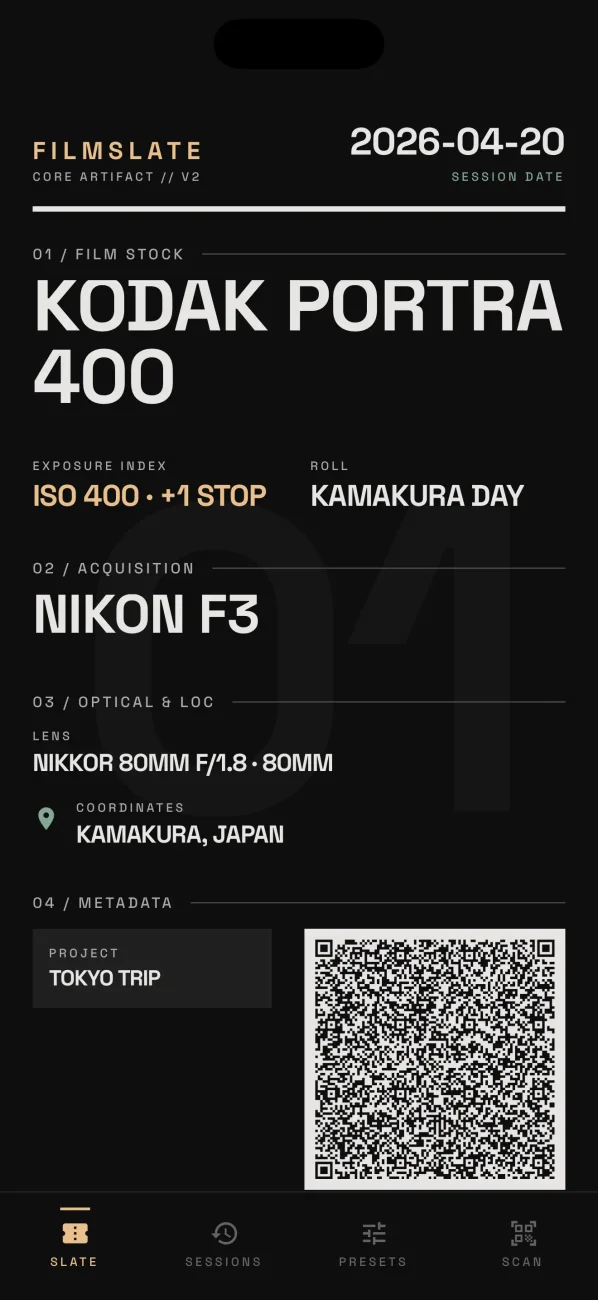
2. Generate a digital slate — a photographable image with the metadata in editorial typography and a high-error-correction QR code at the bottom.
3. Photograph the slate on your film roll.
4. Shoot normally.
5. Get your roll back from the lab. Drag the folder of scans onto the FilmSlate Desktop app (free, at filmslateapp.com) and every image gets EXIF, IPTC, and XMP metadata embedded — Camera, Lens, Focal Length, ISO, Date, Location, Project, Keywords, Artist, Copyright. Lightroom (and Photos, and Capture One) instantly filter the entire roll.
One photographed frame. A whole roll tagged. No accounts, no cloud, no monthly fee.
WHAT YOU CAN STORE PER ROLL
— Camera (Make + Model)
— Lens (Make + Model + Focal Length)
— Film Brand + Stock — curated catalog of 70+ stocks across 14 brands, plus custom
— ISO, with push/pull stops
— Project, Roll Name, Date, Location, Notes
— Artist + Copyright — auto-stamped on every image in the roll
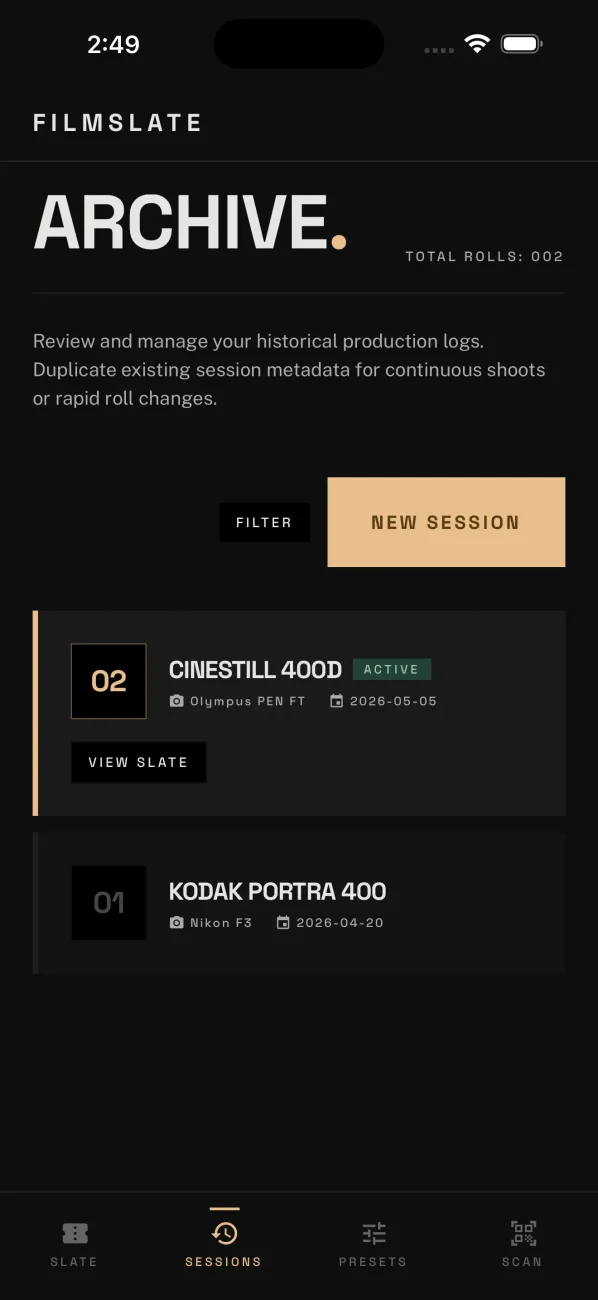
Save reusable presets for cameras, lenses, and film stocks. The New Session form quick-fills from a single tap.
SCAN EXISTING SLATES
Already photographed a slate? Tap the Scan tab, point your camera at the QR, and it imports as a session on your phone. Useful for shared shoots, lab handoffs, or working across multiple devices.
DESIGNED FOR FILM PHOTOGRAPHERS
Built to feel like a darkroom apprentice — quiet, exact, and respectful of the craft of analog photography.
DOES NOT REQUIRE
— An account
— A network connection (the QR is a self-contained payload — everything happens on your device)
— Cloud storage of your photos (we don't see them)
— A subscription
LIGHTROOM-READY
Every payload field maps to where Lightroom indexes it: Camera filter, Lens filter, Focal Length filter, ISO filter, Date filter, Location filter, Job ID, Keyword List, Creator, Copyright. Filter the whole roll by any combination, immediately, on import.
THE COMPANION DESKTOP APP
The metadata write-back happens on macOS. Free and simple — download it from filmslateapp.com. Drag-and-drop: drop a folder of scans, the app finds the slate frame, decodes the QR, and embeds metadata into every image in the folder. No subscription, no upload, no telemetry.
FOR WORKING FILM PHOTOGRAPHERS
If you shoot multiple cameras and film stocks, send to labs or scan at home, and live in Lightroom — this is the metadata bridge between analog and digital you've been keeping handwritten lists for.
What’s new
Version 1.0 · May 6, 2026
- Added additional film stocks.
- Text entry bug fix.
App privacy
What Gotham West Studios declares on the App Store about how this app handles data.
-
Data not collected
The developer does not collect any data from this app.
Privacy practices may vary, for example with the features you use or your age.
Information
- Seller
- Gotham West Studios LLC
- Category
- Photo & Video
- Version
- 1.0
- Updated
- May 6, 2026
- Released
- May 6, 2026
- Size
- 32.2 MB
- Requires
- iOS 15.1 or later
- Age rating
- 4+
- Price
- Free
- Languages
- English
- Copyright
- © 2026 Gotham West Studios LLC
You might also like
-
 FilmStashAnalog Film Tracker
-
 SprokbookRemember every exposure
-
 Disposable PhotosKeep your main gallery clean!
-
 F8t - Light Meter for FilmAnalog photo logbook and more
-
 Photo TimersFor analog photographers
-
 DisparaTimerF-Stop Enlarger Timer
-
 Framify - Frame your photosPhoto & Video
-
 Focusing LoupeFor large format cameras
-
 Simple PassePassepartout
-
 Analog FilmStockFilm Fridge & Camera Tracker