
FinanceGC
AI Sovereign Wealth Auditor.
Designed for iPhone, iPad, iPod touch
Free · In-app purchases
- Age rating4+
- CategoryFinance
- DeveloperCruval LLC
- LanguagesEnglish
- Size15.7 MB
Links to the official App Store page
Download.org hosts no file of FinanceGC. The button opens its official App Store page, published by Cruval LLC. Listing last checked on Nov 18, 2026.
Screenshots

About
Most people don't know what they actually own and owe. Not out of carelessness — it's spread across accounts, cards and apps, and adding it up by hand takes an afternoon.
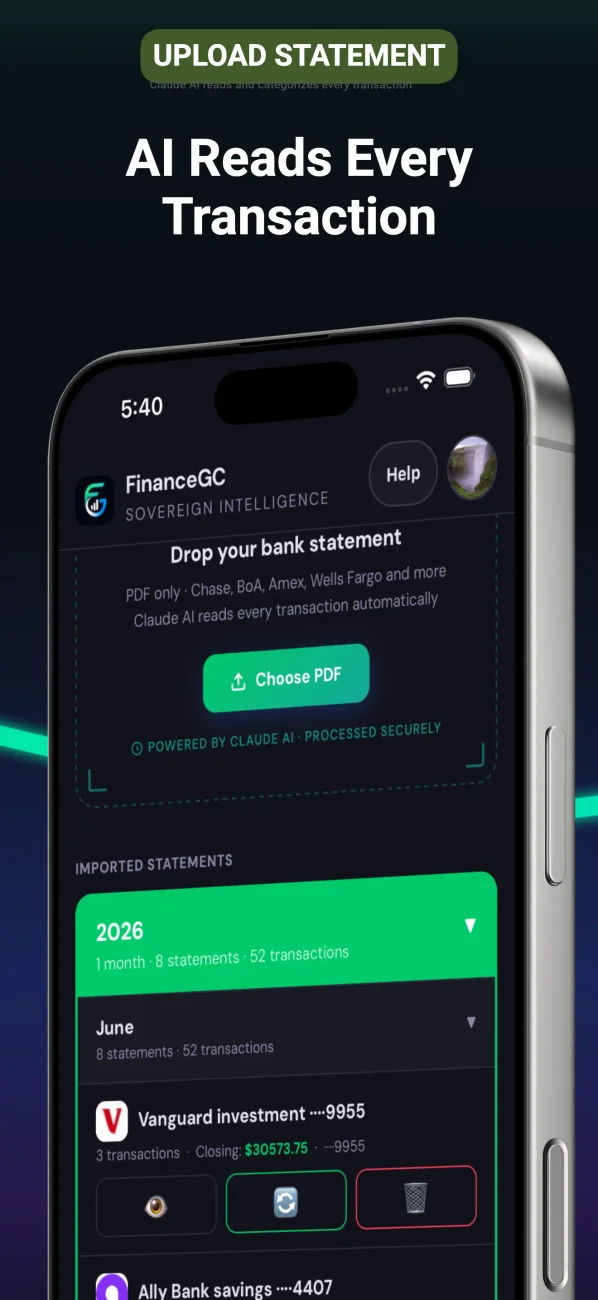
FinanceGC does it from your bank statement. Upload the PDF and the AI reads every transaction, sorts it, and hands you your real position.
NO BANK LOGIN
We never ask for your bank credentials. No Plaid, no screen scraping. You upload a PDF you downloaded yourself, so there is no standing connection to your accounts.
WHAT YOU GET TO SEE
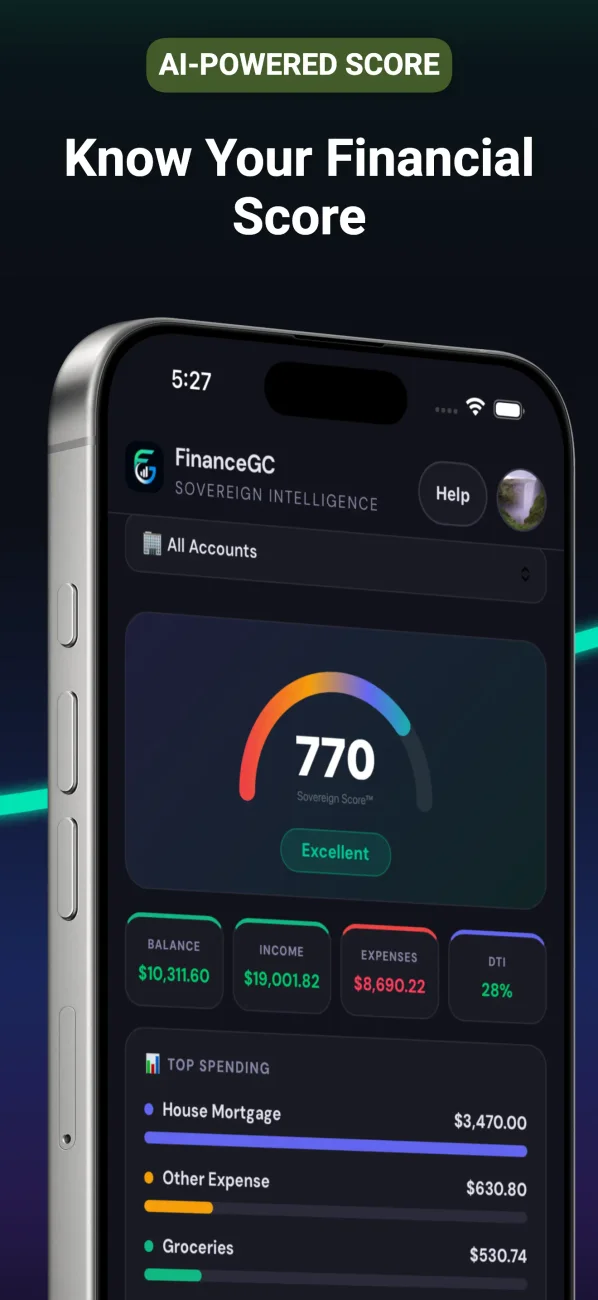
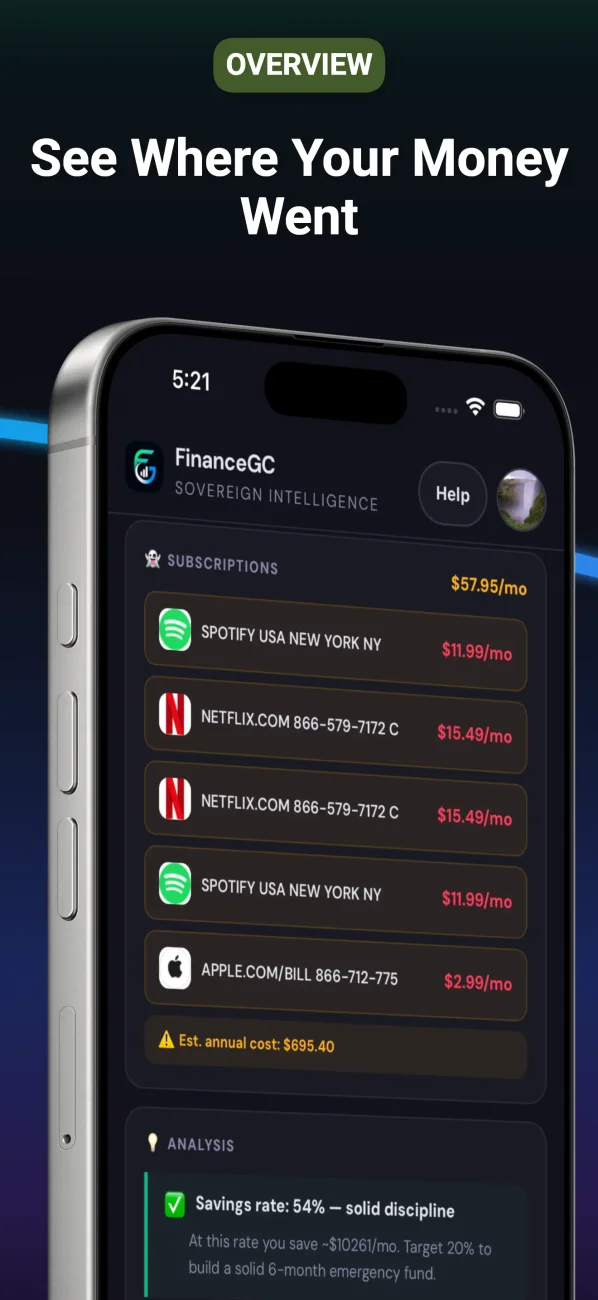
• Where your money actually goes, by category
• What you own and what you owe, on one screen
• Your cards with their real interest rate, and how long they would take to pay off
• What you planned to spend, next to what you spent
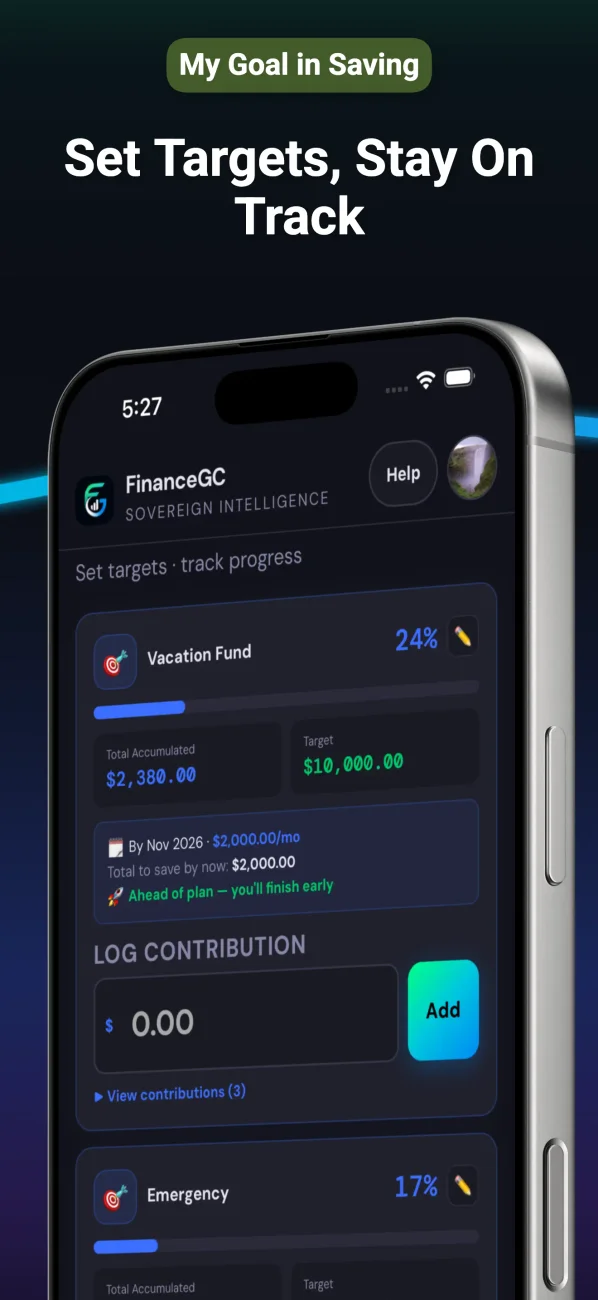
• Savings goals with a date — the app tells you if you're going to make it
• Your Sovereign Score, one number from 0 to 1000 that sums up how you're doing
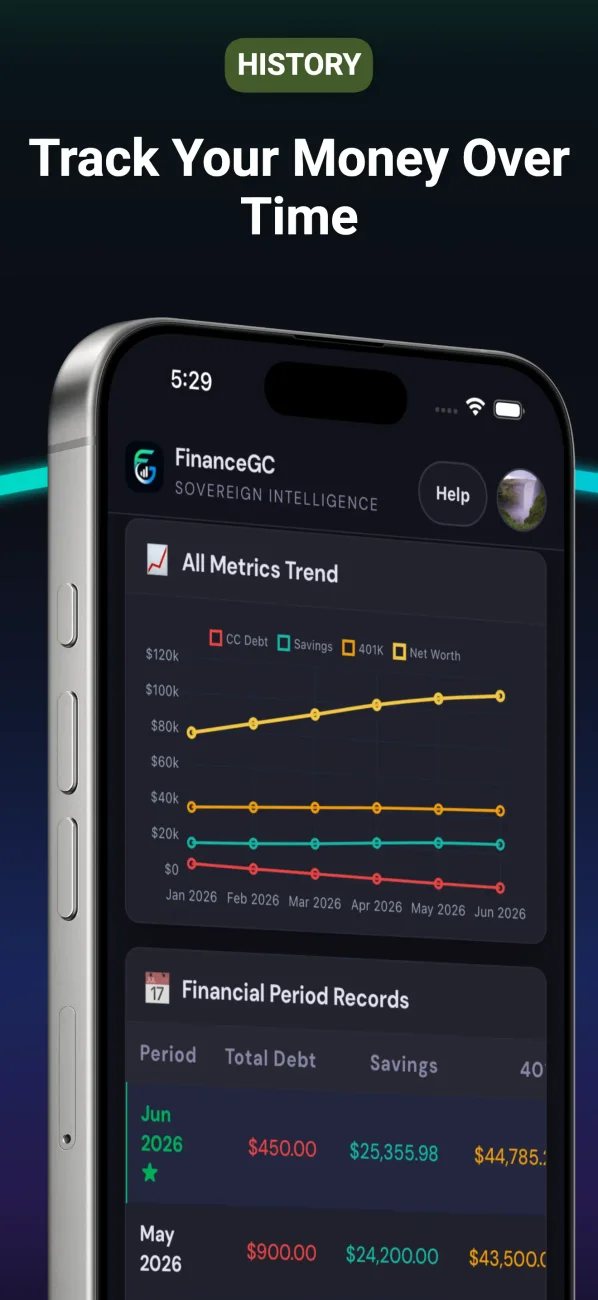
• Every month closed and saved, so you can compare
UPLOAD STATEMENT
Import a PDF from Files, Mail or the Share Sheet. Claude AI (by Anthropic) reads each transaction, sorts your spending, flags recurring charges you may have forgotten, and puts every transaction on its real date — even when a statement spans two months. You are shown exactly what is shared and asked for consent before any analysis runs.
GET OUT OF DEBT
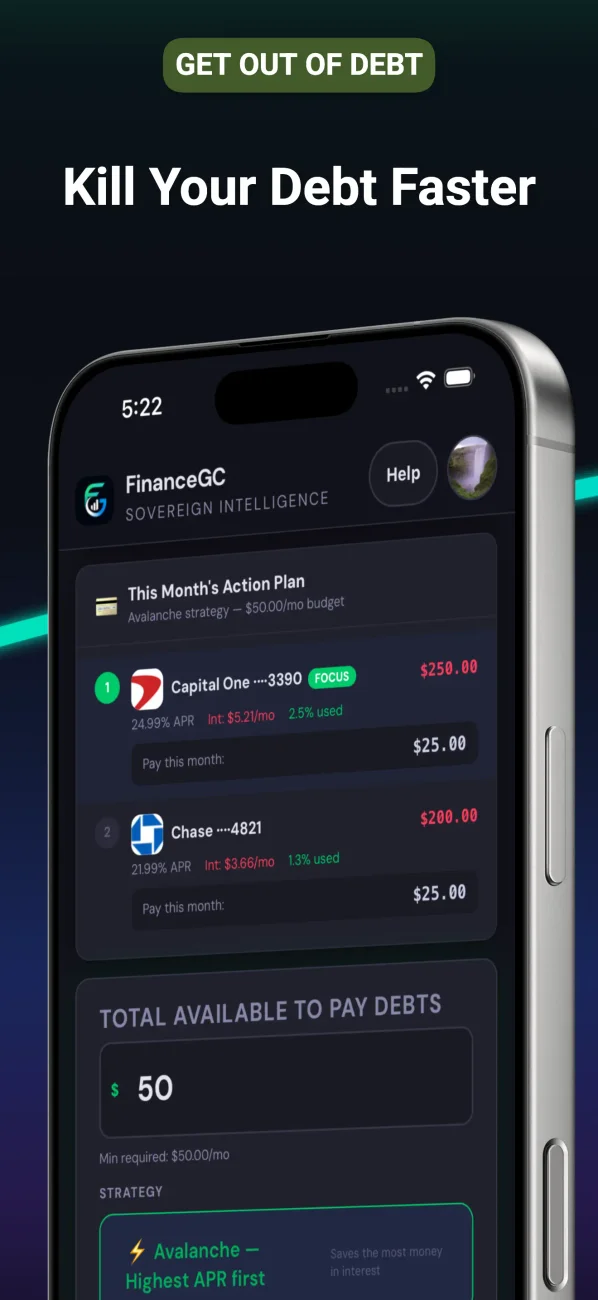
Avalanche or Snowball. See your debt-free date, the interest you would save, and what to pay on each card. Cards with no APR on file are flagged rather than silently projected at zero interest, and if your budget cannot cover the minimums the app says so instead of drawing a plan you cannot follow.
PLAN IT
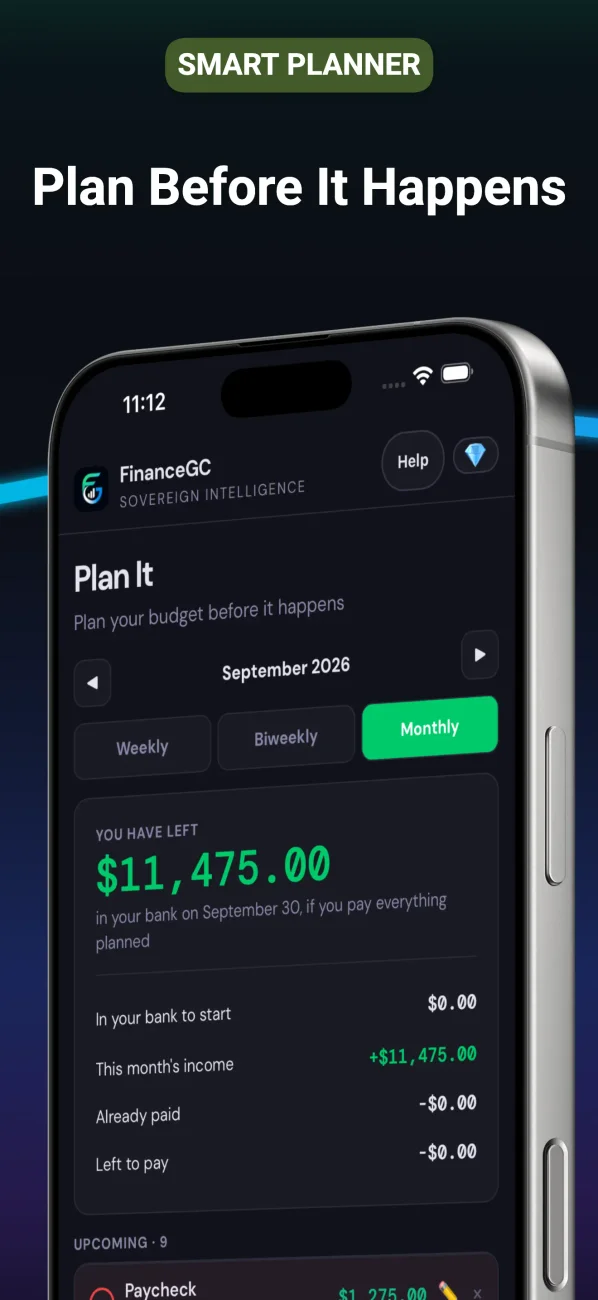
Plan income and expenses before they happen — weekly, biweekly or monthly, each with a real starting balance instead of a guess. See exactly what you'll have left after every upcoming bill and paycheck, close out the period when it ends to reconcile against your real bank balance, and use Plan vs Real to compare your plan against what actually happened.
HOME SCREEN WIDGET
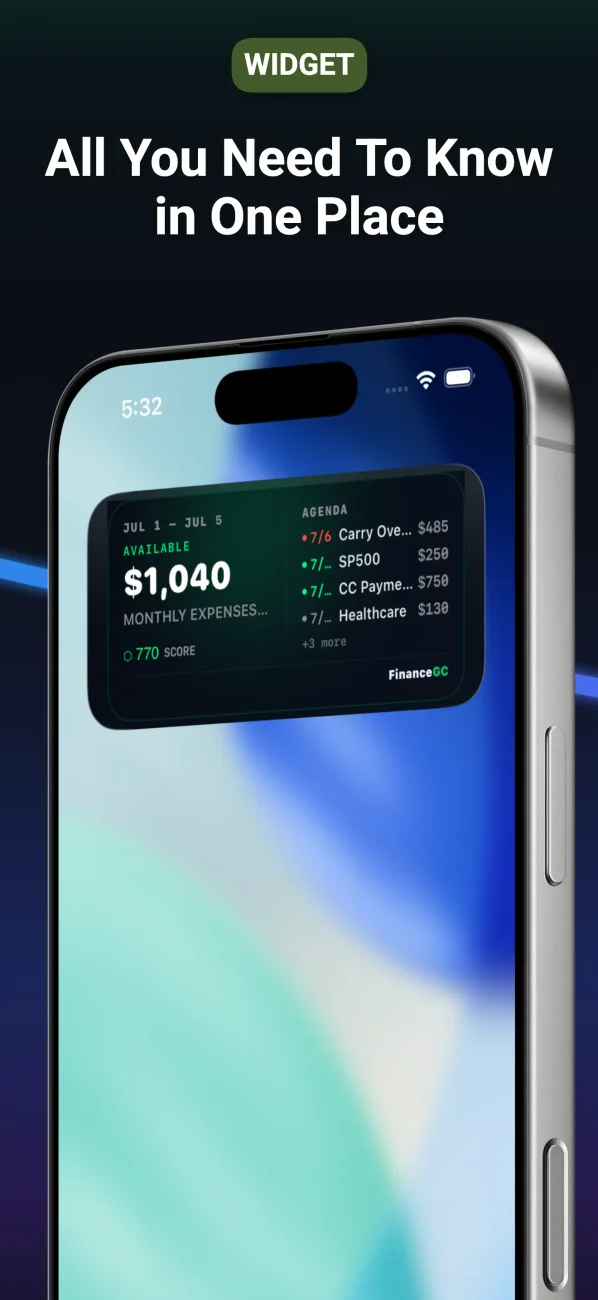
What you'll have left this period (the same number Plan It shows), planned expenses, your Sovereign Score and upcoming bills, without opening the app.
SMART REMINDERS
Optional reminders at 9 AM on the day a planned bill is due. One per bill, no spam.
WHAT IT COSTS
Plan It — the income and expense planner — is free for 7 days when you create an account, with no payment method required.
Everything else needs a subscription: AI statement import, Sovereign Score, Get Out of Debt, Overview, the Home Screen widget, full history and report exports.
FinanceGC Pro — Monthly: $4.99 per month
FinanceGC Pro — Annual: $44.99 per year (save 25%)
Both plans start with a 7-day free trial for new subscribers. Payment is charged to your Apple ID at confirmation of purchase. The subscription renews automatically unless cancelled at least 24 hours before the end of the current period. Manage or cancel it in your Apple ID account settings.
PRIVACY
Your data is yours. Transaction data is processed by Claude AI (Anthropic) only to extract your transactions, only with your explicit consent, and is not retained afterwards. Your Sovereign Score is calculated on your device. Your financial records are never sold or shared for advertising. You can delete your account and everything in it from inside the app.
Privacy Policy: https://financegc.com/privacy
Terms of Use: https://financegc.com/terms
EULA: https://www.apple.com/legal/internet-services/itunes/dev/stdeula/
What’s new
Version 1.5.3 · Sep 28, 2026
The Home Screen widget now shows exactly what Plan It shows — what you'll really have left this period, starting from your real balance.
Closing a period in Plan It now tells you clearly if it couldn't be saved, so you can try again instead of losing it.
Plus small fixes and improvements.
App privacy
What Cruval LLC declares on the App Store about how this app handles data.
-
Data linked to you
May be collected and linked to your identity.
- Financial info
- Contact info
Privacy practices may vary, for example with the features you use or your age.
Information
- Seller
- Cruval LLC
- Category
- Finance
- Version
- 1.5.3
- Updated
- Sep 28, 2026
- Released
- Jul 2, 2026
- Size
- 15.7 MB
- Requires
- iOS 15.0 or later
- Age rating
- 4+
- Price
- Free
- In-app purchases
- Yes
- Languages
- English
- Copyright
- © 2026 CruVal LLC
You might also like
-
 NOBLEPAY (Recharge Solution)Fast, Secure Payments
-
 Sznd: Money TransferSend Money. Anytime. Anywhere.
-
 Girosol Money TransferInternational Money Transfers
-
 PariPassu: Invest with Top VCsMembers-only Startup Investing
-
 Responsive AutoResponsive Auto Insurance
-
 PayNow by FawriLibyan PayNow Digital Payments
-
 Crest Savings Bank MobileFinance
-
 TC2000 Stock Tracker & TradingReal-time screener & charts
-
 The New MoneyMarkets & Trends That Matter
-
 CoreFirst Bank Mobile AppFinance