Find Difference-Brain Training
Spot The Difference
Designed for iPhone, iPad, iPod touch
Free · In-app purchases
- Age rating4+
- CategoryCasual
- DeveloperJang PilJae
- LanguagesEnglish
- Size240.5 MB
Links to the official App Store page
Download.org hosts no file of Find Difference-Brain Training. The button opens its official App Store page, published by Jang PilJae. Listing last checked on Nov 18, 2026.
Screenshots


About
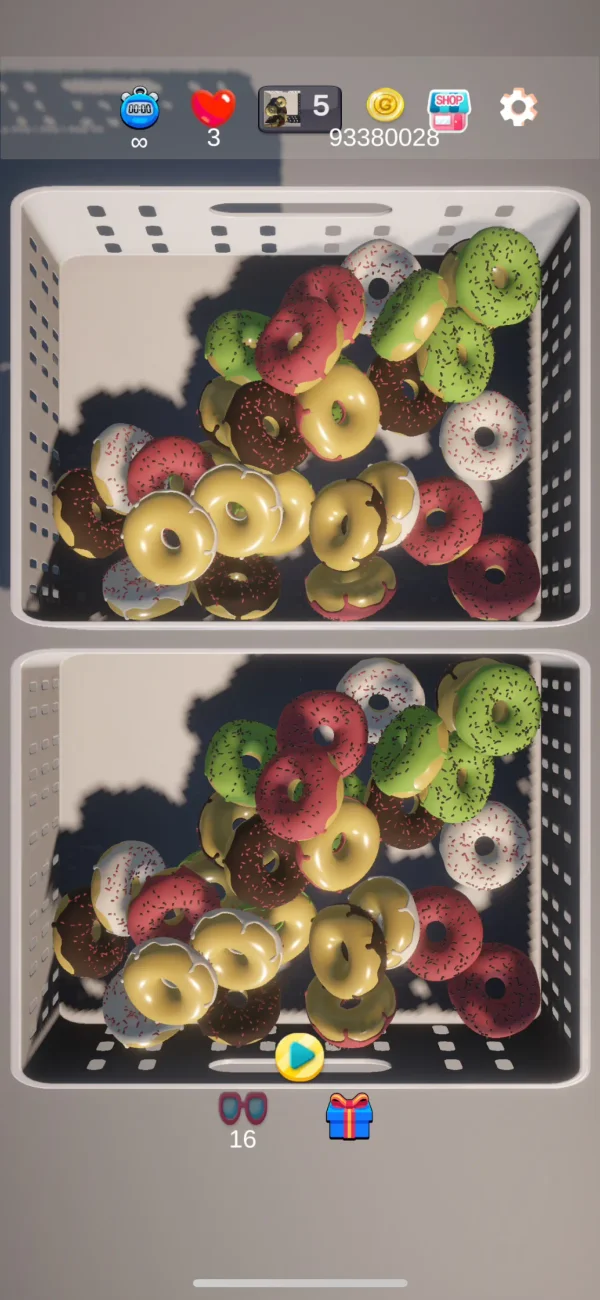
Rules and Gameplay for Spot the Difference
1. 2D/3D Conversion Feature: The smart glasses item can be used up to 16 times. However, there is no usage limit in stages where the smart glasses item is activated.
2. Time Limit Feature: Each stage has a 50-second time limit. You must find the differences within this time. If time runs out, the stage must be restarted.
3. Incorrect Selection Limit: Each stage allows a maximum of 3 incorrect selections. Exceeding this limit requires restarting the stage.
4. Environment Settings: Two background music tracks are available, with a mute option. Sound effects can also be toggled on/off.
5. Theme & Stage Composition: There are 17 themes in total, each with 6 stages. As stages progress, the number of objects increases, their size decreases, making differences harder to spot and requiring greater focus. If a stage feels too easy, players can choose stages of their preferred difficulty. To unlock the next theme, either complete the final stage (Stage 6) or use a Theme Key item.
6. Zoom In/Out Feature: If game objects appear too large or small for comparison, pinch-to-zoom with two fingers to adjust the resolution for optimal gameplay.
"Spot the Difference Game Play Guidelines"
1. After loading the game, click the "GO" button. Please note that game data will be deleted if you delete or reinstall the game.
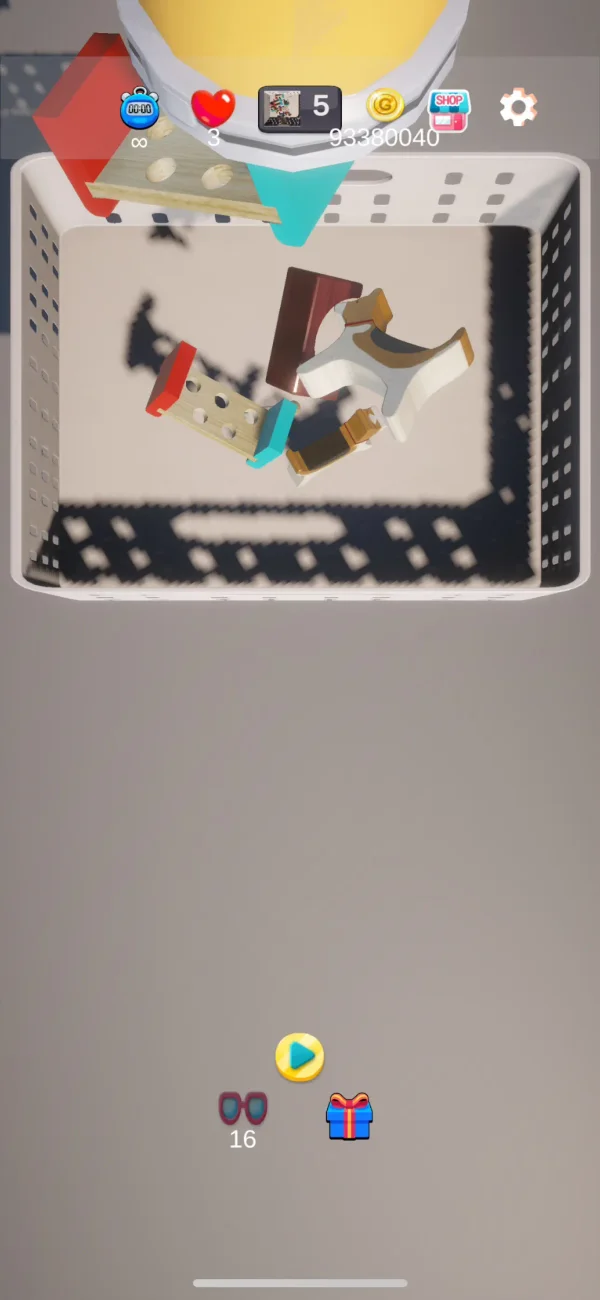
2. The first theme and stage will open, and the yellow pipe will pour game objects corresponding to the theme into the upper basket.
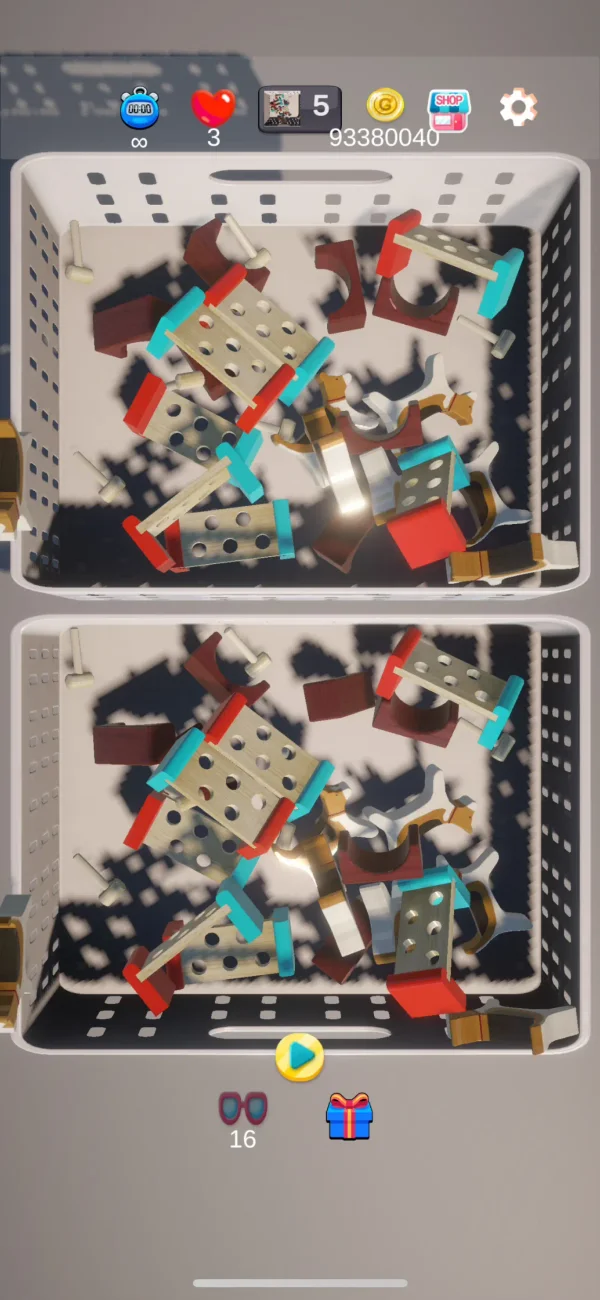
3. The same object will be created in the lower basket.
4. However, the position or angle of one of the objects in the upper basket will be changed and will be different from the object in the lower basket.
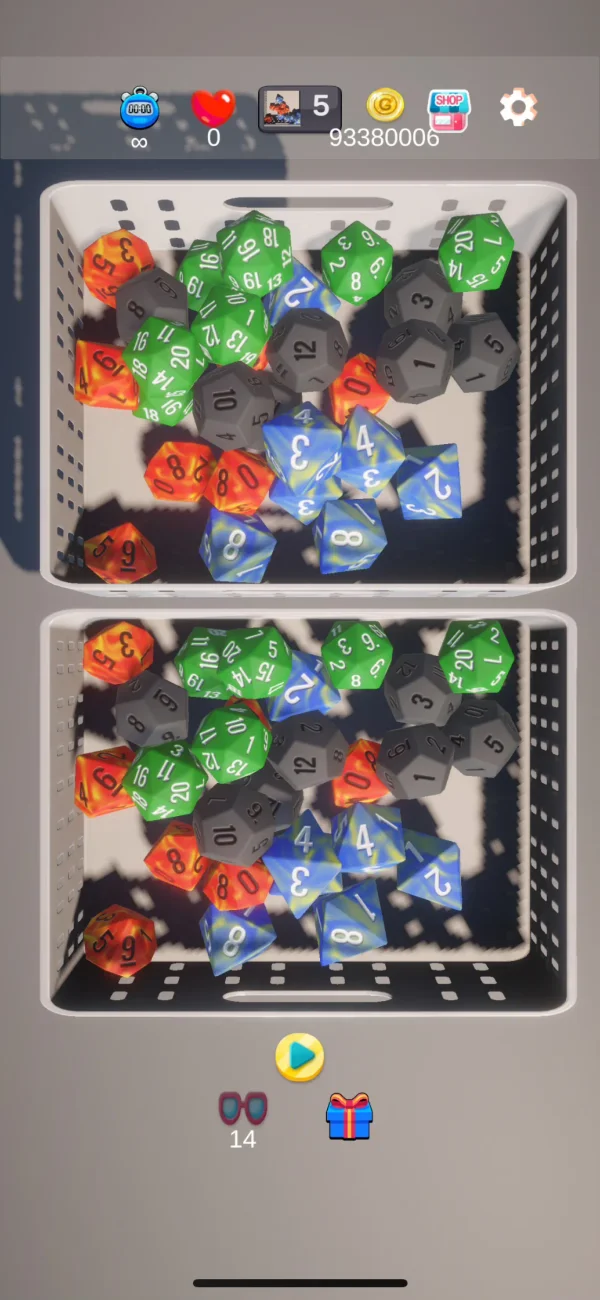
5. Compare the two baskets to find the object that looks different and select it to move to the next stage.
6. In each stage, the position and rotation of the game objects on the ground will change depending on the position and intensity of the comparable objects pouring from the pipe. If an object is buried and cannot be seen, press the refresh button to restart the game.
7. If the object appears small or large, you can zoom in and out with two fingers to adjust the size.
8. If you cannot find the difference between the objects in the two baskets, click the glasses-shaped button to switch to 2D mode and get a hint. However, the smart glasses item button can only be used 15 times, so it is recommended to use it in themes with high difficulty.
9. After passing the last 6 stages of each game theme, the next theme will open and you can start a new theme game.
What’s new
Version 4.1 · Apr 18, 2025
Changed the app icon for more intuitive understanding
Edited in-app ID
Updated marketing URL to https
App privacy
What Jang PilJae declares on the App Store about how this app handles data.
-
Data used to track you
May be used to track you across apps and websites owned by other companies.
- Usage data
-
Data not linked to you
May be collected but is not linked to your identity.
- Usage data
Privacy practices may vary, for example with the features you use or your age.
Information
- Seller
- Jang PilJae
- Category
- Casual
- Version
- 4.1
- Updated
- Apr 18, 2025
- Released
- May 22, 2024
- Size
- 240.5 MB
- Requires
- iOS 13.0 or later
- Age rating
- 4+
- Price
- Free
- In-app purchases
- Yes
- Languages
- English
- Copyright
- © myface
You might also like
-
 DiceGameGames
-
 まちがいひよこPuzzle
-
 Story Spots - Find DifferenceFind & Spot It
-
 Happy Line GamePuzzle
-
 Score2000EBS - Easy Beautiful Scoring
-
 Old HK LiteCasual
-
 PyramystCollect mystery pyramid relics
-
 Diff HuntFind the differences and relax
-
 Riddle testReady? Open it. Tricky game!
-
 Spot Differences - Bread AlleyCozy Bakery Puzzle Adventure