
Find My LAN Device
Wi-Fi & IP scanner, SSH client
Designed for iPhone, iPad
Free · In-app purchases
- Age rating4+
- CategoryUtilities
- DeveloperOscar Robert-Besle
- LanguagesEnglish+ 2 more
- Size12.4 MB
Links to the official App Store page
Download.org hosts no file of Find My LAN Device. The button opens its official App Store page, published by Oscar Robert-Besle. Listing last checked on Nov 18, 2026.
Screenshots


About
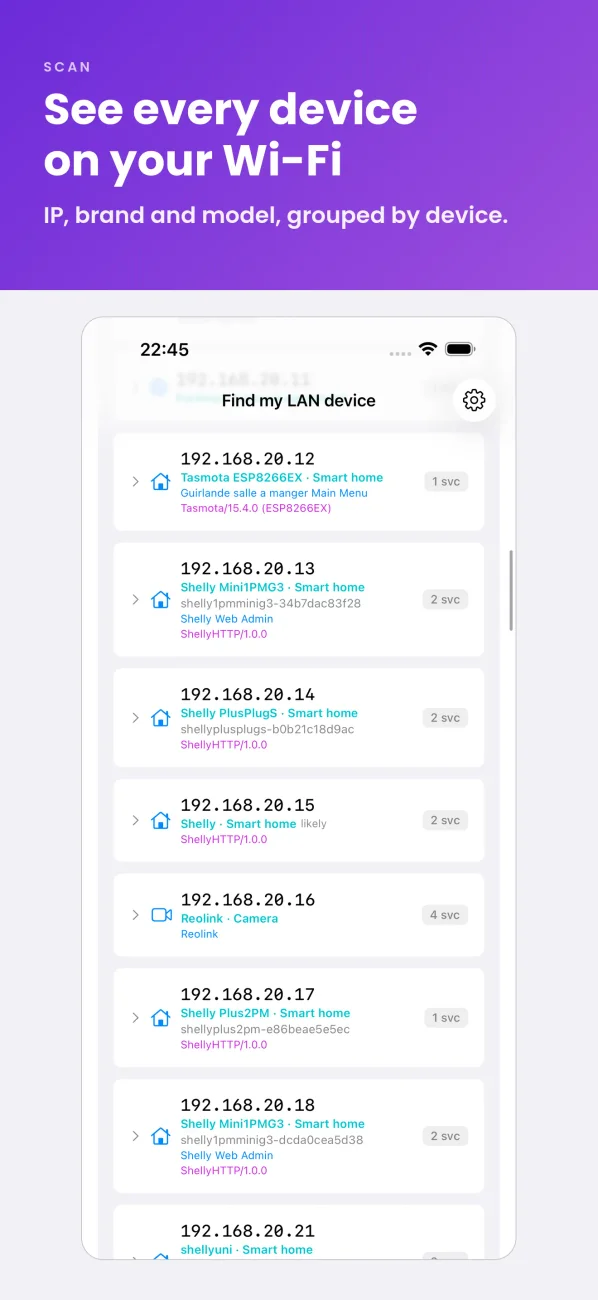
Find devices on your local network from your iPhone or iPad. View IP addresses, names, detected services and response times, grouped by device.
Photograph a device label or choose an image to read a MAC address, model, serial number or QR code and find matching devices in the current scan. Photos are processed on your device and are not saved by the app.
On iOS 26 and later, a scan you start can continue after you leave the app, when iOS allows it. Partial results are saved if interrupted. On a wide iPad window, view devices beside their details and SSH commands beside their results. Keyboard shortcuts and drag-and-drop command import are also supported.
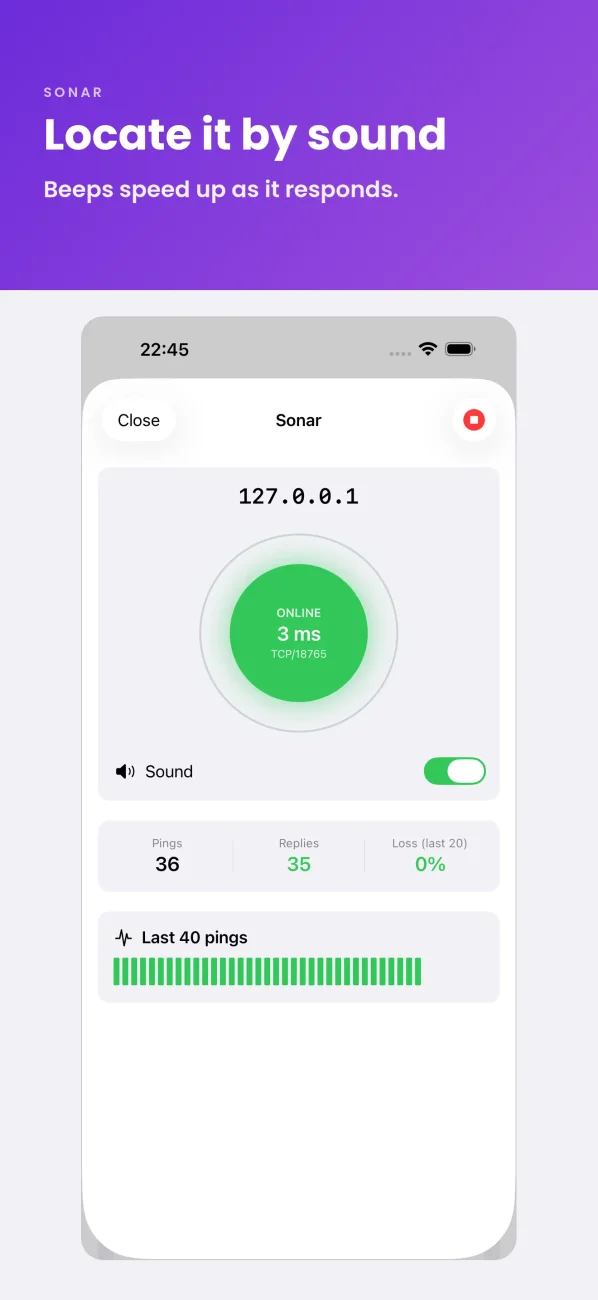
Just connected a new device? Run a scan and use monitoring to follow new arrivals. Sonar tracks an address and plays a sound when it responds, with latency and response history.
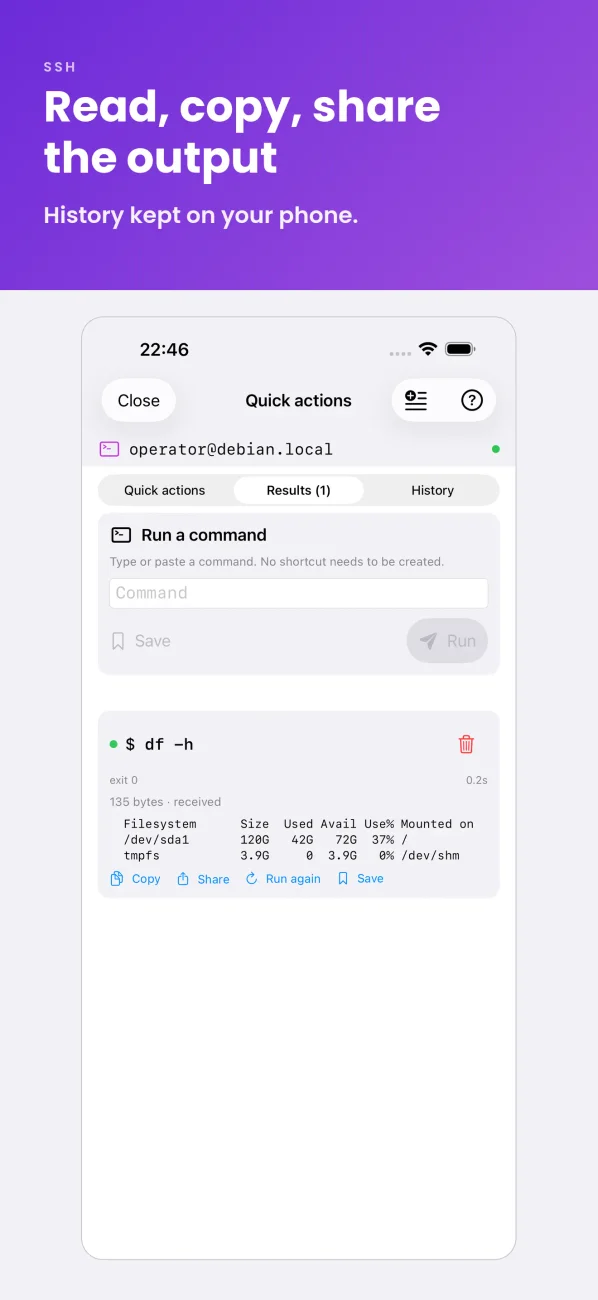
The built-in SSH client lets you run a command without saving a shortcut. Connect using an IP address or hostname, then read, copy or share the output. Commands run on the remote device. Interactive terminal applications are not supported.
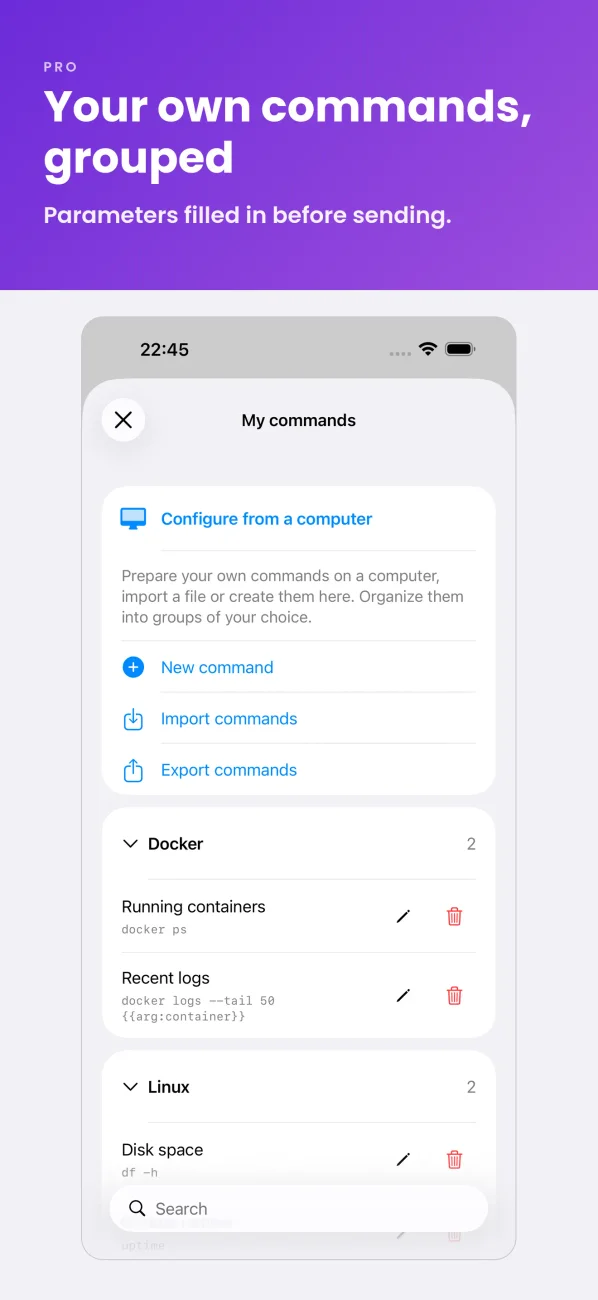
With Pro, create your own commands, organize them into groups and add parameters to fill in before execution. Confirmation can protect sensitive operations. Prepare commands in a computer browser on the same local network, then review and approve the import on your phone. Web access is temporary and stops when you close the configuration screen or the app becomes inactive.
Keep output in history, read large results and delete only the entries you choose. Import commands from a file or by copying and pasting.
The download includes basic scanning, SSH connections and manual commands. Pro is a one-time purchase that adds Sonar, monitoring, custom IP ranges, exports, device names and tags, personal commands and command history. If you bought the app before it became free to download, your Pro access remains available.
No Find My LAN Device account is required. SSH passwords and private keys are stored in the iOS Keychain. You choose which devices the app connects to.
Available in English, French and Corsican.
What’s new
Version 2.4.0 · Oct 10, 2026
Background scans on iOS 26 and later: a scan you start can finish after you leave the app, when iOS allows it. Partial results are saved if the scan is interrupted.
Read device labels: take a photo or choose an image to read a MAC address, model, serial number or QR code, then find matching devices in the current scan. Images are processed on your device.
On iPad, view devices and their details side by side. SSH commands and results also have separate panels. The layout adapts to the window size and larger text settings.
New keyboard shortcuts and drag-and-drop command import, with a preview before saving.
App privacy
What Oscar Robert-Besle declares on the App Store about how this app handles data.
-
Data not collected
The developer does not collect any data from this app.
Privacy practices may vary, for example with the features you use or your age.
Information
- Seller
- Oscar Robert-Besle
- Category
- Utilities
- Version
- 2.4.0
- Updated
- Oct 10, 2026
- Released
- Aug 28, 2025
- Size
- 12.4 MB
- Requires
- iOS 18.5 or later
- Age rating
- 4+
- Price
- Free
- In-app purchases
- Yes
- Languages
- English, Corsican, French
- Copyright
- © Oscar ROBERT-BESLE
You might also like
-
 digiID: Document WalletDocuments, receipts & bills
-
 NetScanPro: Network ScannerPrivate Wi-Fi device finder
-
 TB DevicesManage your TweetyBot devices!
-
 CheckingURLSurveillez vos sites web
-
 Proton SRLProton
-
 Egress ReconPublic IP & VPN egress check
-
 iSteeringRemote control over ADB
-
 BarcodeUtilityAppPantry Organizer
-
 Shrouded Email UtilityShrouded
-
 NearPing: Bluetooth FinderFind Nearby Lost Devices