
FinderKit: Viewfinder
For filmmaking and photography
Designed for iPhone, iPad, iPod touch
Free · In-app purchases
- Age rating4+
- CategoryPhoto & Video
- DeveloperZak Ray
- LanguagesEnglish
- Size47.5 MB
Links to the official App Store page
Download.org hosts no file of FinderKit: Viewfinder. The button opens its official App Store page, published by Zak Ray. Listing last checked on Nov 12, 2026.
Screenshots



About
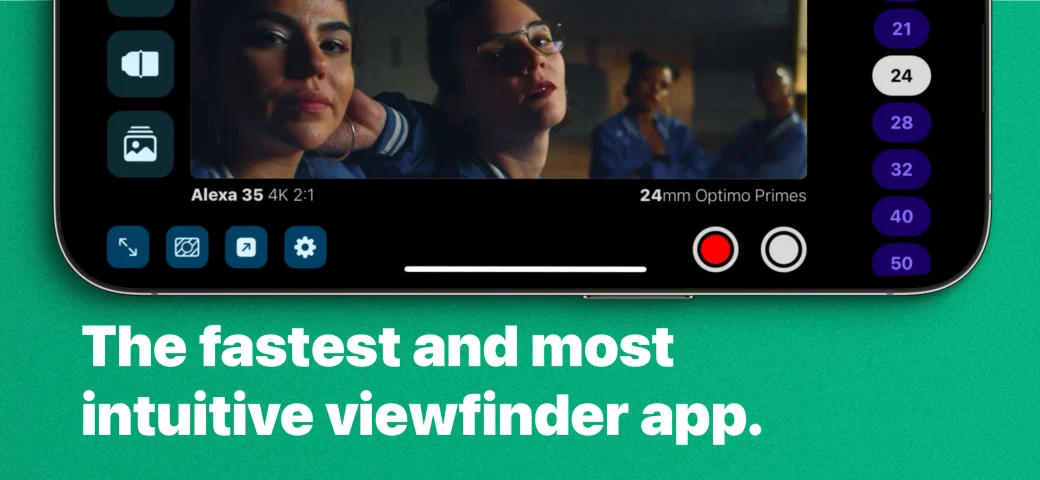
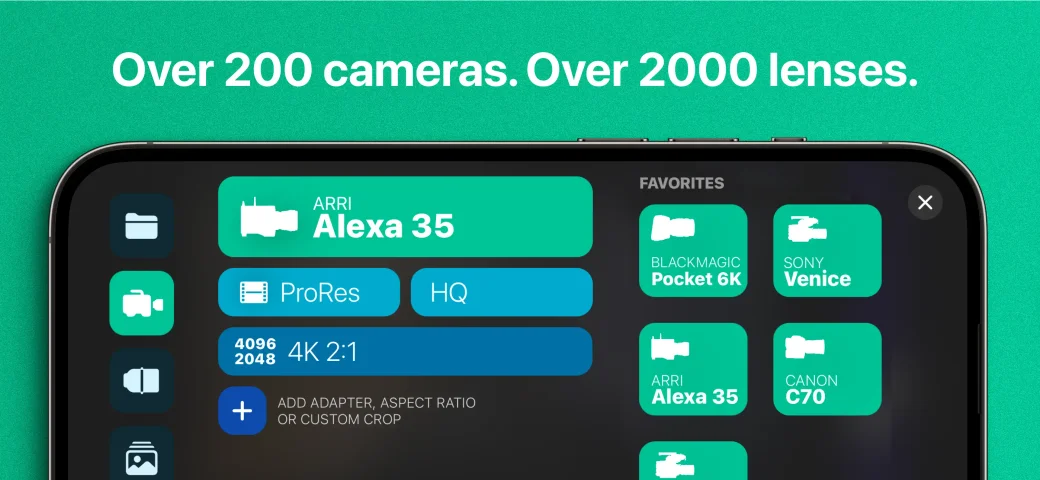
200+ cameras, 2000+ lenses, the fastest lens selection of any viewfinder app, plus PDF shotlists, project organization, and iCloud sync. Whether you're scouting a location, testing a new angle on set, or making a quick photo-based storyboard, FinderKit will help you work faster and keep you and your crew in sync. FinderKit also has a dedicated mode for photographers, with common photo sensor sizes and a simplified lens interface.
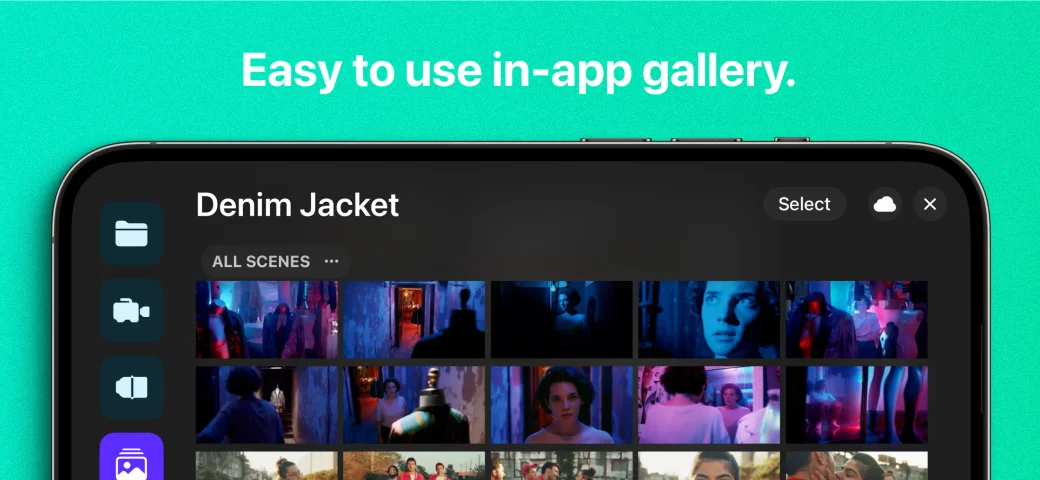
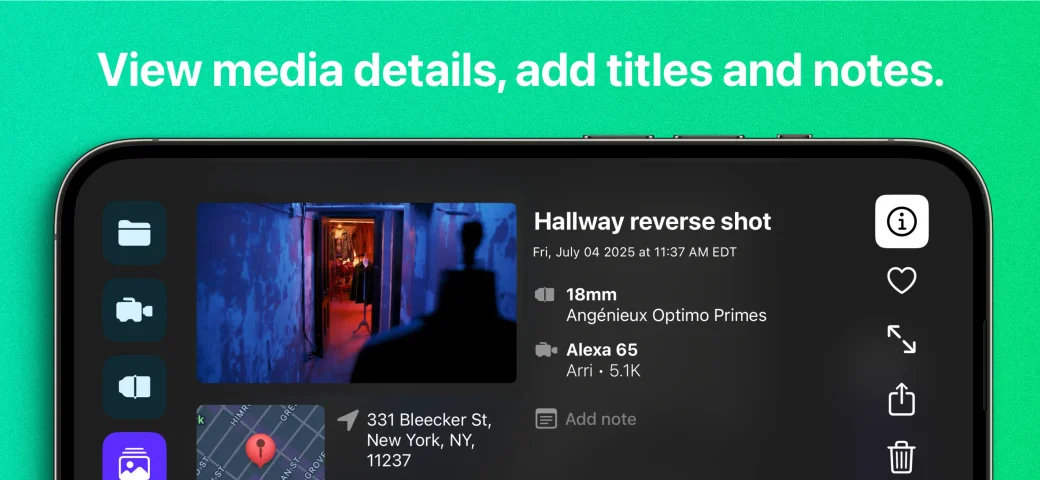
Simply choose your camera and lens package, and you'll get an accurate preview of what your camera will see. Quickly scroll the lens list to change focal lengths—no need to manually tap through each lens to get to the one you want. Save photos and videos to the in-app gallery, where you can organize by project and scene, add notes, or share.
CAMERAS AND LENSES
Includes over 200 cameras from brands like Arri, Canon, Red, Sony, Blackmagic, Panasonic and more, as well as over 2000 lenses from Angenieux, Arri, Cooke, Canon, DZO, Hawk, Leica, Zeiss and others. You can even group together individual lenses to make a custom kit for each project.
ACCESSORIES AND OVERLAYS
Speed boosters, extenders, aspect ratios, custom crops, thirds, grids, title safe, crosshair—FinderKit has it all.
PROJECTS
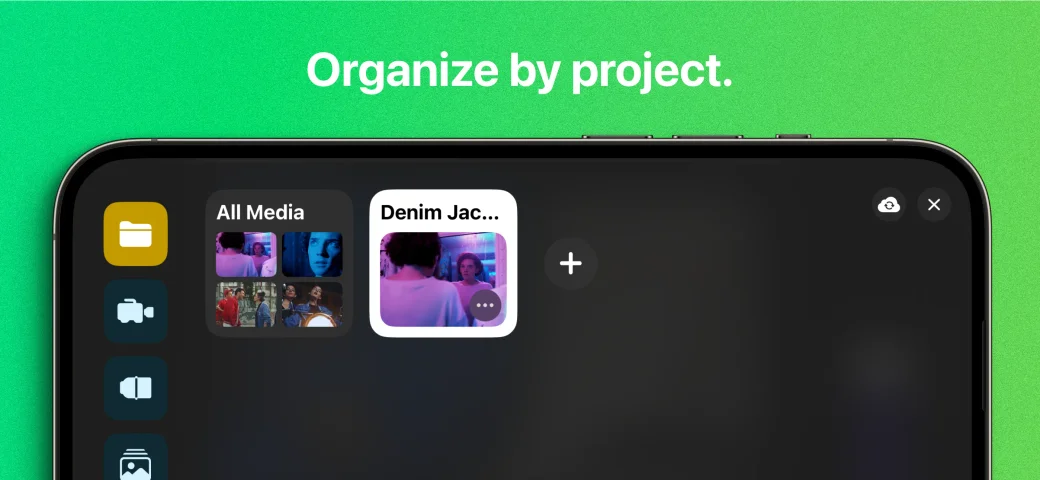
Projects let you organize your work. New photos and videos are saved to the project currently selected, along with your most recent camera and lens selections. When you return to that project later, your media and camera/lens settings are automatically loaded.
GALLERY
With an easy to use design, the gallery makes it simple to view, organize, and share media. When viewing media, just swipe up to see metadata and add titles/notes. Swipe back down to return to the gallery. Media is automatically grouped by project, and you can further organize by scene if you choose.
ICLOUD SYNC
Keep your media safe in the event of device loss or damage, and download FinderKit for Mac + iPad to view, organize and share your media on a large screen device with mouse and keyboard support.
AND MORE
• Fullscreen mode lets you cut out the distractions, hiding all the controls except the lens picker and shutter buttons.
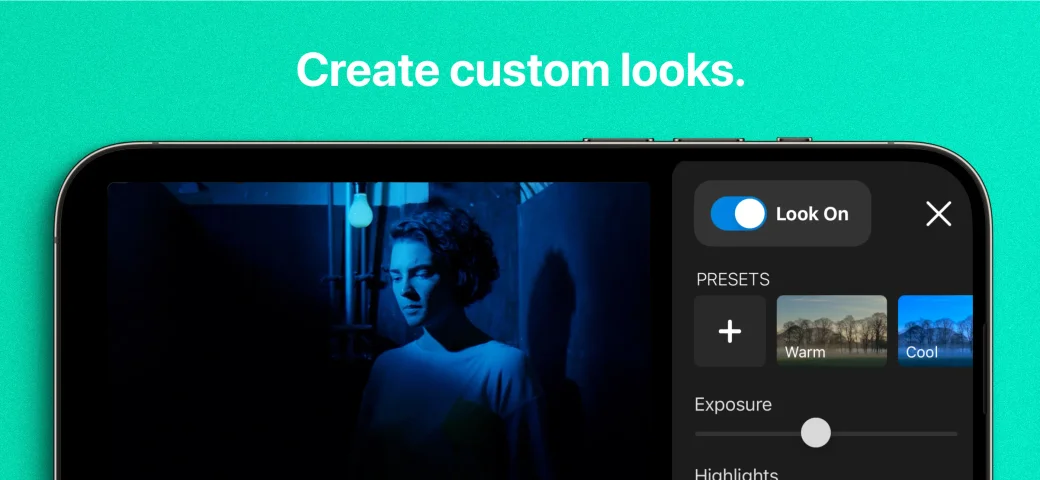
• Looks let you dial in exposure, contrast, temperature, saturation and more.
• Multicam buttons store preset camera and lens combinations for easy access when you're working with multiple cameras.
• A coverage warning lets you know that the lens you selected may not cover the current camera sensor (with a shortcut to LensKit to see the full coverage chart).
• If you use CameraKit or LensKit, a single tap sends your setup to FinderKit, and vice versa
• Even more features to come!
Terms of Use: https://www.apple.com/legal/internet-services/itunes/dev/stdeula/
What’s new
Version 26.0 · Sep 25, 2026
-Copy media to the clipboard via the long-press menu (or right click on Mac)
-Added Sony FX5
-Added Grass Valley LDX 100, 110, 150
-Added Panasonic PLV100
-Added Laowa Aksen
-Added DZO Arles Zooms
-Added TLS Nikon AI/AI-S
-Added TLS Petzval 35
-Added TLS Helix65 75
-Added Chiopt Xtreme 16-35
-Added Sigma Aizu 21, 100, 125
App privacy
What Zak Ray declares on the App Store about how this app handles data.
-
Data not linked to you
May be collected but is not linked to your identity.
- Purchases
- Usage data
- Diagnostics
Privacy practices may vary, for example with the features you use or your age.
Information
- Seller
- Zak Ray
- Category
- Photo & Video
- Version
- 26.0
- Updated
- Sep 25, 2026
- Released
- Nov 27, 2023
- Size
- 47.5 MB
- Requires
- iOS 15.0 or later
- Age rating
- 4+
- Price
- Free
- In-app purchases
- Yes
- Languages
- English
- Copyright
- © Gray Hour Media
You might also like
-
 Magic ARRI ViewFinderARRI Director's Viewfinder
-
 Magic Cinema ViewFinderBMD's Director's Viewfinder
-
 FrameUp - Cinema ViewfinderDirector & DP Viewfinder
-
 Magic Sonic ViewFinderDirector's ViewFinder
-
 Cadrage Director's ViewfinderViewfinder for Directors & DPs
-
 Shot DesignerPhoto & Video
-
 Shot ListerFilm shot list & schedule tool
-
 RED_CONTROLTake control of your RED®
-
 Artemis Director's ViewfinderFor the professional filmmaker
-
 ZoeLogCamera Reports for Film & TV