
Finess: expense tracker
Bills, income & savings goals
Designed for iPhone
Free · In-app purchases
- Age rating4+
- CategoryFinance
- DeveloperAndrei Astapov
- LanguagesEnglish+ 1 more
- Size18.2 MB
Links to the official App Store page
Download.org hosts no file of Finess: expense tracker. The button opens its official App Store page, published by Andrei Astapov. Listing last checked on Nov 18, 2026.
Screenshots
About
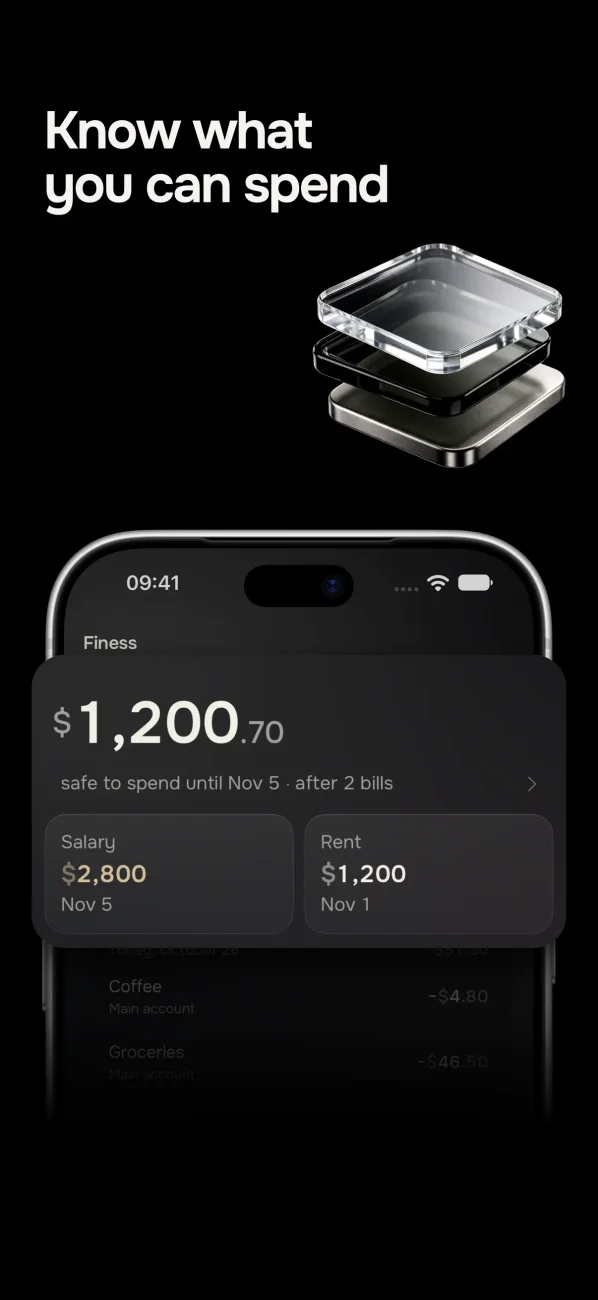
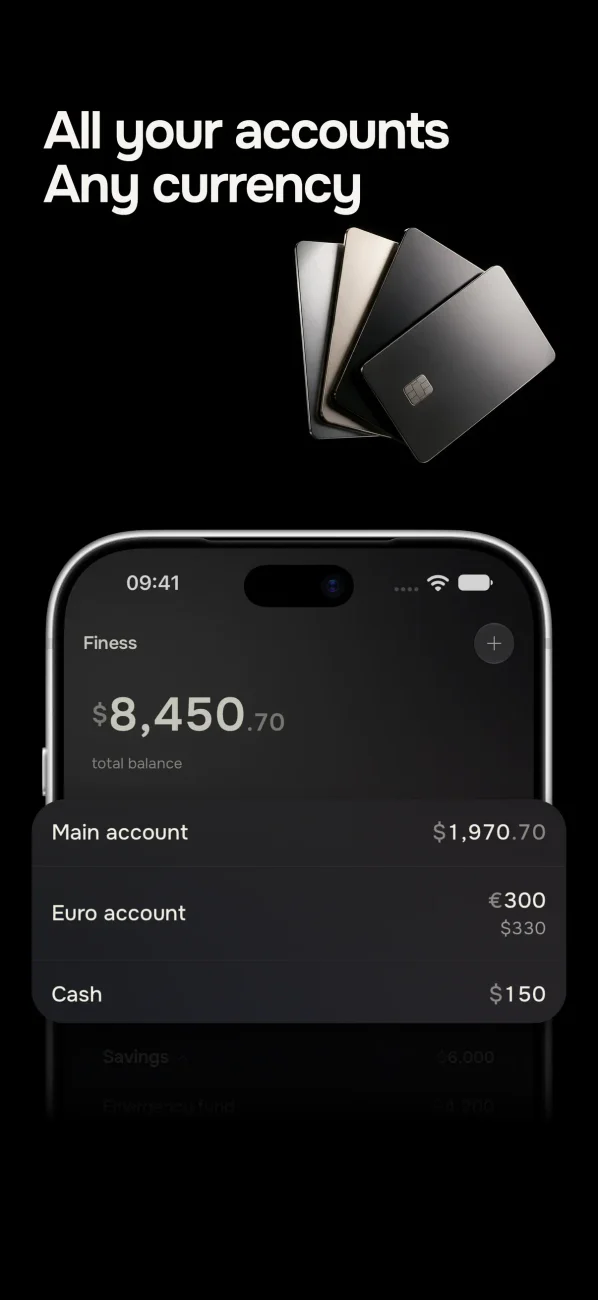
Finess helps you see how much is left until your next income payment, after the bills you've added. Track spending, keep upcoming payments in view and follow your savings goals.
See what's left
Enter your account balances, next income date and regular bills. Finess subtracts the bills due before your income and shows the amount left. Tap the number to see the breakdown.
Keep track of bills
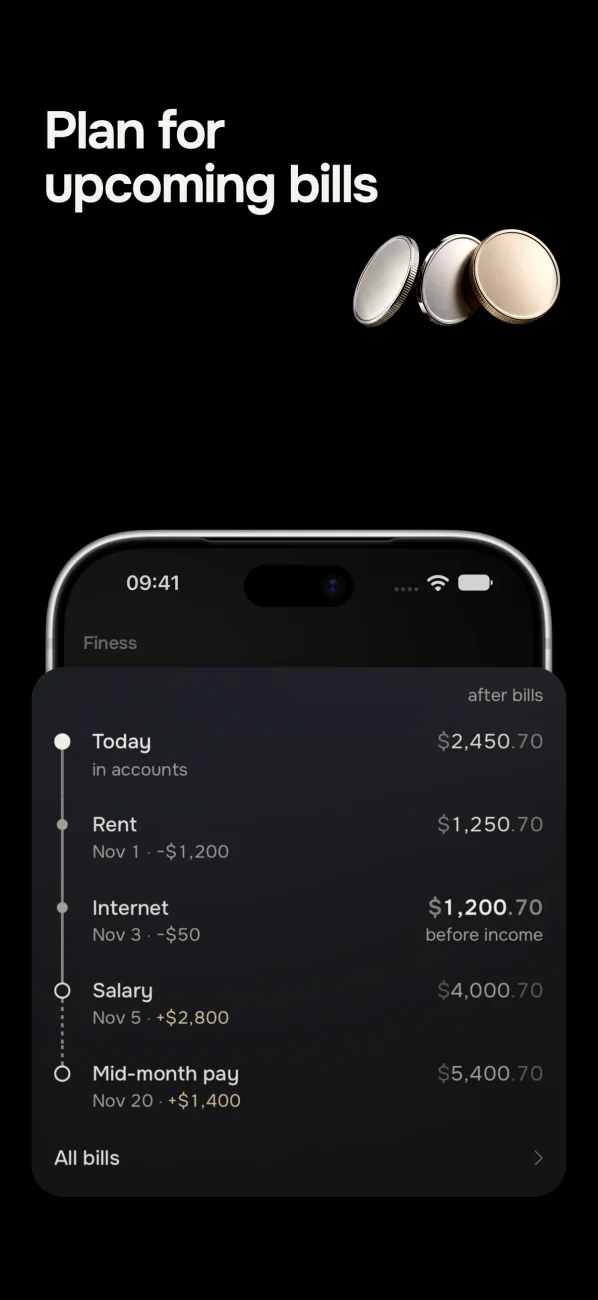
Keep rent, subscriptions, utilities and other regular payments in one list. Choose a reminder on the due date, or 1, 3 or 7 days before. Once you've paid, mark the payment with one tap.
Record income and expenses
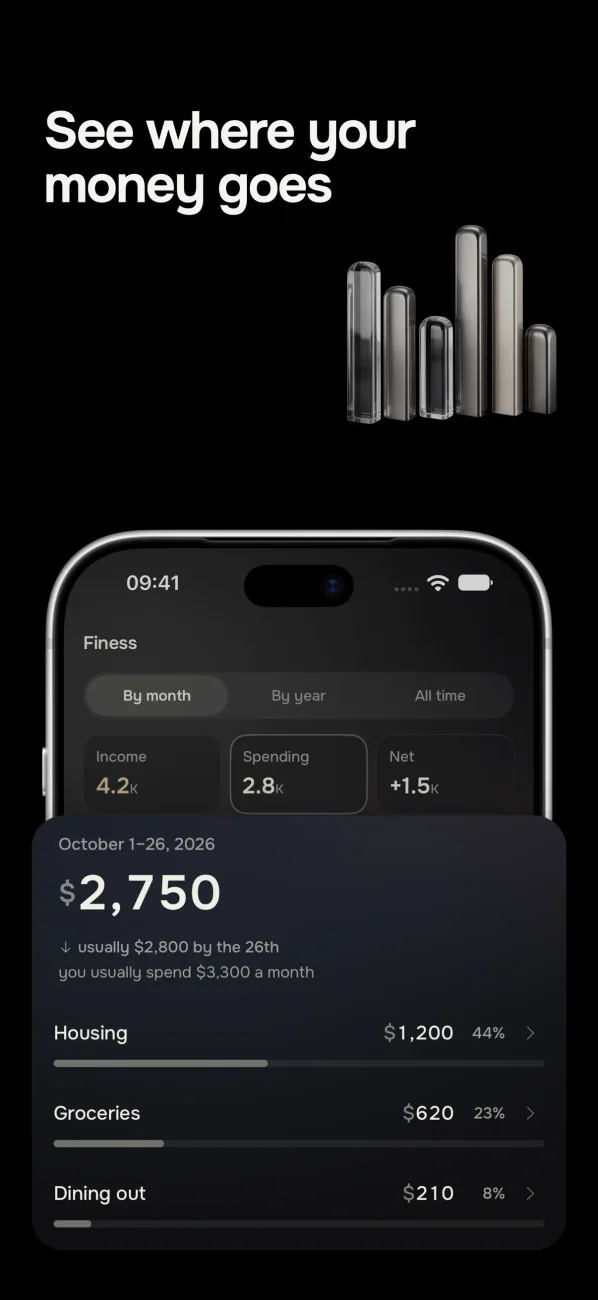
Add a transaction in seconds. View income and spending by month, year or across your full history. See where your money goes by category and compare this month's spending with your usual pace.
Follow your savings goals
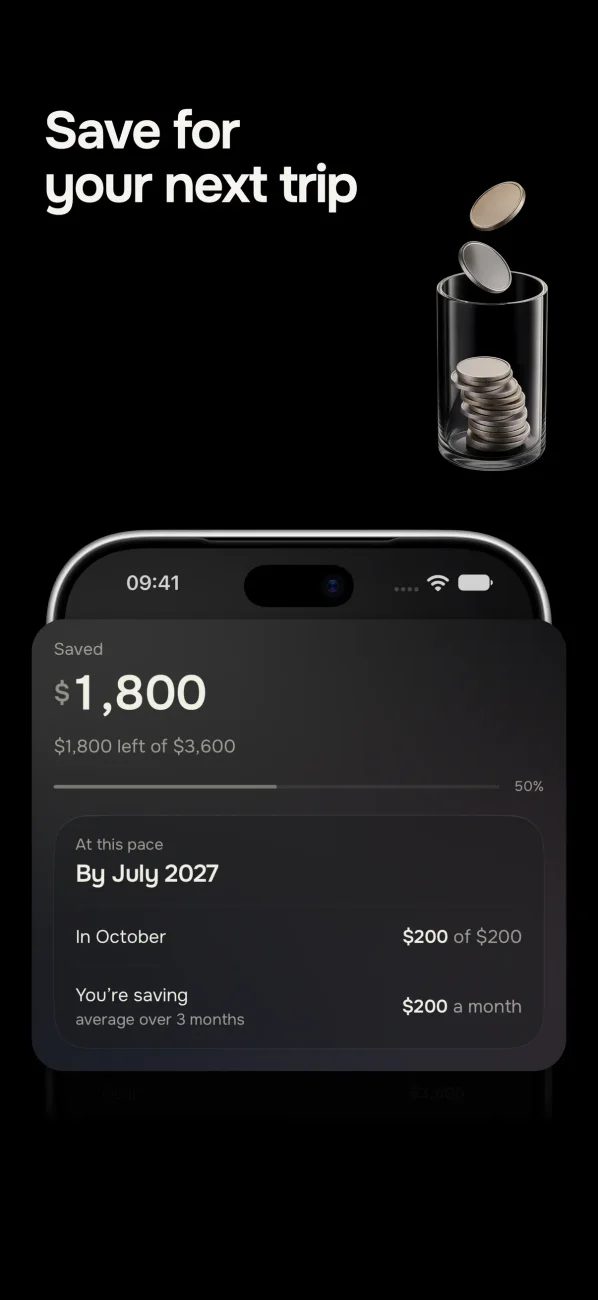
Add a savings account and a goal, such as a trip. See how much you've saved, what's left and when you could reach your target at your current pace.
See your accounts together
Keep cards, cash and savings in one place, with a combined total. Organize accounts into groups, such as by bank. You can also track loans and mortgages as liabilities.
Use multiple currencies
Keep income, accounts and bills in different currencies: income in dollars, an account in euros or a subscription in pounds. Your totals and the amount left until your next income payment are shown in your base currency.
Review your week
Get a weekly summary of what came in, what you set aside, what you spent and which payments are coming up in the next 7 days.
Bring your history
Import your history from a CSV file to bring transactions, accounts and categories into Finess and see your past spending.
Track manually
Enter income and expenses yourself or import them from a file. Finess does not connect to your bank accounts or cards.
Get support
Open Support in Profile to send a question or idea. You'll receive a reply by email.
Subscription
Try Finess free for 7 days. After the trial, choose a monthly or annual subscription to continue. Subscriptions renew automatically unless canceled. You can manage or cancel your subscription in your App Store account settings.
Terms of Use (EULA): https://www.apple.com/legal/internet-services/itunes/dev/stdeula/
Privacy Policy: https://finess.app/en/legal/privacy
What’s new
Version 2.1 · Nov 4, 2026
Finess is now available in English.
Profile, Settings and Account have a refreshed design.
App privacy
What Andrei Astapov declares on the App Store about how this app handles data.
-
Data linked to you
May be collected and linked to your identity.
- Purchases
- Financial info
- Contact info
- User content
- Identifiers
- Usage data
- Diagnostics
Privacy practices may vary, for example with the features you use or your age.
Information
- Seller
- Andrei Astapov
- Category
- Finance
- Version
- 2.1
- Updated
- Nov 4, 2026
- Released
- Sep 9, 2026
- Size
- 18.2 MB
- Requires
- iOS 17.0 or later
- Age rating
- 4+
- Price
- Free
- In-app purchases
- Yes
- Languages
- English, Russian
- Copyright
- © 2026 Andrei Astapov
You might also like
-
 FinFlow: Expenses & Budget AppPersonal Finance & Income Plan
-
 Plenta: Income & ExpensesSavings, goals and debts
-
 FinDiary: Money TrackerIncome & Expense Tracking
-
 FunderyFinance
-
 Pace: Budget & Expense TrackerMoney Manager: Bills & Savings
-
 Plusmo — умный учёт расходовБюджет, долги и голосовой ввод
-
 Moneta ОК - Учет расходовУчёт расходов - проще некуда
-
 Finesly - финансовый помощникFinance
-
 ЛадFinance
-
 My Expenses: Spending TrackerIncome, Accounts & Budget