Fingadruma: Beat Maker
Drum machine, pads & sampler
Designed for iPhone, iPad
Free · In-app purchases
- Age rating4+
- CategoryMusic
- DeveloperSvitlana Kravtsova
- LanguagesEnglish
- Size20.4 MB
Links to the official App Store page
Download.org hosts no file of Fingadruma: Beat Maker. The button opens its official App Store page, published by Svitlana Kravtsova. Listing last checked on Nov 18, 2026.
Screenshots


About
Fingadruma is a pocket groovebox for finger drumming and beat making. Tap out a beat on 16 pads, chop a break onto them, lay a melody and a bassline on the synth, record your voice over the loop, shape every track with effects, and export the song to share.
PLAY THE PADS
• 16 multi-touch pads: play with several fingers at once, like on a hardware drum machine
• 182 built-in sounds: kicks, snares, claps, hats, percussion, cymbals, 808s, chords and FX
• The classic hardware sampler layout: kick, snare and hats on the bottom row, where your fingers expect them. Or the General MIDI drum map
• Pads lit by kind of sound: kicks red, snares yellow, hats green, toms blue, cymbals orange. Eight more color schemes
• Per pad: volume, pitch, pan, its own effects, and how it plays: to the end, while you hold it, or until its next hit
• Mute groups, so the closed hat cuts the open one
• Load your own audio files onto pads, or sample straight from the microphone
CHOP AND DESIGN SOUNDS
• Chop a break, a loop or a recording: at its hits, on the beat grid or by hand, then put the chops on the pads
• Drum synth: build kicks, snares, claps, hats, cymbals, toms, 808s and FX from scratch, or start from 86 presets from boom-bap to drill and dubstep
• 120 synth presets: leads, basses, pads, keys, plucks and FX
RECORD AND LOOP
• Up to 8 tracks: drums, synth and audio
• Every track loops at its own length: 1, 2, 4, 8 or 16 bars
• Record live with a metronome, count-in and quantize (1/4 to 1/32, triplets), overdub and undo
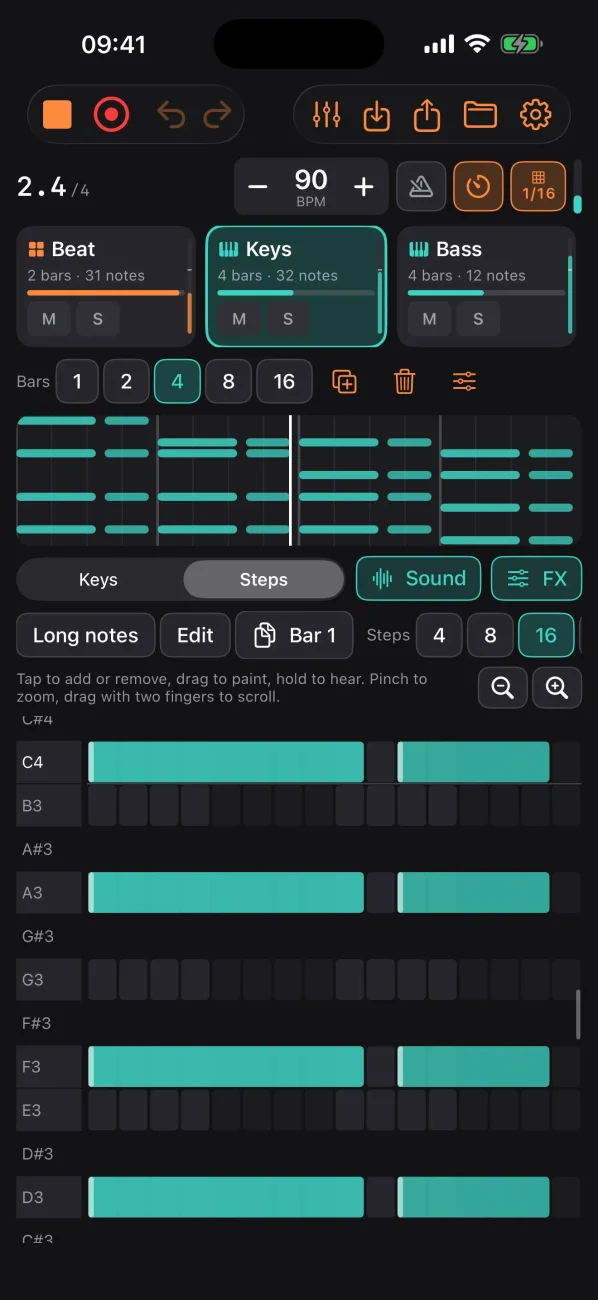
• Step sequencer and piano roll, 4 to 32 steps per bar: tap to toggle, drag to draw, pinch to zoom
• Copy a bar into the bars after it or onto another track, then change a few notes
MELODIES AND VOICE
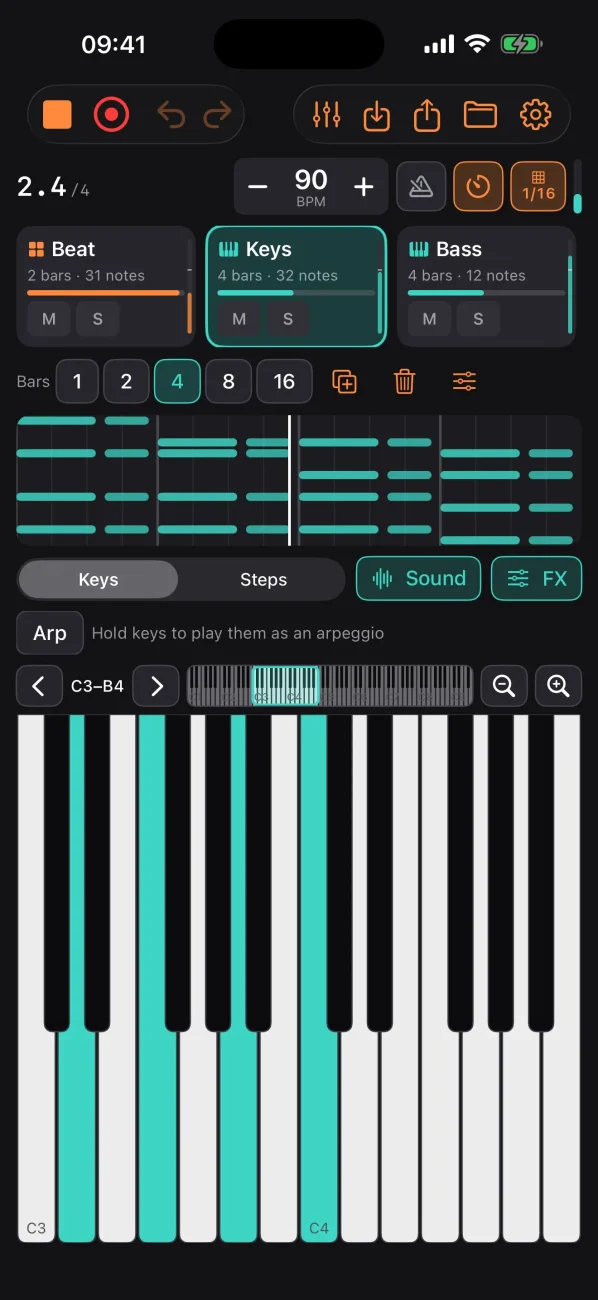
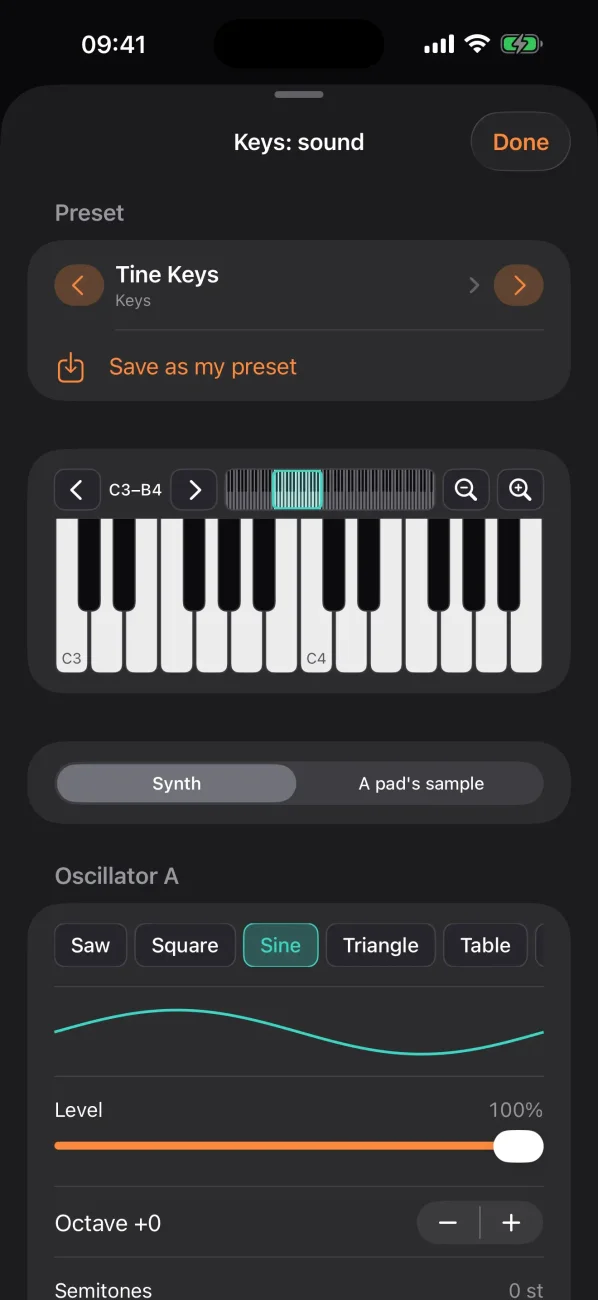
• Synth keyboard with two detuned oscillators, an envelope and a resonant filter. Zoom it from one octave to three
• Arpeggiator: up, down, random or whole chords, in time with the tempo, with hold
• Play any pad's sample chromatically on the keys
• Record your voice or an instrument onto an audio track, in time with the loop. Voice mode keeps the beat from the speaker out of the recording
EFFECTS AND MIX
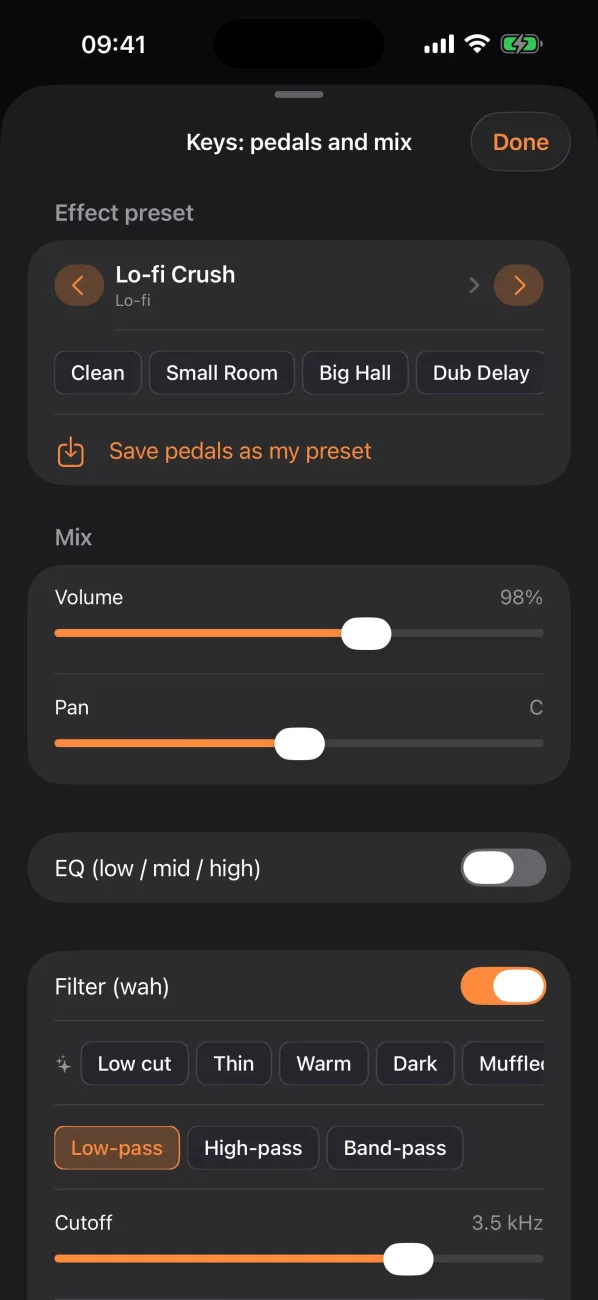
• A pedalboard on every track and every pad: filter, drive (overdrive, distortion, fuzz), bit crusher, chorus, phaser, tremolo, tempo-synced delay and reverb
• Presets for the whole chain and for every pedal: hall, slapback, dub delay, lo-fi, 12-bit, telephone, robot and more
• Three-band EQ, volume, pan, mute and solo on every track, a master EQ, and a limiter that keeps the mix from clipping
• Drag a track up or down to set its volume while the beat plays (iOS 18 and later)
• Tap the selected track to solo it, double-tap any track to mute it
START IN SECONDS
• 40 styles: hip-hop and golden era, trap and drill, phonk, trip-hop and lo-fi, drum & bass, dubstep, house, techno, garage, amapiano and more
• Each has its own kit, tempo and sounds, and a starter beat with a melody, played with the timing and accents of real drummers
• Or roll a random beat: drums, bass, chords and a melody in the style's feel and key
• A short tour shows you around the studio, and tips come up the first time you record, play a melody or record your voice
SAVE AND SHARE
• Projects save automatically when you leave the app
• Export your song as WAV or M4A and share it anywhere
FREE, WITH ADS
• Every feature is free; the ads pay for it
• No banner in the studio: a full-screen ad at most every eight minutes, only when you pause (close a screen or stop the beat)
• Ads never interrupt playing or recording
• Remove ads with a one-time purchase, on all your devices
A low-latency audio engine built for finger drumming. Works offline, with no account.
Tip: use headphones when you record, so the beat does not bleed into the microphone.
What’s new
Version 1.0.1 · Nov 17, 2026
• New here? A short tour shows what each part of the studio does, and a tip comes up the first time you record, play a melody or record your voice. Skip them any time, or take the tour again in Settings → Help.
• Tap the selected track's card to solo it, and tap again to hear them all. Double-tap any card to mute that track.
• Zoom the keyboard in Keys, from one big octave to three: pinch the strip above the keys, or tap − and +.
• Drag a track's card up or down to set its volume, right while the beat plays (iOS 18 and later).
• Full-screen ads come less often: at most one every eight minutes, still only when you pause.
• Hold any button for half a second to see what it does. A slightly long tap no longer sets it off by mistake.
• Fixed: on iOS 26 the More button at the top could open an empty menu on some iPhones, so Mixer, Save, Export, Projects and Settings were out of reach. On a smaller iPhone, Export, Projects and Settings are now in the ⋯ menu at the top right.
Thanks for making beats with Fingadruma!
App privacy
What Svitlana Kravtsova declares on the App Store about how this app handles data.
-
Data used to track you
May be used to track you across apps and websites owned by other companies.
- Location
- Identifiers
- Usage data
-
Data not linked to you
May be collected but is not linked to your identity.
- Location
- Identifiers
- Usage data
- Diagnostics
Privacy practices may vary, for example with the features you use or your age.
Information
- Seller
- Svitlana Kravtsova
- Category
- Music
- Version
- 1.0.1
- Updated
- Nov 17, 2026
- Released
- Nov 11, 2026
- Size
- 20.4 MB
- Requires
- iOS 17.0 or later
- Age rating
- 4+
- Price
- Free
- In-app purchases
- Yes
- Languages
- English
- Copyright
- © 2026 PilkixApps
You might also like
-
 Pianinka: Piano LessonsLearn on your own piano
-
 SimpleBoardCreate a custom soundboard
-
 KITE Sampler: Sound GrooveboxChop-based step sequencer app
-
 LDK-1Lofi drum pads by L.Dre
-
 Beat Maker Studio: Jam PadMake Music, Loops & Drum Beats
-
 VU StudioMusic
-
 BLEASS GrooveboxAll-in-One Beat Studio
-
 EGDR909 Drum Machine LiteVintage Drum Machine emulation
-
 VU202Music
-
 AudioKit FM Player 2: DX SynthExplore Classic iDX Sounds