
Finora Budget
Private money & budget tracker
Designed for iPhone, iPad
Free · In-app purchases
- Age rating4+
- CategoryFinance
- DeveloperJorge Palominos Villegas
- LanguagesEnglish+ 4 more
- Size25.4 MB
Links to the official App Store page
Download.org hosts no file of Finora Budget. The button opens its official App Store page, published by Jorge Palominos Villegas. Listing last checked on Nov 26, 2026.
Screenshots



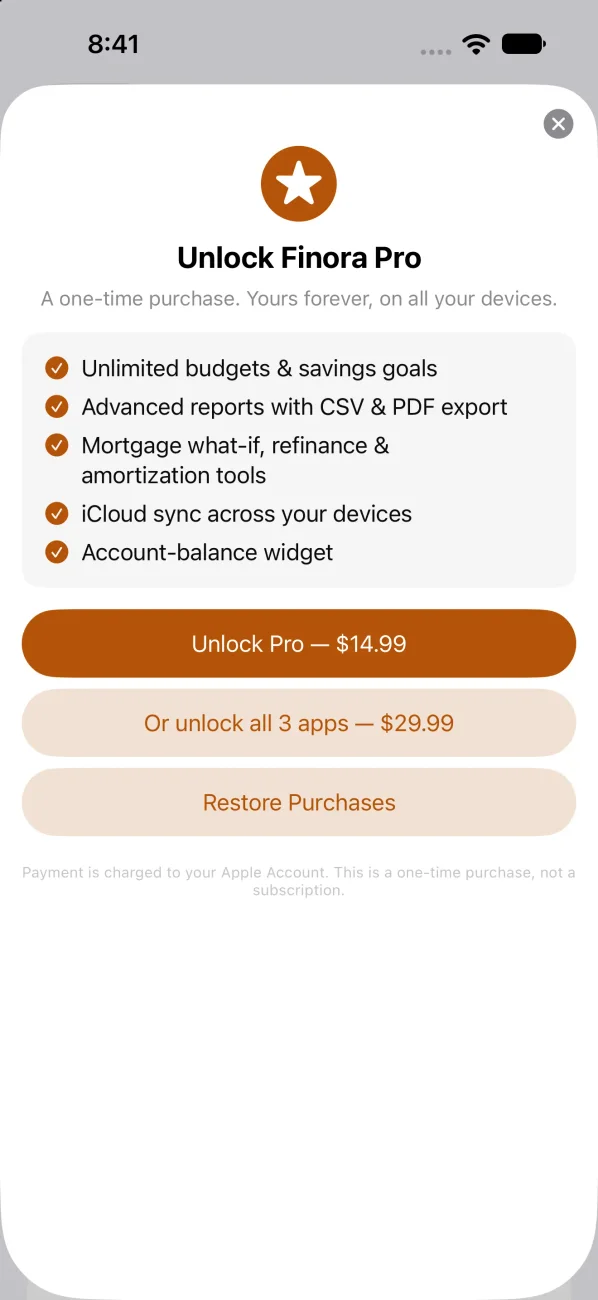
About
Finora — budgeting that stays on your phone. Private by design, a one-time purchase, no bank login and no subscription.
Finora is an all-in-one budget and money tracker that keeps your finances on your device. Nothing to sign into, nothing to sync to a server — just a fast, clear picture of your money.
Track it in seconds
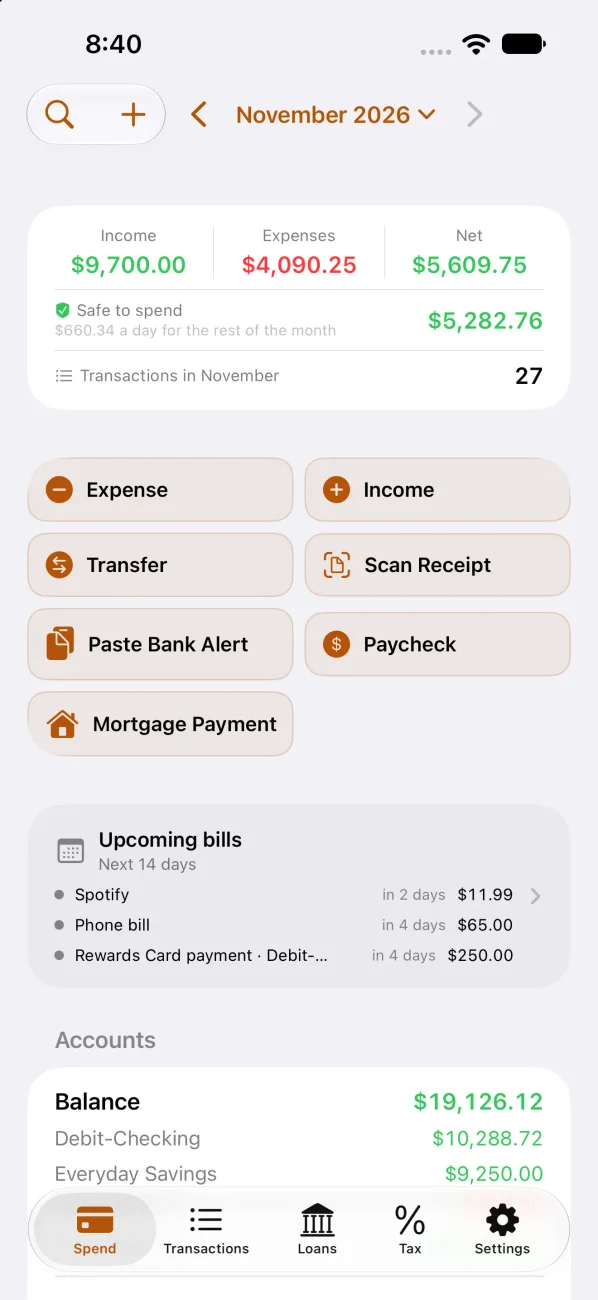
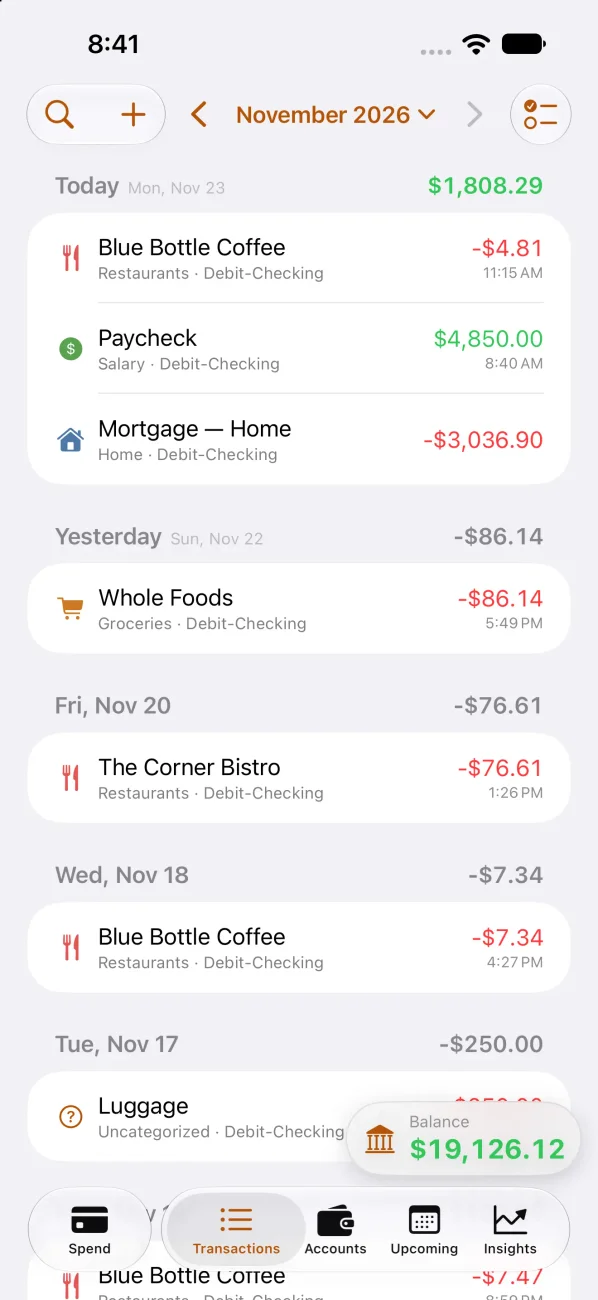
• Log expenses and income with smart, learn-as-you-go category suggestions
• Accounts, transfers, and credit cards with live balances
• Recurring bills and pay — including twice a month (the 15th & 30th)
• Import a CSV or a bank/credit-card PDF statement, read entirely on your device
• Scan receipts to fill in the details
See where you stand
• Monthly spending, budgets, and "safe to spend"
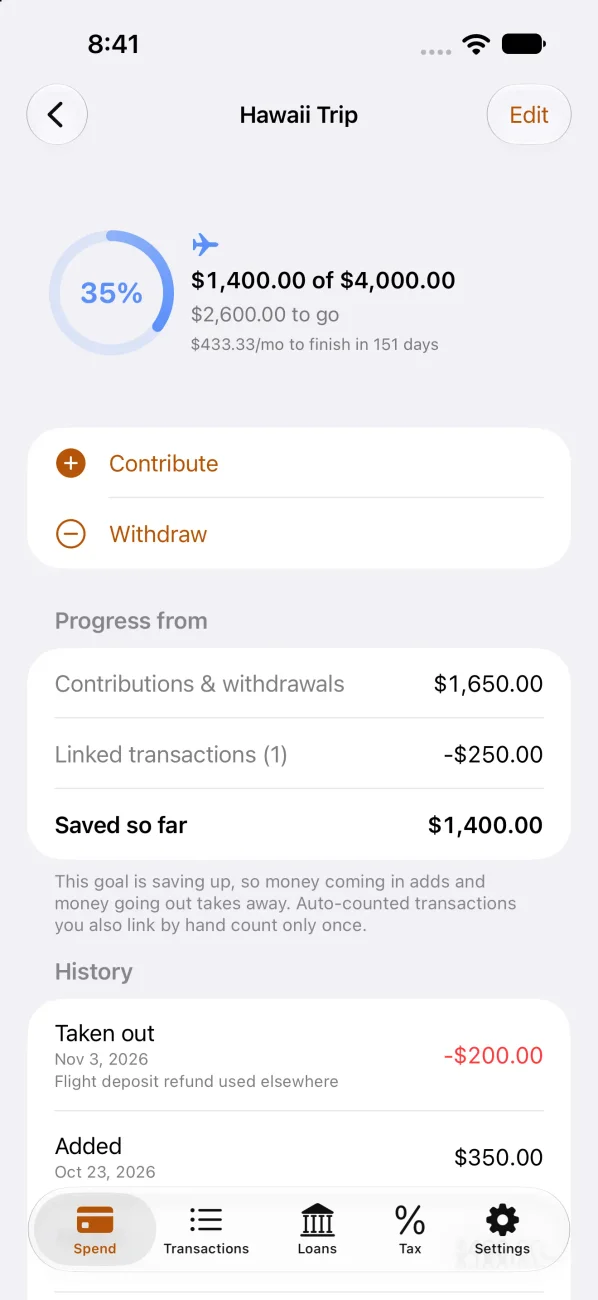
• Savings goals with round-ups and automatic contributions
• Net worth, trends, and reports at a glance
• A private money assistant powered by Apple Intelligence — ask about your spending and budgets; nothing leaves your iPhone
Go further with Pro
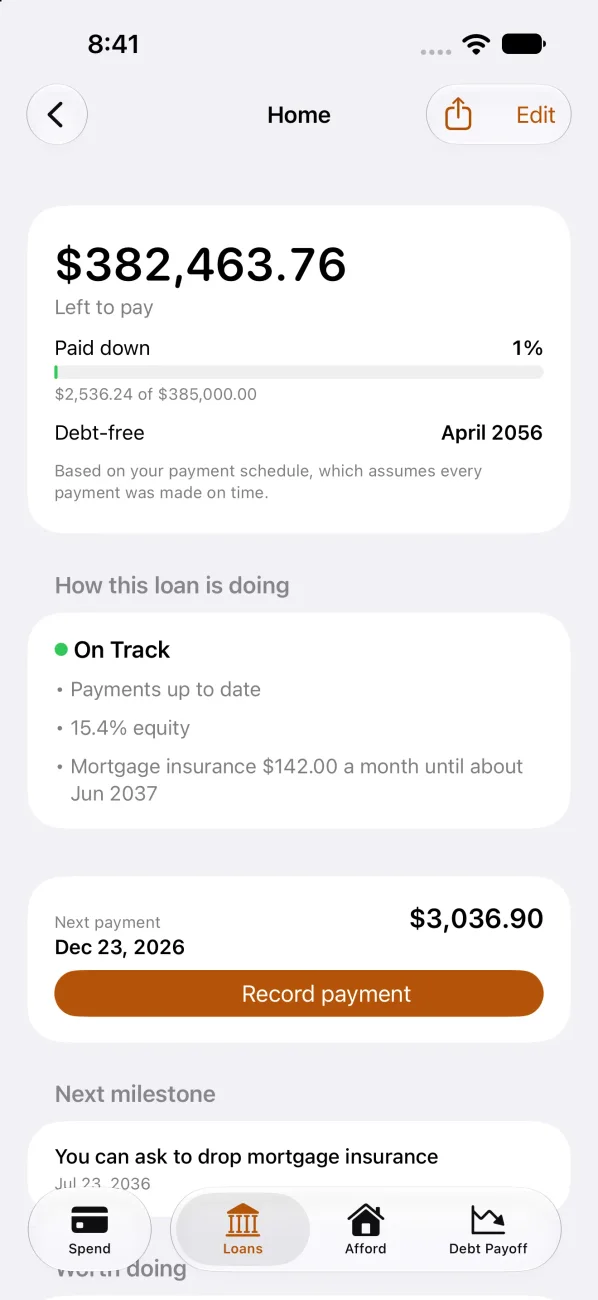
• Mortgage & loan tracking, a debt-payoff planner, and investments in your net worth
• Reports & Insights, plus unlimited budgets and goals
• iCloud sync across your devices
• A self-employed & VAT/tax helper
Widgets, Siri shortcuts, and an Apple Watch glance keep your numbers one tap away. Available in English, Spanish, German, French, and Portuguese, with your currency set automatically from your phone.
Your money, your device, yours to keep.
What’s new
Version 5.0 · Nov 25, 2026
Version 5.0 brings menus to the tab bar.
• Menus in the tab bar: tap Transactions and the bar shows Transactions, Accounts, Upcoming and Insights. Tap Loans for your loans, what you could afford and the debt payoff planner. Tap Tax for Overview, Paychecks, Tax Info and Self-Employment. Spend stays on the left, and tapping it brings back the usual tabs.
• On iPhone, Tax's sections are in the bar instead of behind the floating button, and Tax Settings is the gear on Overview.
• Nothing moved: Spend's Browse list, now in alphabetical order, still opens Savings Goals, and the Loans tools and Tax's sections are where they were.
• A smoother tab bar: a menu opens as you lift your finger, and the tab you tapped stays highlighted the whole way. Every tab name fits, in every language.
• Faster: switching tabs and saving a transaction do less work, and the app opens faster.
• Fixed: Today on a chart is right again after scrolling back past a clock change.
App privacy
What Jorge Palominos Villegas declares on the App Store about how this app handles data.
-
Data not collected
The developer does not collect any data from this app.
Privacy practices may vary, for example with the features you use or your age.
Information
- Seller
- Jorge Palominos Villegas
- Category
- Finance
- Version
- 5.0
- Updated
- Nov 25, 2026
- Released
- Jul 23, 2026
- Size
- 25.4 MB
- Requires
- iOS 26.0 or later
- Age rating
- 4+
- Price
- Free
- In-app purchases
- Yes
- Languages
- English, French, German, Portuguese, Spanish
- Copyright
- © 2026 Jorge Villegas
You might also like
-
 SpendScanrTrack Every Penny Effortlessly
-
 Penny Wise - Money ManagerTrack every penny
-
 SLC: Simple Loan CalculatorRepayments, offset & reminders
-
 AnypenniMake Every Penny Count !
-
 Finora: Expense TrackerManage Money & Daily Expenses
-
 MonthBoxSimple Monthly Budget Tracker
-
 Loan Payoff: Extra PaymentsMortgage & Interest Calculator
-
 FinaLit: Budget, Learn & AITrack money, learn, ask AI
-
 Simple: Budgeting & PlanningKnow Where Your Money Goes
-
 Penny: Expense Tracker, BudgetMoney Manager, Bills & Wealth