
FinTracker Budget
Take control of your finances
Designed for iPhone, iPad
In-app purchases
- Age rating4+
- CategoryFinance
- DeveloperGazizbek Kaumbayev
- LanguagesEnglish+ 2 more
- Size11.4 MB
Links to the official App Store page
Download.org hosts no file of FinTracker Budget. The button opens its official App Store page, published by Gazizbek Kaumbayev. Listing last checked on Nov 10, 2026.
Screenshots


About
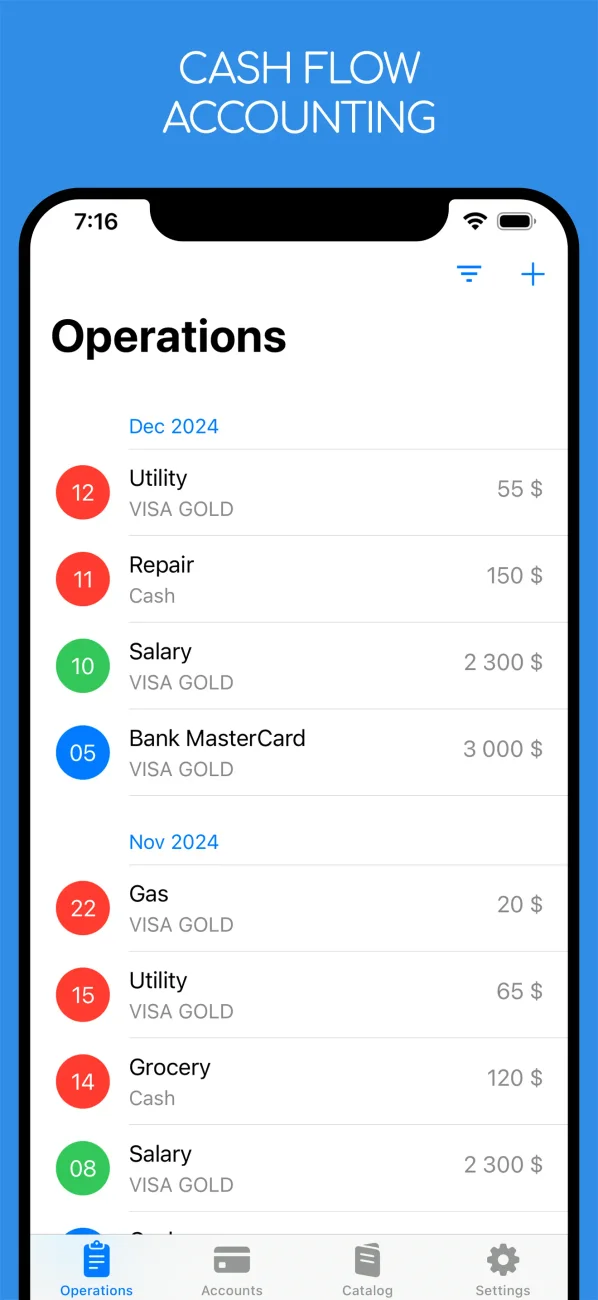
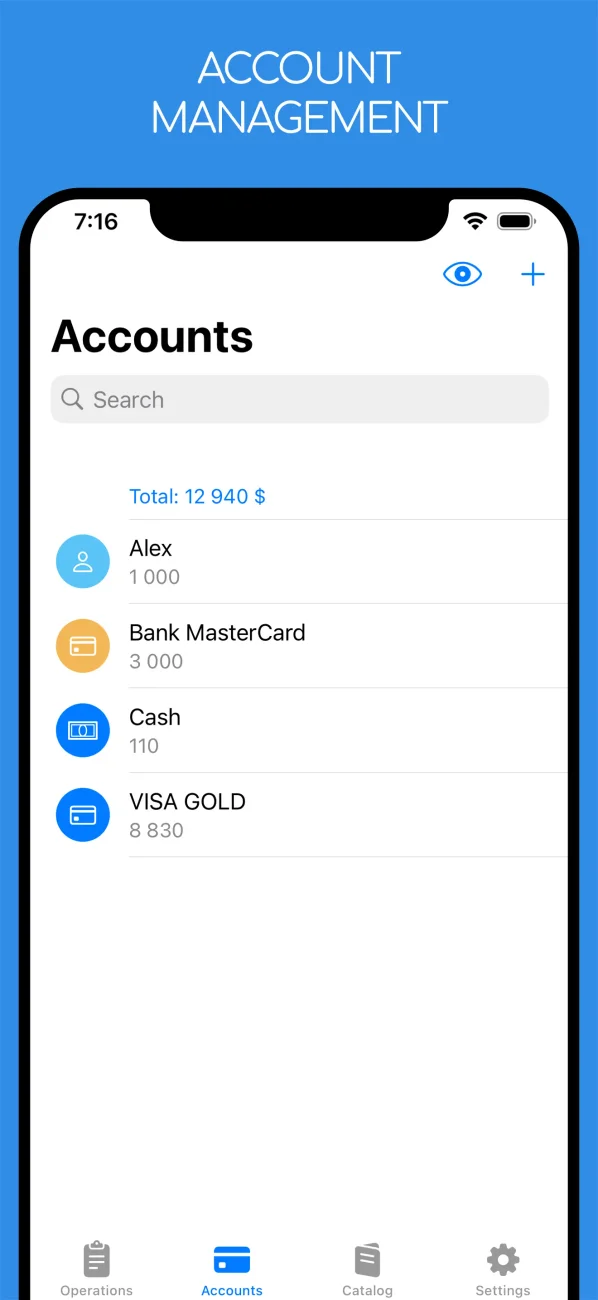
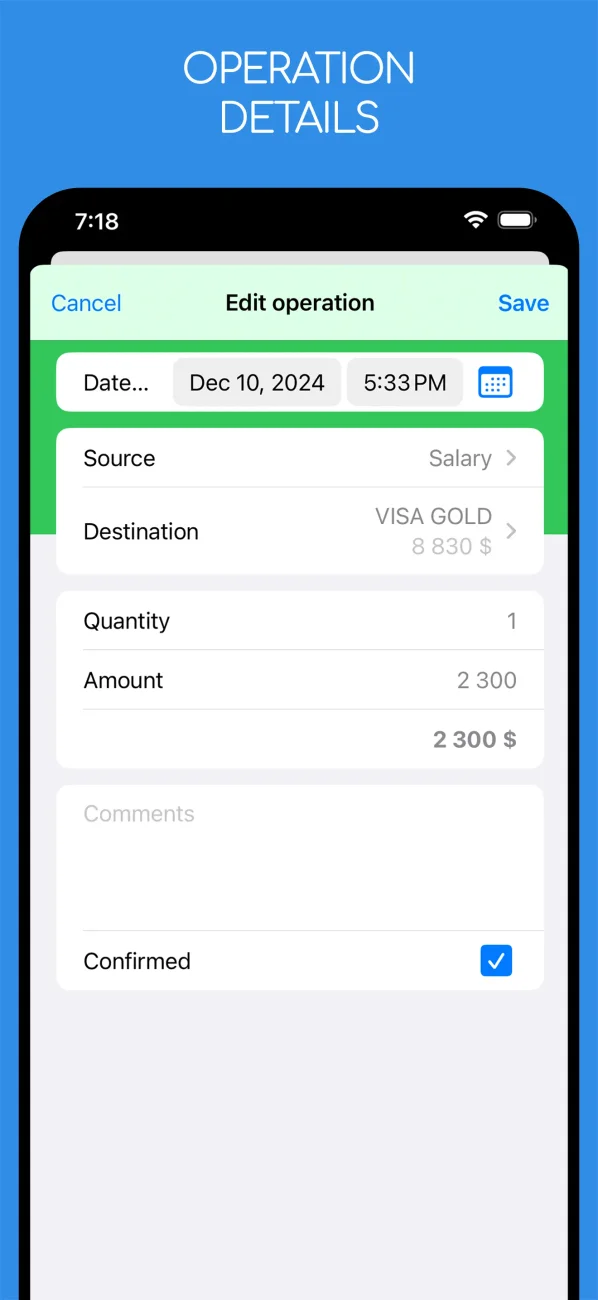
The "FinTracker" application will help you keep records of cash flow (expenditure, income and transfers), take control of your finances. Everything is very convenient and clear. The applications have the ability to generate reports for the specified period in various views, which will help you analyze your expenses.
- Intuitive interface:
The application is very easy to use: the most intuitive interface (native iOS design);
- Visual display:
Automatically calculating and displaying the current account balance;
- Details:
See the details for any period of time, for any category of operations, sorting operations by date or amount – as it will be more convenient for you;
- Categories:
Create an unlimited number of categories, assign them any colors and names so that the application is as convenient as possible for you;
- Multicurrency:
You can create accounts in different currencies;
- Planning:
Take control of your budget with a brand-new Planning tab. Create plans that cap your spending or set an income goal for a week, month, year, or any custom date range — track one category, several categories, an entire category group, or all your income/expenses at once. Watch progress update live as you add transactions, with a clear warning when you go over budget. Switch between plans active right now and your full plan history anytime;
- Reports:
Generate summary reports for the month, week, day in the form of a pie chart. There are three types of reports (pie and hierarchical charts, as well as a monthly report), in different data views, for different periods, and with the ability to filter data;
- Data:
It is possible to work with *.csv format files (data export and import);
- Settings:
The application allows you to choose the interface theme (dark or light).
The app will evolve and improve! Feel free to write your suggestions.
Terms of Use (EULA): https://www.apple.com/legal/internet-services/itunes/dev/stdeula/
Privacy Policy: https://fintracker-budget.web.app/privacy/en
What’s new
Version 1.6.0 · Oct 29, 2026
Home Screen widgets are here!
• Accounts: see the balances of the accounts you choose (medium and large sizes). Press and hold the widget, then tap Edit Widget to pick which accounts it shows.
• Plan Progress: a ring that shows how much of your plan you've used this period (small size).
• Quick Add: add an expense, income or transfer with one tap (medium size).
To add one, press and hold your Home Screen, tap "+" and search for FinTracker.
App privacy
What Gazizbek Kaumbayev declares on the App Store about how this app handles data.
-
Data not collected
The developer does not collect any data from this app.
Privacy practices may vary, for example with the features you use or your age.
Information
- Seller
- Gazizbek Kaumbayev
- Category
- Finance
- Version
- 1.6.0
- Updated
- Oct 29, 2026
- Released
- Dec 23, 2024
- Size
- 11.4 MB
- Requires
- iOS 17.2 or later
- Age rating
- 4+
- In-app purchases
- Yes
- Languages
- English, Kazakh, Russian
- Copyright
- © 2024 Alem Corporation
You might also like
-
 FinTraicker: Budget PlannerExpense Tracker & AI Coach
-
 Forgenta: Budget PlannerSafe to Spend & Payoff Date
-
 FlowRate: Income InsightsYour income flow rate.
-
 Casfow - Expense TrackerExpense & Income Tracker
-
 AmbSavefinancial goals
-
 Finen: Budget and FinanceManage your personal finances
-
 Expense Manager : BudgetWiseWise Budget & Budget Manager
-
 Income & Expense: FintrackerBudget & Expense Management
-
 Spendly PROSmarter Money Management
-
 AI Stock TradingFinance