
First Responders Cal
Firefighter Police EMS Shifts
Designed for iPhone, iPad, Mac
Free · In-app purchases
- Age rating4+
- CategoryProductivity
- DeveloperPEDRO NIEVES
- LanguagesEnglish
- Size24.2 MB
Links to the official App Store page
Download.org hosts no file of First Responders Cal. The button opens its official App Store page, published by PEDRO NIEVES. Listing last checked on Nov 24, 2026.
Screenshots


About
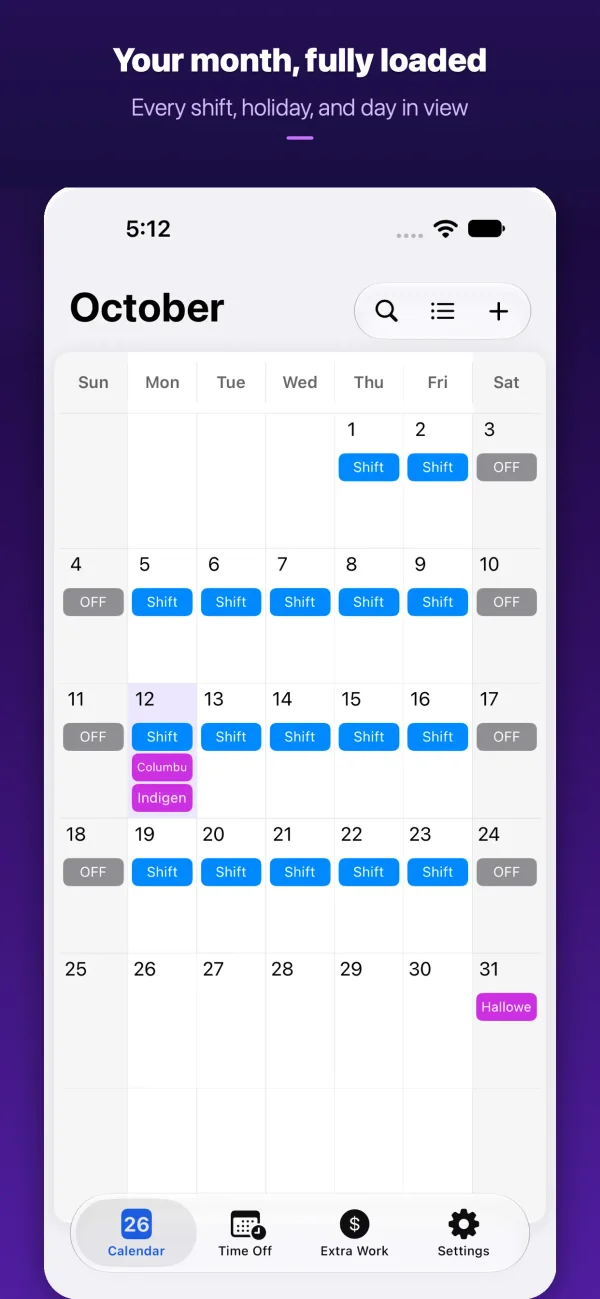
A shift calendar for firefighters, police officers, paramedics, EMS crews, corrections officers, and dispatchers. Choose a Panama (2-2-3), Modified Kelly, 24/48, or 48/96 rotation, or build your own. Preview your workdays and days off before adding shifts to your calendar.
Working today, or is it a day off? Check your Next Work widget to see when you’re due back on duty. Keep shifts, court dates, overtime, trades, and leave together so you can plan around your roster.
SET UP A PANAMA OR MODIFIED KELLY SCHEDULE
Open Patterns, select +, then select “Choose a predefined pattern.”
For Panama, choose “Panama / Pitman (2-2-3).” The preview shows the full 14-day cycle: two days on, two off, three on, two off, two on, and three off. Choose your day or night shift time when you apply the pattern.
For Modified Kelly, choose “Modified Kelly.” This nine-day rotation schedules 24-hour tours on days 1, 3, and 5, followed by four days off.
Select “Add to My Patterns” to save an editable copy. When you’re ready to put it on your calendar, open the saved copy, choose your dates and shift time, and check the preview against your roster. Save when the workdays and days off line up.
ADD YOUR OWN KELLY RELIEF DAYS
A Kelly relief day gives you a scheduled tour off. You can add relief dates to any saved pattern, including a preset or a rotation you created yourself.
Edit your saved pattern, turn on “Use Kelly relief dates,” and choose “First Kelly day on your roster.” If prompted, select which workday in your rotation that date represents.
• For one Kelly day, turn off “Repeat after a number of shifts.”
• For recurring relief, leave it on and choose your department’s interval, such as every 7th or 8th scheduled shift.
• For an additional relief day, open “Additional relief dates,” choose a scheduled workday, and select “Add relief date.”
The rest of your rotation stays on schedule. For example, if you work 24/48 and Friday is your Kelly day, you have Friday off. Monday is still your next shift.
MANAGE THE REST OF YOUR ROSTER
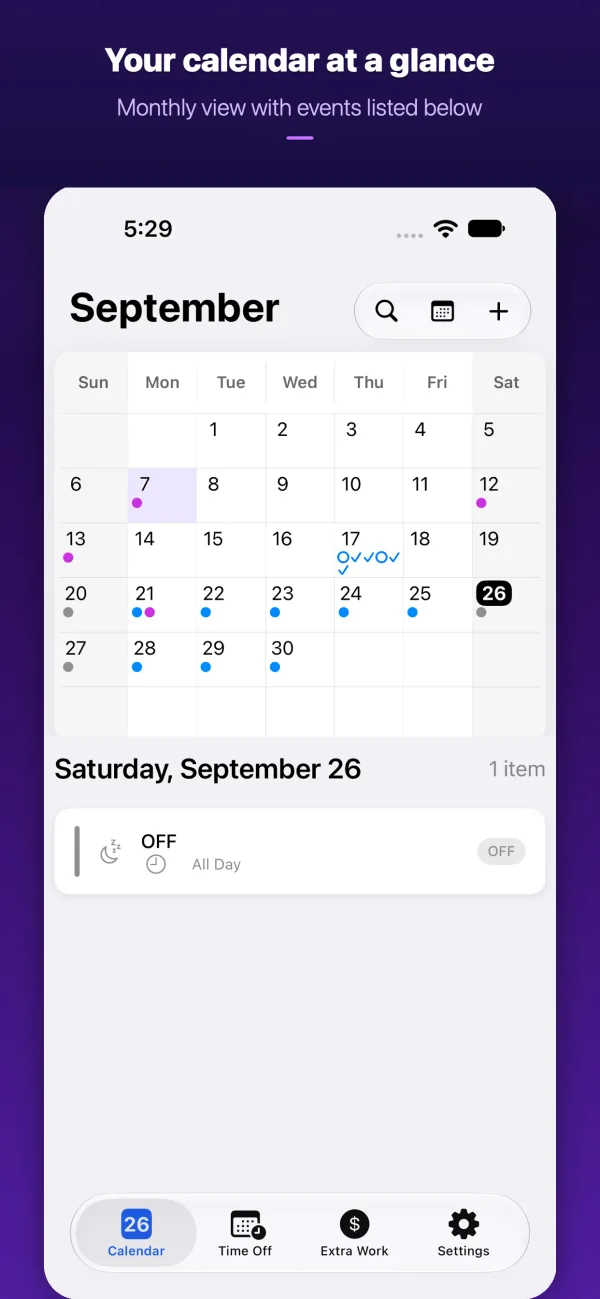
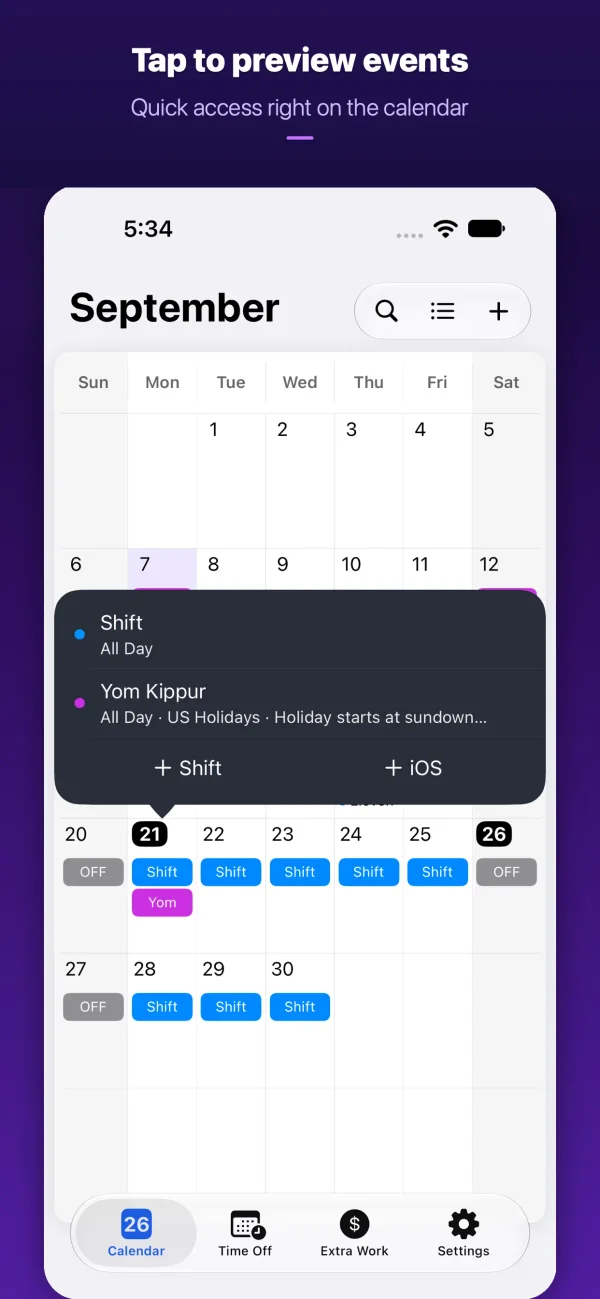
• Schedule and widgets: Browse Month, Week, List, Agenda, or the yearly overview. See overnight shifts across both days and check your next work event from a widget.
• Shift trades: Track hours you owe and hours owed to you. Record return shifts and partial repayments, even if your coworker doesn’t use the app.
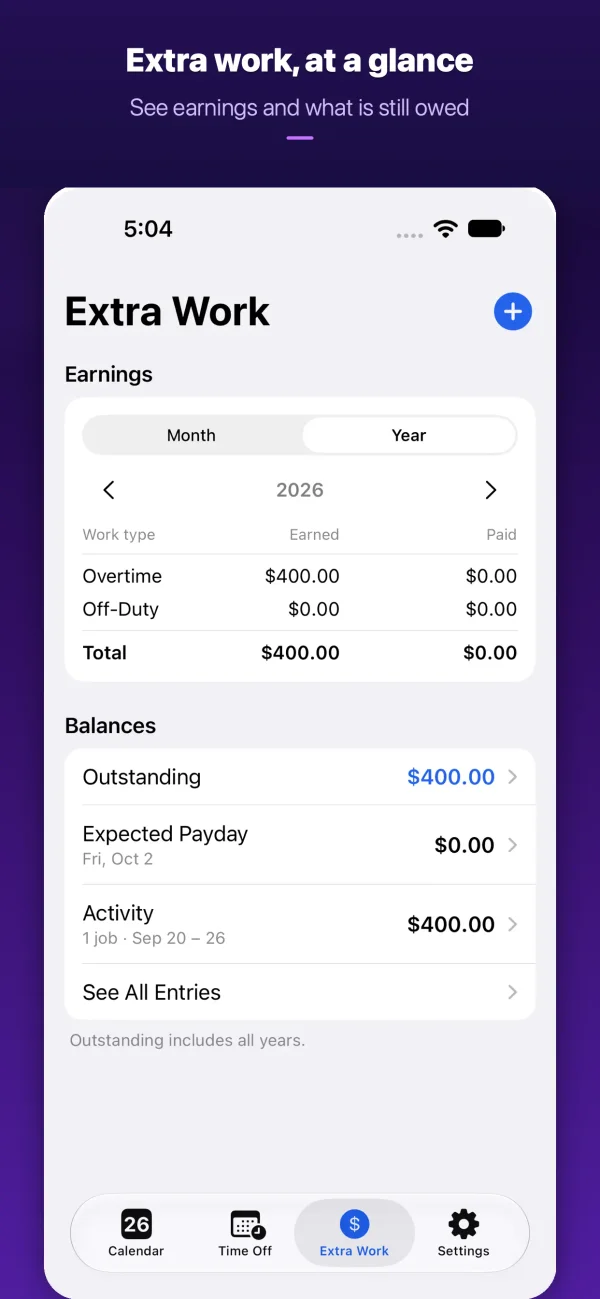
• Overtime and extra work: Record hours, rates, expected pay dates, payments, and outstanding balances. Review or print pay reports.
• Time off: Track vacation, sick leave, and custom leave balances, including accruals and carryover.
• Calendar and reminders: See events from your selected calendars alongside your roster. Choose one-way or two-way Calendar sync and set reminders for upcoming shifts.
• Storage and backup: Keep your data on your device, enable private iCloud sync across iPhone, iPad, and Mac, or export a CSV backup.
FREE TRIAL & FULL ACCESS
Try all features free for 14 days. After the trial, a one-time Full Access purchase covers iPhone, iPad, and Mac. The U.S. price is $4.99 and may vary by region. No subscription or recurring charges. Restore your purchase with the same purchasing Apple Account.
What’s new
Version 1.7 · Nov 23, 2026
Choose from six shift presets: 24/48, 48/96, 24/72, 4 on / 2 off, Panama / Pitman (2-2-3), and Modified Kelly. Preview the full cycle, then select “Add to My Patterns” to save an editable copy.
Add Kelly relief days to any saved pattern. Choose a single date, set relief to repeat after a number of scheduled shifts, or add individual dates from your roster. Preview the dates before saving. Each Kelly day gives you that tour off and keeps the rest of your rotation on schedule.
App privacy
What PEDRO NIEVES declares on the App Store about how this app handles data.
-
Data not collected
The developer does not collect any data from this app.
Privacy practices may vary, for example with the features you use or your age.
Information
- Seller
- PEDRO NIEVES
- Category
- Productivity
- Version
- 1.7
- Updated
- Nov 23, 2026
- Released
- Apr 16, 2026
- Size
- 24.2 MB
- Requires
- iOS 18.6 or later
- Age rating
- 4+
- Price
- Free
- In-app purchases
- Yes
- Languages
- English
- Copyright
- © 2025 Arts24 Inc
You might also like
-
 BlueShifts Police CalendarOff-Duty & Shift Organizer
-
 Police ShiftSchedule, Calendar, OT Tracker
-
 DutyWire Police Shift CalendarTools for First Responder Life
-
 Spark - Shift CalendarCustomize, Organize, Plan Life
-
 FireSync Shift CalendarFull-Featured Calendar
-
 Shift Calendar / ScheduleProductivity
-
 Shift Day Work Calendar: SpokeSchedule Planner Hours Tracker
-
 AxonProductivity
-
 ActiveAlertProductivity
-
 Supershift - Shift CalendarWork Schedule, Job Day Planner