
- Age rating4+
- CategoryLifestyle
- DeveloperTimothy Coleman
- LanguagesEnglish
- Size2.4 MB
Links to the official App Store page
Download.org hosts no file of First Word: Scripture Alarm. The button opens its official App Store page, published by Timothy Coleman. Listing last checked on Nov 7, 2026.
Screenshots

About
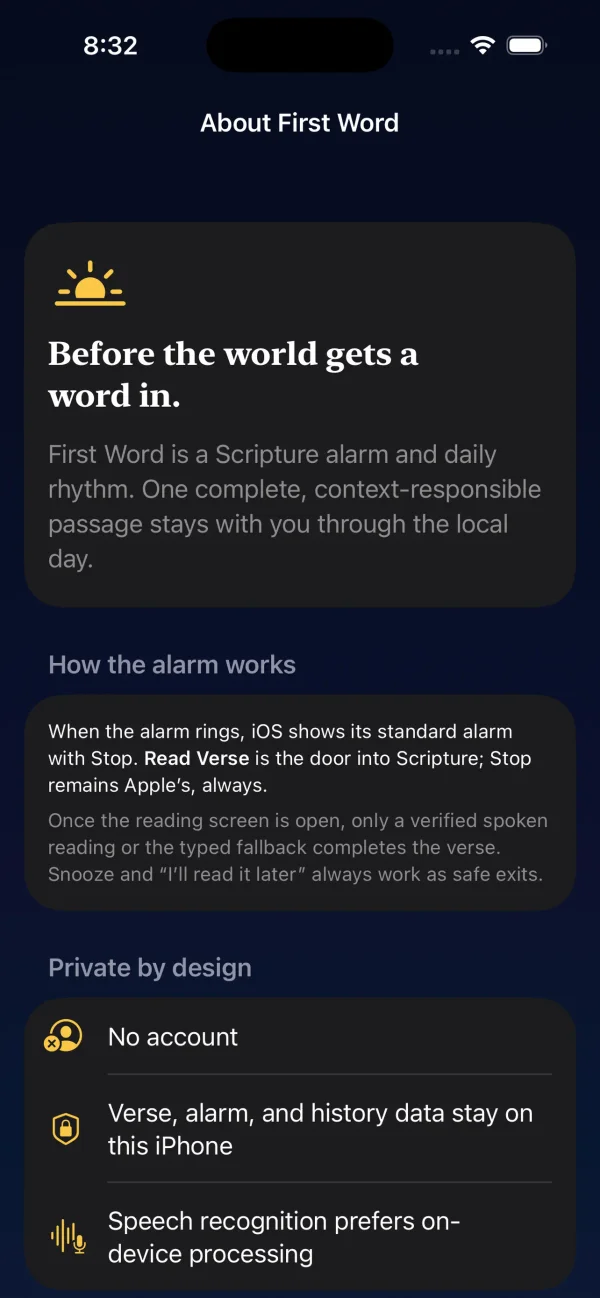
First Word is a Scripture alarm and daily reading rhythm built for one simple purpose: make God’s Word your first thought in the morning and your last word at night.
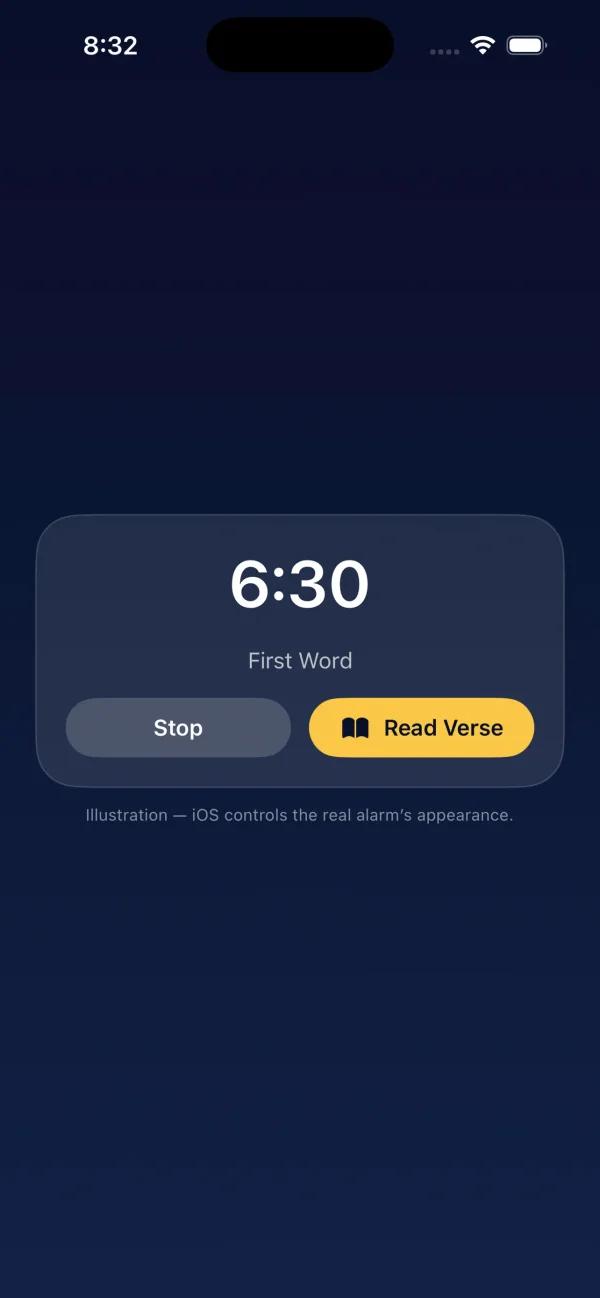
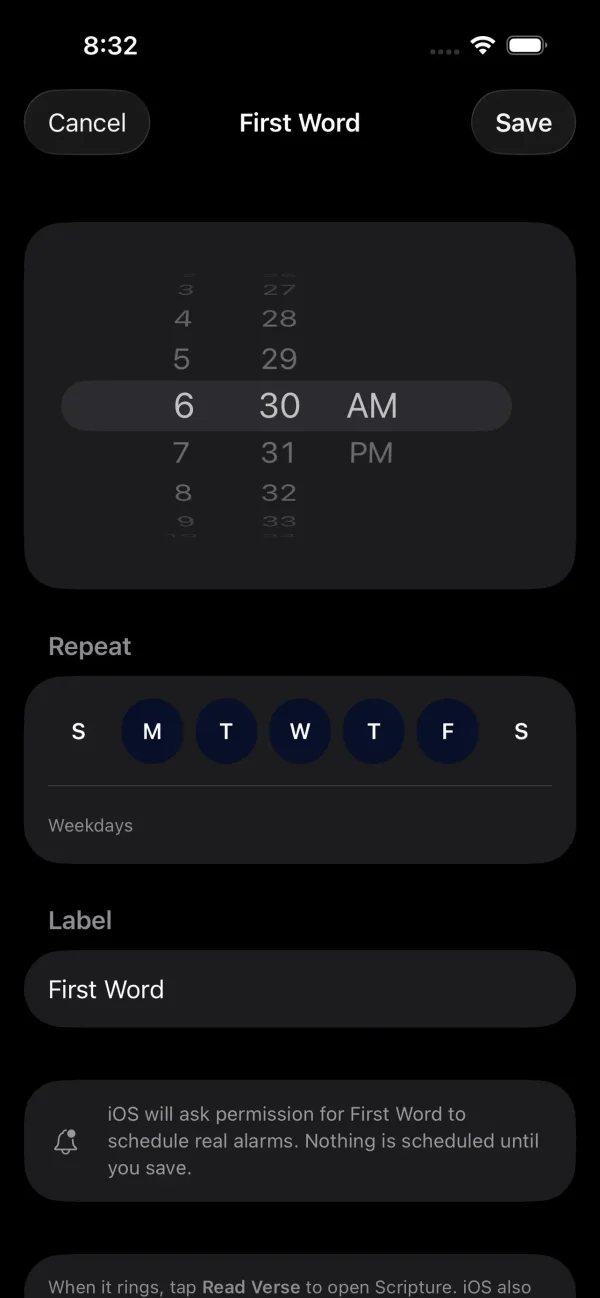
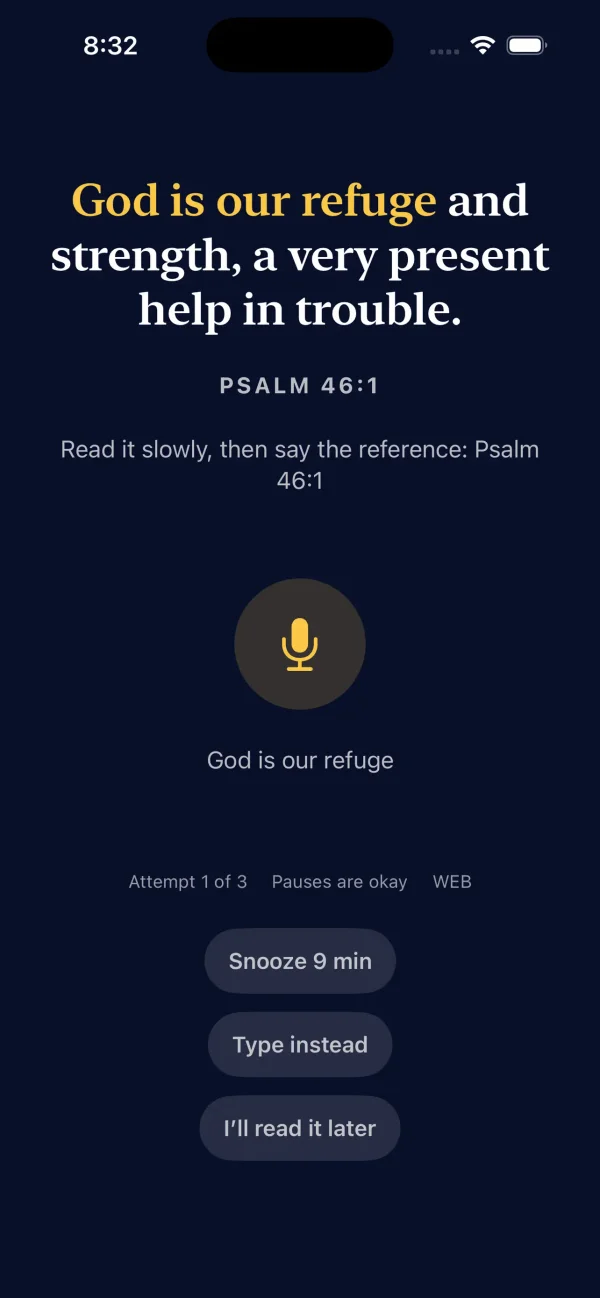
Set a real iPhone alarm for the days you choose. When it rings, iOS provides its standard Stop control, while Read Verse opens a calm Scripture wake screen. Read the verse aloud, finish with its reference, and begin the day with words worth carrying. First Word checks the reading with Apple Speech Recognition, preferring on-device recognition when available. If speech recognition is unavailable, a typed fallback keeps the experience dependable.
ONE SCRIPTURE, ALL DAY
The same daily Scripture stays with you through the whole local day:
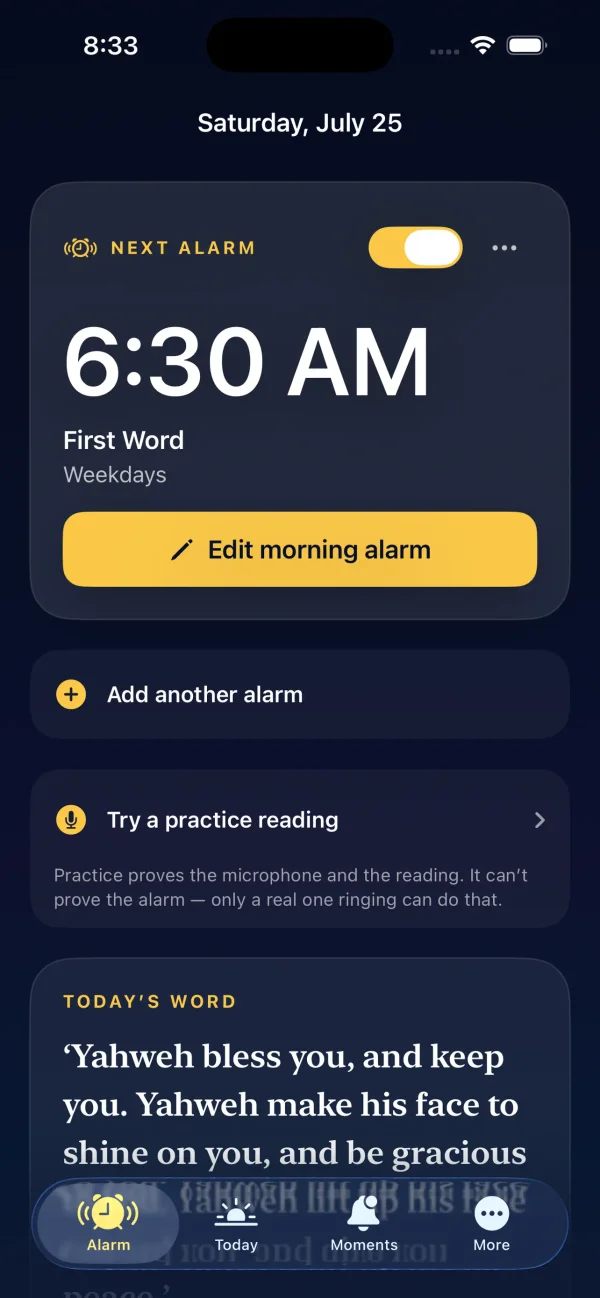
• First Word: your morning Scripture alarm
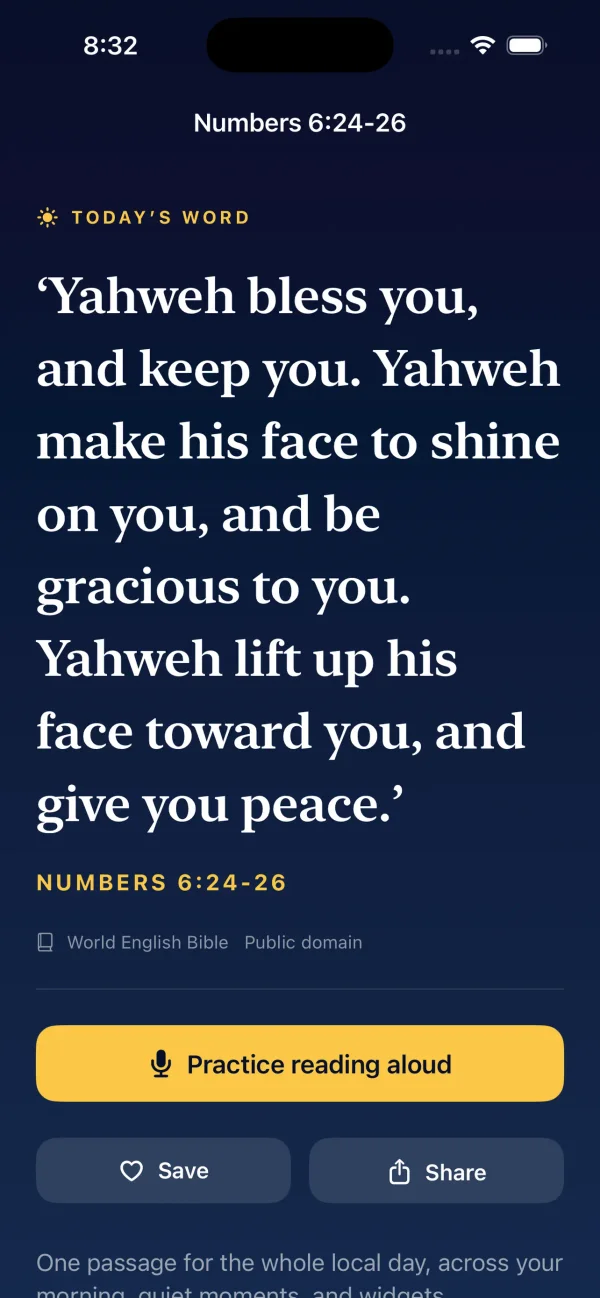
• Today’s Verse: revisit, favorite, or share it during the day
• Quiet Scripture moments: optional reminders at the times you choose
• Widgets: today’s passage and your next alarm on the Home and Lock Screen
YOUR RHYTHM
See a calm local history of morning and evening readings. There are no competitive streaks, missed-day pressure, social feeds, or accounts.
WHAT FIRST WORD DOES
• Schedules iPhone alarms with Apple AlarmKit
• Includes 365 carefully curated World English Bible readings
• Offers quiet, spoken, and typed reading paths
• Schedules optional quiet Scripture reminders with local notifications
• Shows today’s passage and next alarm in Home and Lock Screen widgets
• Answers Siri with today’s passage, entirely on device
• Saves favorites and reading history on your iPhone
• Creates portrait Scripture share cards through the native share sheet
• Provides permission recovery guidance when Apple services are unavailable
PRIVACY BY DESIGN
Your alarms, reminders, favorites, preferences, and reading history stay on your iPhone. First Word has no advertising, no developer-operated analytics, and no account. The developer does not store audio or transcripts. Speech is handled by Apple Speech Recognition under Apple’s services and privacy terms. Sharing happens only when you choose it and sends the generated image to the destination you select.
First Word requires iOS 26 or later because it uses Apple’s AlarmKit.
What’s new
Version 1.2 · Aug 3, 2026
A calmer, clearer First Word.
• A new look throughout — one quiet night palette, and Scripture set in a proper reading face.
• Tabs at the bottom: Alarm, Today, Moments, and More. Your alarm now leads.
• Today’s Word and next-alarm widgets for the Home Screen and Lock Screen, with step-by-step setup inside the app.
• Quiet Scripture moments — optional reminders at the times you choose. Your existing Last Word reminder carries over automatically.
• Ask Siri for today’s passage without opening the app.
• The reading screen keeps Snooze, the typed fallback, and “I’ll read it later” visible at all times.
• Saved & History now shows how each morning was completed, so you can tell when speech needs attention.
• Accessibility improvements throughout, including Dynamic Type, VoiceOver, and Reduce Motion.
App privacy
What Timothy Coleman declares on the App Store about how this app handles data.
-
Data not collected
The developer does not collect any data from this app.
Privacy practices may vary, for example with the features you use or your age.
Information
- Seller
- Timothy Coleman
- Category
- Lifestyle
- Version
- 1.2
- Updated
- Aug 3, 2026
- Released
- Oct 29, 2026
- Size
- 2.4 MB
- Requires
- iOS 26.0 or later
- Age rating
- 4+
- Languages
- English
- Copyright
- © 2026 Tim Coleman
You might also like
-
 Bible Wake: Christian AlarmStop snoozing. Memorize verses
-
 Bible Alarm: Christian ClockWake Up to Scripture Every Day
-
 RefugeRanchLifestyle
-
 Vine: Bible AI ChatVine (Eve AI) - Bible Chat
-
 RiseSleep: Daily Sleep JournalBedtime Stories & Meditation
-
 Bible Verse Alarm: God FirstChristian Daily Morning Habit
-
 McEwen NorthsideLifestyle
-
 Bible Verses Daily†Inspire Reflect with Scripture
-
 Shine - Bible AlarmDaily Bible Verses
-
 Carried: Faith CompanionBible, prayer & devotional