
FirstPass for arXiv
Full papers, built for mobile
Designed for iPhone, iPad
Free · In-app purchases
- Age rating12+
- CategoryReference
- DeveloperFernando Flores
- LanguagesEnglish
- Size65.8 MB
Links to the official App Store page
Download.org hosts no file of FirstPass for arXiv. The button opens its official App Store page, published by Fernando Flores. Listing last checked on Nov 17, 2026.
Screenshots



About
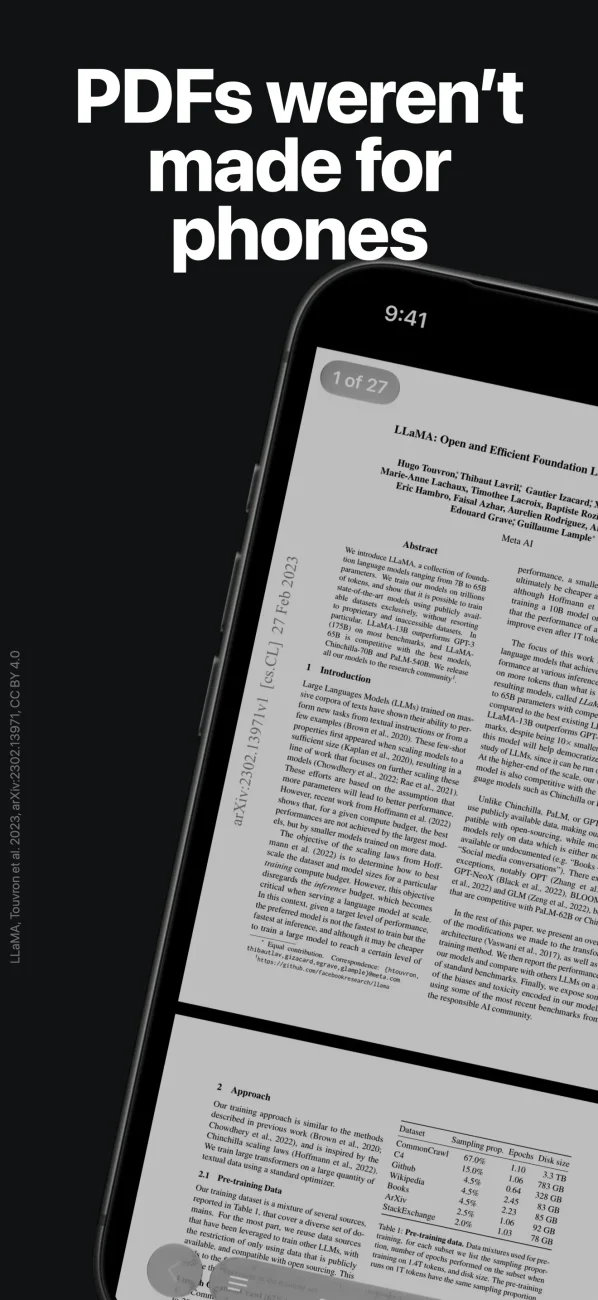
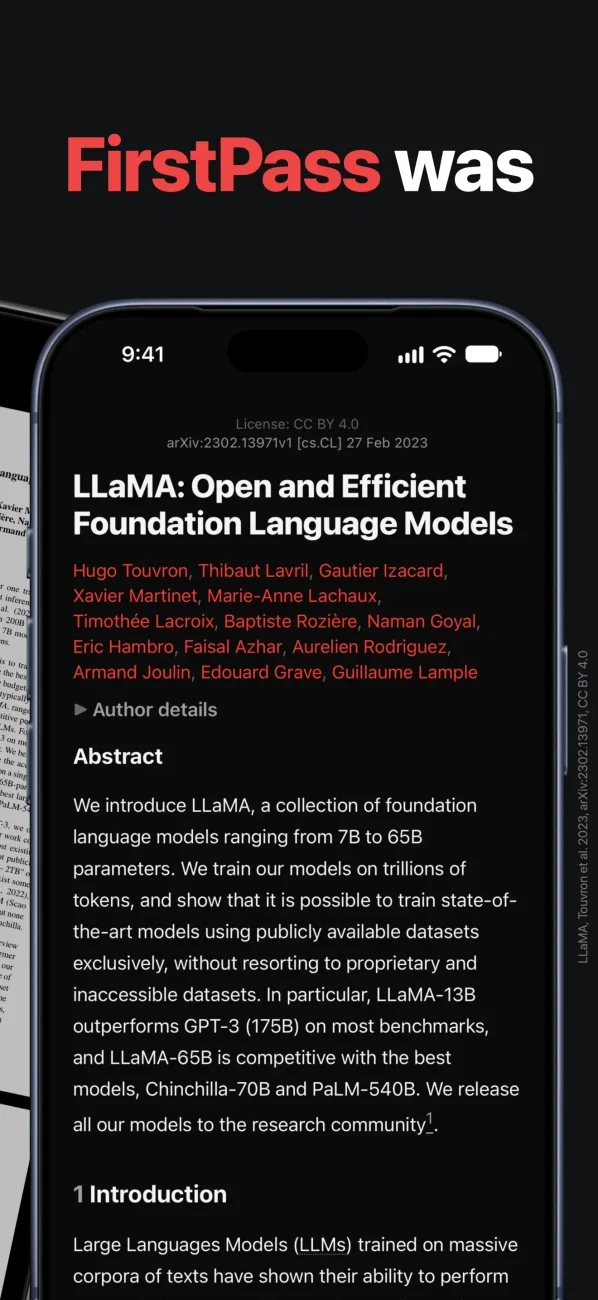
FirstPass is a mobile-first reader for arXiv.
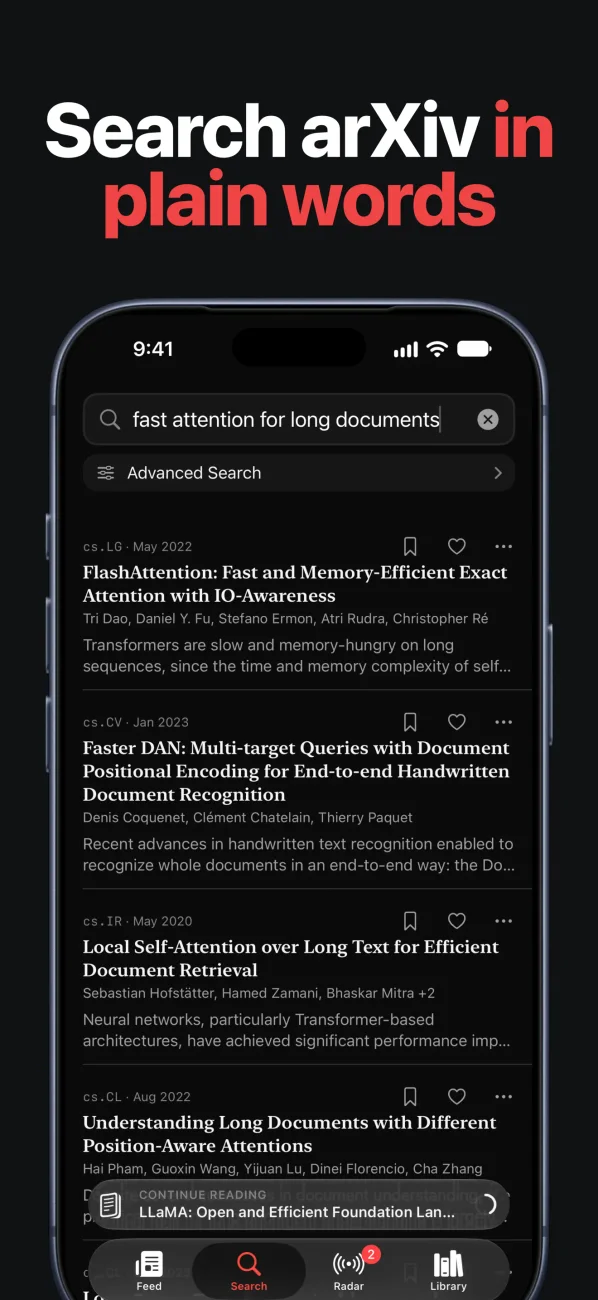
Read full arXiv papers comfortably on iPhone and iPad, without pinching, zooming, or losing your place in a PDF built for another screen. FirstPass covers all of arXiv and updates daily, and any arXiv link you come across opens straight in the app.
READ
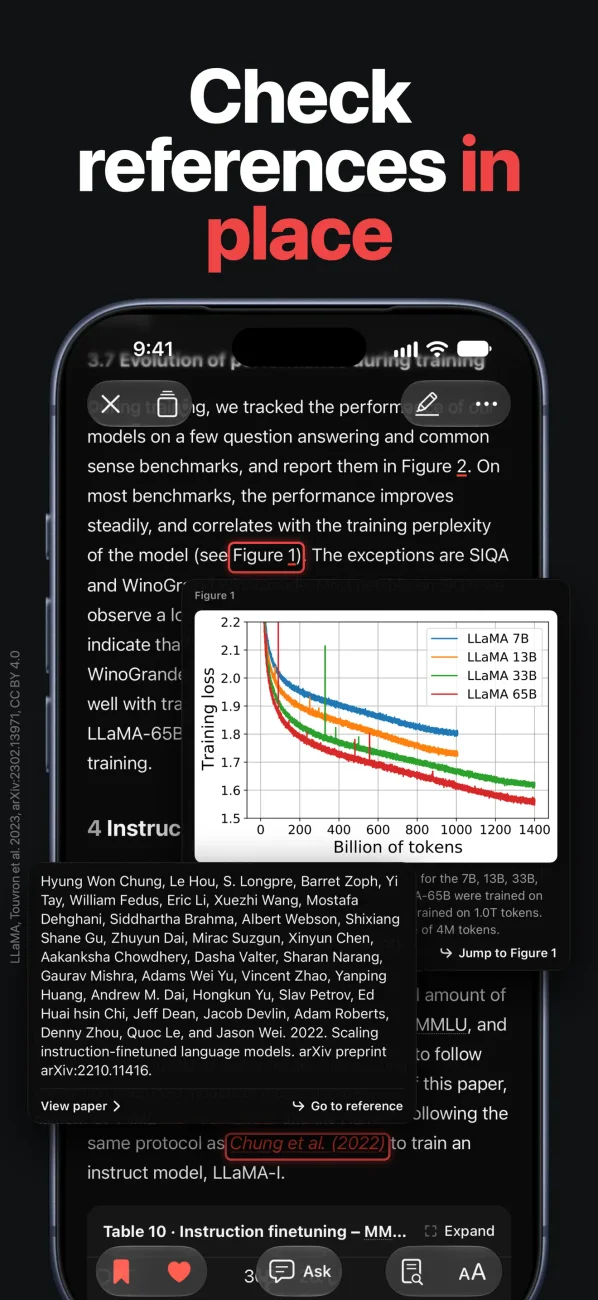
Tap any reference, figure, table, or equation for an instant preview without losing your place. Highlight passages, add notes, and select text for an on-device explanation. On larger screens, a margin beside the text shows the papers a paragraph cites, any referenced figures, and your notes. Guided Skim (Plus) marks the sentences that carry the paper's argument. A side panel makes navigation between recent papers quick.
ASK (PLUS)
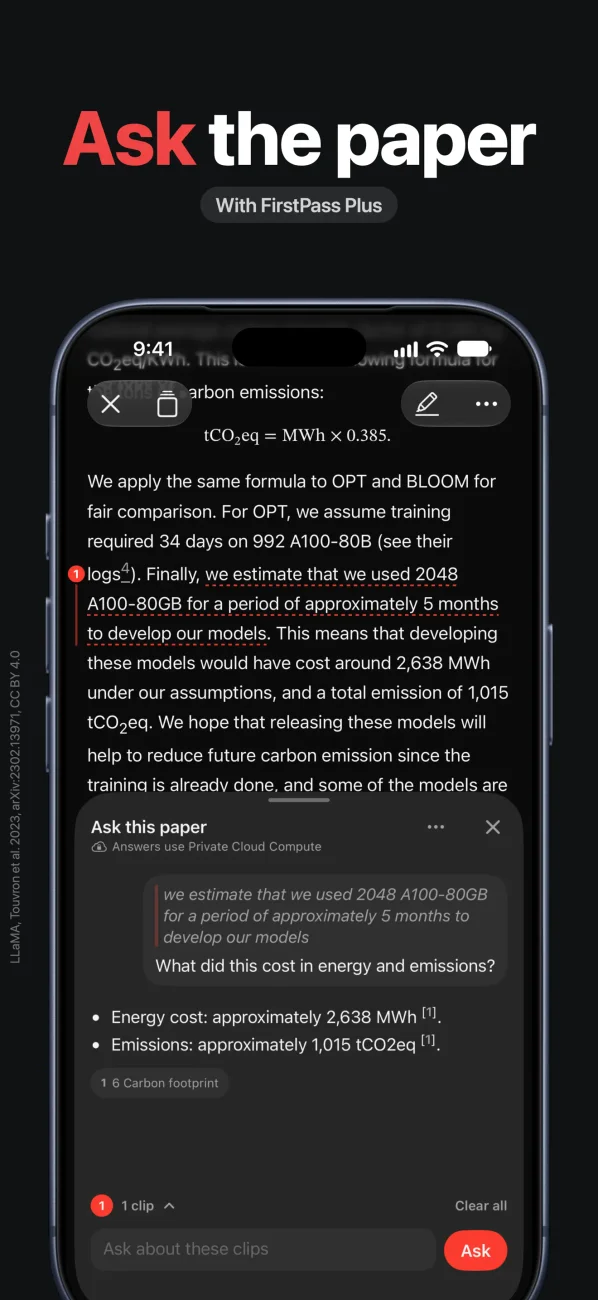
Ask questions about the paper you're reading and get answers drawn from its own text. Clip a passage and ask about it right away, or collect clips over time and ask whenever you're ready, with everything you've gathered in context. Clips can be passages, figures, tables, equations, or references, and when you clip a reference to another arXiv paper, Ask reads the relevant parts of that paper too. Ask runs on Apple's Private Cloud Compute, and your questions are never sent to FirstPass.
DISCOVER
Feeds are ranked on your device and learn from your likes. Radars watch a search, an author, or a Smart Folder and notify you once a day when something new appears. Search all of arXiv, or narrow by author, category, and date with Advanced Search.
Briefs appear on paper cards throughout the app, condensing each abstract into one short summary generated on your device. When a feed or search turns up dozens of papers, Briefs make it easier to choose which ones deserve your time.
Open a paper's reading guide for a map of its claims, where each is shown, and which parts to read first, generated on demand in eligible regions.
Saved papers, highlights, and notes appear in Spotlight, and Siri and Shortcuts can open papers for you.
PRIVATE BY DESIGN
No account required. Your library, highlights, notes, and reading state stay on your device, or in your iCloud if you turn on sync. Some paper identifiers and highlighted passages are briefly sent to FirstPass to find papers and matches, and are never kept as a profile. Reading guides are written on our server from the paper's public text, and nothing about you is sent to the AI. Analytics stay off unless you turn them on, and never include which papers you read, what you search for, or the text of your notes.
FIRSTPASS PLUS
Ask, iCloud sync, offline reading for opened and saved papers, unlimited Radars, Guided Skim, pinned papers, and related papers and highlights from your Library, surfaced as you read. Export papers as Markdown, including straight into your Obsidian vault, with figures and equations intact. Eligible users can try Plus free for 14 days, with no payment and no automatic renewal.
Ask requires iOS 27 and Apple Intelligence, and availability varies by device, region, and language. Explanations require a supported device. Reading guides can't be written in every country or region.
FirstPass is independent and is not affiliated with, sponsored by, or endorsed by arXiv or OpenAlex.
Built with gratitude for arXiv's open repository and OpenAlex's open scholarly data.
What’s new
Version 1.3.1 · Nov 15, 2026
A smoother, quieter FirstPass, and a simple way to tell me what you think.
• Feedback: FirstPass may occasionally ask what you think, with a quick thumbs up or down and room for a comment. You can turn this off in Settings.
• Quieter alerts: Radar digests and New Version Alerts now arrive between 8 AM and 9 PM your time, without a sound.
• Faster: switching tabs, opening a Radar or a folder, and sliding the reader's side panels are all smoother.
• Swipe back from anywhere on an open Radar or Library folder, not only from the edge.
• Ask (Plus): a Stop button gives up on a slow answer and puts your question back. Answers stay readable in a light reader when the app is dark.
• Reader: more papers that lay out their own title page show a proper title, authors, and abstract. Sideways tables and scaled figures stay on the page, and the reader keeps your place more reliably when a page reloads.
• Tips: short tips introduce features as you reach them, at most one a day.
• About: a new Release Notes page, with Send Feedback and Rate FirstPass beside Contact.
• Siri & Shortcuts: a new page in Settings lists every shortcut and what to say.
• Plus trial: a checklist shows what's included and takes you to each feature, and a Trial button in the Feed brings it back.
• iPad: the side panel opens on Margin until you choose another tab, and no longer flickers as it opens or closes.
• Find: the Find bar stays in place with a split or floating keyboard.
• The Privacy Policy and Terms now cover feedback answers.
• Plus many fixes: a paper stays in Read Later when you close the folder picker without choosing, the Replaced list no longer sticks on a spinner, and more.
App privacy
What Fernando Flores declares on the App Store about how this app handles data.
-
Data not linked to you
May be collected but is not linked to your identity.
- User content
- Usage data
- Diagnostics
Privacy practices may vary, for example with the features you use or your age.
Information
- Seller
- Fernando Flores
- Category
- Reference
- Version
- 1.3.1
- Updated
- Nov 15, 2026
- Released
- Jun 4, 2026
- Size
- 65.8 MB
- Requires
- iOS 26.0 or later
- Age rating
- 12+
- Price
- Free
- In-app purchases
- Yes
- Languages
- English
- Copyright
- © 2026 Fernando Flores
You might also like
-
 PaperFeed - arXiv Paper ReaderAI Paper Chat & Summaries
-
 Research: arXiv NavigatorDiscover and read arXiv papers
-
 arXiv CompanionRead arXiv preprints on the go
-
 ArxivistPersonalized Daily arXiv Feed
-
 Reader for arXivYour research companion
-
 ScriptaVerseScripture Memory Application
-
 KeyokuFlashcards, Made Simple
-
 Paper Rooms: Research ReaderarXiv, DOI & PubMed papers
-
 Shua: arXiv Paper ReaderSubject mix, personally ranked
-
 Persimmon: Research SimplifiedExplore arXiv/SocArXiv with AI