FirstTake Pro – Teleprompter
Read & record scripts easily
Designed for iPhone, iPad
Free
- Age rating4+
- CategoryProductivity
- DeveloperPixel8 Inc.
- LanguagesEnglish
- Size30.5 MB
Links to the official App Store page
Download.org hosts no file of FirstTake Pro – Teleprompter. The button opens its official App Store page, published by Pixel8 Inc. Listing last checked on Nov 18, 2026.
Screenshots

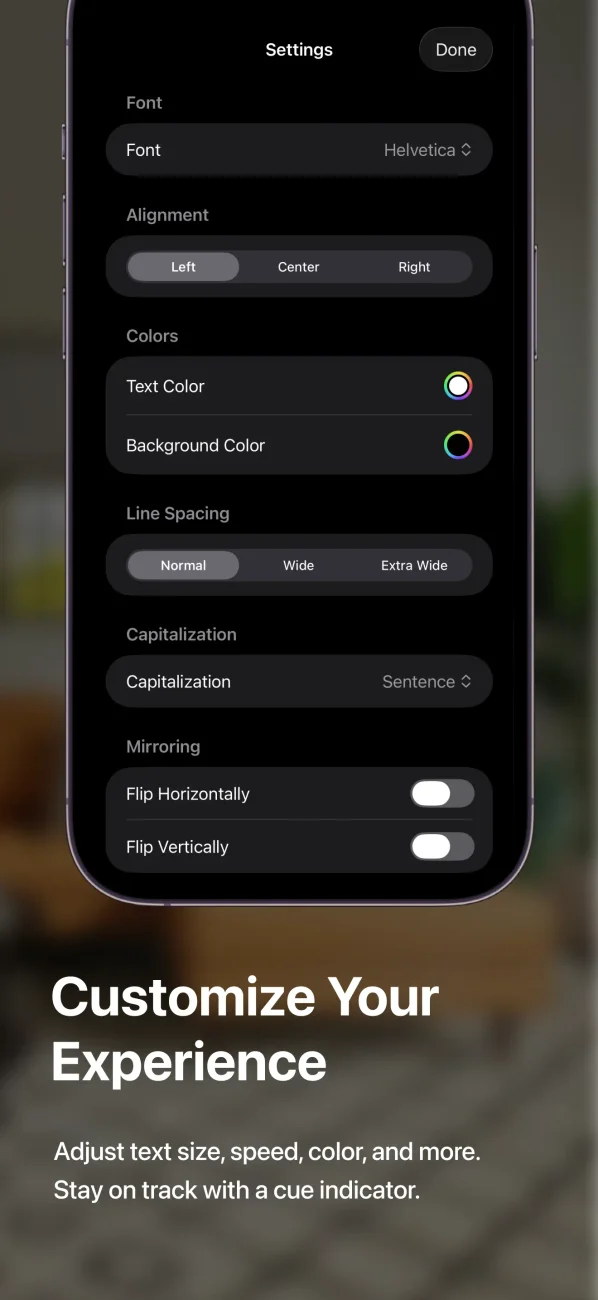
About
Deliver every line with confidence. FirstTake Pro is an all-in-one teleprompter app designed for content creators, speakers, and professionals. Import your scripts, adjust scroll speed, and read naturally while recording—all from your iPhone or iPad.
What’s New in FirstTake Pro 1.1
* Fully redesigned for iOS 26 with a modern Liquid Glass interface and immersive teleprompter experience
* New recording presets for self-tapes, creator videos, presentations, and interviews
* Optional framing guides to keep you perfectly composed on camera
* Front screen light support for brighter, clearer front-camera recording
* Faster, redesigned controls and popovers for real-time adjustments
* Improved script editor with larger workspace, reading time estimates, and character count
* New onboarding experience for a smoother start
Core Features
* Smooth, precise auto-scrolling with adjustable speed
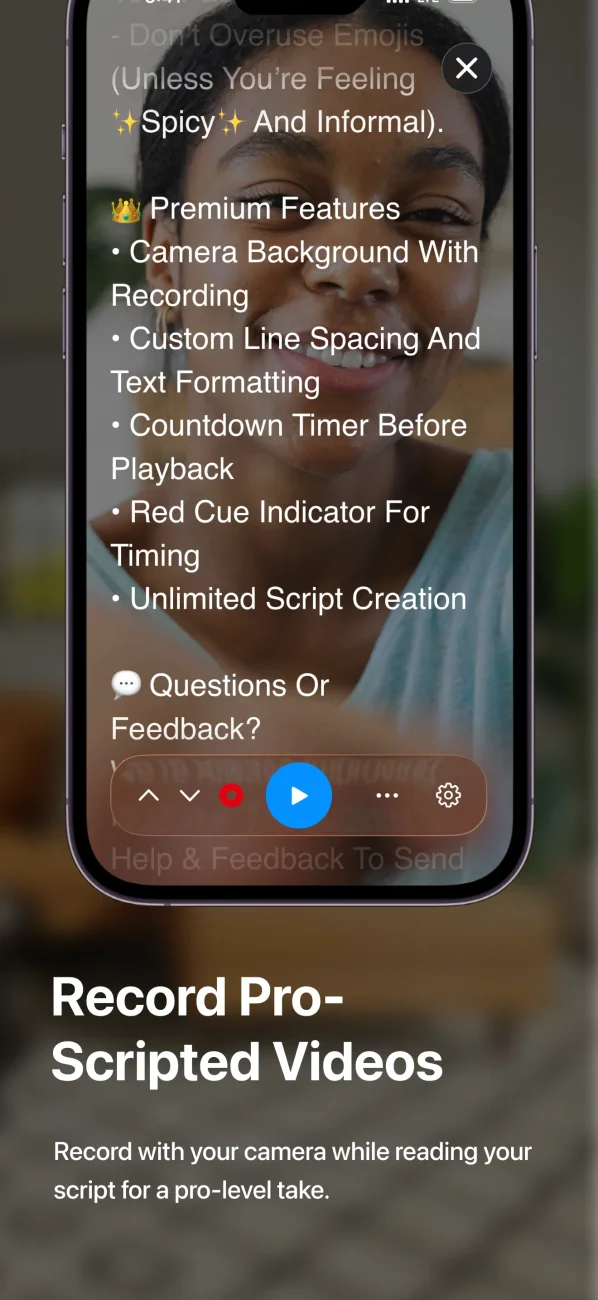
* Record video while reading your script
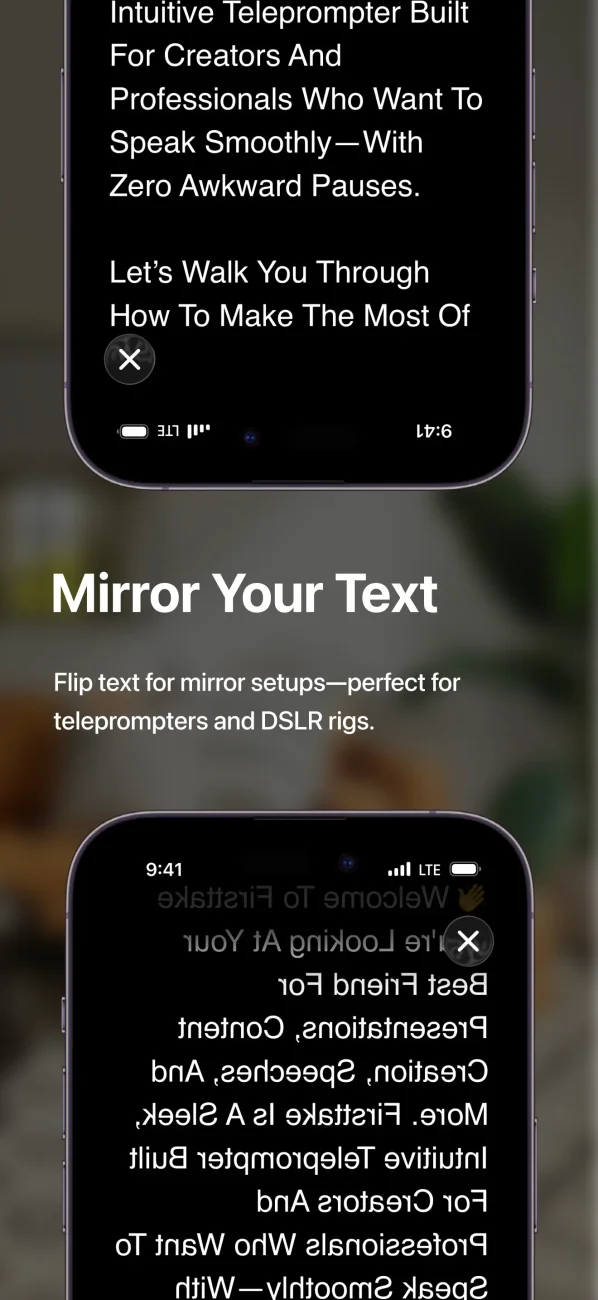
* Flip text horizontally or vertically for mirror setups
* Clean, distraction-free interface built for performance
* Landscape support for professional recording setups
Script & File Management
* Create, edit, and organize unlimited scripts
* Built-in file manager with reliable saving
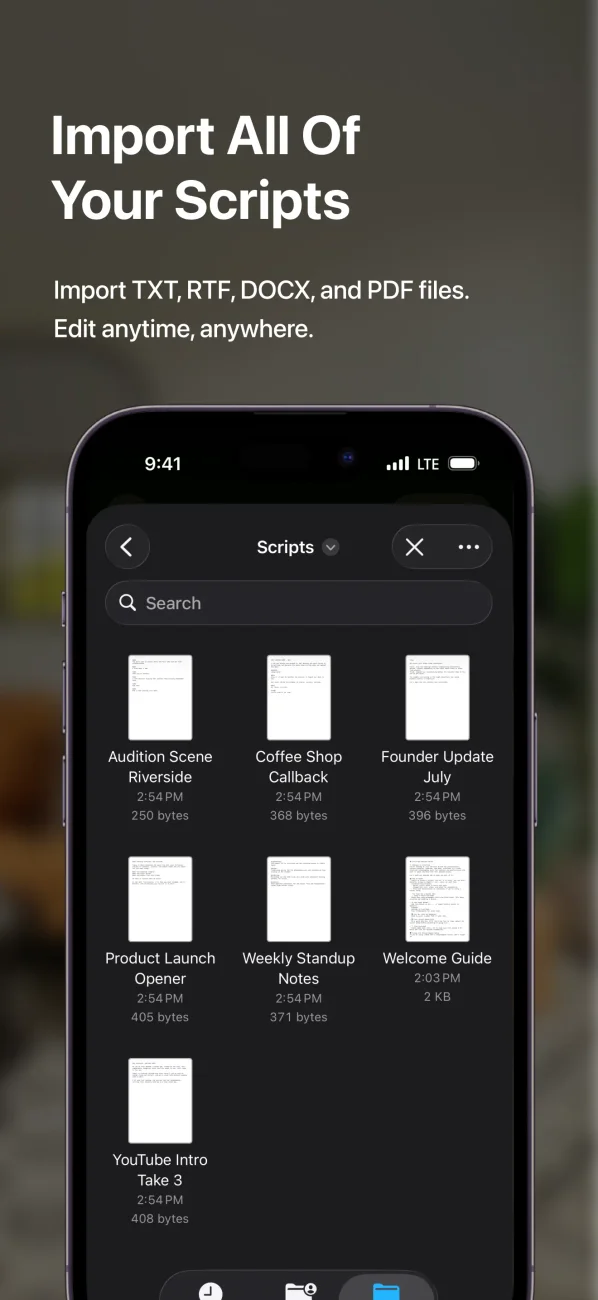
* Import scripts from .txt, .rtf, .pdf, and more
* Improved import stability and handling
* Export and share scripts across apps
Advanced Controls
* Pre-scroll countdown for perfect starts
* Pause and resume without losing your place
* Optimized performance for long-form scripts
* Improved teleprompter layout and overlay behavior
* More reliable camera and recording state handling
Customization
* Adjustable fonts, sizes, colors, and line spacing
* Dark mode and light mode support
* Minimal UI designed to stay out of your way
Why FirstTake Pro?
Whether you’re creating Reels, filming YouTube videos, recording presentations, or shooting client content — FirstTake Pro gives you the tools to stay on script while looking natural.
No memorization. No second takes. Just clean delivery.
Privacy & Terms
* Privacy Policy: www.pixel8.ca/privacy-policy
* Terms of Service: www.pixel8.ca/terms-of-service
We’d Love Your Feedback
If FirstTake Pro is helping you create better content, leave a review — it helps us grow and improve.
What’s new
Version 1.1.1 · Apr 19, 2026
What’s New in FirstTake Pro 1.1
FirstTake Pro has been fully refreshed for iOS 26 with a major design and workflow upgrade.
New in 1.1:
• All-new iOS 26 interface with Liquid Glass styling, refined blur effects, and a more immersive teleprompter experience
• New recording presets for different shooting setups like self tapes, creator videos, presentations, and interviews
• Optional framing guides to help you stay composed on camera while reading
• Front screen light support for brighter front-camera recording
• Redesigned popovers and controls for faster, easier adjustment while recording
• Improved script creation and editing with a larger writing area, reading time estimates, and character count
• New onboarding and updated welcome experience
• Free experience updates, including removal of paid model restrictions
Under the hood:
• Major improvements to file management and script handling
• Expanded and stabilized script import support
• Fixed issues where new or imported scripts could fail unexpectedly
• Improved teleprompter layout, scrolling, overlays, and camera behavior
• Better recording-state handling and more reliable camera/background transitions
• Numerous bug fixes, polish improvements, and UI consistency updates throughout the app
App privacy
What Pixel8 Inc. declares on the App Store about how this app handles data.
-
Data not collected
The developer does not collect any data from this app.
Privacy practices may vary, for example with the features you use or your age.
Information
- Seller
- Pixel8 Inc.
- Category
- Productivity
- Version
- 1.1.1
- Updated
- Apr 19, 2026
- Released
- Aug 23, 2025
- Size
- 30.5 MB
- Requires
- iOS 26.0 or later
- Age rating
- 4+
- Price
- Free
- Languages
- English
- Copyright
- © 2025 Jason Chhaidan, Pixel8. All rights reserved.
You might also like
-
 Helicon: PDF & EPUB ReaderRead Aloud, Speed Read, Notes
-
 Studio: TeleprompterThe powerful teleprompter app
-
 Spatial TeleprompterCrafted for Spatial Computing
-
 Teleprompter Recorder AppRead and record
-
 BindNotesLinked Handwritten Notes
-
 Figgy for FigmaUI Design & Prototypes on iPad
-
 IOR Direct SolutionsShipments operations
-
 Sumi: Deep Work FocusDistraction-Free Study Timer
-
 AI Detector.Detect generated image
-
 Elaria: Digitaler SchreibtischPapierkram einfach erledigen