
- Age rating17+
- CategoryEducation
- DeveloperValentin Postolach
- LanguagesEnglish
- Size3.2 MB
Links to the official App Store page
Download.org hosts no file of FlagLine Offside Lab. The button opens its official App Store page, published by Valentin Postolach. Listing last checked on Nov 18, 2026.
Screenshots


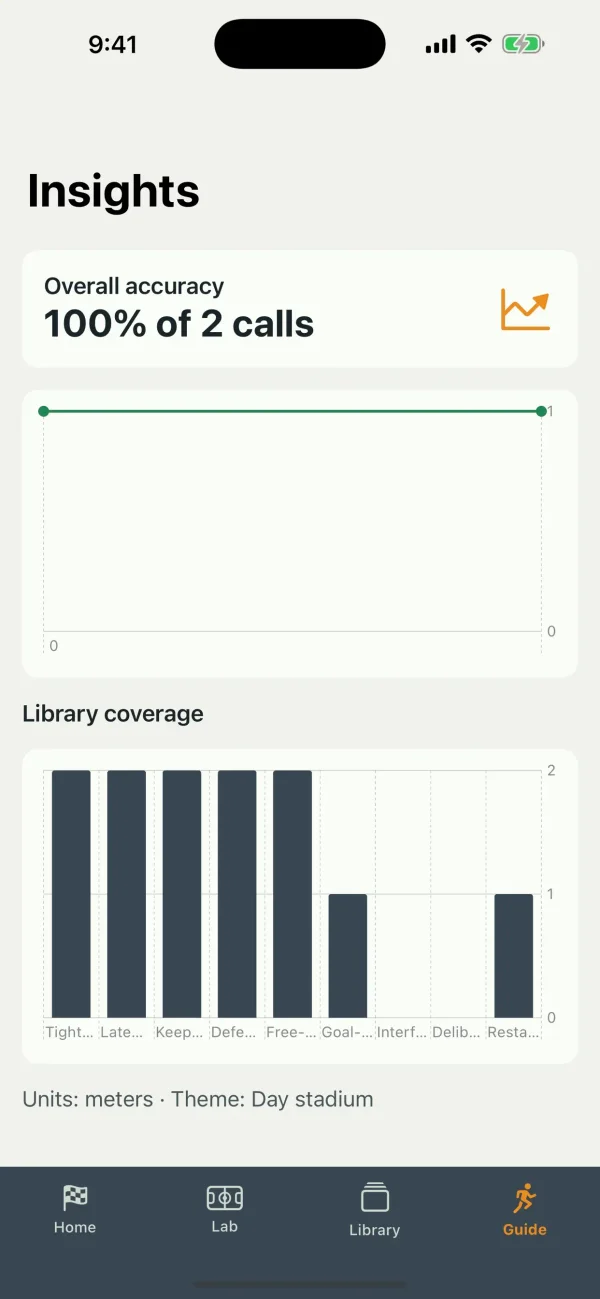
About
FlagLine Offside Lab turns offside from a fuzzy sideline argument into a visual geometry skill you can practice anywhere—no signal, no account, and no dense rulebook on the touchline.
Built for youth assistant-referee trainees, high-school players, parent-coaches, and new center officials who must judge the line under pressure. Place attackers, the second-last defender, teammates, and the ball on a true half-pitch grid. The app draws a live offside line, grades edge cases, and explains the outcome in plain English.
GEOMETRY LAB
Drag and drop up to 11 attackers or defenders plus the ball on a true-scale half-pitch. Snap players to lanes, flip attack direction, and watch the offside line redraw live with distance-to-line readouts and a clear ON, OFF, or WAIT verdict chip.
EDGE-CASE BENCH
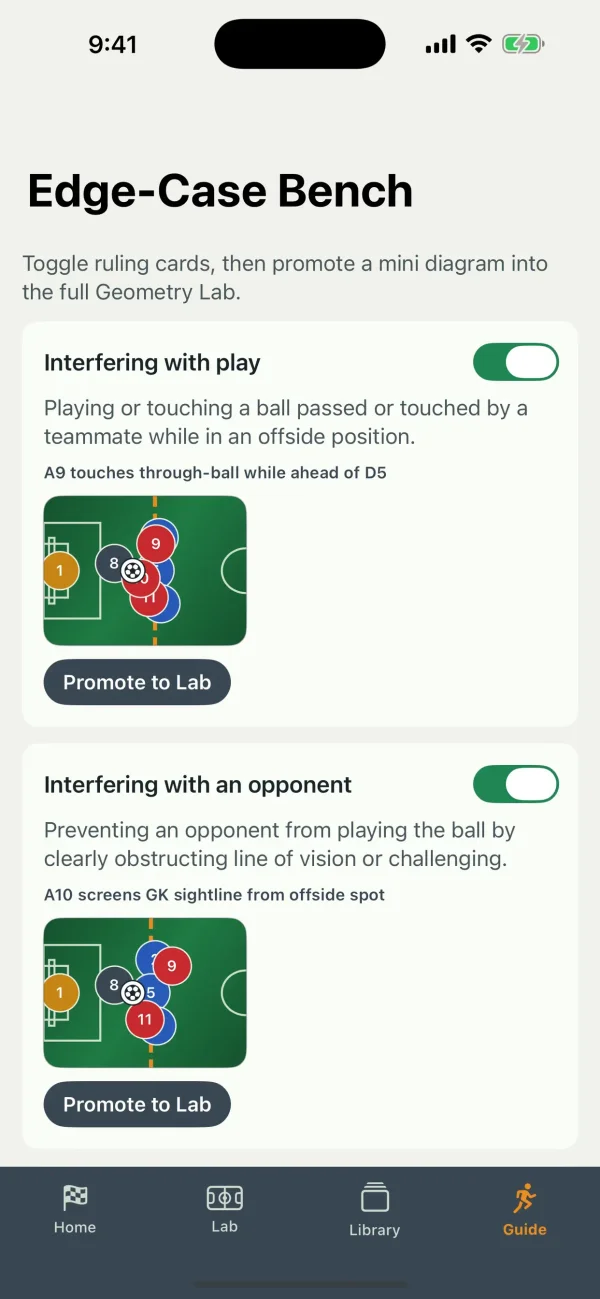
Toggle structured ruling cards for interfering with play, interfering with an opponent, gaining an advantage, deliberate play (including deflections), goalkeeper hand or arm involvement, and exemptions on throw-in, corner, and goal kick. Each card shows a mini diagram you can promote into the full lab.
50+ SEEDED FREEZE-FRAMES
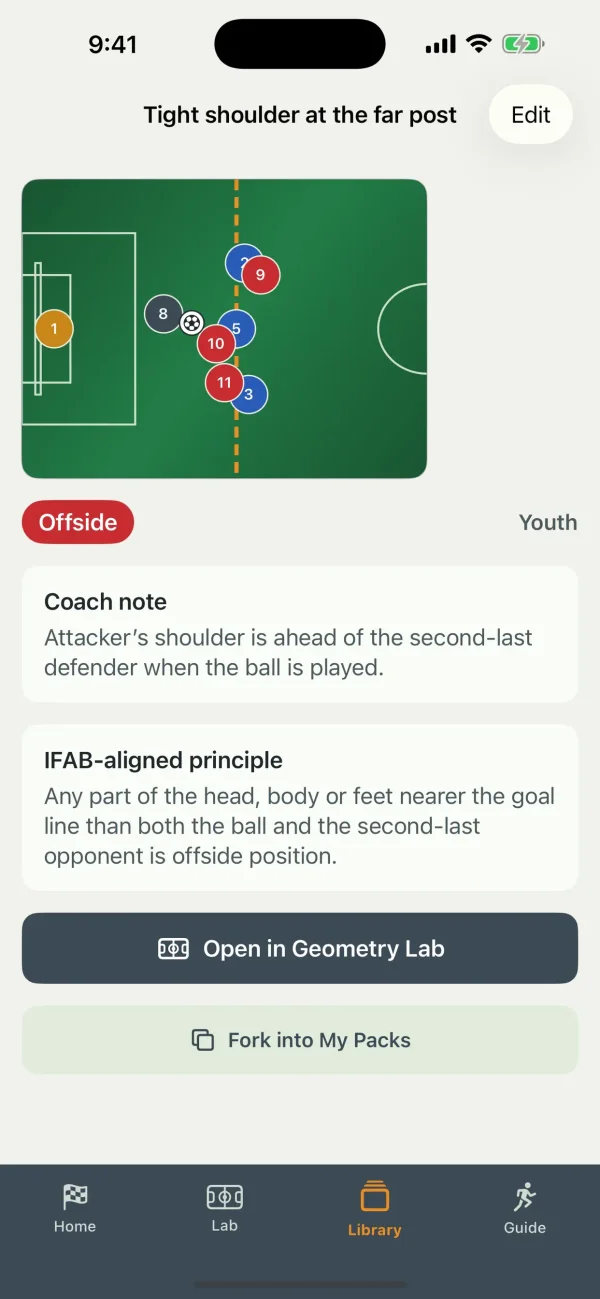
Browse scenarios tagged by topic—tight shoulder, late runner, keeper parry, defender header, free-kick wall rebound, goal-kick exit—and by age band from youth through adult. Fork any pack item into your own editable copy.
DECISION MODE
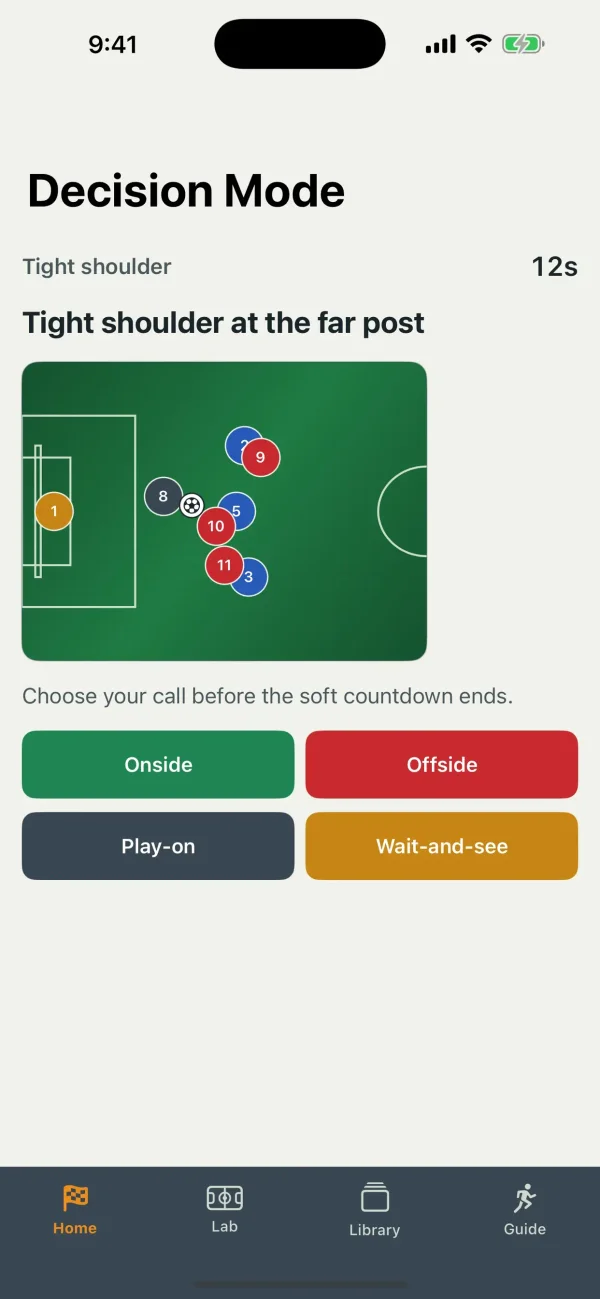
Reveal a frozen pitch without the answer, choose Onside, Offside, Play-on, or Wait-and-see within a soft countdown, then unlock a plain-language rationale, the correct IFAB-aligned principle, and a one-tap restage in Geometry Lab.
SCENARIO EDITOR
Name the frame, place players and ball, attach the intended correct call and a short coach note, save into personal packs, and reorder packs for self-study before a course or match weekend.
RUN-THE-LINE GUIDE
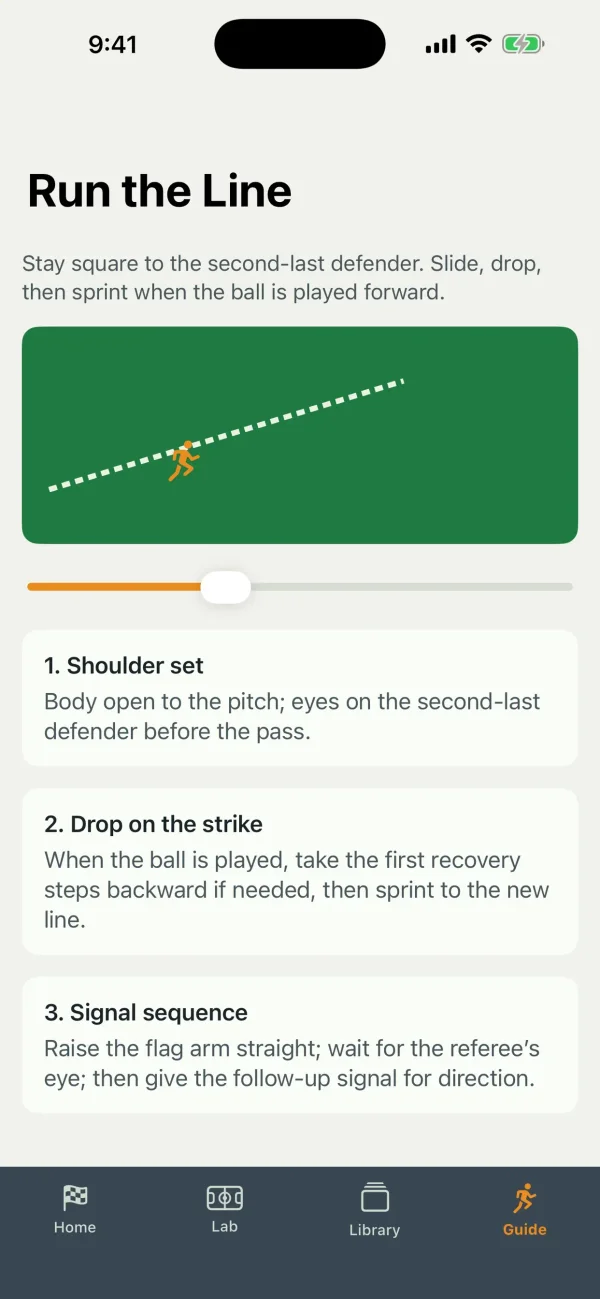
Interactive touchline path showing where an assistant should stand relative to the second-last defender, when to drop and sprint, signal sequence, and large-type rainy-day cue cards for pre-match briefing.
EXPORT, WIDGETS, AND ACCESSIBILITY
Export a printable PDF cue sheet with scenario thumbnails, correct calls, and personal notes via the system share sheet. Pin a Home Screen widget that shows a daily seed scenario prompt plus your last Decision Mode accuracy summary. Dynamic Type, high-contrast pitch themes (light stadium or dark night match), and yards or meters are supported in Settings.
ONBOARDING THAT TEACHES
Walk a short onboarding that teaches the second-last-defender rule with three animated half-pitch demos, then pick your role persona—assistant-ref trainee, player, or parent-coach—to bias default scenario packs.
PRIVACY BY DESIGN
Everything persists in on-device storage. No accounts, no network required, no player contact data, and no analytics resale. A seeded-content reset never wipes user-created packs without confirmation.
Turn offside into a repeatable visual skill—live line math, graded freeze-frames, edge-case rulings, and sideline cue cards that work with zero signal.
What’s new
Version 1.4 · Nov 11, 2026
The app now provides faster feedback during user interactions.
App privacy
What Valentin Postolach declares on the App Store about how this app handles data.
-
Data not collected
The developer does not collect any data from this app.
Privacy practices may vary, for example with the features you use or your age.
Information
- Seller
- Valentin Postolach
- Category
- Education
- Version
- 1.4
- Updated
- Nov 11, 2026
- Released
- Aug 25, 2026
- Size
- 3.2 MB
- Requires
- iOS 17.0 or later
- Age rating
- 17+
- Languages
- English
- Copyright
- © 2026 Valentin Postolach
You might also like
-
 Signal TrainLever frame practice desk
-
 Piggy FractionVisual fraction lab
-
 GleamJewel CutLock cuts, see light return
-
 Referee learning appLearn, Practice football rules
-
 Hydra TrainerPsychology Trainer
-
 Stop DistanceOffline stopping lab
-
 English Eval ComprehensiveEducation
-
 PH Official GazetteReference
-
 Buoy ChannelIALA marks and light rhythms
-
 Canals5DEducation