
Flash Transcribe
Subtitles for Youtube/BiliBili
Designed for iPhone, iPad
Free · In-app purchases
- Age rating4+
- CategoryPhoto & Video
- DeveloperMOYAN CHEN
- LanguagesEnglish+ 3 more
- Size11.6 MB
Links to the official App Store page
Download.org hosts no file of Flash Transcribe. The button opens its official App Store page, published by MOYAN CHEN. Listing last checked on Nov 13, 2026.
Screenshots

About
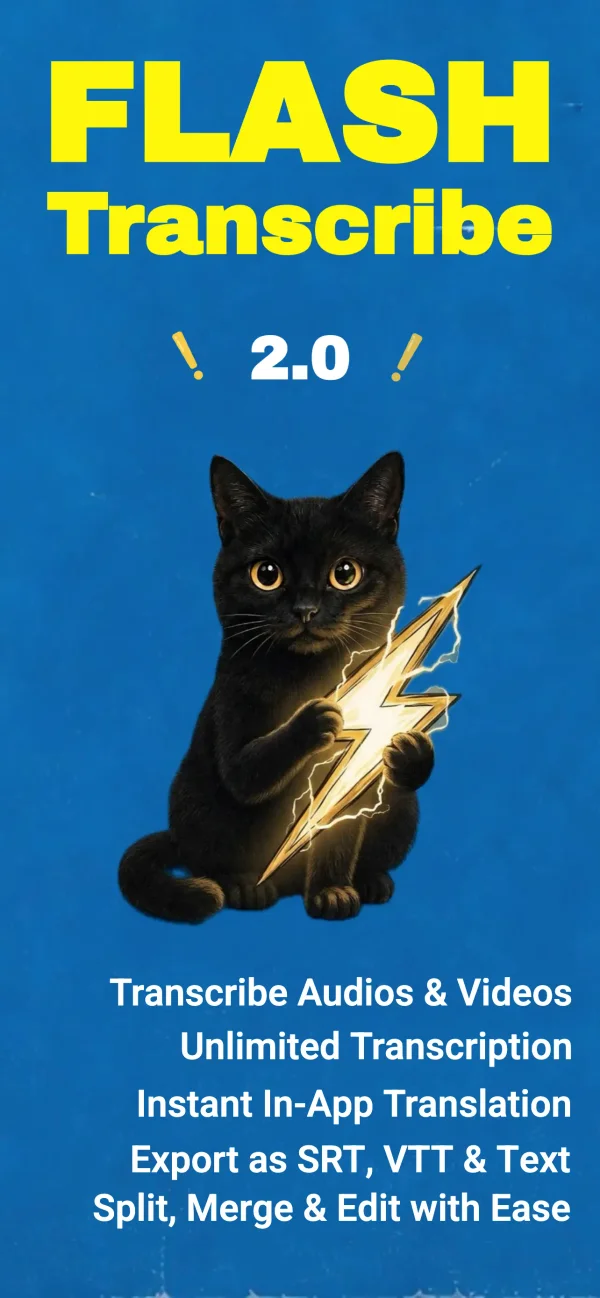
Flash Transcribe is an intelligent, high-performance on-device AI transcription and subtitle studio. Powered by Apple’s native speech recognition framework, Flash Transcribe converts your audio and video files into accurate subtitles with 100% privacy and zero cloud uploads.
Whether you are a content creator, researcher, student, or language learner, Flash Transcribe makes transcribing, editing, and translating spoken content effortless.
【100% On-Device AI & Total Privacy】
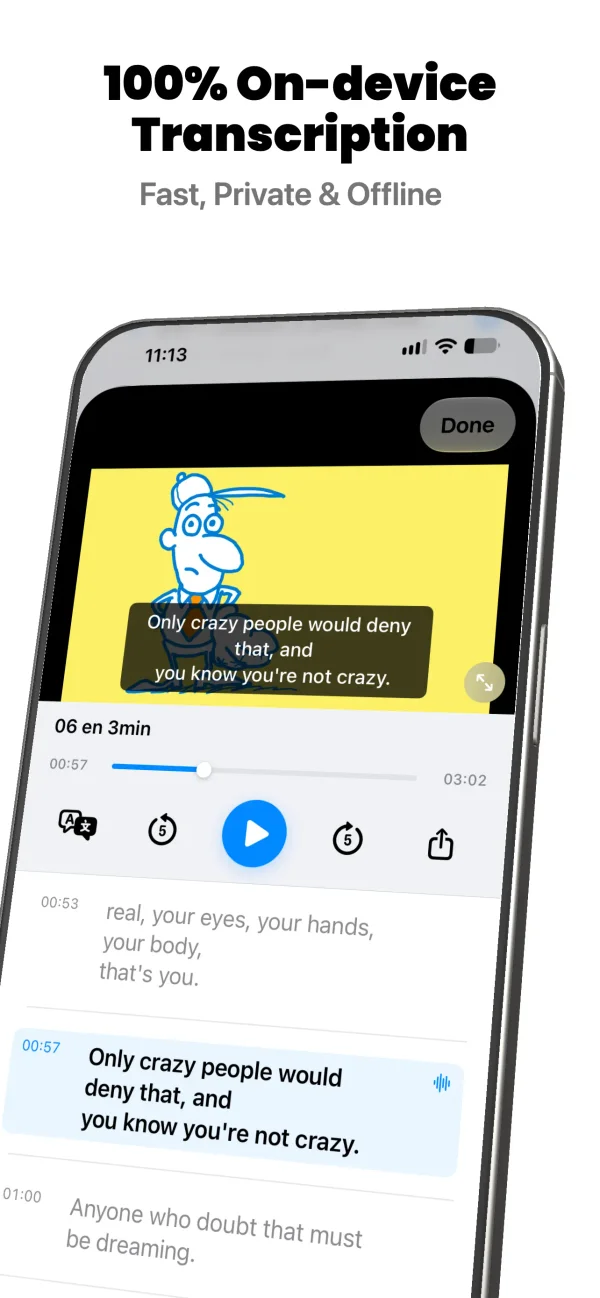
• Offline Speech-to-Text: Powered by Apple's native speech recognition framework for high accuracy and fast processing.
• Privacy by Design: All transcription happens 100% locally on your iPhone and iPad. Your audio and video files are never uploaded to the cloud or third-party servers.
• Works Offline: Transcribe anywhere, anytime—even in Airplane Mode without an internet connection.
• Smooth Experience: Fully optimized with ProMotion adaptive refresh rate for fluid scrolling and playback.
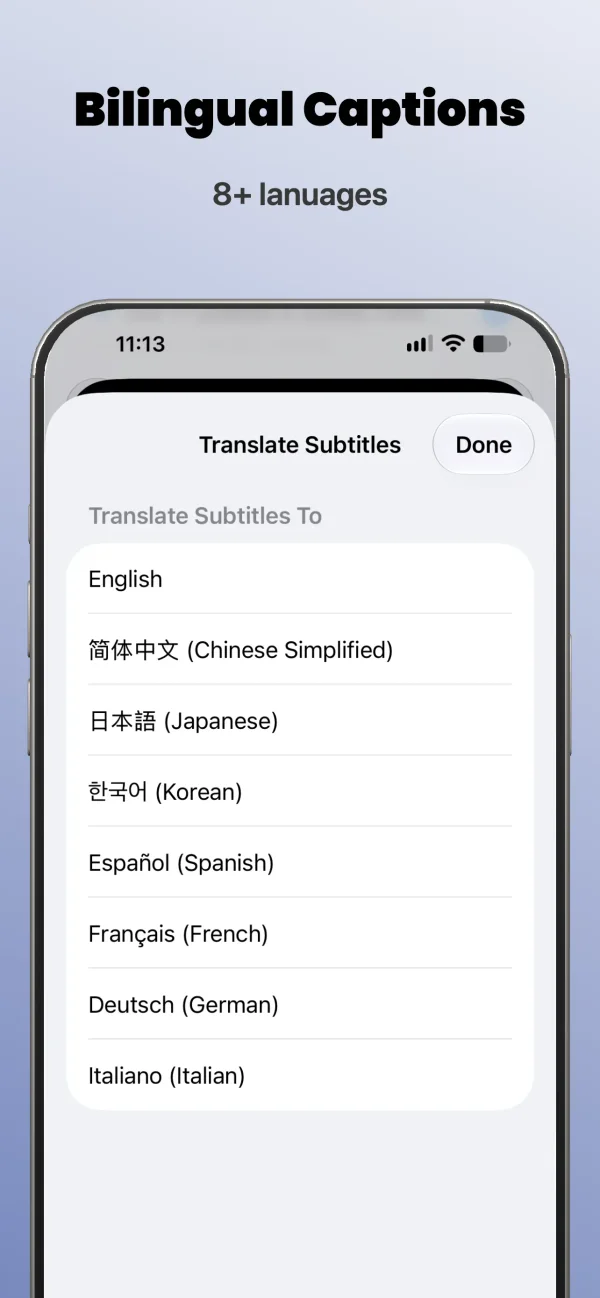
• Multiple Languages Supported: English, Chinese (Simplified & Traditional), Cantonese, Japanese, Korean, Spanish, French, Dutch
【Universal Media Import】
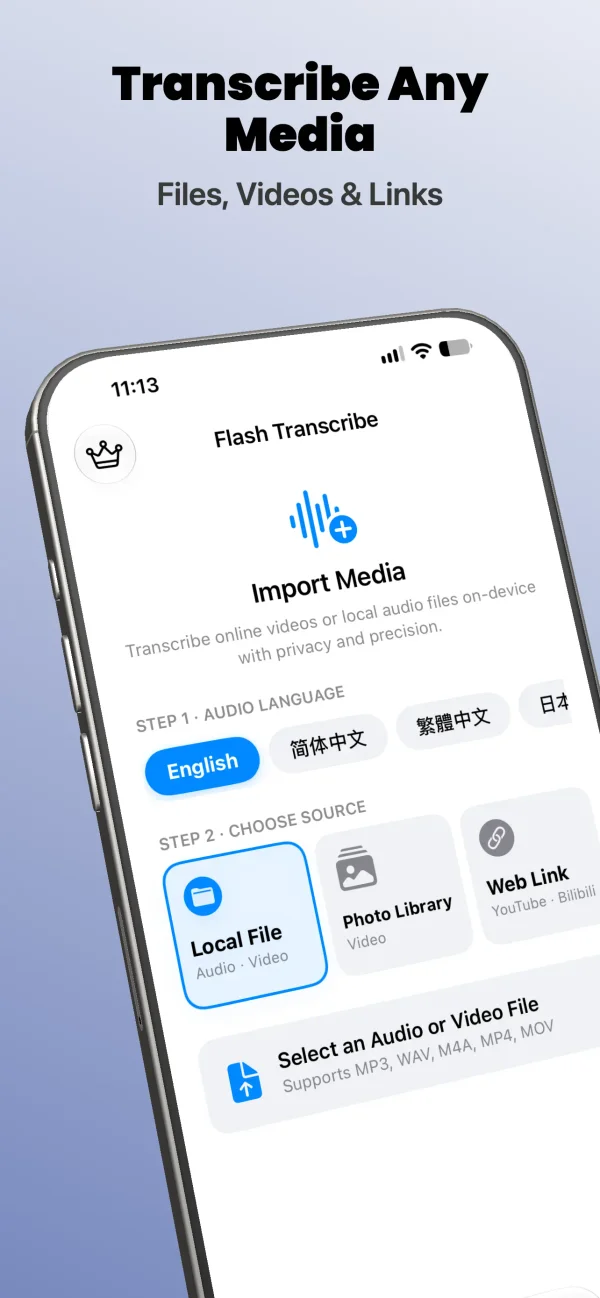
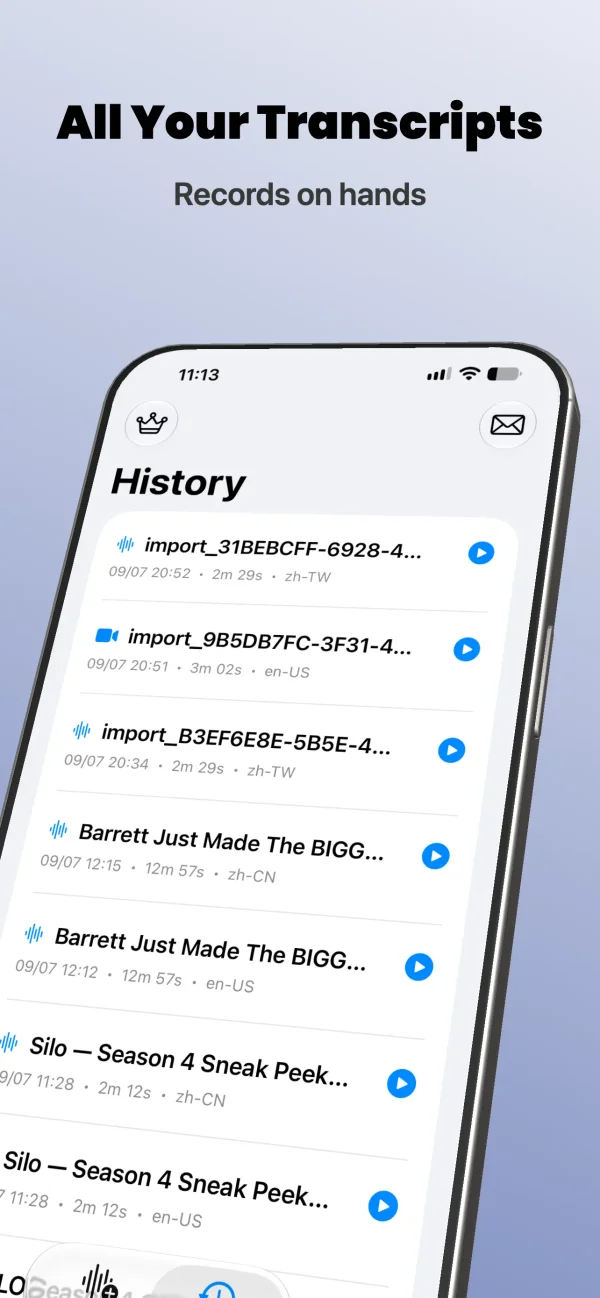
• Local Files & Photos: Easily import audio and video files from the Files app or select videos directly from your Photo Library.
• Web Links (YouTube & Bilibili): Simply paste a link to extract audio for local AI transcription.
• Instant Platform Captions: If an online video includes official CC subtitles, import them in seconds without waiting for audio downloads.
• Subtitle Import: Open and edit existing subtitle files directly within the app.
【Pro Subtitle Studio & Editor】
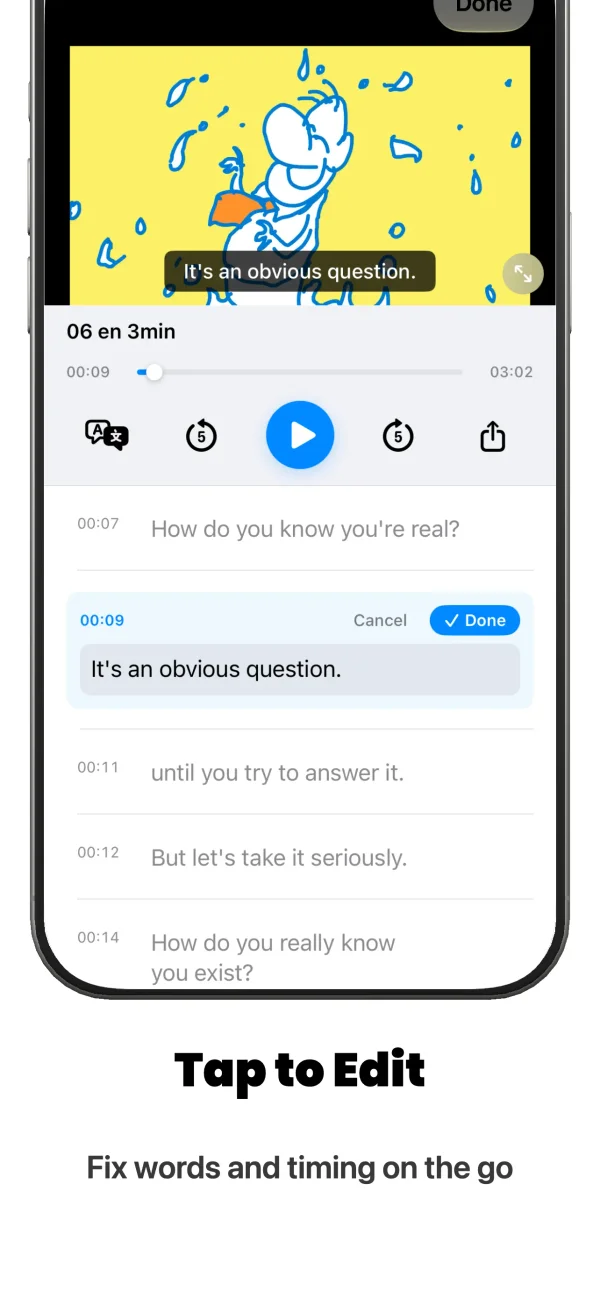
• Synced Media Player: Watch 720p video or listen to audio with synchronized, real-time subtitle highlighting.
• In-Place Subtitle Editing: Tap any subtitle line to correct text on the fly, with intuitive tools to Split or Merge caption blocks.
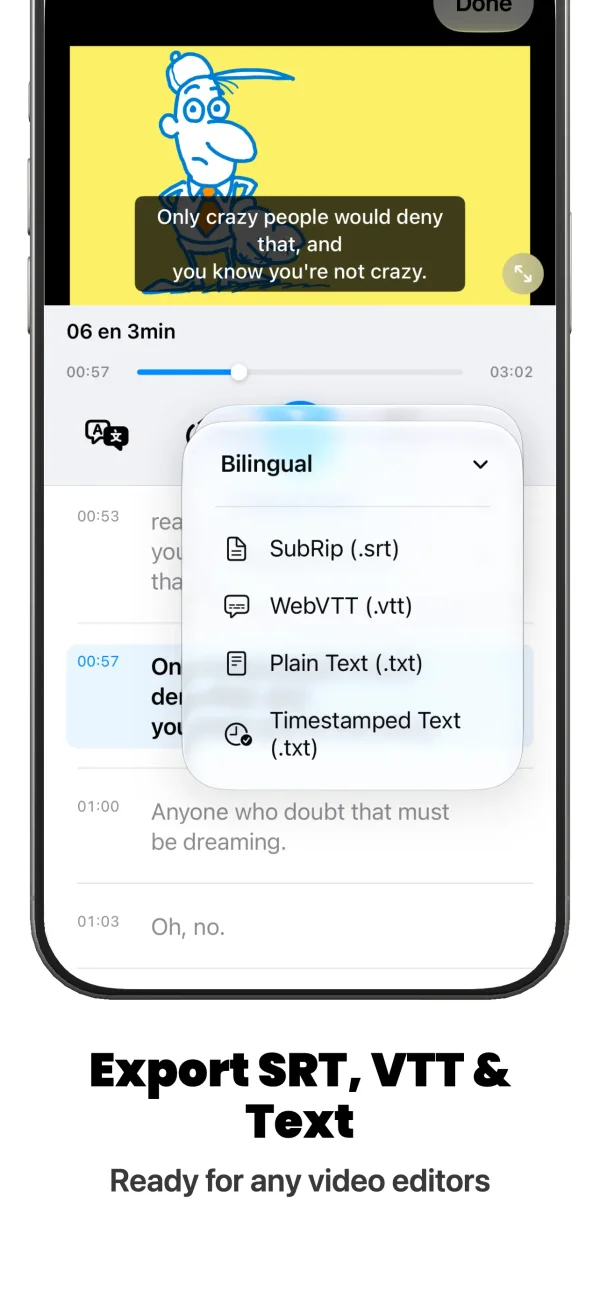
• Bilingual Translation: Translate subtitles into multiple languages with side-by-side bilingual captions.
• Universal Export: Export subtitles in industry-standard formats including SubRip (.srt), WebVTT (.vtt), and Plain Text (.txt), ready for Final Cut Pro, Premiere, and CapCut.
【Pro Membership & Quota Options】
Flash Transcribe offers generous free access and flexible Pro options:
• Free Tier: Enjoy 60 minutes of on-device transcription every month for free.
• Monthly Pro: Unlimited transcription + 12,000 translation characters per month.
• Annual Pro (Best Value): Unlimited transcription + 16,000 translation characters per month (192,000 characters annually).
• Lifetime Transcribe: One-time purchase for permanent unlimited transcription + an exclusive 32,000 translation characters bonus.
• Top-up Packs: Need more translation credits? Purchase consumable packs (+10,000 or +120,000 characters) as you go, with no subscription required.
【Auto-Renewable Subscription Terms】
• Payment will be charged to your Apple ID Account at confirmation of purchase.
• Subscriptions automatically renew unless auto-renew is turned off at least 24 hours before the end of the current billing period.
• Your account will be charged for renewal within 24 hours prior to the end of the current period.
• You can manage and cancel your subscriptions at any time by going to your App Store Account Settings after purchase.
【Support & Legal Links】
If you have any questions, feedback, or feature requests, feel free to reach out to us directly at:
Email: owen.dev.apps@outlook.com
Terms of Service:
https://mwyang.notion.site/Terms-of-Service-21866861981b42f7ae46fa8e6ca03369
Privacy Policy:
https://mwyang.notion.site/Privacy-Policy-1b1a367db406414e81724e4810d66666
Frequently Asked Questions (FAQ):
https://mwyang.notion.site/Frequently-Asked-Questions-df89fc52bea7430fbc068150d82835d8
Standard Apple EULA:
https://www.apple.com/legal/internet-services/itunes/dev/stdeula/
What’s new
Version 2.1.1 · Sep 15, 2026
- Improved transcription stability for Spanish, French, and Dutch
App privacy
What MOYAN CHEN declares on the App Store about how this app handles data.
-
Data not collected
The developer does not collect any data from this app.
Privacy practices may vary, for example with the features you use or your age.
Information
- Seller
- MOYAN CHEN
- Category
- Photo & Video
- Version
- 2.1.1
- Updated
- Sep 15, 2026
- Released
- Apr 19, 2022
- Size
- 11.6 MB
- Requires
- iOS 26.0 or later
- Age rating
- 4+
- Price
- Free
- In-app purchases
- Yes
- Languages
- English, Japanese, Simplified Chinese, Traditional Chinese
- Copyright
- © MOYAN CHEN 2022
You might also like
-
 Video Subtitles&Captions MakerAuto AI Subtitle,Translate App
-
 Auto Video Captions - CapCapSubtitles, Dubbing, Translator
-
 Captions for Videos Quick CapClosed Captioning Subtitle SRT
-
 AI Video Dubbing: DubXTranslate Subtitle Voice Auto
-
 CaptionMe automatic subtitlesEasy Video captions
-
 Subtitles AI: Auto CaptionsTranscribe & Translate Video
-
 Translate Video: SubtitlesTranslator: Dub & AI Captions
-
 MixBit: Subtitles for VideosClosed Captioning for Videos
-
 AutoSub - Video TranslatorAI Video Subtitles & Captions
-
 Captions for Videos. SubtitlesCC: Creative Caption AI Auto