
FlashDeck.net
AI Flashcards & Exam Prep
Designed for iPhone, iPad, iPod touch
Free · In-app purchases
- Age rating4+
- CategoryEducation
- DeveloperDenis Zastanceanu
- LanguagesEnglish
- Size49.3 MB
Links to the official App Store page
Download.org hosts no file of FlashDeck.net. The button opens its official App Store page, published by Denis Zastanceanu. Listing last checked on Nov 23, 2026.
Screenshots




About
Turn anything into flashcards you’ll remember.
Name a topic, paste your notes or snap a page — FlashDeck.net writes the cards, you check them, and spaced repetition tells you what to study each day. Or open one of 1,200+ ready-made decks and start in one tap.
MAKE CARDS IN SECONDS
• From a topic or your notes: AI writes question-and-answer cards
• From a photo or PDF: snap a textbook page or pick a file
• By hand, whenever you prefer
• Add special requests for the AI and review every card before saving
• Long card? Split it into small ones — one card, one fact
• Bring your Anki and Quizlet decks, or export yours for free
KEEP YOUR DECKS IN ORDER
• Folders for your decks and a compact list view
• Select several decks to move or delete them at once
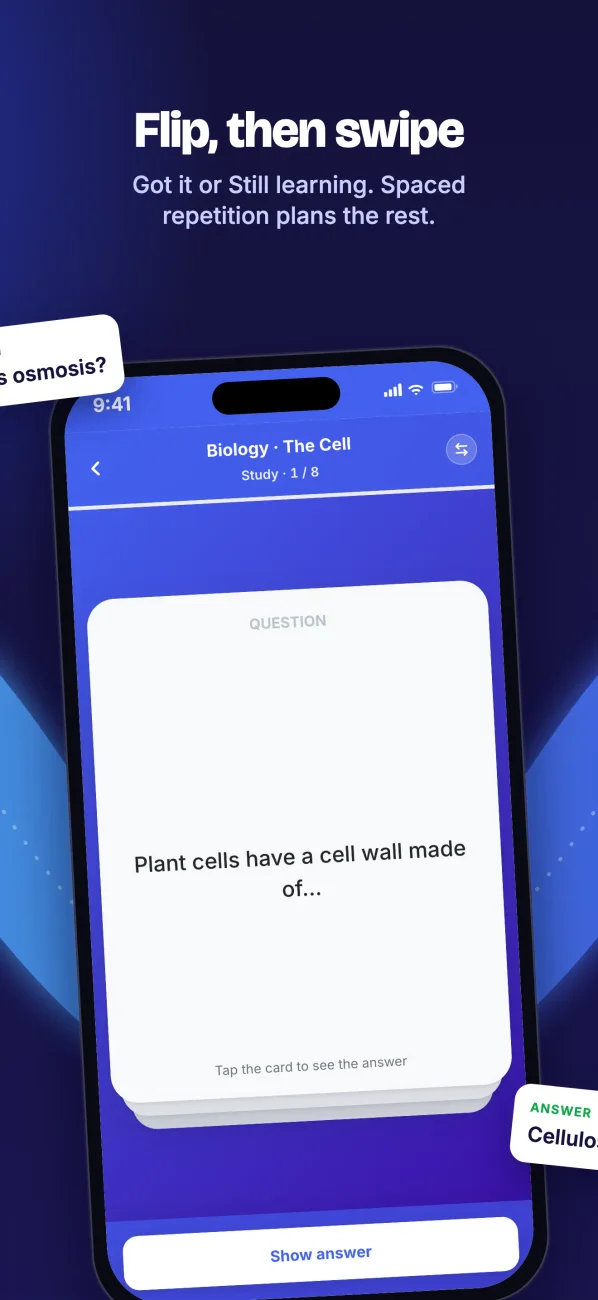
FLIP, THEN SWIPE
• Tap Show answer, then Got it or Still learning
• Spaced repetition brings each card back right before you’d forget it
• Undo any number of cards and review the ones you’re still learning
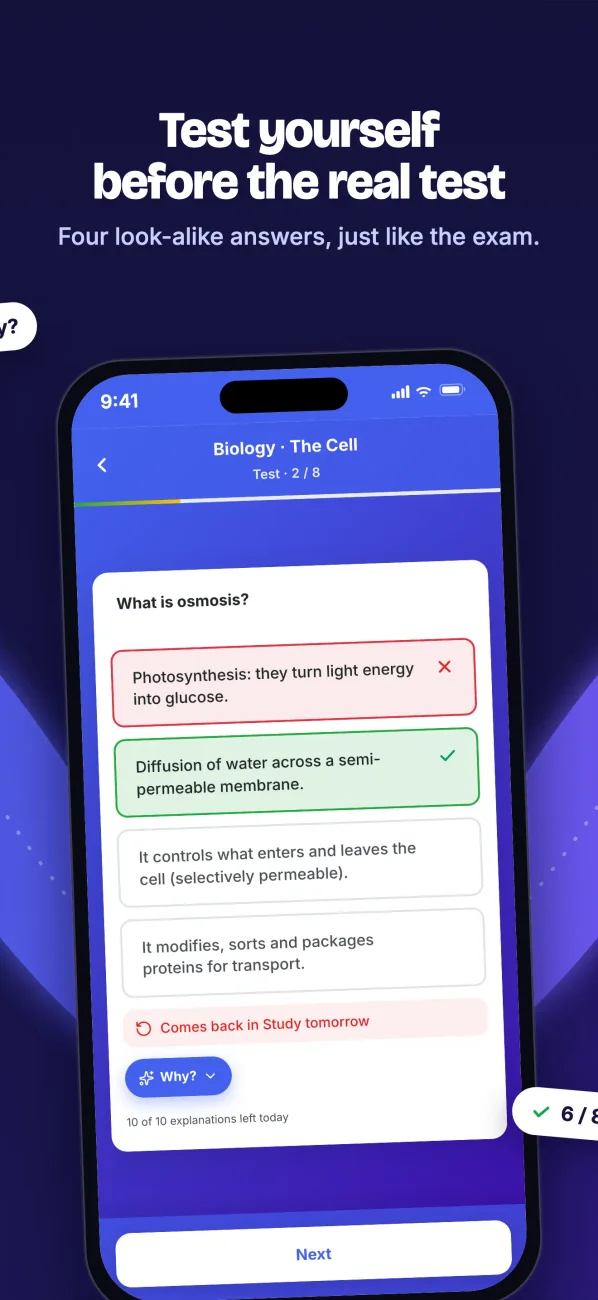
• Ask “Why?” on any card for a short explanation when an answer doesn’t click
• Open any card picture full screen
TEST YOURSELF BEFORE THE REAL TEST
• Multiple choice with four look-alike answers, like on the exam
• Pictures in questions and answers — road signs, flags, diagrams
• “I don’t know” instead of guessing
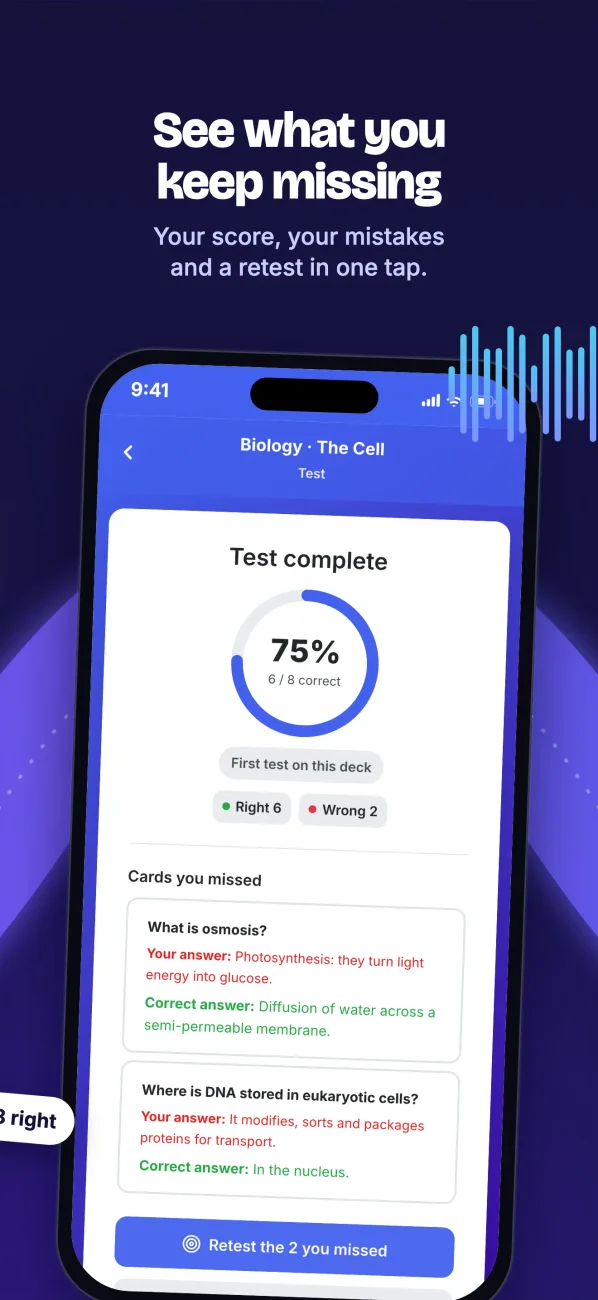
• Results show your score over time and the cards you miss most
• Retest only the ones you missed
LISTEN WITH YOUR EYES FREE
• Your cards read aloud, question then answer
• Native voices for each language, even on mixed-language cards
• Card pictures on the player and on the lock screen
• Keeps playing with the screen off — on a walk, at the gym, on the bus
1,200+ READY-MADE DECKS
• Citizenship tests (Germany, UK, USA, Australia and more), driving theory and road signs, boating, hunting and fishing licences
• Language exams and languages from A1 core words to exam phrases
• Medicine, IT, school subjects, geography and flags
• Other language versions and related decks on every deck page
• Sources listed, mistakes can be reported
• Add a deck to your collection with one tap
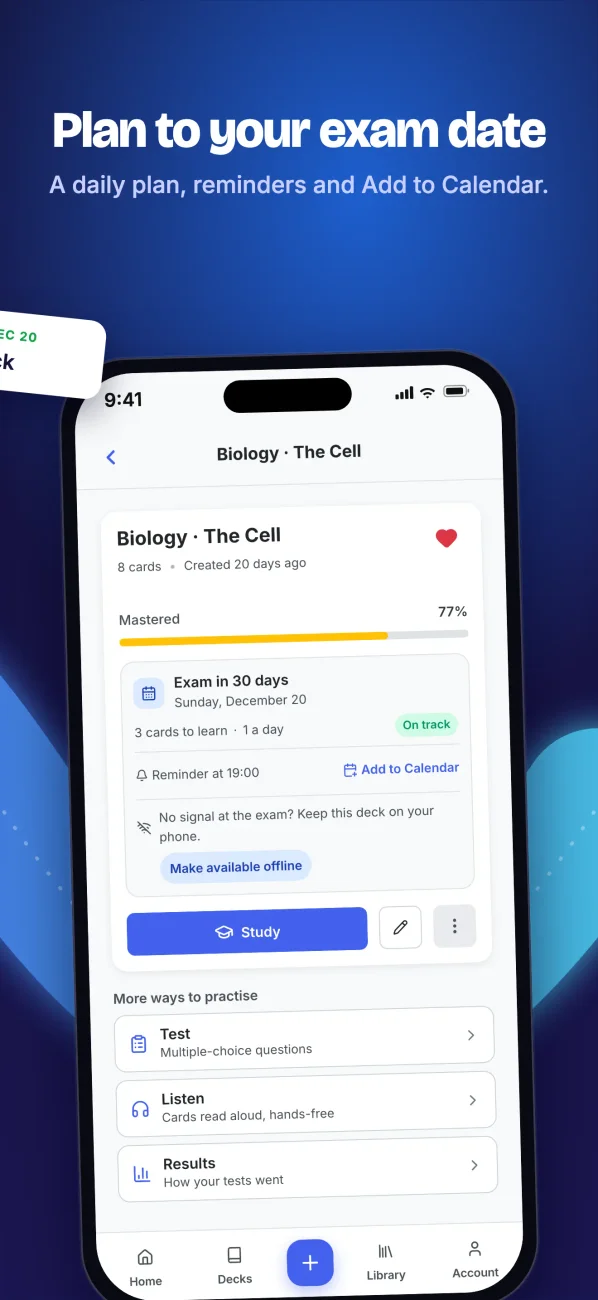
PLAN TO YOUR EXAM DATE
• Set the date and get a daily plan of new cards
• See whether you’re on track
• A reminder at the time you choose, plus Add to Calendar
MADE FOR EVERY SCREEN
• iPhone, iPad and iPhone Duo: on the Duo the app fits the outer screen when folded and opens up with a side menu when unfolded
• Study offline, sync across your devices and the web
• Share a deck with a link — friends can study without an account
• Print your cards
• Dark mode
• Available in English, Deutsch, Español, Français, Italiano, Nederlands, Polski, Português and Русский
FREE TO LEARN
Studying, Test, Listen, spaced repetition, exam plans, the Library and sharing are free. The free plan includes 100 started cards — reviewing them is always free — and 5 AI generations a month.
FLASHDECK.NET PRO
Unlimited cards and AI, Anki and Quizlet import, printing without the logo and every future Pro feature. Monthly, yearly or a one-time Lifetime purchase. Subscriptions renew automatically unless cancelled at least 24 hours before the end of the period; manage them in your App Store account settings.
Terms of Use: https://www.apple.com/legal/internet-services/itunes/dev/stdeula/
Privacy Policy: https://flashdeck.net/privacy
What’s new
Version 2.8.0 · Nov 22, 2026
• Ready for iPhone Duo: the app fits the outer screen when folded and spreads out with a side menu when unfolded.
• Folders for your decks, a compact list, and Select mode to move or delete several decks at once.
• Pictures everywhere: in Test questions and answers, full screen in Study and the Library, and in Listen — even on the lock screen.
• Library: 1,200+ ready-made decks in sections, with other language versions and related decks on each deck page.
• Free plan: the 100-card limit now counts only the cards you’ve started, and reviewing them is always free.
• Typing: the field you’re typing in stays above the keyboard, and Add card / Save stay within reach.
• Faster with large collections, plus many fixes.
App privacy
What Denis Zastanceanu declares on the App Store about how this app handles data.
-
Data linked to you
May be collected and linked to your identity.
- Purchases
- Contact info
- User content
- Identifiers
- Usage data
Privacy practices may vary, for example with the features you use or your age.
Information
- Seller
- Denis Zastanceanu
- Category
- Education
- Version
- 2.8.0
- Updated
- Nov 22, 2026
- Released
- Feb 11, 2026
- Size
- 49.3 MB
- Requires
- iOS 15.0 or later
- Age rating
- 4+
- Price
- Free
- In-app purchases
- Yes
- Languages
- English
- Copyright
- © Denis Zastanceanu
You might also like
-
 Mahaveer Jain National SchoolEducation
-
 Studi: AI Flashcards MakerStudy Notes, Quiz & Exam Prep
-
 Memvale AI Flash Cards MakerStudy & Spaced Repetition
-
 Flashcard WalletStudy smarter, remember more
-
 Cardly - AI Flashcard MakerStudy Cards from PDF & Notes
-
 IDK Can You?Hallpasses & device checkout
-
 VoiceCards - Voice FlashcardsAudio & Speaking Exam Prep
-
 EDU-RADIATION TUTORIALSDigital Education Platform
-
 StudyLiftEducation
-
 Slovo for ConjugationsDutch Verb Conjugation