
FlexCut
Custom Video Crop & Resize
Designed for iPhone, iPad, iPod touch
Free · In-app purchases
- Age rating4+
- CategoryUtilities
- Developer晓峰 左
- LanguagesEnglish+ 43 more
- Size42.0 MB
Links to the official App Store page
Download.org hosts no file of FlexCut. The button opens its official App Store page, published by 晓峰 左. Listing last checked on Nov 14, 2026.
Screenshots



About
One video, ready for every platform.
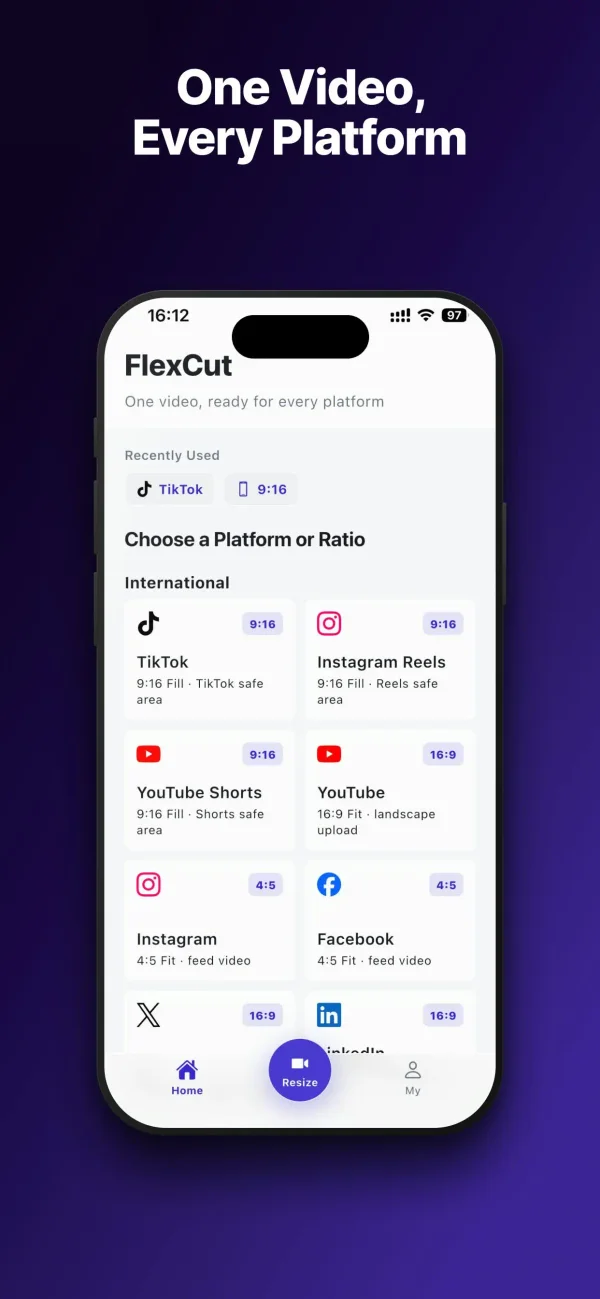
FlexCut is a focused video resizer that turns one source clip into platform-ready MP4 videos. Start with presets for TikTok, Instagram Reels, YouTube Shorts, YouTube, RedNote, Douyin, WeChat Channels, Bilibili, and more, or choose a common or freeform aspect ratio.
Resize for any frame
- Switch between Fill, Fit, Blur, and Color canvas modes
- Crop, reposition, and scale your video with direct controls
- Use reference safe-area guides to check where platform controls may appear
- Choose portrait, landscape, square, feed, classic, original, or freeform ratios
Make focused edits
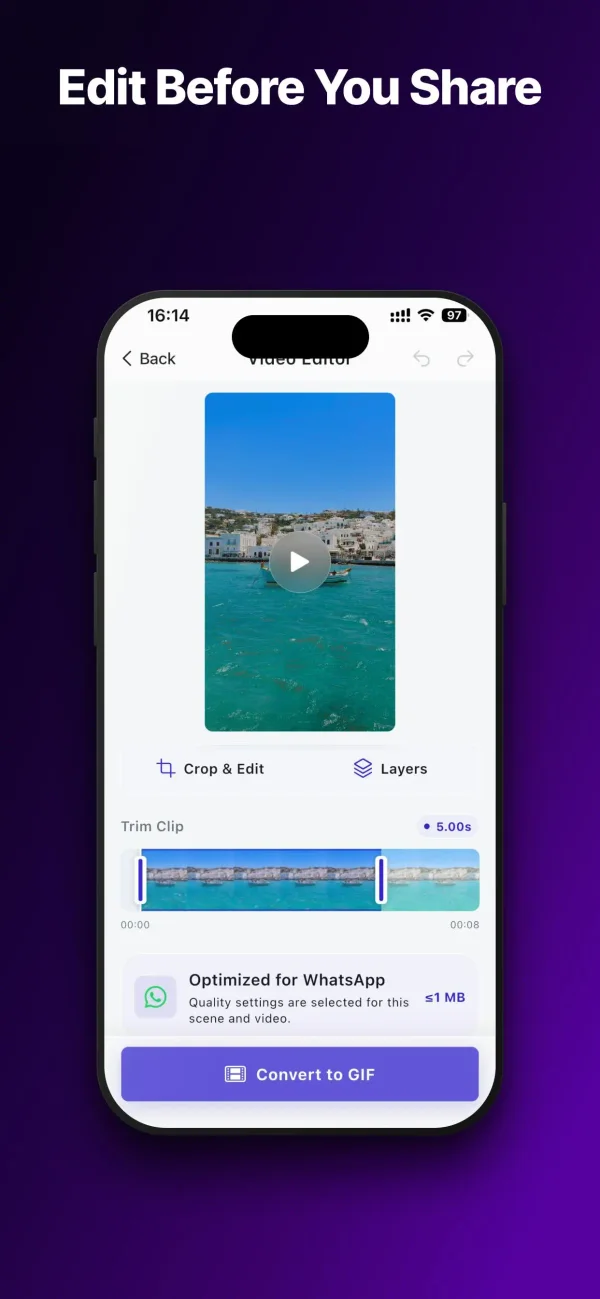
- Trim the source video or split it into up to five clips
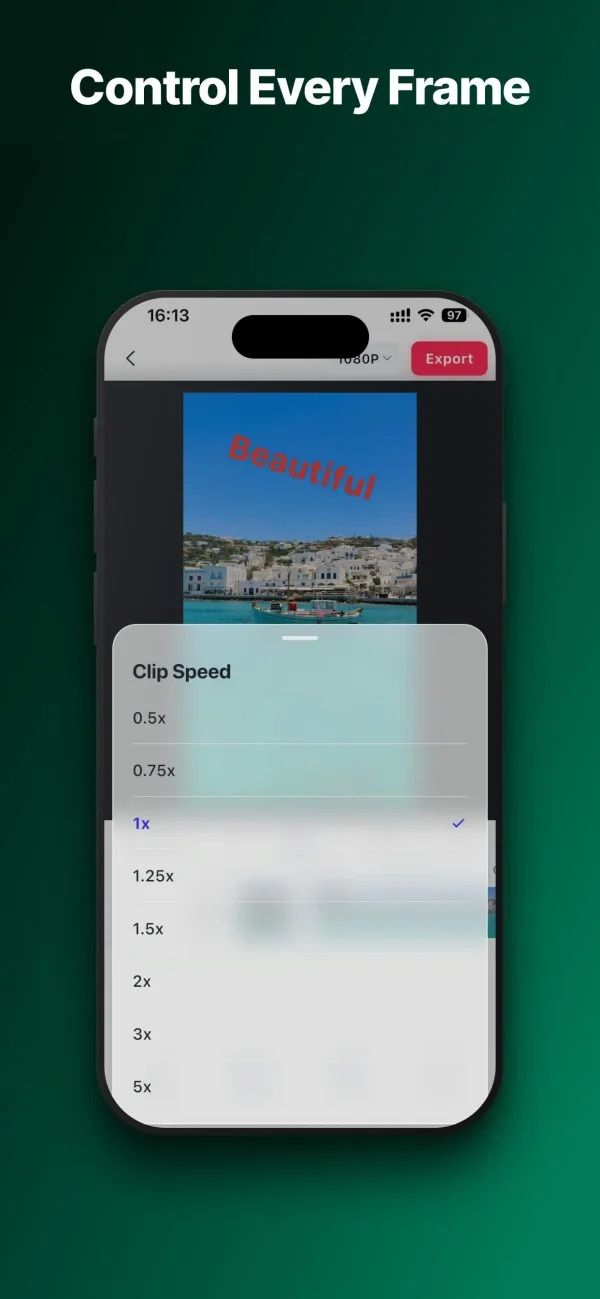
- Adjust clip playback speed
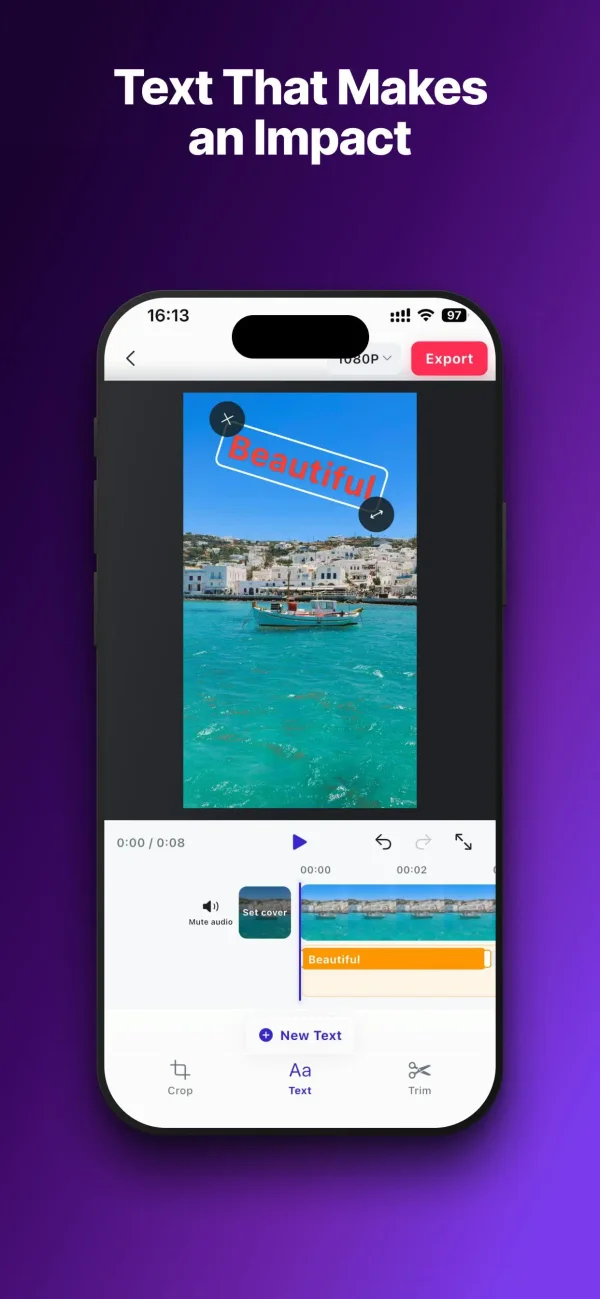
- Add text overlays and control when each one appears
- Mute the original audio when needed
- Choose a frame or image as the project cover
Export and reuse
- Export locally as H.264 MP4 with audio
- Save to Photos or share to other apps
- Find recent resize projects and export them again
More tools in one app
- Video to GIF: trim a moment, choose speed, resolution, frame rate, loop behavior, text, and target file size, then create a shareable GIF
- Private Album: keep selected photos and videos in the app's local storage, protected by Face ID or your device passcode
Video editing and GIF conversion are processed on your device. Your media is not uploaded to our servers for editing.
Membership Subscription Information
Plans and pricing: Subscription prices depend on the plan you choose. The price shown in the app and on the App Store checkout page is final.
Auto-renewal: Within 24 hours before your subscription ends, Apple will automatically charge your Apple ID account to renew it. Unless canceled, your subscription renews automatically.
Cancel a subscription: Cancel at least 24 hours before the current subscription period ends. On your device, open Settings, tap your name, tap Subscriptions, select the subscription you want to manage, and follow the on-screen steps.
Privacy Policy:
https://docs.qq.com/doc/DSXd6ckNVV3NRSnFM
Terms of Use (Apple Standard EULA):
https://www.apple.com/legal/internet-services/itunes/dev/stdeula/
What’s new
Version 1.6.3 · Nov 5, 2026
Welcome to FlexCut.
- Resize one video for TikTok, Reels, Shorts, YouTube, RedNote, Douyin, and more with ready-made platform presets.
- Choose Fill, Fit, Blur, or Color backgrounds, then crop, reposition, scale, and check safe-area reference guides.
- Trim and split clips, adjust speed, add timed text, mute audio, and choose a cover.
- Export H.264 MP4 videos locally, save or share them, and export recent projects again.
- Turn video clips into GIFs with adjustable resolution, frame rate, speed, text, and target size.
- Keep selected photos and videos in a Private Album protected by Face ID or your device passcode.
App privacy
What 晓峰 左 declares on the App Store about how this app handles data.
-
Data not collected
The developer does not collect any data from this app.
Privacy practices may vary, for example with the features you use or your age.
Information
- Seller
- 晓峰 左
- Category
- Utilities
- Version
- 1.6.3
- Updated
- Nov 5, 2026
- Released
- Aug 17, 2026
- Size
- 42.0 MB
- Requires
- iOS 15.0 or later
- Age rating
- 4+
- Price
- Free
- In-app purchases
- Yes
- Languages
- English, Arabic, Bengali, Catalan, Croatian, Czech, Danish, Dutch, Finnish, French, German, Greek + 32 more
- Copyright
- © zxfmpy
You might also like
-
 Contacts Export & ImportBackup contacts to CSV & JSON
-
 像素轻Utilities
-
 Image Compressor StudioCompress & Convert Photos
-
 Aspect Ratio & Size CalculatorCrop Photos to Exact Size
-
 Final Size: Image CompressorCompress and Resize Photos
-
 Video Resizer : Video EditorMake Any Video Resize
-
 Oneby - Pick and DeleteDynamic Island Photo Organizer
-
 cova - Long Image NotesText, Photos, and share as one
-
 Fjernbetjening – TV RemoteControl your smart TV
-
 OwnUtilities