
Flightable (Incheon)
Live flights, alerts & transit
Designed for iPhone, iPad
Free · In-app purchases
- Age rating4+
- CategoryTravel
- DeveloperHEE SUNG NOH
- LanguagesEnglish+ 4 more
- Size31.6 MB
Links to the official App Store page
Download.org hosts no file of Flightable (Incheon). The button opens its official App Store page, published by HEE SUNG NOH. Listing last checked on Nov 25, 2026.
Screenshots


About
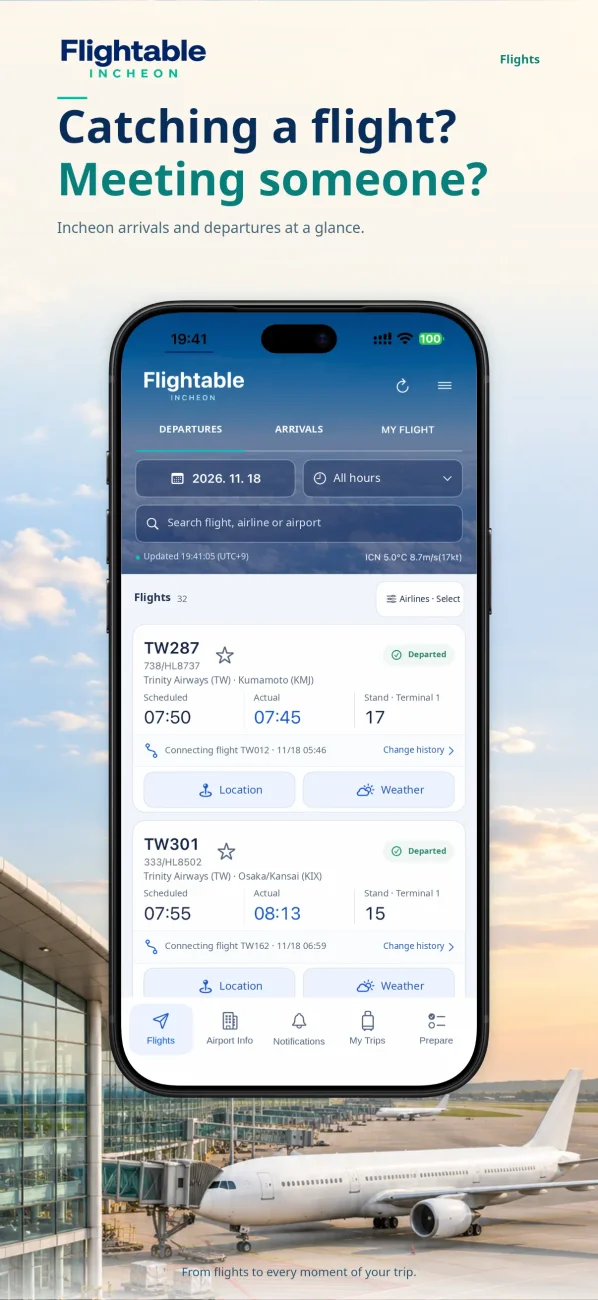
Flying out of Incheon or meeting someone on arrival? Check your gate, terminal or arrival time, then plan the rest of your trip.
■ Follow a flight
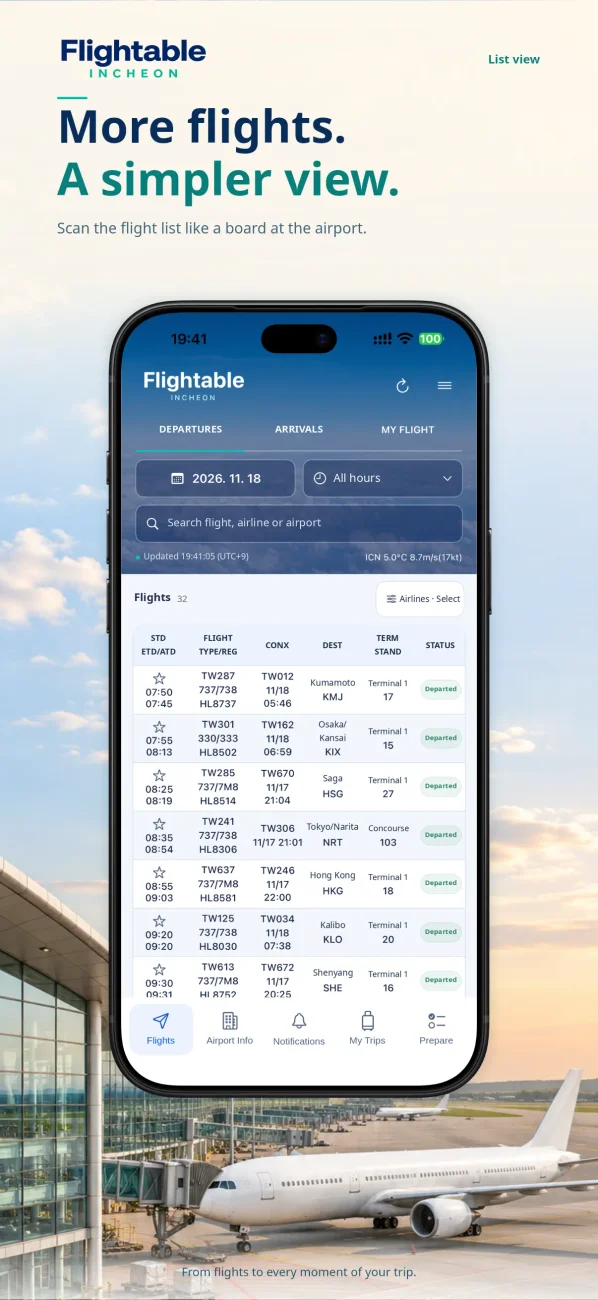
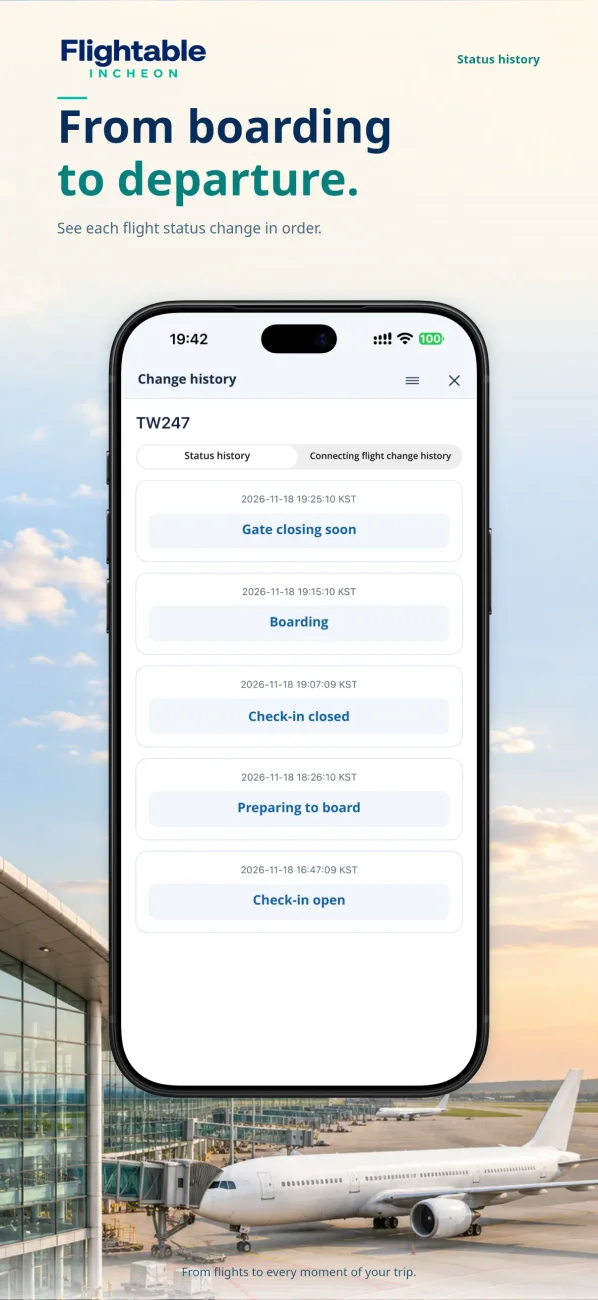
Browse departures and arrivals as cards or on an airport-style board. Search by date, time or airline. See flight status and scheduled, revised and actual times, with the terminal, gate, aircraft stand and baggage details when available. When a board banner is unavailable, the board shows app or destination tips.
■ Keep the flights you care about in MY FLIGHT
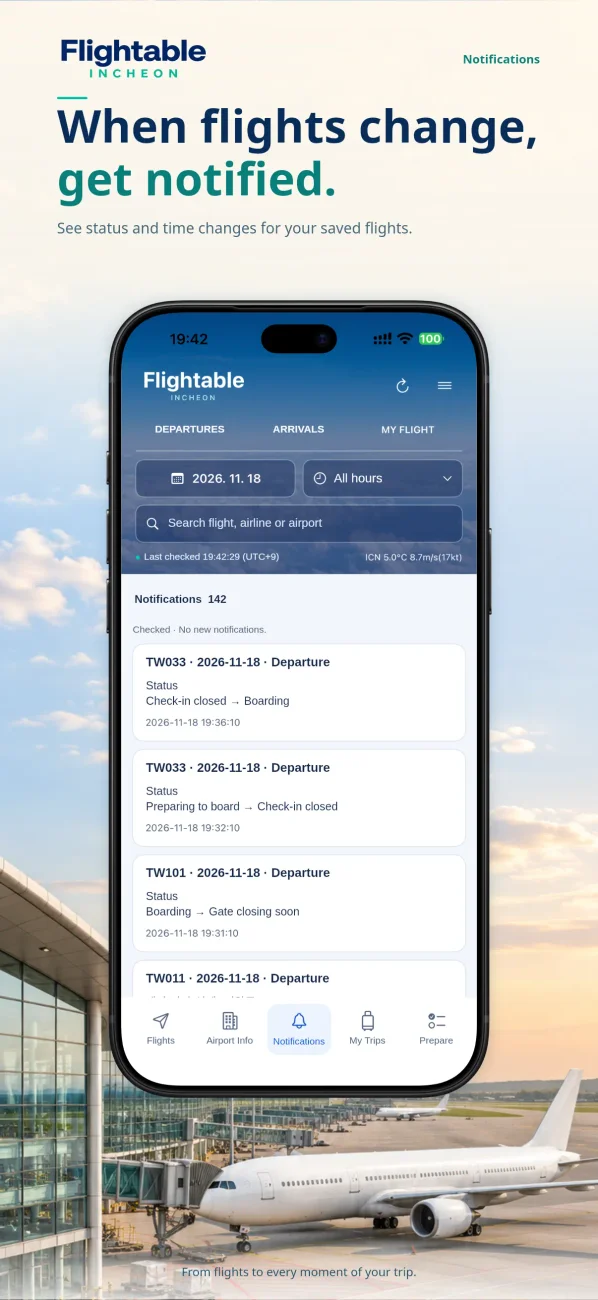
Tap the star on a flight, then find it in MY FLIGHT beside Departures and Arrivals. Add a memo and choose alerts for status, time, stand, aircraft or linked flight changes.
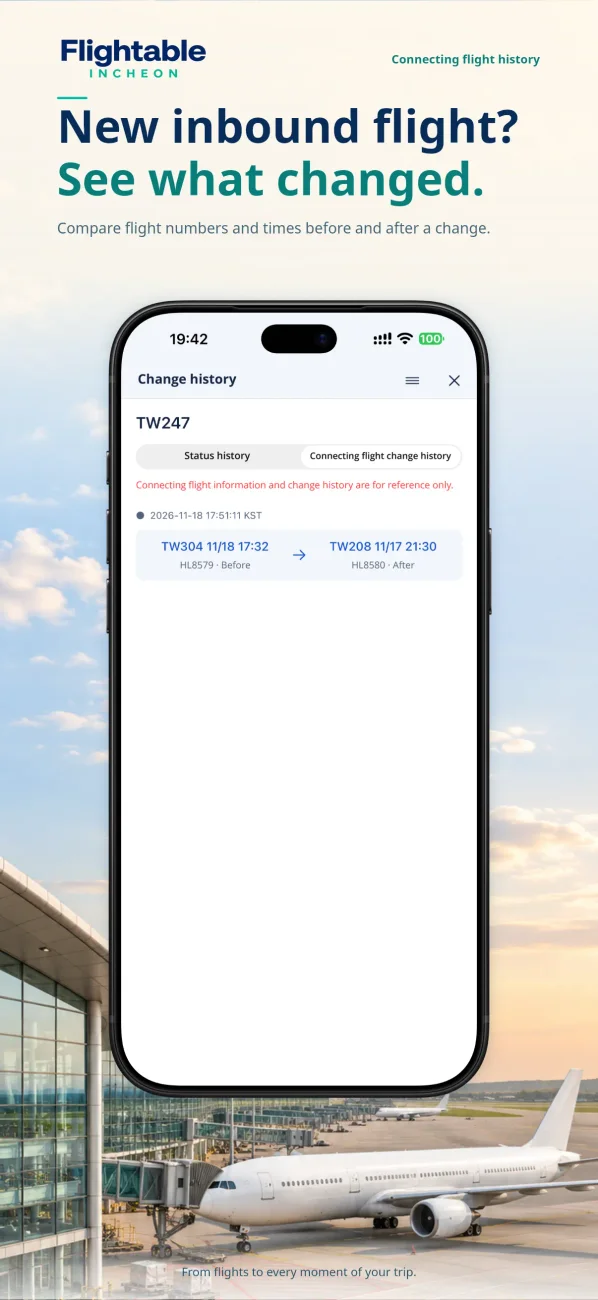
Want to know when the aircraft for your departure will reach Incheon? Save the departure and enable “Connecting flight status changes”. You can get an alert when its inbound flight is delayed, lands or arrives. If a different inbound flight is linked to your departure, future alerts follow that flight. Automatic flight alerts use your selected app language. Saved alerts show the flight direction and time labels in your current app language.
■ Find your way around Incheon
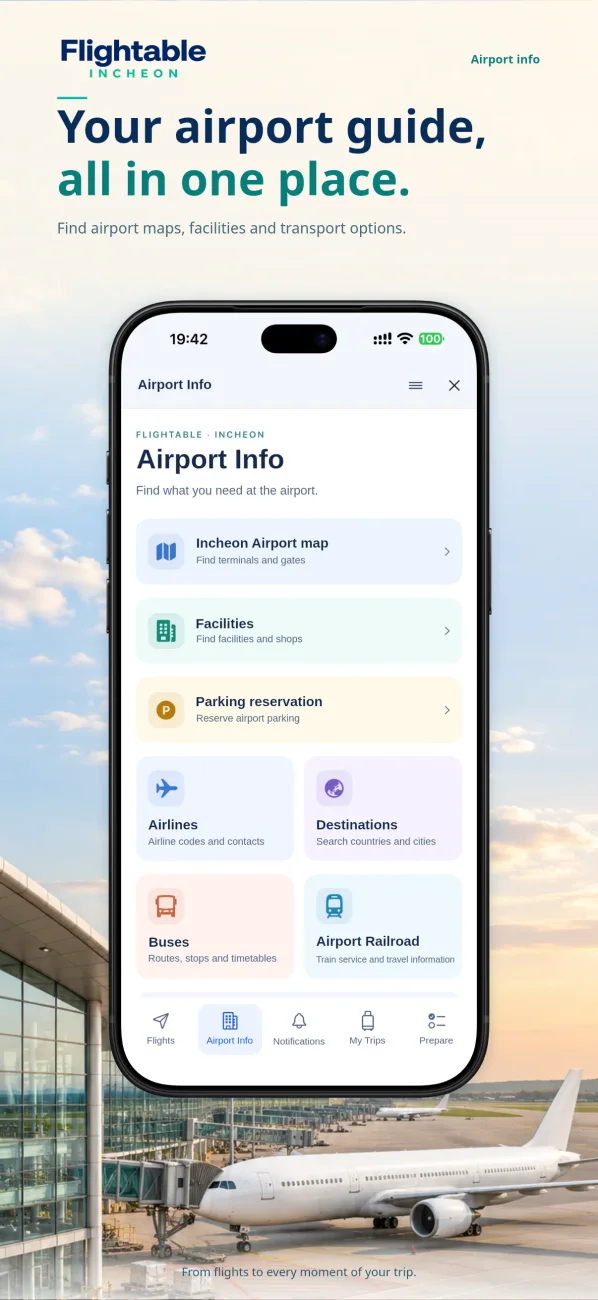
Choose Terminal 1, Terminal 2, the Concourse or either terminal’s Transportation Center. Search facilities by name or category, airlines by name or IATA/ICAO code, and destinations by country, city or airport code. Choose a region to find bus routes and boarding points. Open the airport map, parking reservations, Airport Railroad or SmartPass information. Bus booking links can take you to the store listing for a third-party booking app.
After the first download, you can search the facilities, airlines, destinations and bus directories offline. Check the publication time and tap Update when new data is available.
■ Plan your trip, day by day
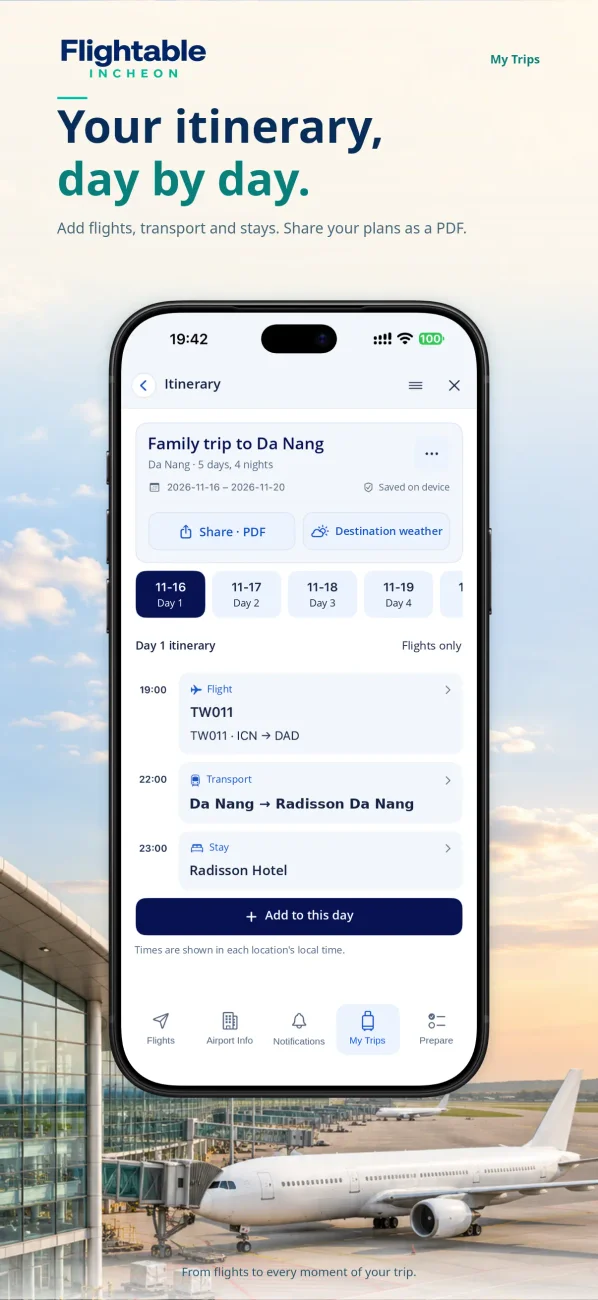
Organize flights, places, restaurants, transport and stays in My Trips. Import a flight from MY FLIGHT, enter it yourself or scan text from a booking or e-ticket image on your device. Check the details against the original before saving. Add places, set the start and end of a journey and check local forecasts. Open a transit leg in Apple Maps or Google Maps for directions. The location button in flight details opens an external flight tracker.
Share or import an editable itinerary, preview, share or print a PDF, or export a calendar file. Itineraries and memos are stored on your device and can be backed up and restored.
■ Prepare before you go
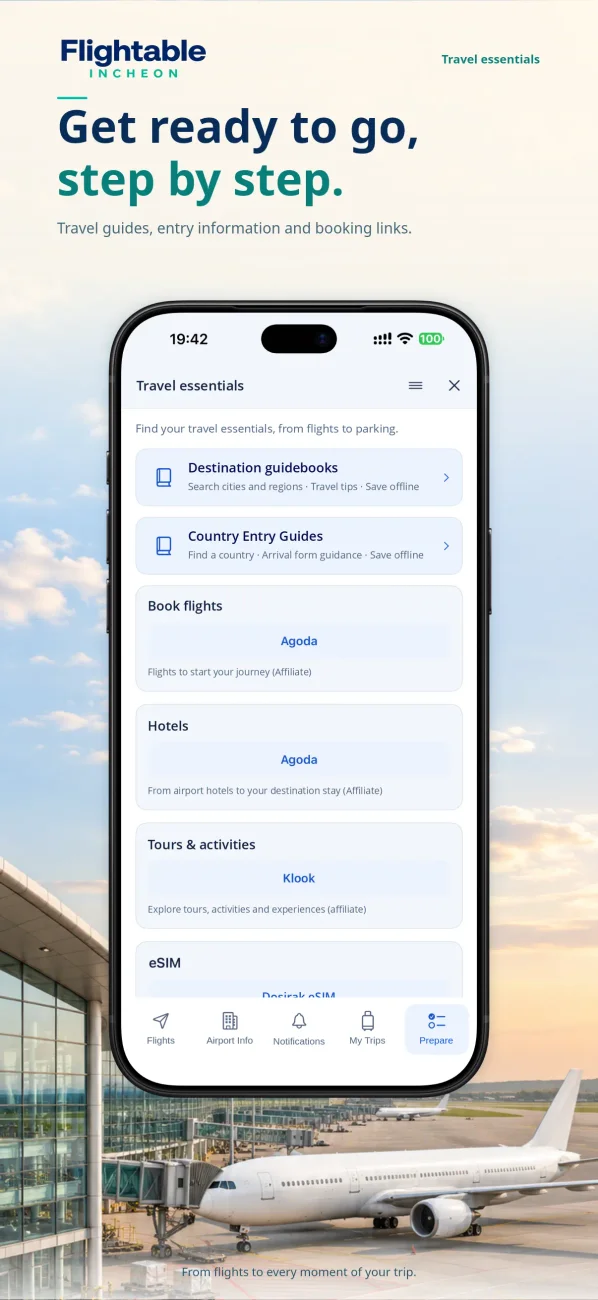
Explore flights, accommodation, eSIMs, airport transfers and parking. Download destination guidebooks and country entry guides as PDFs to read offline. Flightable supports Korean, English, Vietnamese, Japanese and Simplified Chinese. Mapped destinations use short names in your chosen language. A guide may be shown in English if your language is unavailable.
■ Ads and subscriptions
The app includes ads. Some flight history views may offer a rewarded ad. An optional annual auto-renewing subscription removes in-app ads. Information banners and service links remain available in Prepare. See Subscription for the price and terms.
Travel notes
• Flight data and alerts can change or be delayed. Follow the airline’s and airport’s final instructions. To receive alerts, save the flight in MY FLIGHT and allow notifications on your device.
• Updates, place searches, forecasts, external sites and downloads need internet access. Unexpired map snapshots can be viewed offline. Live directions are unavailable offline.
• Guides reflect the date shown. Check current entry requirements with the relevant authorities.
• External providers handle bookings, payments, changes and cancellations. Flightable may earn a commission from affiliate links. Shared files and backups may contain your itinerary, booking references and memos.
Terms of Use (Apple Standard EULA)
https://www.apple.com/legal/internet-services/itunes/dev/stdeula/
What’s new
Version 1.2.8 · Nov 24, 2026
• Flight alert titles now clearly identify departures and arrivals. When you change the app language, saved time alerts show the scheduled, updated and takeoff or landing labels in that language.
• When a banner ad is unavailable on the flight board, you’ll see a Flightable tip or a travel idea from one of 15 destinations.
App privacy
What HEE SUNG NOH declares on the App Store about how this app handles data.
-
Data used to track you
May be used to track you across apps and websites owned by other companies.
- Identifiers
-
Data linked to you
May be collected and linked to your identity.
- Location
- Identifiers
- Usage data
-
Data not linked to you
May be collected but is not linked to your identity.
- Identifiers
- Diagnostics
Privacy practices may vary, for example with the features you use or your age.
Information
- Seller
- HEE SUNG NOH
- Category
- Travel
- Version
- 1.2.8
- Updated
- Nov 24, 2026
- Released
- Nov 12, 2026
- Size
- 31.6 MB
- Requires
- iOS 17.0 or later
- Age rating
- 4+
- Price
- Free
- In-app purchases
- Yes
- Languages
- English, Japanese, Korean, Simplified Chinese, Vietnamese
- Copyright
- © 2026 OcmS. All rights reserved.
You might also like
-
 한국공항 Easy운항정보Travel
-
 인천공항Easy운항정보Travel
-
 Saigon.PTTravel
-
 Kumho Samco BuslinesTravel
-
 Modern Village LifestyleTravel
-
 Flight Information GlobalArrivals, departures & gates
-
 Incheon Airport: Flight AlertsFlights, bags, parking & lines
-
 ALLVAN |Airport Taxi/Van KoreaCompare Airport Taxi/Van Price
-
 Passport.appThe Passport Wallet App
-
 Incheon Airport+Travel