Flipper Map
See Flipper Zero Files on Map
Designed for iPhone, iPad
Free · In-app purchases
- Age rating4+
- CategoryUtilities
- DeveloperLevan Velijanashvili
- LanguagesEnglish
- Size13.8 MB
Links to the official App Store page
Download.org hosts no file of Flipper Map. The button opens its official App Store page, published by Levan Velijanashvili. Listing last checked on Nov 16, 2026.
Screenshots


About
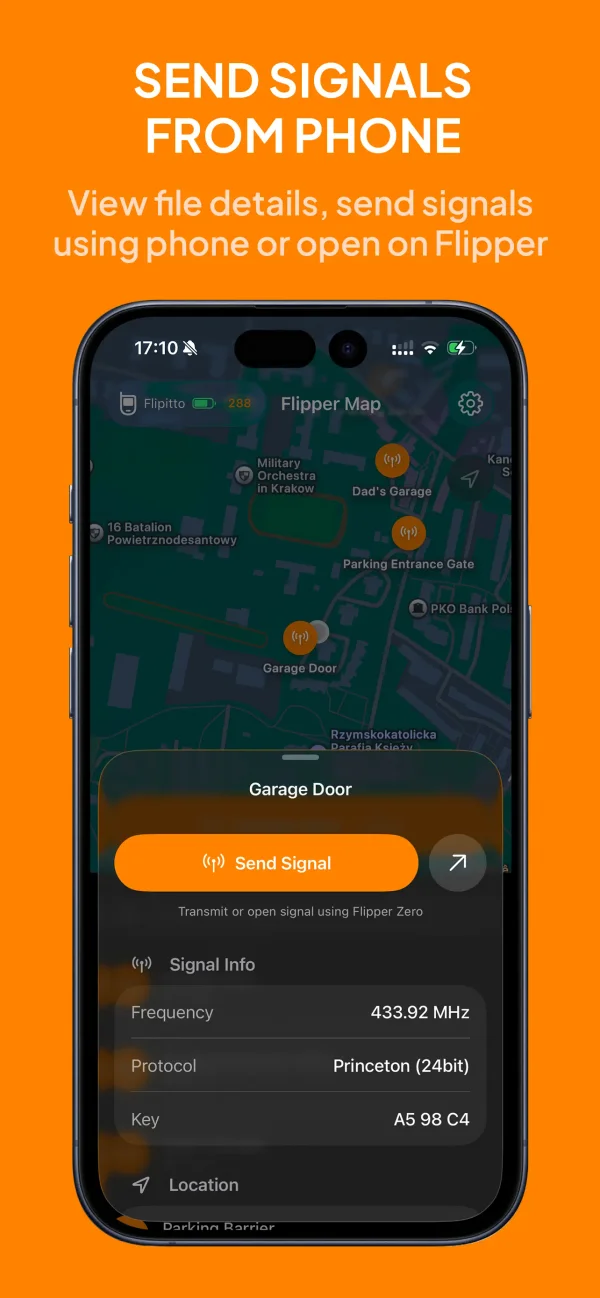
Flipper Map connects to your Flipper Zero over Bluetooth and displays your Sub-GHz signal files on an interactive map. See exactly where your saved signals are located and trigger them when you're nearby. Control garage doors, parking barriers, gates, and more with just one tap.
FEATURES
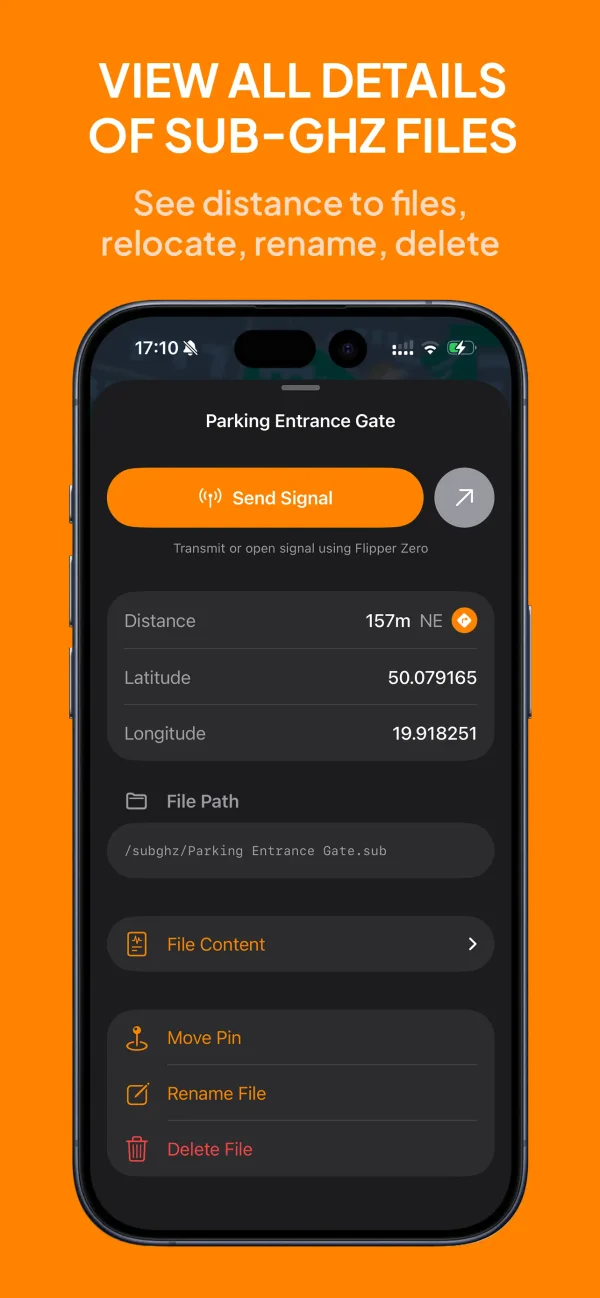
Attach GPS locations to your signal files and view them as pins on the map. The app shows how far away you are and helps you quickly find the right signal. When you get close to a saved signal, a Send button appears automatically. Tap once to transmit, or hold to keep sending.
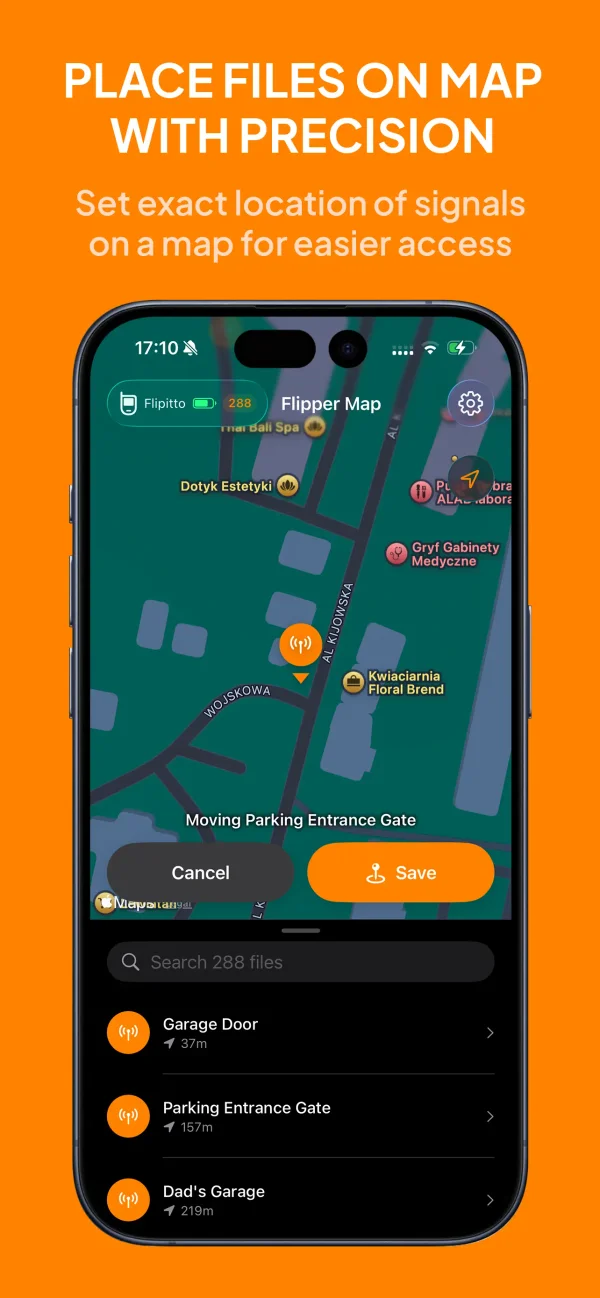
Manage your files easily – rename, delete, move signals by dragging pins on the map.
No accounts needed. No cloud uploads. Your data stays on your device.
LIVE ACTIVITIES
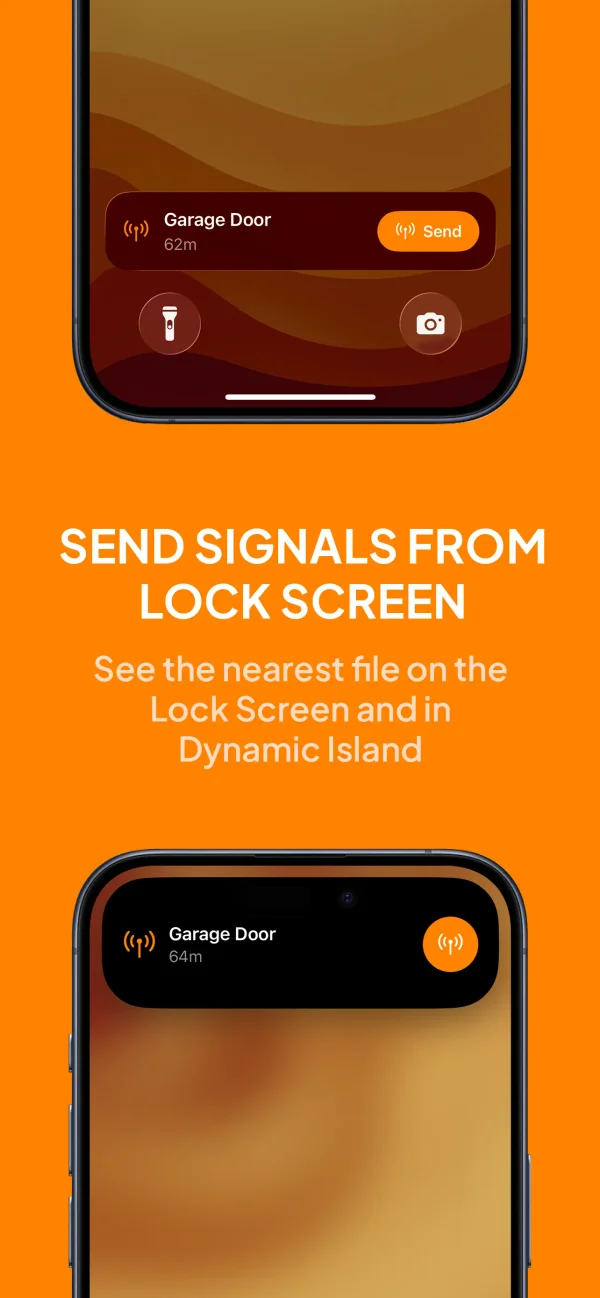
Live Activities on your Lock Screen show the nearest signal and update as you move. Send signals without opening the app.
APPLE WATCH
With the Apple Watch app, you can browse your signals and send them directly from your wrist.
CARPLAY
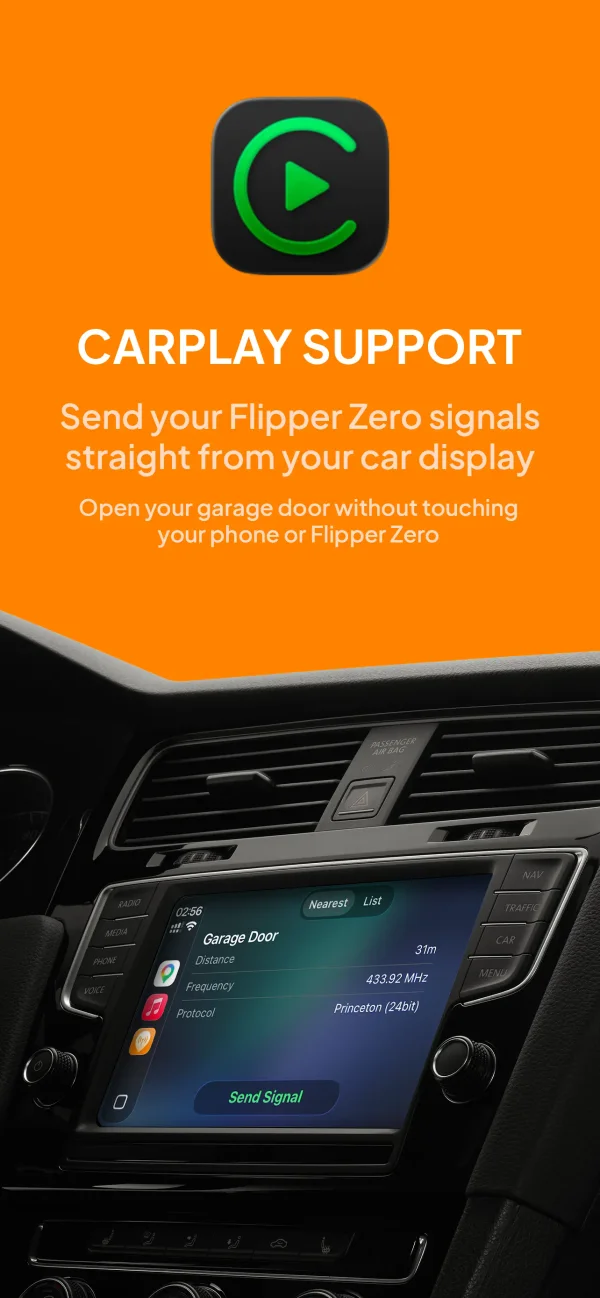
Apple CarPlay to quickly access and send nearby signals directly from your car — perfect for opening gates or barriers without touching your phone.
SIRI & AUTOMATIONS
Use Siri to trigger sending of nearby signals. If you're an advanced user, check out Flipper Map actions in Shortcuts app. Automate things to your specific needs.
DUPLICATES AND SIMILAR SIGNALS
Detect duplicate signals and easily manage them. Group similar signals that have slightly different keys but matching patterns (e.g. Princeton button variants, Keeloq hopping codes, etc).
NOTES
• Requires a Flipper Zero or compatible device such as Kiisu.
• GPS coordinates can be assigned directly in Flipper Map by placing a pin on the map, or automatically when using an external GPS module connected to your Flipper Zero via GPIO (Check your firmware features).
DISCLAIMER: Flipper Map is not affiliated with, endorsed by, or sponsored by Flipper Devices Inc.; Flipper, Flipper Zero, and the Flipper logo are trademarks of Flipper Devices Inc. and are used for identification purposes only.
Terms of Service: https://www.apple.com/legal/internet-services/itunes/dev/stdeula/
What’s new
Version 1.1.6 · May 21, 2026
• Duplicate Detection – Detect duplicate signals that have same frequency, protocol and keys.
• Similar Signals – Group similar signals that have slightly different keys but matching patterns (e.g. Princeton button variants, Keeloq hopping codes, etc).
• Quick Sync – Periodically checks Flipper for added, renamed or removed files. Updates file list on the fly without need of full re-read. File content updates are not detected by quick sync, content update requires full sync.
App privacy
What Levan Velijanashvili declares on the App Store about how this app handles data.
-
Data not collected
The developer does not collect any data from this app.
Privacy practices may vary, for example with the features you use or your age.
Information
- Seller
- Levan Velijanashvili
- Category
- Utilities
- Version
- 1.1.6
- Updated
- May 21, 2026
- Released
- Mar 17, 2026
- Size
- 13.8 MB
- Requires
- iOS 18.6 or later
- Age rating
- 4+
- Price
- Free
- In-app purchases
- Yes
- Languages
- English
- Copyright
- © 2026 Levan Velijanashvili (Stichoza)
You might also like
-
 ZeroTrace MobileBLE recon & device control
-
 Biscuit ManagerUI for the Biscuit
-
 Tracker DetectorDetect and locate BT trackers
-
 Remotely ProA terminal client for the road
-
 Netsight - WiFi ToolsWiFi Scanner & IP Analyzer
-
 CoronaSDR: RTL-SDR ClientLow-Latency rtl_tcp Receiver
-
 GaragePadAll your doors in one widget
-
 PommeCoreLoRa Mesh Radio Client.
-
 Spectral Bands: SDR ClientRTL-SDR & WebSDR Signal Client
-
 Flipper Mobile AppFor Flipper Zero