
Floor Plan Creator Room Wizard
Interior Design Layout AI Home
Designed for iPhone, iPad
Free · In-app purchases
- Age rating4+
- CategoryUtilities
- DeveloperHeliogram Labs
- LanguagesEnglish+ 3 more
- Size14.4 MB
Links to the official App Store page
Download.org hosts no file of Floor Plan Creator Room Wizard. The button opens its official App Store page, published by Heliogram Labs. Listing last checked on Nov 24, 2026.
Screenshots

About
Transform Your Room with Room Wizard, the Ultimate Floor Plan Creator!
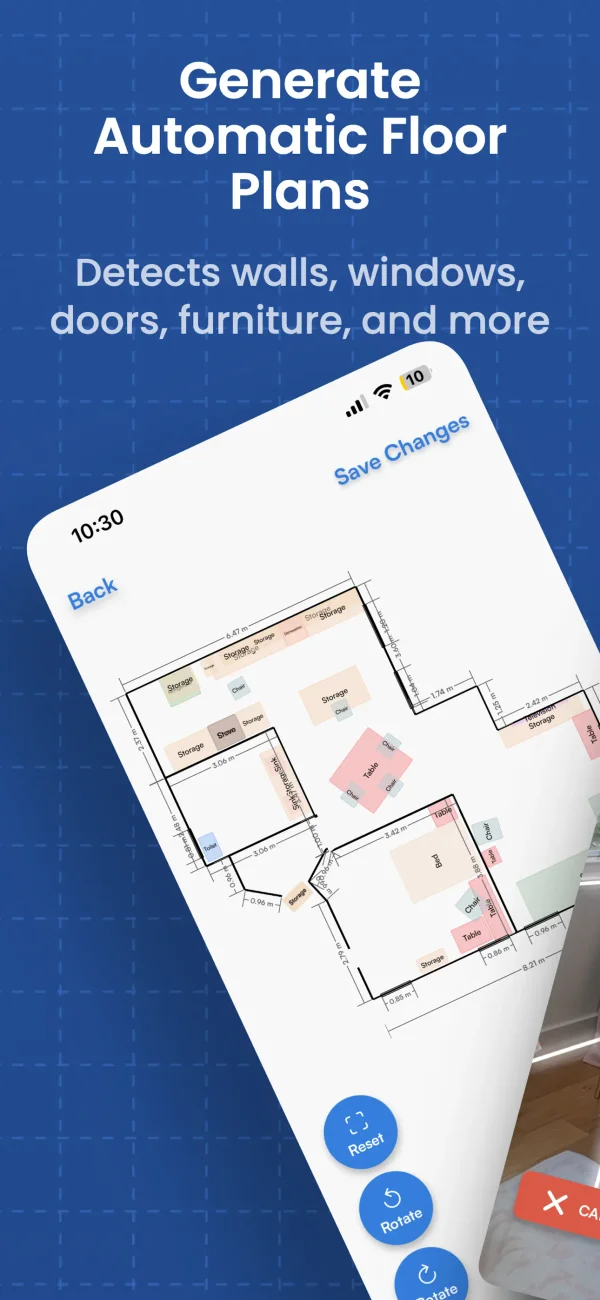
Instantly Generate Accurate Floor Plans
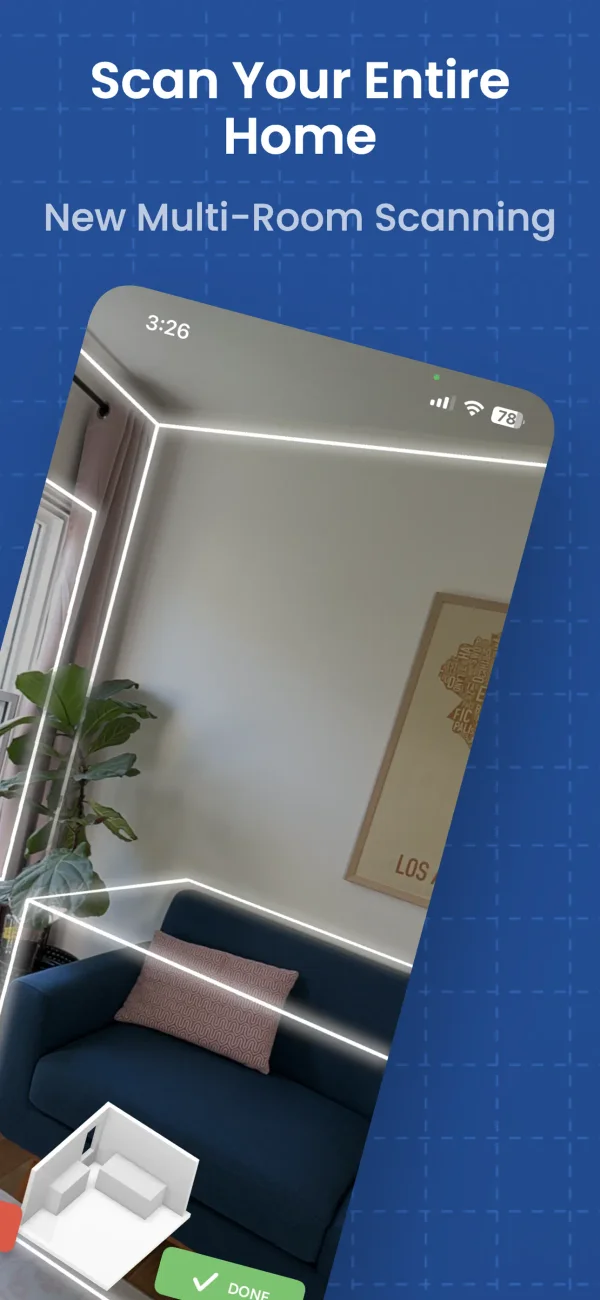
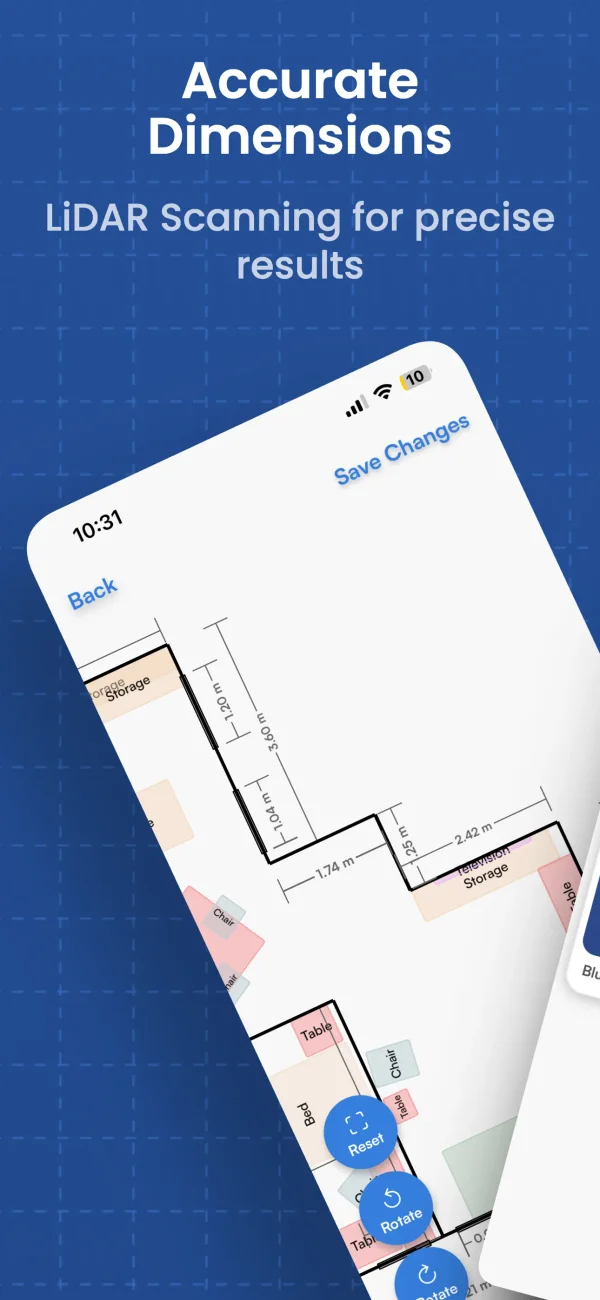
Scan your room in seconds with your iOS device's camera and LiDAR technology to create an accurate floor plan in seconds. Say goodbye to manual placement and measurements!
Automatic Detection and Precise Measurements
Room Wizard automatically detects and measures walls, windows, doors, and furniture, providing you with precise and accurate room measurements every time. No more guesswork!
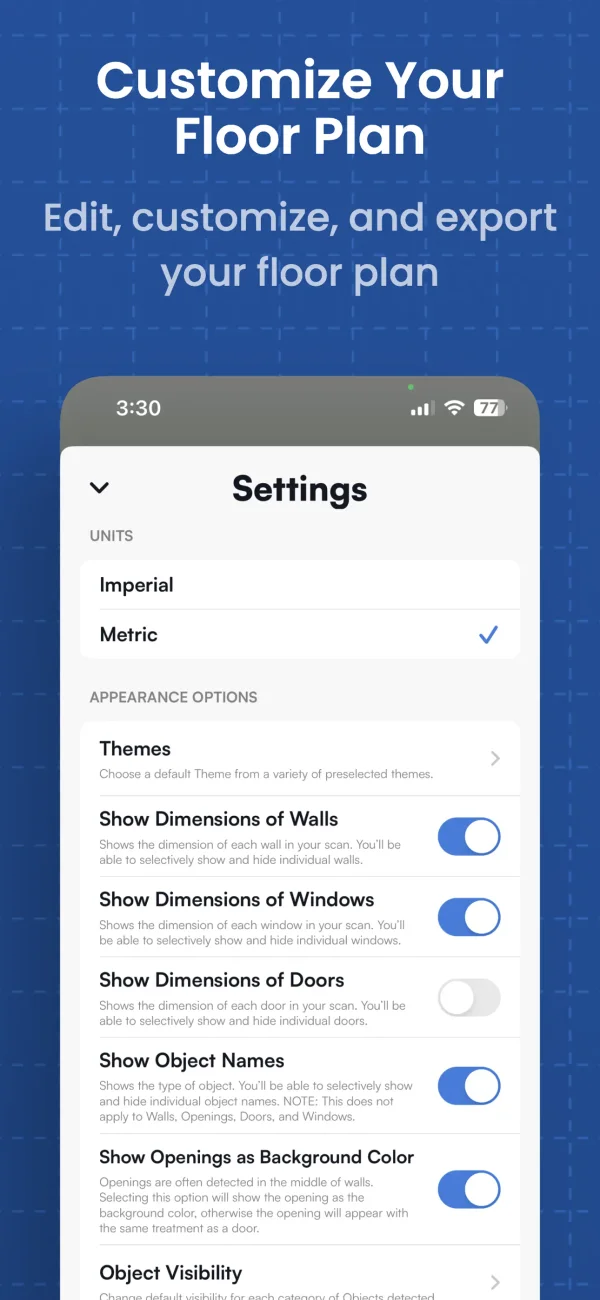
Customize Your Floor Plan
Edit and customize your floor plan to perfection. Rotate your view, hide objects, and move measurements to create a floor plan that fits your style and needs.
Apply Pre-set Themes
Elevate your floor plan with pre-set themes. Choose from a variety of beautiful themes, including new themes added every month.
Share and Export Your Floor Plan
Export your floor plan in a variety of aspect ratios and formats, perfect for sharing with clients, contractors, or posting online.
Upgrade Your Room Design with Room Wizard Today
Get ready to transform your space like a pro with Room Wizard. Download now and experience the ultimate floor plan creation tool!
Payments and Renewal:
Room Wizard includes one-time In-App Purchases and Subscriptions. Payment will be charged to iTunes Account at confirmation of purchase. Subscription automatically renews unless auto-renew is turned off at least 24-hours before the end of the current period.
Account will be charged for renewal within 24-hours prior to the end of the current period.
You can manage or turn off auto-renew in your Account settings at any time after purchase
No cancellation of the current subscription is allowed during the active period.
Terms of service: http://roomwizardapp.com/termsofservice/
Privacy policy: http://roomwizardapp.com/privacypolicy/
What’s new
Version 1.4.0 · Oct 1, 2024
Our biggest update yet! Introducing Multi-Room Scan and 3D Export & Visualizer!
Multi-Room Scan: Improved scanning accuracy and workflow - up to 50% more accurate than our previous version, especially with long walls and buildings with many rooms. Scan each room one at a time, then Room Wizard will compute a floor plan that includes all scanned rooms. Forgot a room? No worries! Easily add, delete, or re-scan rooms after the initial scan is complete!
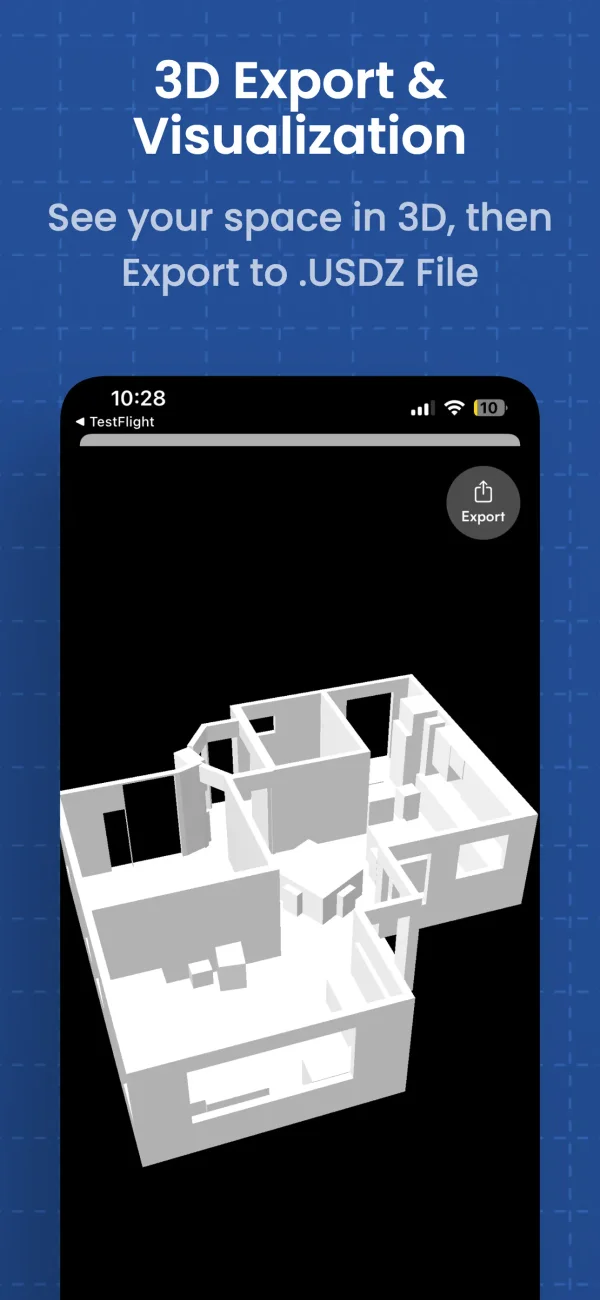
3D Export & Visualizer: See your scanned space in 3D! See the walls, doors, and furniture bounding boxes of your space. Even export the file in USDZ file format to use with a variety of compatible 3D tools.
In addition to these new features, we’ve also made scanning faster, more performant, and more accurate.
Feedback? Leave us a note at heliogramlabs@gmail.com, or in Room Wizard go to Settings → Give us Feedback.
App privacy
What Heliogram Labs declares on the App Store about how this app handles data.
-
Data not linked to you
May be collected but is not linked to your identity.
- Usage data
Privacy practices may vary, for example with the features you use or your age.
Information
- Seller
- Heliogram Labs, LLC
- Category
- Utilities
- Version
- 1.4.0
- Updated
- Oct 1, 2024
- Released
- Mar 2, 2023
- Size
- 14.4 MB
- Requires
- iOS 16.0 or later
- Age rating
- 4+
- Price
- Free
- In-app purchases
- Yes
- Languages
- English, French, German, Simplified Chinese
- Copyright
- © 2023 Heliogram Labs
You might also like
-
 AR Plan: Measure, Room ScannerHouse Scan & Floor Measurement
-
 Room Scanner - Easy Measure RmLiDAR, Floor Plan, 3D Scanner
-
 Floor Plan+ 3D Room ScannerLiDAR Home Design & Blueprints
-
 Room Planner: 3D AI DesignScan, Measure & Floor Plan
-
 CamToPlan - 3D Scanner & LiDARCapture, Measure, Floor Plan
-
 Twindo: LiDAR Scan to CAD/BIM2D floor plans & 3D as-builts
-
 RedX Walls - Design & BuildCreate, Plan, Export & Share
-
 Measuring tape Room scannerMeasure tool lidar & AR ruler
-
 CamToPlan - AR tape measurefloor plan & measurement ruler
-
 SiteScape: LiDAR Scanner & CAD3D Scan, 3D Model, 3D Photo