
FloorStudio - Floor Plan App
Floor Plans in 2D, 3D & VR
Designed for iPhone, iPad
$12.99
- Age rating4+
- CategoryProductivity
- DeveloperArthur Hardy Kotsch
- LanguagesEnglish
- Size4.4 MB
Links to the official App Store page
Download.org hosts no file of FloorStudio - Floor Plan App. The button opens its official App Store page, published by Arthur Hardy Kotsch. Listing last checked on Nov 18, 2026.
Screenshots

About
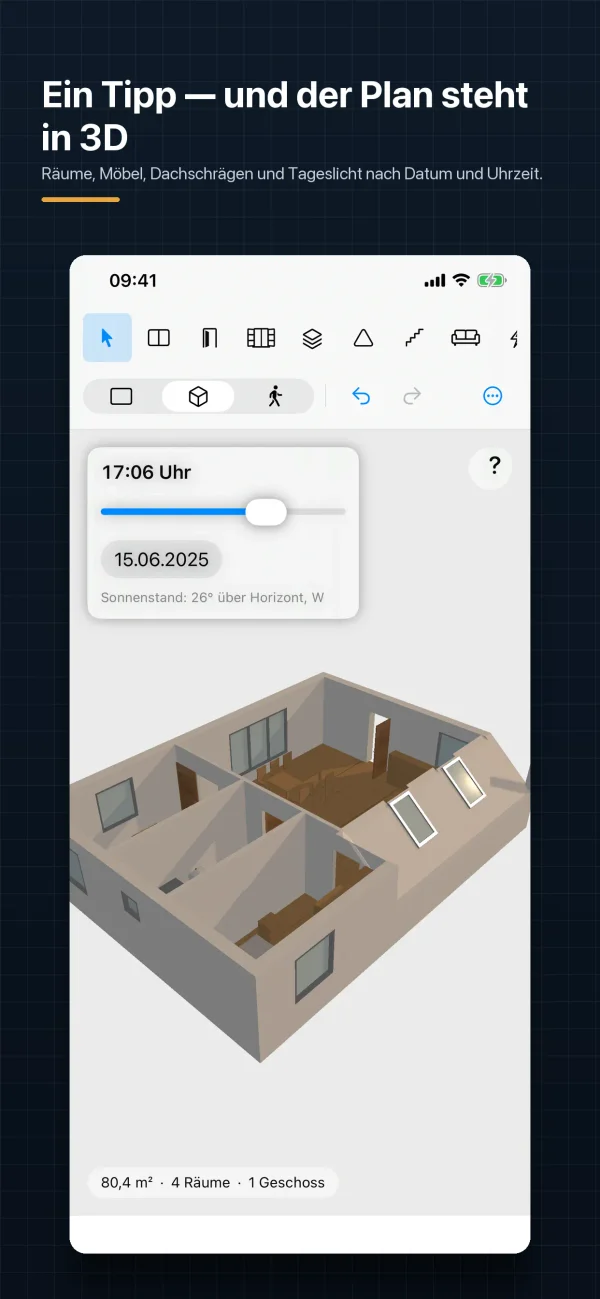
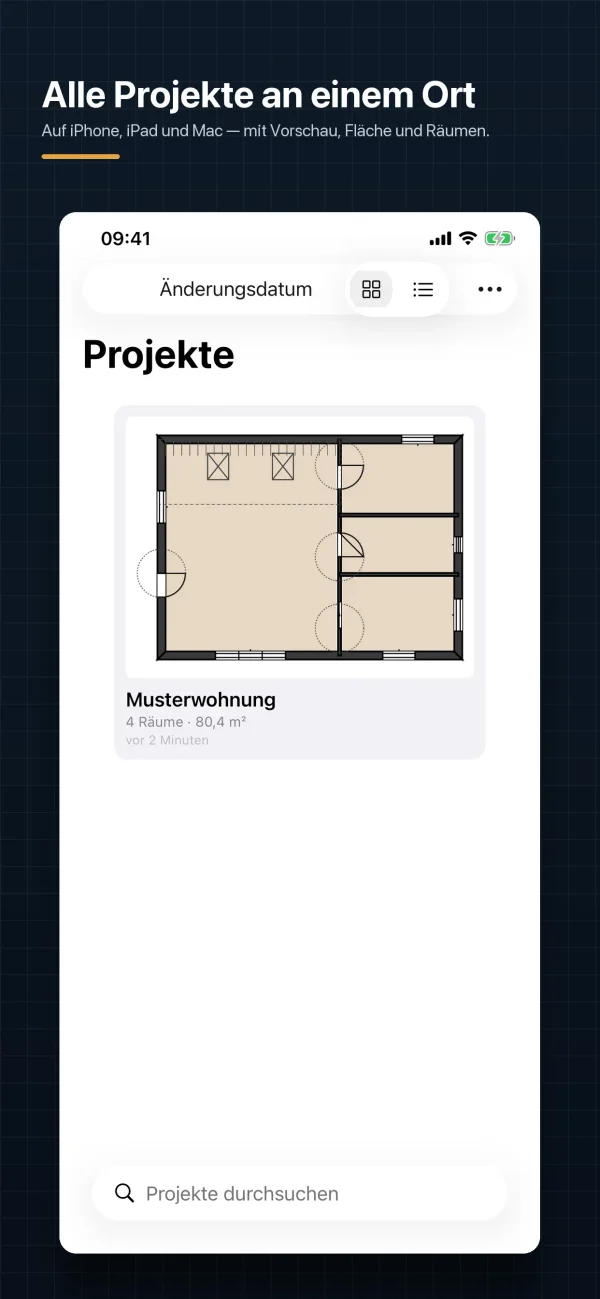
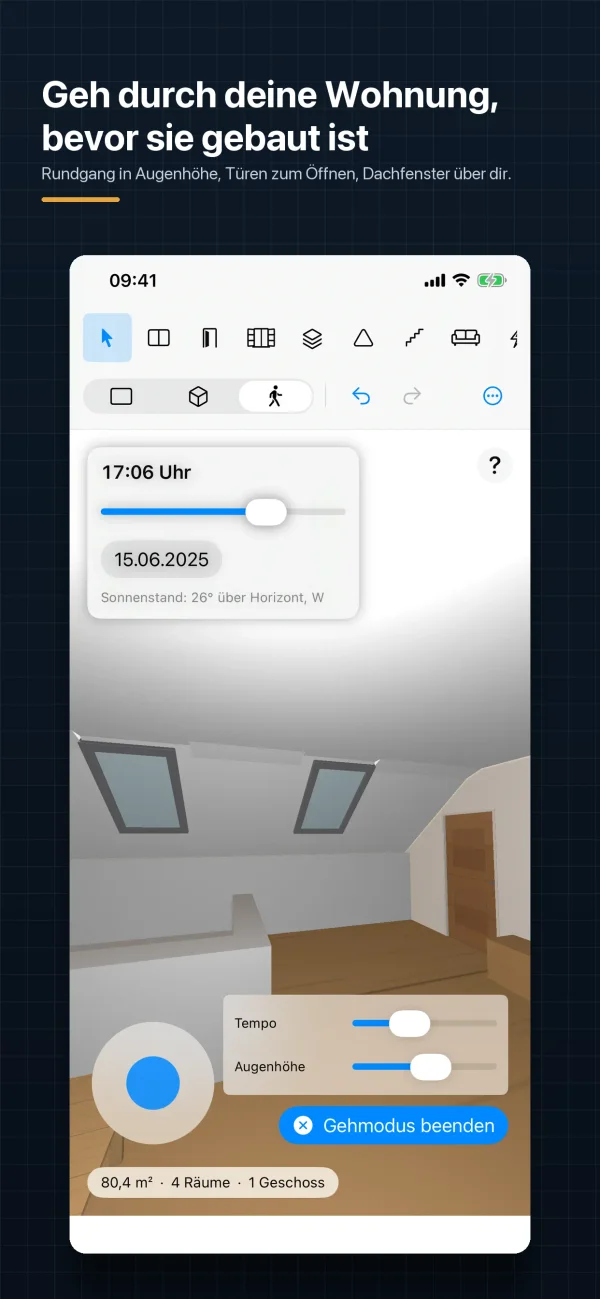
FloorStudio is a floor plan editor for iPhone, iPad and Mac. Draw walls to the centimeter, add doors and windows, furnish rooms — and see the same model instantly in 3D or walk through it at eye level. PRECISE DRAWING • Walls with snap points, angle grid and exact length input • Dimensions as interior, exterior or wall-center — entering 2.90 m means 2.90 m clear width • Automatic exterior and per-room dimensioning, plus custom dimension chains • Room detection with areas, names and total living space DOORS AND WINDOWS • Door types: single, double, sliding, folding, doorway • Window types: window, double window, floor-to-ceiling, panoramic, fixed glazing • Place skylights directly in sloped roofs • Everything snaps while placing: wall center, grid, symmetric or flush with the neighboring element FURNISHING • Furniture catalog for living, bedroom, kitchen, bathroom, office, kids' room, outdoor • Electrical symbols, structural elements, stairs, labels • Collision and clearance check warns about furniture in a door's swing path 3D AND WALKTHROUGH • One tap and the floor plan stands as a model — with walls, furniture and sloped roofs • Daylight by date, time and north direction • Walkthrough at eye level: walk, look around, open and close doors • WASD and mouse on Mac, joystick on iPad and iPhone MULTIPLE FLOORS • As many floors as you like, with the floor below shown faded as reference • Import a reference image and trace it to scale EXPORT • PDF at scales from 1:20 to 1:200, with title block and scale bar • PNG, JPEG and SVG • USDZ for Quick Look and AR • Print directly from the app YOUR DATA STAYS YOURS • No account, no registration, no ads, no tracking • Everything lives as a file on your device, optionally in iCloud Drive • Works fully offline
What’s new
Version 1.0.1 · Sep 12, 2026
Added more languages.
App privacy
What Arthur Hardy Kotsch declares on the App Store about how this app handles data.
-
Data not collected
The developer does not collect any data from this app.
Privacy practices may vary, for example with the features you use or your age.
Information
- Seller
- Arthur Hardy Kotsch
- Category
- Productivity
- Version
- 1.0.1
- Updated
- Sep 12, 2026
- Released
- Aug 31, 2026
- Size
- 4.4 MB
- Requires
- iOS 18.0 or later
- Age rating
- 4+
- Price
- $12.99
- Languages
- English
- Copyright
- © KOTSCH.TECH 2026
You might also like
-
 PlanMeasureMeasure floor plans & maps
-
 GERMANIA MandantenportalProductivity
-
 StakelyGoals Meet Accountability
-
 Dark Web BrowserSecure access to the dark web
-
 Electric Scooter Universal AppHelper App by EScooterNerds
-
 Floor Plan Scanner: PanoRoomRoom Measure & Interior Design
-
 EdrawMax - AI Diagram MakerDrawing Struct, Org, Flowchart
-
 Metaroom - 3D Room ScannerGet 3D Models & 2D Floor Plan
-
 winSIM ServiceweltProductivity
-
 AUTHADAProductivity