Flow - Sensor Data Pipeline
Visual Node-Based OSC & UDP
Designed for iPhone, iPad
$4.99
- Age rating12+
- CategoryUtilities
- DeveloperIbrahim Sefa Tuna
- LanguagesEnglish
- Size4.8 MB
Links to the official App Store page
Download.org hosts no file of Flow - Sensor Data Pipeline. The button opens its official App Store page, published by Ibrahim Sefa Tuna. Listing last checked on Nov 12, 2026.
Screenshots



About
Flow turns your iPhone and iPad into a powerful sensor hub. Build visual data pipelines by connecting nodes on a canvas — stream camera, motion, and AR data to any device over OSC, UDP, or TCP.
VISUAL NODE EDITOR
Drag, connect, and configure nodes on an interactive canvas. No coding required. Build complex sensor routing in minutes with an intuitive drag-and-connect interface inspired by tools like TouchDesigner and Max/MSP.
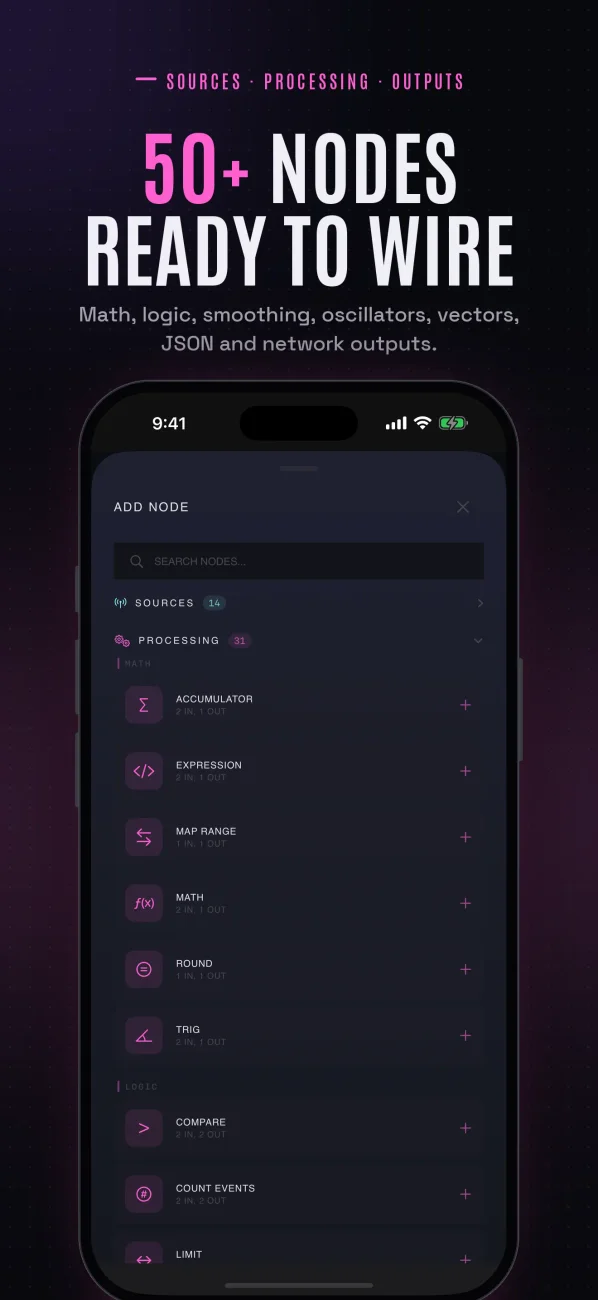
50+ NODES IN 3 CATEGORIES
Sources — Camera & Vision (body pose, hand tracking, face landmarks), Sensors (accelerometer, gyroscope, magnetometer, barometer, ARKit), Generators (signal, noise, counter, timer, clock, array sequencer), and Data (API request with JSON extraction).
Processing — Math operations, trigonometry, normalize, quantize, smooth filters, map range, waveform modulation, oscillators, logic gates, comparators, thresholds, triggers, delay, sample & hold, looper, vector math, string formatting, and JSON building.
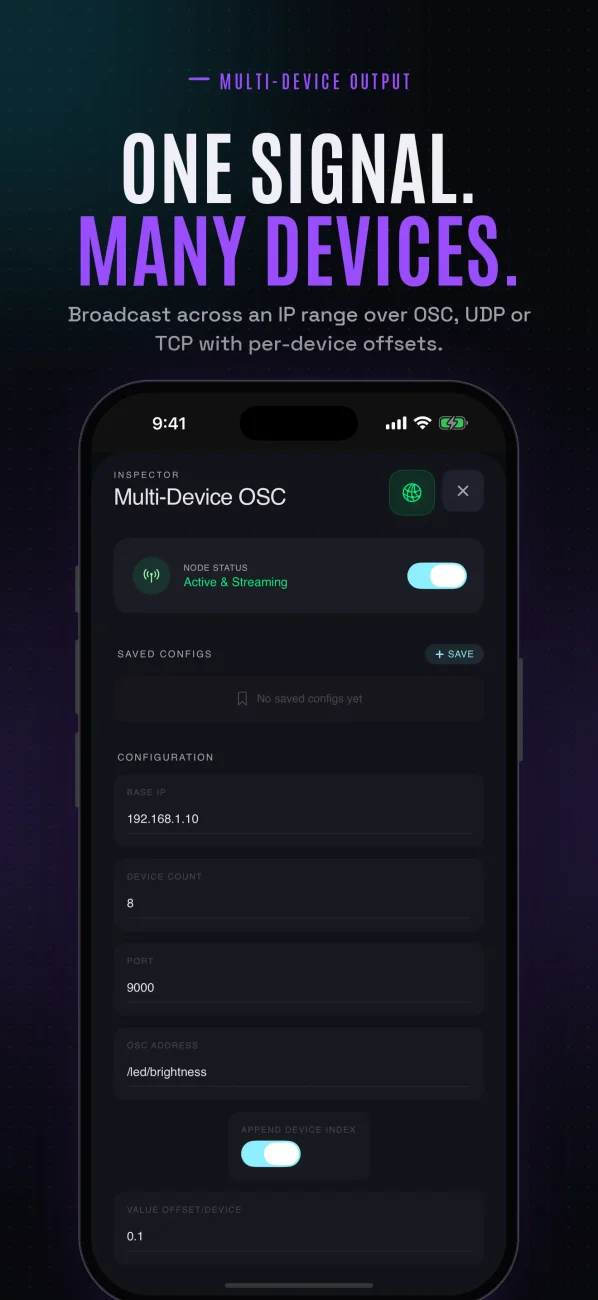
Destinations — TCP client & server, UDP sender, OSC sender. Plus multi-device nodes that broadcast to sequential IP addresses with per-device value offsets — perfect for LED installations, coordinated displays, and multi-device performances.
REAL-TIME LIVE DATA
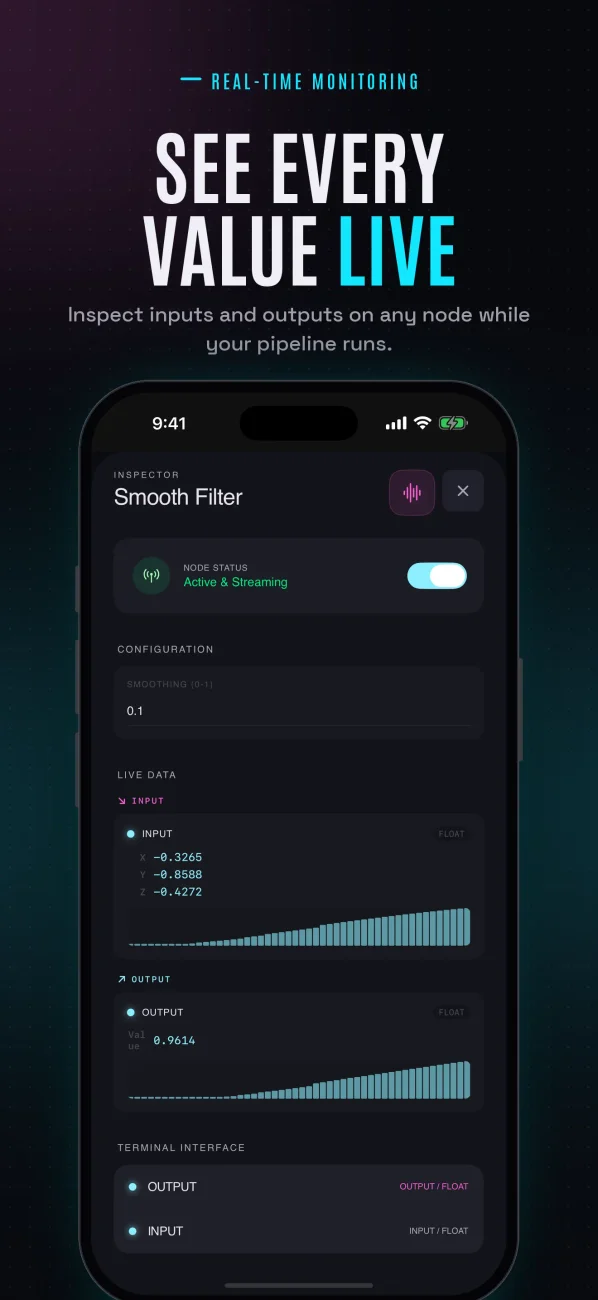
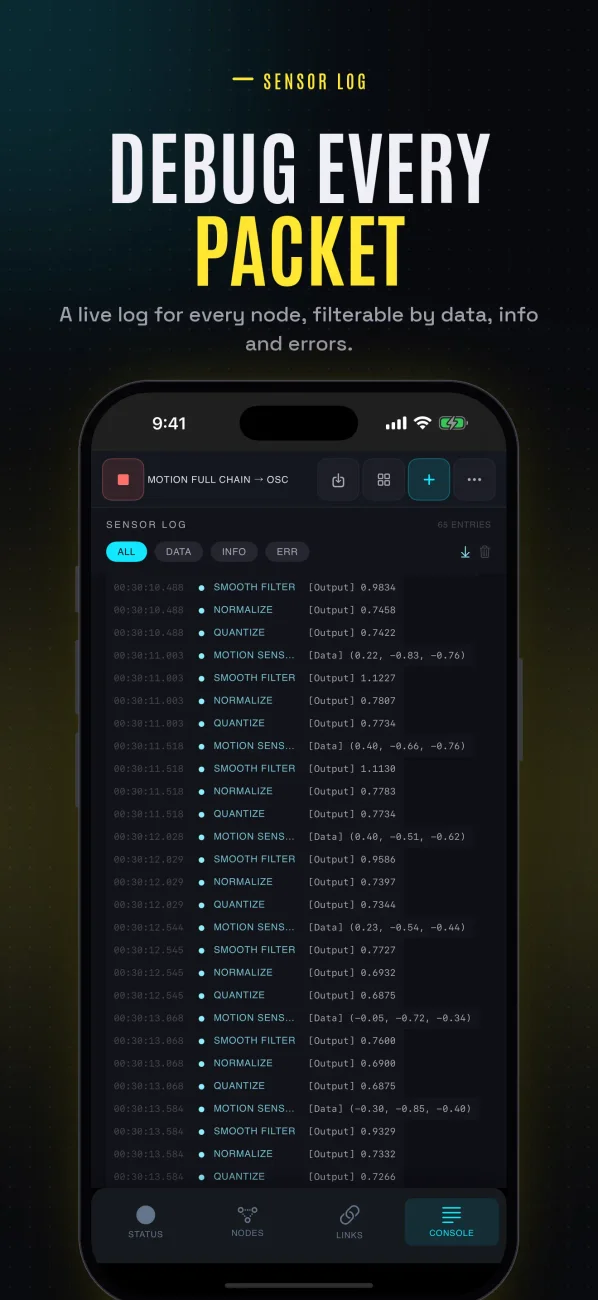
Monitor every node in real time. Source nodes show output data, processing nodes show both input and processed output, destination nodes show what they receive. Human-readable formatting for all data types — JSON pretty-printing, pose joint details with confidence bars, hex blob previews, matrix grids, and sparkline history charts.
MULTI-DEVICE ORCHESTRATION
Control multiple devices simultaneously. Set a base IP and device count — Flow sends to each device with optional per-device value offsets. Create wave effects, staggered animations, or synchronized installations across OSC, UDP, or TCP.
API INTEGRATION
Fetch data from any REST API with configurable HTTP method, headers, and request body. Extract values from JSON responses using dot-notation key paths. Auto-fetch on intervals or trigger manually.
30+ READY-MADE TEMPLATES
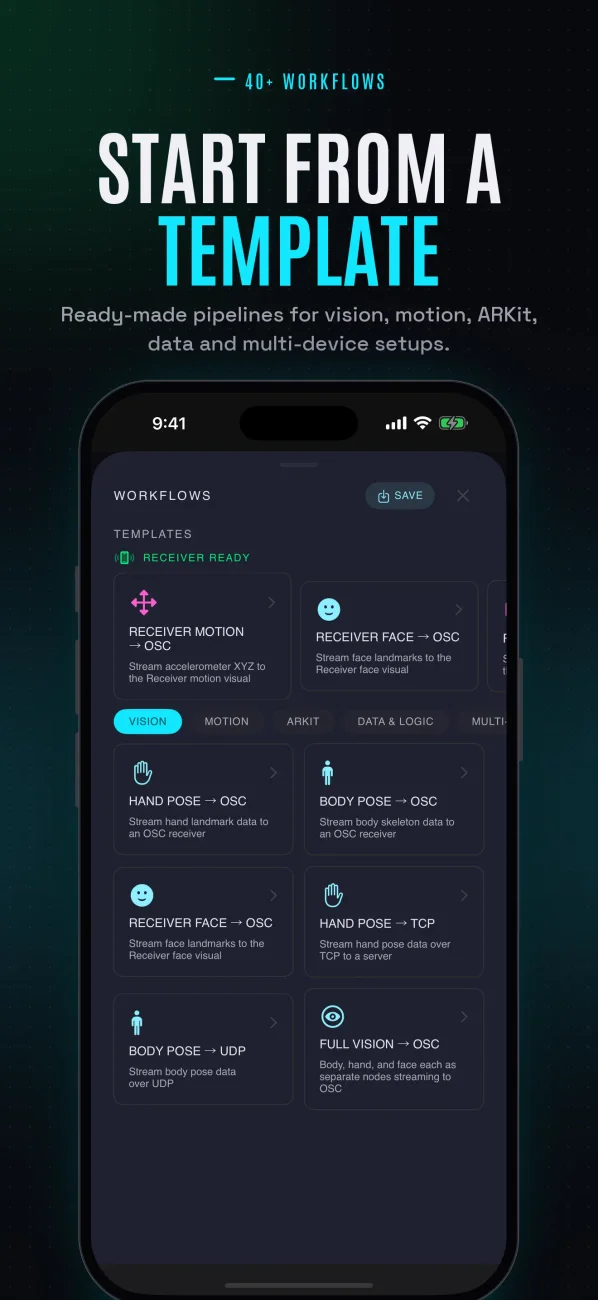
Start instantly with pre-built workflows for hand tracking, body pose, face landmarks, accelerometer streaming, ARKit world tracking, noise generation, signal processing chains, multi-device broadcasting, and more.
CAMERA PREVIEW
Live camera feed appears automatically on the canvas when running vision pipelines. See your pose tracking, hand detection, or face landmarks overlaid in real time.
SAVE & REUSE
Save workflows and destination presets. Quickly switch between network configurations. Load saved workflows from the template picker.
BUILT FOR CREATIVE TECHNOLOGISTS
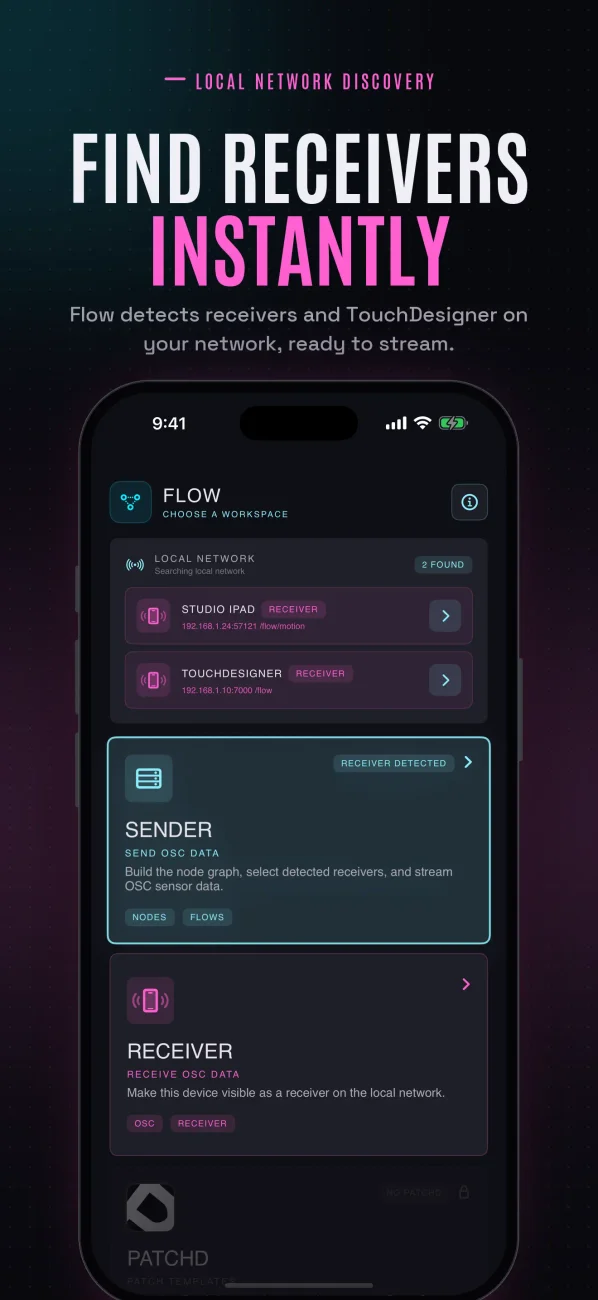
Flow is designed for artists, VJs, installation designers, creative coders, and anyone who needs to get sensor data from iOS to other software or hardware. Works seamlessly with TouchDesigner, Max/MSP, Processing, openFrameworks, Unity, Unreal Engine, Resolume, and any OSC/UDP/TCP-compatible tool.
TECHNICAL HIGHLIGHTS
• iOS 17+ with SwiftUI and Swift Concurrency
• 60fps pipeline engine with actor-based architecture
• Network.framework for low-latency TCP/UDP
• Full OSC 1.0 protocol support
• Vision framework for real-time pose estimation
• CoreMotion for all device sensors
• ARKit for world and face tracking
What’s new
Version 1.0.2 · Oct 30, 2026
What's New in Version 1.0.2
• Enhanced Connection Security: Added authenticated keep-alive pings and encrypted OSC streaming for paired devices.
• Improved Pose Streaming: New self-describing pose data format for smoother and more reliable integration with tools like TouchDesigner.
• Smoother Pairing: Prevented accidental multiple connection requests and added clearer feedback while waiting for device replies.
• Stability & Performance: General network fixes and reliability improvements across streaming pipelines.
App privacy
What Ibrahim Sefa Tuna declares on the App Store about how this app handles data.
-
Data not collected
The developer does not collect any data from this app.
Privacy practices may vary, for example with the features you use or your age.
Information
- Seller
- Ibrahim Sefa Tuna
- Category
- Utilities
- Version
- 1.0.2
- Updated
- Oct 30, 2026
- Released
- Apr 1, 2026
- Size
- 4.8 MB
- Requires
- iOS 17.0 or later
- Age rating
- 12+
- Price
- $4.99
- Languages
- English
- Copyright
- © 2026 Granulab
You might also like
-
 EyeScan SoloUtilities
-
 GyrOSCUtilities
-
 ZKEasyGoUtilities
-
 mDNSShark: Network ScannerBonjour Browser, WiFi & LAN
-
 TouchRemote PROControl your panels!
-
 Smart RTSP: IP Camera ViewerONVIF CCTV Recorder
-
 Remote.ItNetworking without hardware
-
 Remote Buddy Mobile 2Remote/mouse/keyboard for Mac
-
 Click & CountEasy digital number counter
-
 Banner BlockerBlock Banners Everywhere