
FlowAnalyzer - Water Network
Pressure pipes simulation
Designed for iPhone, iPad, iPod touch
Free · In-app purchases
- Age rating4+
- CategoryProductivity
- DeveloperTransparent Blue Water LLC
- LanguagesEnglish
- Size57.1 MB
Links to the official App Store page
Download.org hosts no file of FlowAnalyzer - Water Network. The button opens its official App Store page, published by Transparent Blue Water LLC. Listing last checked on Nov 23, 2026.
Screenshots

About
FlowAnalyzer brings professional hydraulic analysis to your mobile device. Analyze and visualize water distribution networks with simulation powered by the industry-standard EPANET 2.3.5 engine. Results are shown in the units declared in your .inp file.
PROFESSIONAL ANALYSIS
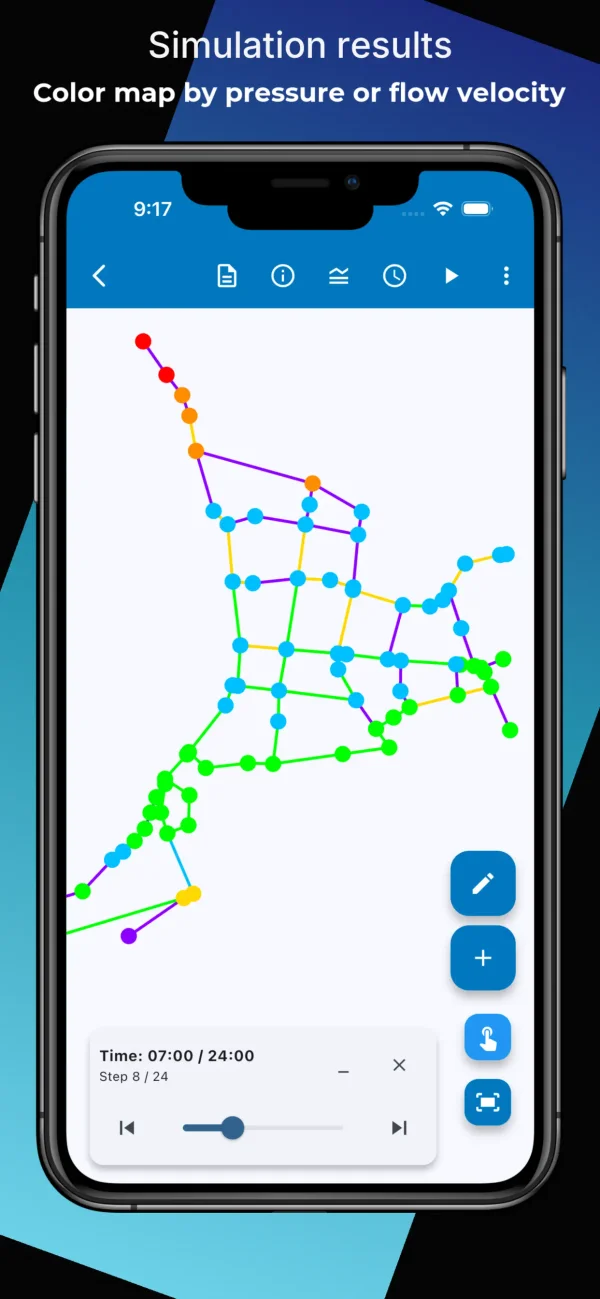
Run comprehensive hydraulic simulations to analyze pressure, head, flow, and velocity throughout your network. Color-coded results show where pressure is low or velocity is high against fixed reference bands. They are a visual aid, not design criteria: verify against the locally applicable standard.
VISUALIZATION
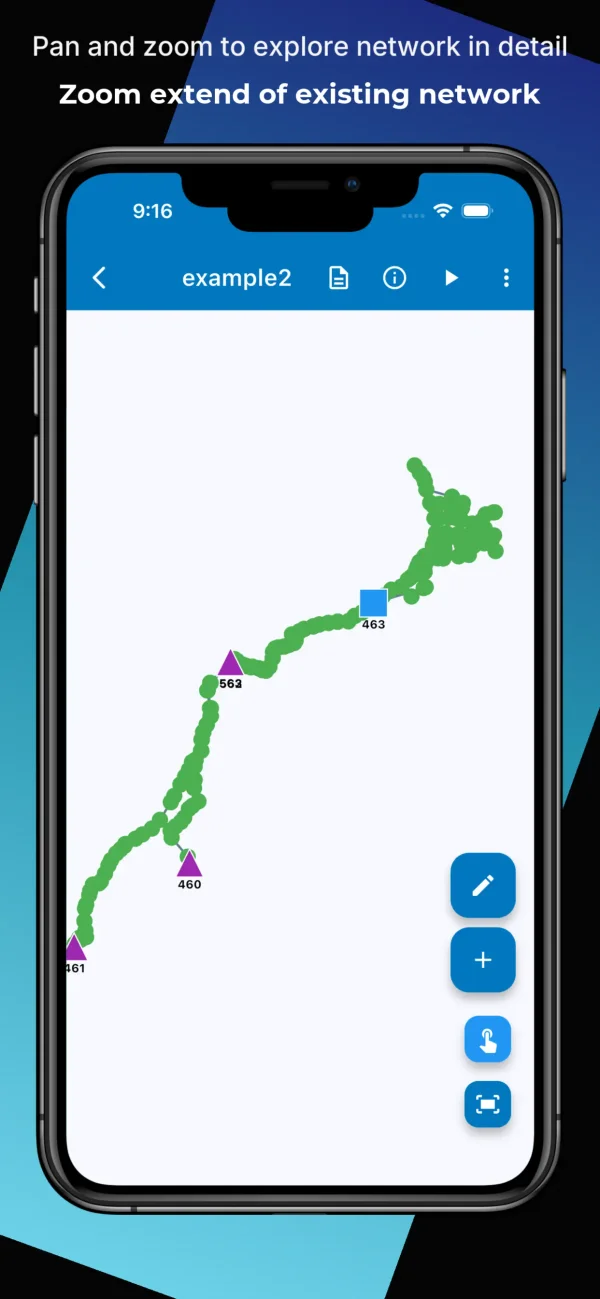
View your network with color-coded nodes and pipes that show hydraulic conditions. A legend shows the pressure and velocity color bands in your network's units and marks nodes with no flow path. Zoom up to 2000x to inspect individual components in detail.
KEY FEATURES
• Import and analyze EPANET .inp files
• Run steady-state and extended period simulations
• Interactive network visualization with color coding
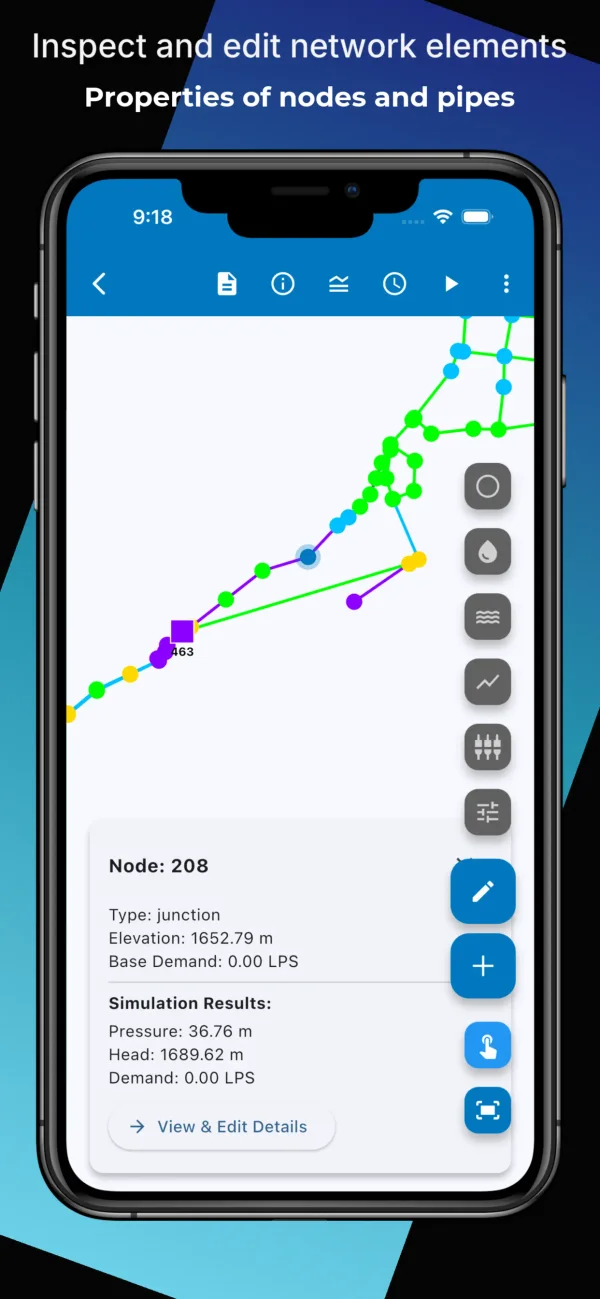
• View pressure, head, demand, flow, and velocity results
• Detailed node and pipe properties
• Component counts by type (junctions, tanks, reservoirs, pipes, pumps, valves)
• Engine warnings shown after each run
• Sample networks included for learning
• Optional Google Maps background under your network (uses Google Maps and needs a connection)
• Field notes that can save your GPS position (kept on your device)
FREE VERSION:
• Networks of any size
• Run hydraulic simulations
• View pressure maps over time
• Create and edit patterns
FLOWANALYZER PRO (one-time in-app purchase):
• Export results to PDF reports
• Export data to CSV
• Export your network as an .inp file
• Save your network's alignment on the map
One-time purchase. No subscription.
DESIGNED FOR PROFESSIONALS
Built for water engineers, hydraulic consultants, urban planners, and water utility professionals. From a small neighborhood network to a city-wide system, FlowAnalyzer sets no limit on network size; simulation time on very large models depends on your device.
FIELD-READY
Analyze networks on-site, in the field, or in the office. The network, the calculation and your files work without internet. The optional map background needs a connection. Open .inp files from your device storage, cloud drives available in the system file picker, or email attachments.
TECHNICAL CAPABILITIES
• Supports junctions, tanks, and reservoirs
• Handles pipes, pumps, and valves
• Warnings when a run is halted as hydraulically unbalanced
• Extended period simulation (EPS)
• Time-based analysis with interactive timeline
EDUCATIONAL TOOL
Useful for students and professors teaching hydraulic engineering, water resources, or civil engineering courses. Use included sample networks to learn hydraulic principles and network behavior.
ABOUT THE ENGINE
Uses EPANET 2.3.5, the open-source release of the hydraulic modeling engine originally developed by the U.S. Environmental Protection Agency (EPA). FlowAnalyzer is an independent application developed by Transparent Blue Water LLC and is not affiliated with, endorsed by, or sponsored by the EPA. EPANET is a trademark of the EPA.
Results depend on your model and its data. Verify them independently before using them for design or operation decisions. FlowAnalyzer does not certify compliance with any design standard.
GET STARTED
Import your existing .inp files. Run a simulation with a single tap and see the results on your network.
Download FlowAnalyzer today and bring professional hydraulic analysis to your mobile device.
What’s new
Version 1.11.5 · Nov 21, 2026
• Names under the toolbar icons and the floating buttons.
• With an element selected, the Notes button opens its notes.
• Map on but the network isn't on it yet: a notice now says so. For a new network it also says whether it is getting your location, couldn't get it, or there is no connection. If location is off for FlowAnalyzer, it says so and offers Open Settings.
• "Where is this network?" can list more readings where many systems overlap, as in Colombia.
App privacy
What Transparent Blue Water LLC declares on the App Store about how this app handles data.
-
Data linked to you
May be collected and linked to your identity.
- Identifiers
- Other data
-
Data not linked to you
May be collected but is not linked to your identity.
- Location
- Usage data
- Diagnostics
Privacy practices may vary, for example with the features you use or your age.
Information
- Seller
- Transparent Blue Water LLC
- Category
- Productivity
- Version
- 1.11.5
- Updated
- Nov 21, 2026
- Released
- Dec 9, 2025
- Size
- 57.1 MB
- Requires
- iOS 15.6 or later
- Age rating
- 4+
- Price
- Free
- In-app purchases
- Yes
- Languages
- English
- Copyright
- © 2025 Transparent Blue Water
You might also like
-
 PlateOptimizeProductivity
-
 Open Channel Flow ProOpen channel calculator
-
 Hydrant Flow Test CalculatorCompute hydrant flow test data
-
 Shift Cal - CuadraTurnos PROWork shift calendar
-
 Rebar BBS - Bar BendingBar Bending Schedule
-
 Compare FlowProductivity
-
 RCS: Concrete SectionsBiaxial checks & rebar design
-
 Column Design: RCC P-M ChartIS 456, ACI 318, EC2, AS 3600
-
 RCC Beam: Beam Design & ChartsConcrete, Steel & Timber Beams
-
 Frame & Beam Analysis 3DRCC, steel & earthquake checks