
FlowBox AI
AI Inbox for PDFs & Images
Designed for iPhone, iPad
Free · In-app purchases
- Age rating4+
- CategoryProductivity
- DeveloperBeijing XingheBit Science & Technology Development Co., Ltd.
- LanguagesEnglish+ 7 more
- Size7.2 MB
Links to the official App Store page
Download.org hosts no file of FlowBox AI. The button opens its official App Store page, published by Beijing XingheBit Science & Technology Development Co., Ltd. Listing last checked on Nov 18, 2026.
Screenshots
About
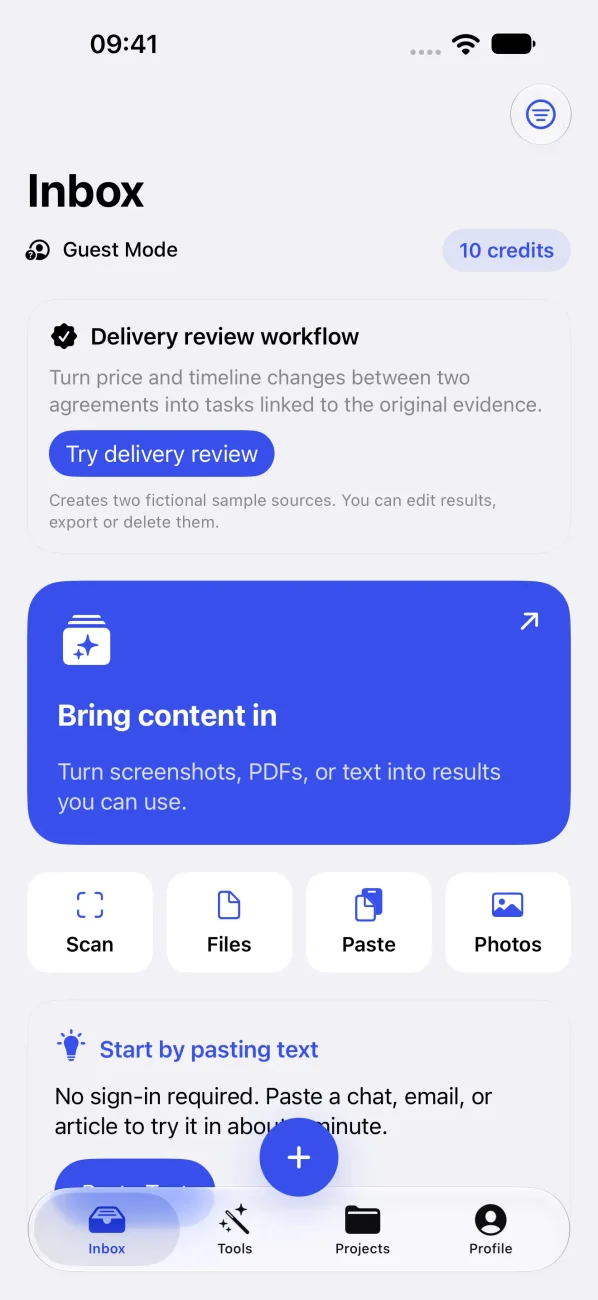
Delivery review: from source changes to follow-up tasks
Keep original and revised agreements, quotes or delivery notes in one project. Choose a baseline and revision, compare lines and numeric changes, and add differences that need confirmation to project tasks. Tasks retain source names, line numbers and changed excerpts. Check the originals, mark tasks complete and export them with selected project sources. Comparison runs on device without sign-in or credits. A clearly labeled fictional sample in Inbox walks you through the workflow.
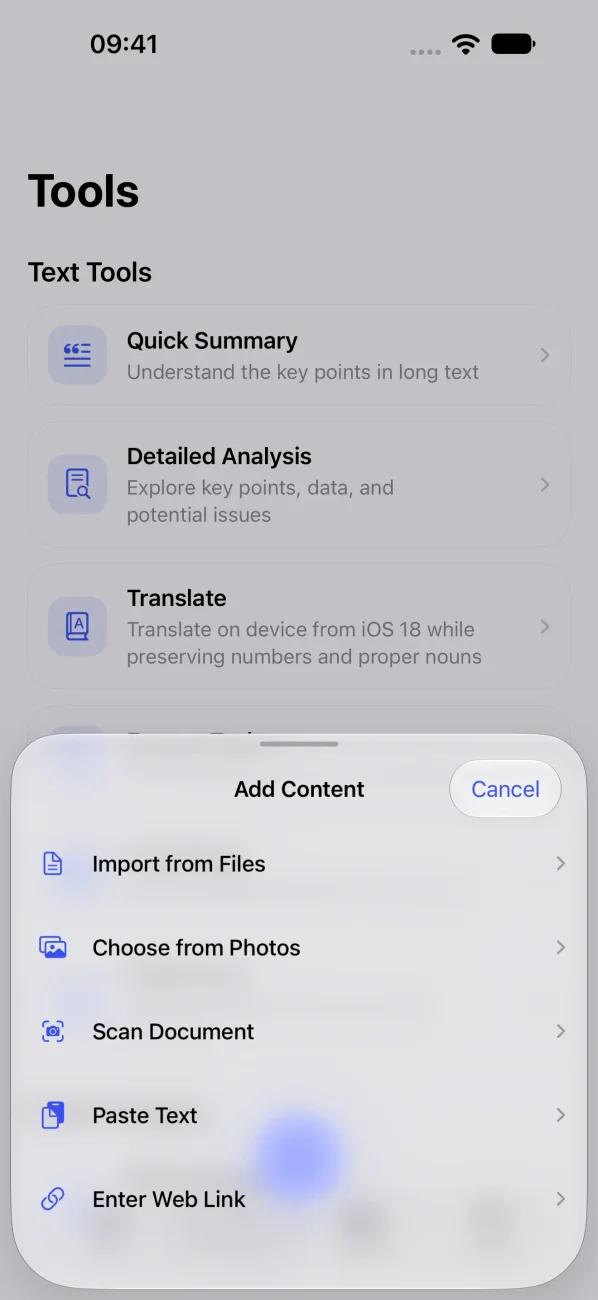
FlowBox is a native iOS AI content inbox. Import screenshots, PDFs, images, web pages, and text from Photos, Files, Camera, paste, or the system Share Sheet, then choose the operation that fits your content.
Key capabilities:
• On-device OCR for Chinese, English, and Japanese
• Native PDF text extraction, scanned-page OCR, and page citations
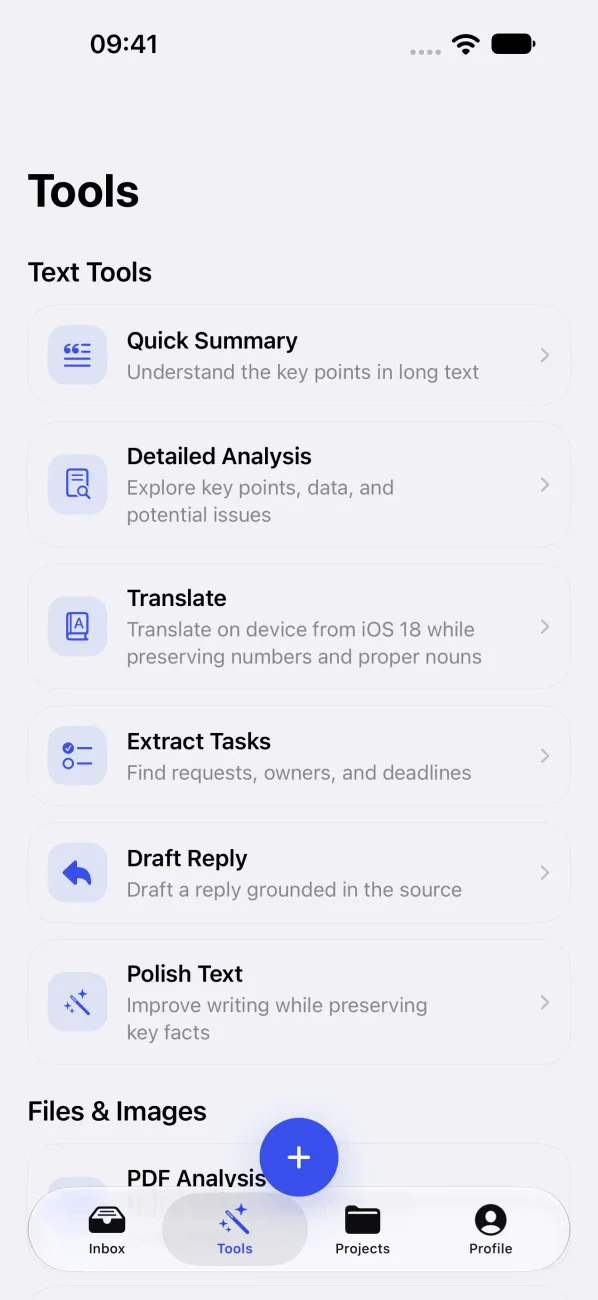
• Summaries, detailed analysis, task extraction, and reply suggestions
• Table recognition with CSV export
• On-device translation on iOS 18 and later
• Shareable image translation overlays
• Correct table cells before CSV and XLSX exports
• Polish, proofread, shorten, title, list, email, and report transforms
• Structured people, organizations, places, dates, amounts, risks, and uncertainties
• Projects, project tasks, search, archive, grounded follow-ups, and result history
• Multi-version document comparison with rule-based conflict hints
• On-device project Q&A by default, with explicit opt-in for bounded remote text Q&A
• Shortcuts, Siri, and opt-in Spotlight integration
• TXT, Markdown, PDF, DOCX, and CSV exports
• Private Mode, sensitive-field warnings, retention controls, and deletion
FlowBox output is for organization assistance. Verify important facts against the source and citations. Contract-risk output is not legal advice.
Terms of Use (Apple Standard EULA) for auto-renewable subscriptions: https://www.apple.com/legal/internet-services/itunes/dev/stdeula/
What’s new
Version 1.0.4 · Nov 11, 2026
• Follow PDF and photo import progress, cancel recognition, and adjust or reorder pages beside their thumbnails.
• Turn photos into a PDF, preview it, and save it to Files. PDF reports are readable in Dark Mode, and project ZIP exports are faster.
• Reopen completed results from processing history. Private tasks display a generic title. Upgrading clears older task-log titles and recent custom instructions that had no privacy setting.
App privacy
What Beijing XingheBit Science & Technology Development Co., Ltd. declares on the App Store about how this app handles data.
-
Data linked to you
May be collected and linked to your identity.
- Purchases
- Contact info
- User content
- Identifiers
Privacy practices may vary, for example with the features you use or your age.
Information
- Seller
- Beijing XingheBit Science & Technology Development Co., Ltd.
- Category
- Productivity
- Version
- 1.0.4
- Updated
- Nov 11, 2026
- Released
- Sep 15, 2026
- Size
- 7.2 MB
- Requires
- iOS 17.0 or later
- Age rating
- 4+
- Price
- Free
- In-app purchases
- Yes
- Languages
- English, French, German, Japanese, Korean, Simplified Chinese, Spanish, Traditional Chinese
- Copyright
- © 2026 Beijing XingheBit Science & Technology Development Co., Ltd.
You might also like
-
 AI截图助手 - 看懂截图与智能总结Productivity
-
 AI Brief: AI Prompt from FilesSummarize PDF & Screenshots
-
 Cutpics:截图,笔记,ObsidianProductivity
-
 Sshot Screenshot NotesScreenshot organizer notes
-
 Vitae: All-in-One Life ManagerBudget, health, tasks & home
-
 Clipboard Remote - LAN PasteCopy and paste across devices
-
 ActivProductivity
-
 百小医Productivity
-
 Atomic Mail: Private EmailSecure & Encrypted Mail
-
 HOWOGE WohnungssucheProductivity