FlowCAL: Vertical Calendar
Events & Free Time at a Glance
Designed for iPhone, iPad
- Age rating4+
- CategoryLifestyle
- DeveloperGEN WATANABE
- LanguagesJapanese+ 5 more
- Size3.1 MB
Links to the official App Store page
Download.org hosts no file of FlowCAL: Vertical Calendar. The button opens its official App Store page, published by GEN WATANABE. Listing last checked on Nov 12, 2026.
Screenshots
About
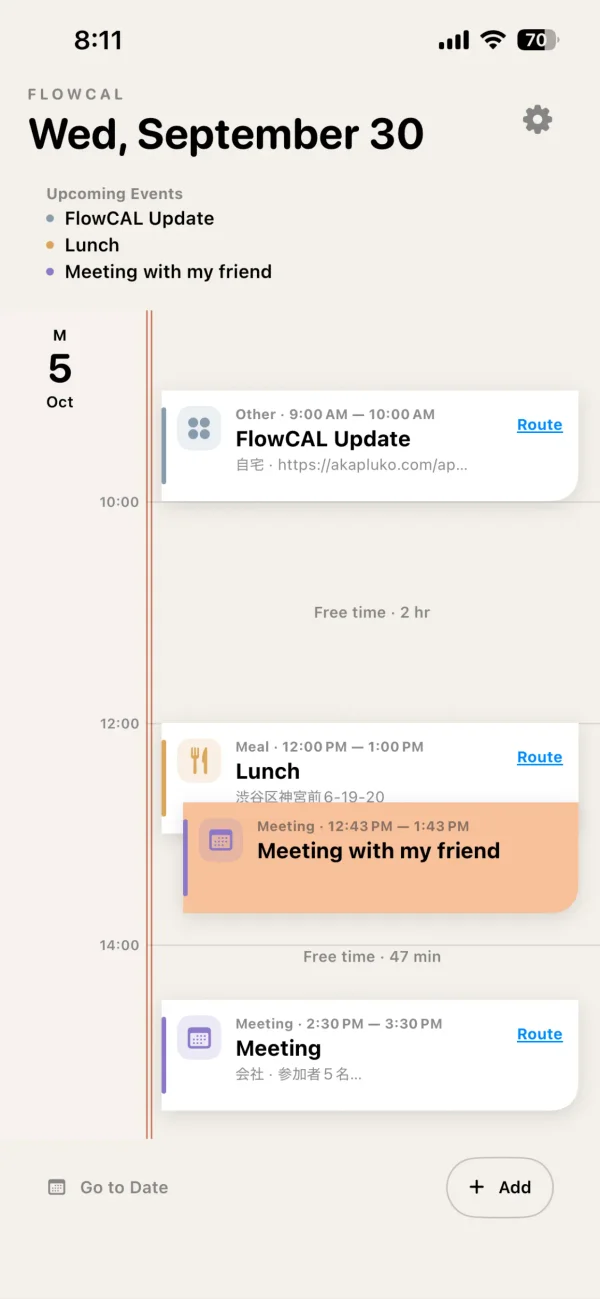
Open FlowCAL in the morning to see your schedule for the day—and the time between events—at a glance.
FlowCAL displays events from the calendars on your iPhone or iPad in a vertical timeline. Instead of checking each event separately, you can see how your day flows from one commitment to the next. It is useful whether a colleague, assistant, or AI adds events to a shared calendar, or you manage your schedule yourself.
SEE YOUR DAY AND YOUR FREE TIME
Events appear at their scheduled times, with free time shown between them. You can quickly see how long you have before your next appointment and whether there is time to travel or prepare. A line marking the current time shows where you are in your day. Tap an event to see its category, location, notes, and other details.
KEEP USING YOUR EXISTING CALENDARS
FlowCAL reads events from calendars available on your device. This includes Apple calendars and Google calendars that have been added to your device and synced with iOS. You can choose which calendars to display.
FlowCAL does not add, edit, or delete events in those calendars. Continue managing shared and work events in the calendar you already use.
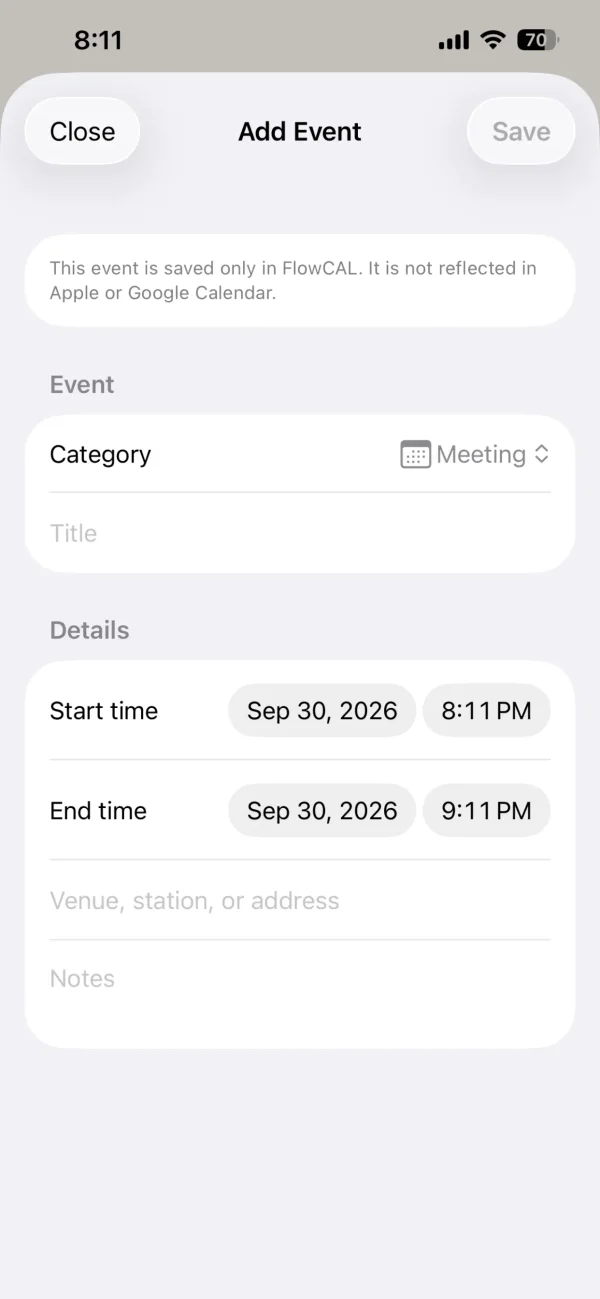
ADD EVENTS JUST FOR YOURSELF
You can add, edit, and delete private events within FlowCAL. These events are not added to Apple or Google Calendar and do not appear on shared calendars.
If you choose to enable iCloud sync, private events can be saved to your own iCloud and synced between your iPhone and iPad when they use the same Apple Account. Sync is optional and can be controlled in Settings.
GET DIRECTIONS AND OPEN LINKS
If an event includes a station, business name, or other location, you can open directions in Maps. Tap a web address in an event’s notes to open it using your device’s usual app or default browser.
YOUR DATA
FlowCAL reads calendar events only after you grant access. The developer does not collect, store, or analyze your calendar data, and FlowCAL does not send it to a developer-operated server.
Private events you add in FlowCAL are stored on your device. They are also stored in your own iCloud only if you enable iCloud sync. Events from Apple and Google calendars remain managed by their respective calendar services.
FlowCAL is free to use.
What’s new
Version 1.1.5 (9) · Oct 22, 2026
The date picker calendar now marks days with scheduled events.
App privacy
What GEN WATANABE declares on the App Store about how this app handles data.
-
Data not collected
The developer does not collect any data from this app.
Privacy practices may vary, for example with the features you use or your age.
Information
- Seller
- GEN WATANABE
- Category
- Lifestyle
- Version
- 1.1.5 (9)
- Updated
- Oct 22, 2026
- Released
- Oct 2, 2026
- Size
- 3.1 MB
- Requires
- iOS 18.6 or later
- Age rating
- 4+
- Languages
- Japanese, Spanish, Simplified Chinese, Traditional Chinese, English, Korean
- Copyright
- © 2026 Gen Watanabe
You might also like
-
 Knot - Peace of Mind CheckQuiet confirmation on the go
-
 MeetLogLifestyle
-
 なんで? - 問いに答えて考えを言葉にするLifestyle
-
 Memory Guardian ChecklistCalm home check reminders
-
 Dayly: D-Day CountdownBeautiful Widgets & Memories
-
 Tokiori -時折-Lifestyle
-
 Life Tyde: Life TimelineQuiet chronicle of your years
-
 TLMemo - TimeLine MemoManage your notes at timeline
-
 DAYE: Birthday & AnniversaryAd-free family reminders
-
 World Time Calc-Time converterLifestyle