
Flowchart AI
AI Flowchart Diagram Creation
Designed for iPhone, iPad, Mac, iPod touch
Free · In-app purchases
- Age rating4+
- CategoryBusiness
- DeveloperYUKI TANAIKE
- LanguagesEnglish+ 46 more
- Size59.0 MB
Links to the official App Store page
Download.org hosts no file of Flowchart AI. The button opens its official App Store page, published by YUKI TANAIKE. Listing last checked on Nov 23, 2026.
Screenshots


About
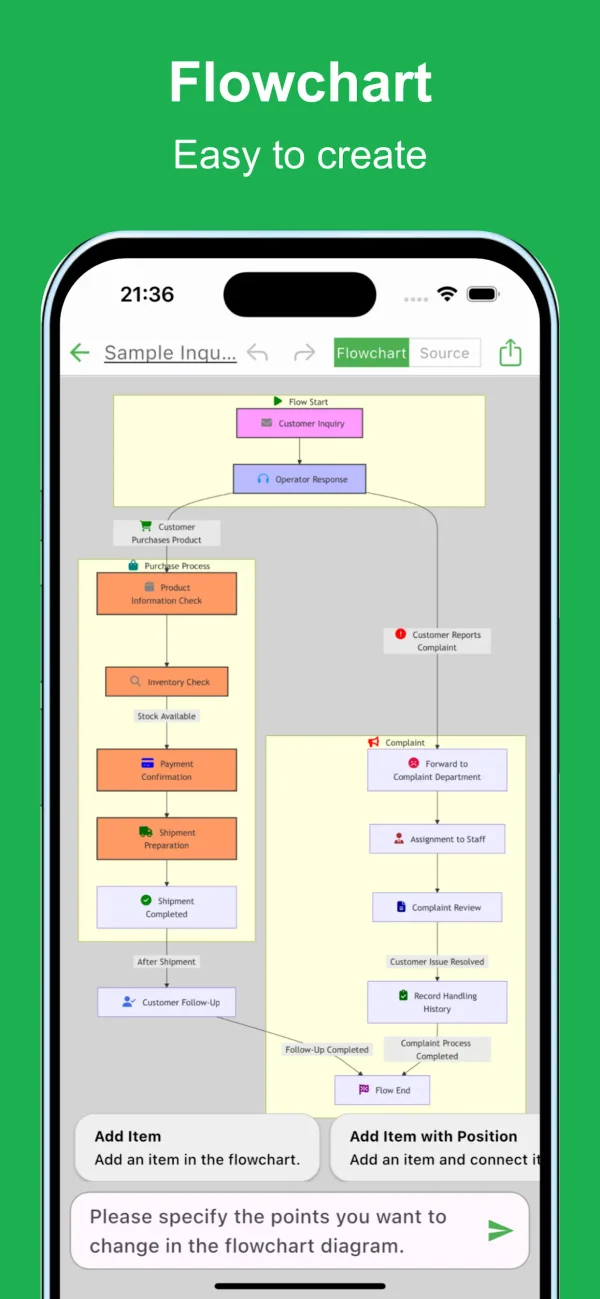
Creating flowcharts is crucial for organizing and visualizing processes. However, making a flowchart can be time-consuming and tedious. With this app, you can create flowcharts effortlessly using the latest AI technology. Simply describe the process you want, and the AI will automatically generate the chart.
Flowchart visualization plays an important role in organizing complex ideas and ensuring that all stakeholders are on the same page. Flowcharts are used in various scenarios across industries, but the creation process can often be labor-intensive. With this app, you can generate flowcharts quickly and efficiently.
Even with a rough outline, the app will automatically generate a flowchart, and you can make detailed adjustments as needed.
It is used in various situations such as:
- Optimizing and visualizing business processes
- Managing and sharing project progress
- Designing sales processes and workflows
- Structuring customer support and service operations
- Planning and managing projects from conception to execution
- Managing new product or service launch processes
- Visualizing budget planning and funding processes
- Organizing internal approval flows and decision-making processes
- Creating training programs and operational manuals
- Planning and executing marketing strategies
Please try it out whenever you need to create a flowchart.
[Features]
- Intuitive operability
Ease of use is the most important factor. It runs smoothly, and you can intuitively edit your maps.
- Ready to use
You can use it immediately without registering an account.
- Multi-device support
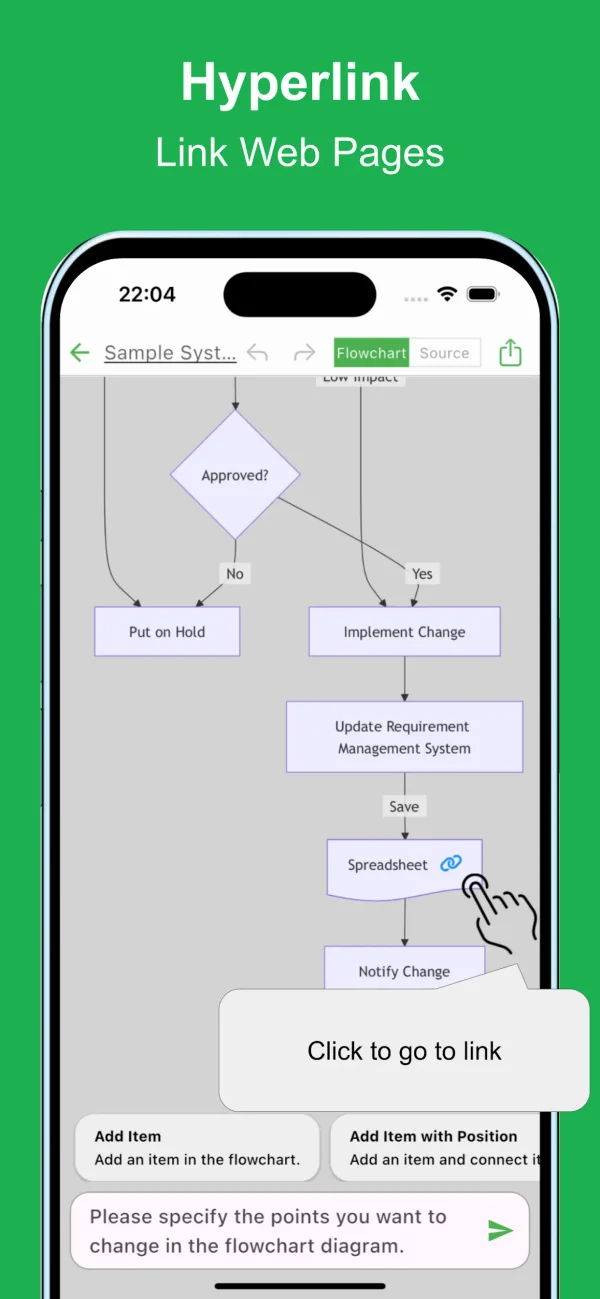
It supports Google Drive integration, allowing seamless editing across multiple devices.
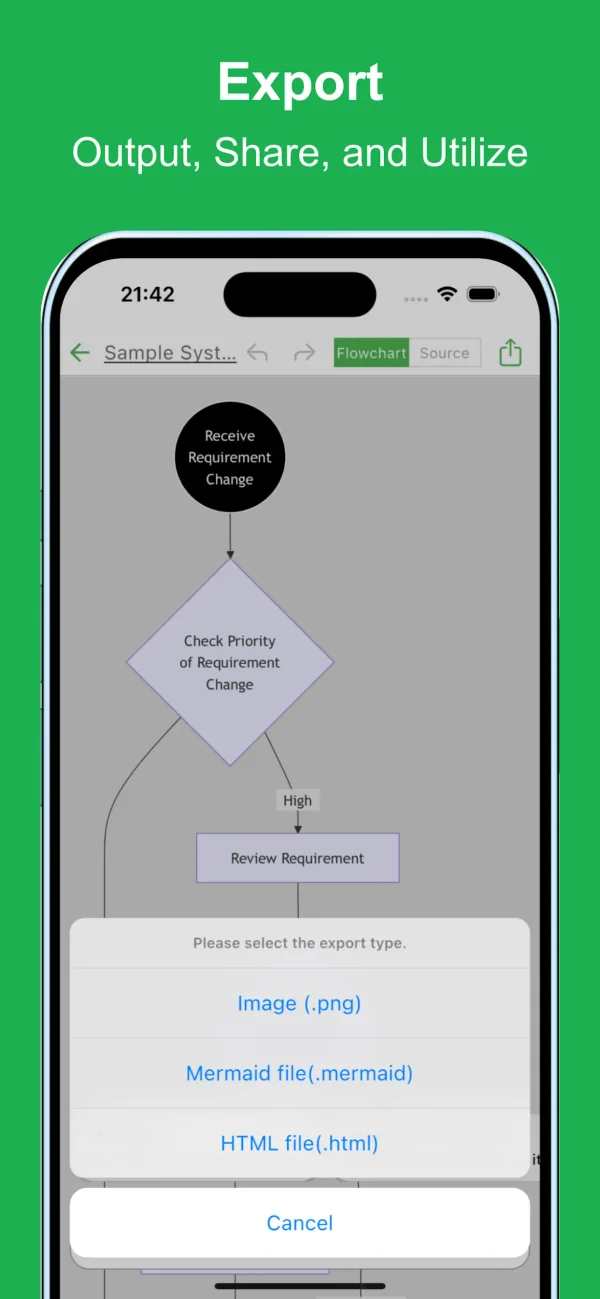
- Export and Share
You can export and share your Flowchart, and even edit them on a PC.
- Import
Exported files can be imported and edited.
- Text-based editing
Edit your Flowchart directly using Mermaid notation.
- Dark theme support
Since it supports a dark theme, it is also ideal for use at night.
What’s new
Version 2.6.1 · Nov 17, 2026
Added file sharing and collaborative editing, as requested by many users.
App privacy
What YUKI TANAIKE declares on the App Store about how this app handles data.
-
Data not collected
The developer does not collect any data from this app.
Privacy practices may vary, for example with the features you use or your age.
Information
- Seller
- YUKI TANAIKE
- Category
- Business
- Version
- 2.6.1
- Updated
- Nov 17, 2026
- Released
- Oct 14, 2024
- Size
- 59.0 MB
- Requires
- iOS 15.6 or later
- Age rating
- 4+
- Price
- Free
- In-app purchases
- Yes
- Languages
- English, Arabic, Bengali, Bulgarian, Catalan, Croatian, Czech, Danish, Dutch, Finnish, French, German + 35 more
- Copyright
- © 2022 - 2024 Yuki Tanaike
You might also like
-
 Flowdia DiagramsFlowchart & Diagramming
-
 MindFlow - Struct Flow Diagramsimple struct and flow diagram
-
 Diagrams Notepad 3Diagram - Flowchart - Mind Map
-
 LucidchartFlowchart & Diagram Maker
-
 Lekh: Diagram & Flowchart AppWhiteboard, Mind Map & Sketch
-
 EdrawMax - AI Diagram MakerDrawing Struct, Org, Flowchart
-
 PureFlowFlowcharts and Diagrams
-
 QuikFlow: Flowchart & Mind MapMind Mapping for Flowcharts
-
 inShort²Project & Workflow manager
-
 ThinkSpace - Mind Map & NotesWhere thinking stays yours