FlowFocus: Pomodoro Timer
ADHD Focus, Study & Deep Work
Designed for iPhone, iPad, Mac, iPod touch
Free · In-app purchases
- Age rating4+
- CategoryProductivity
- DeveloperTappect LLC
- LanguagesEnglish+ 1 more
- Size128.8 MB
Links to the official App Store page
Download.org hosts no file of FlowFocus: Pomodoro Timer. The button opens its official App Store page, published by Tappect LLC. Listing last checked on Nov 17, 2026.
Screenshots

About
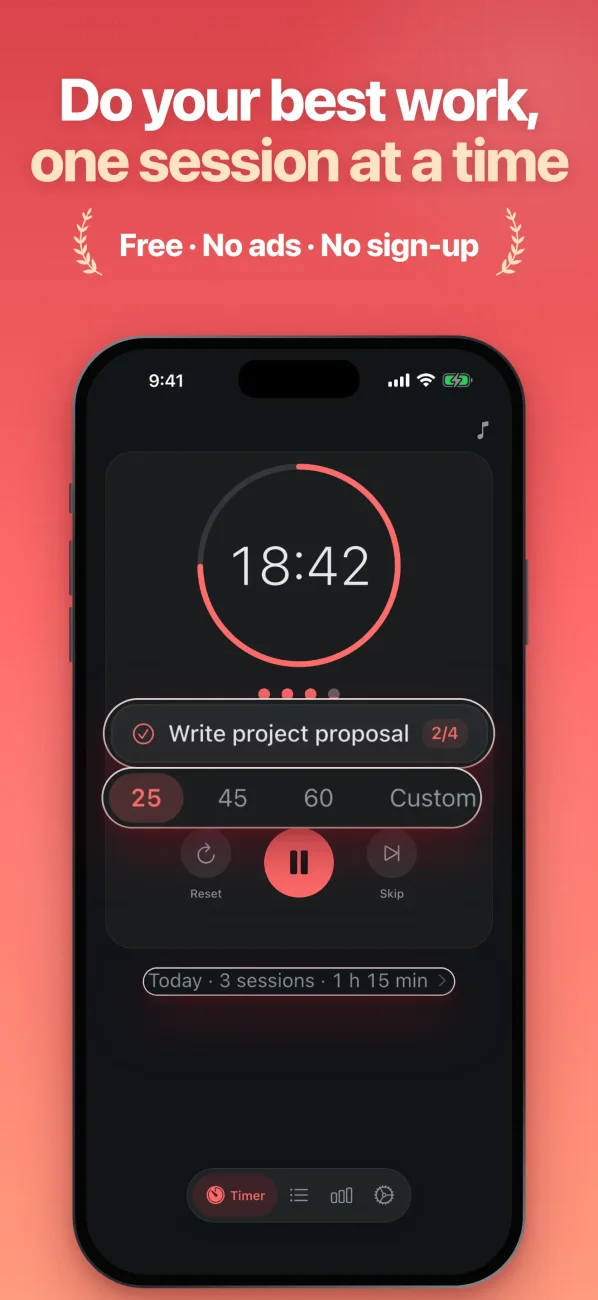
A free Pomodoro focus timer with no ads and no account to create. Open FlowFocus, pick a task and start focusing. The timer, tasks, stats, Apple Watch app and widgets are all free.
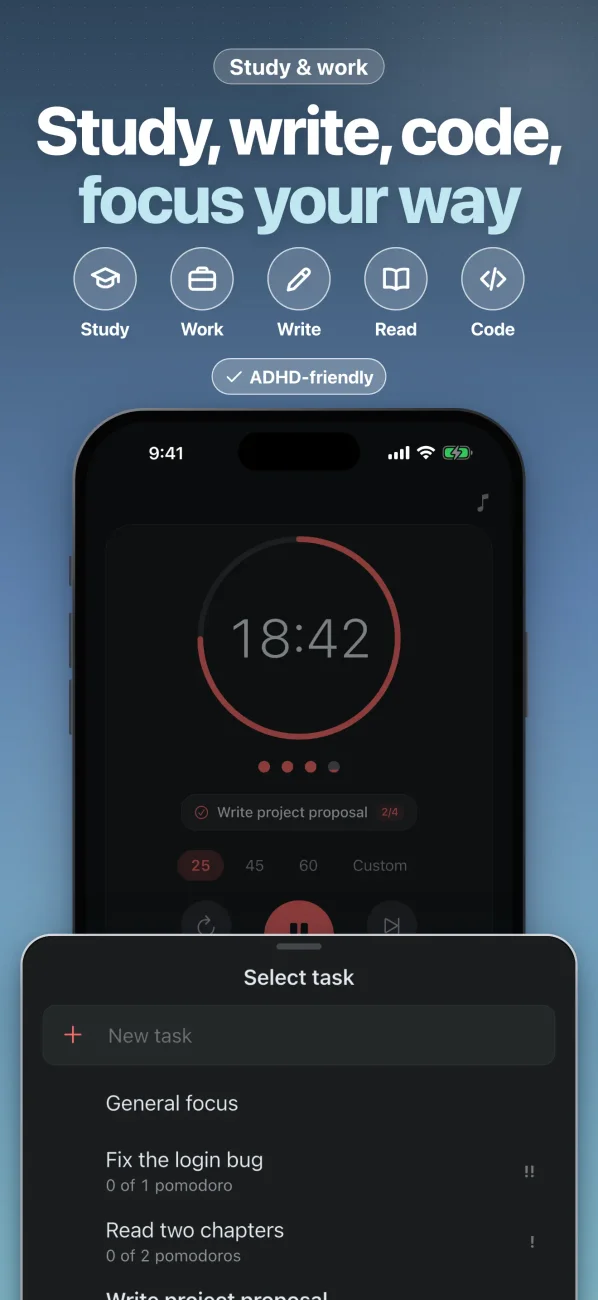
Simple and ADHD-friendly: one task, one clear countdown and nothing to set up. Made for studying and exams, deep work and coding, writing, reading and getting through your to-do list.
FOCUS YOUR WAY
• Classic 25/5 Pomodoro, or your own presets for focus, short break and long break
• A long break after the number of sessions you choose
• Link a task to a session and watch its pomodoro count grow
• Ambient focus sounds to drown out the noise around you
ALWAYS IN VIEW
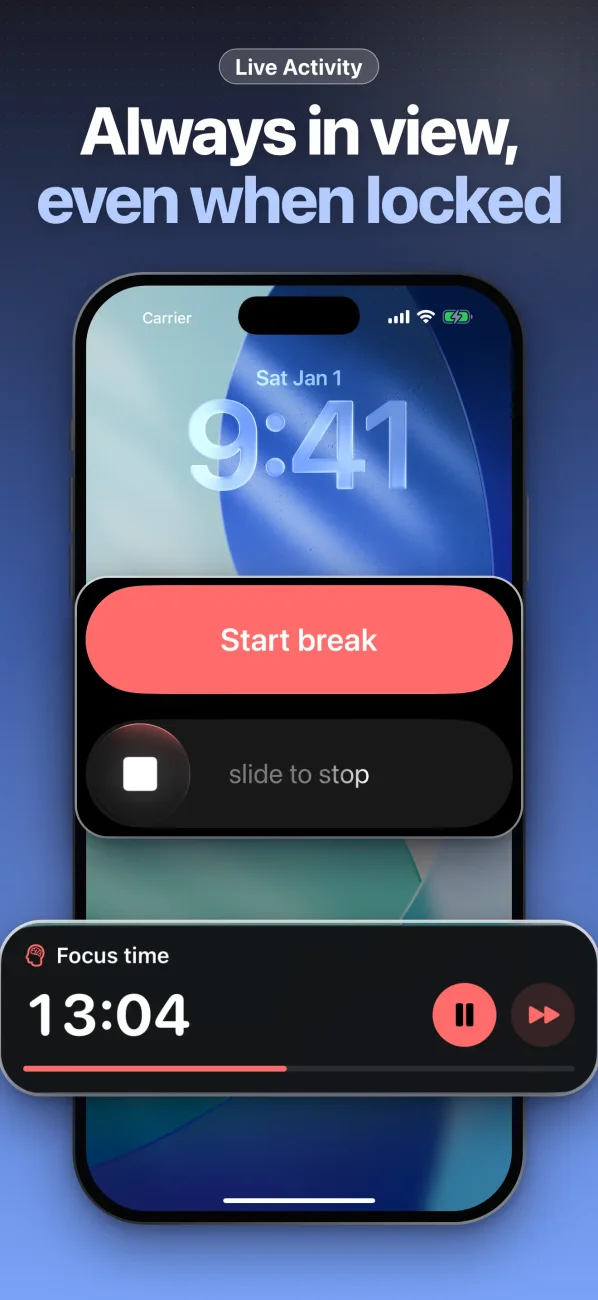
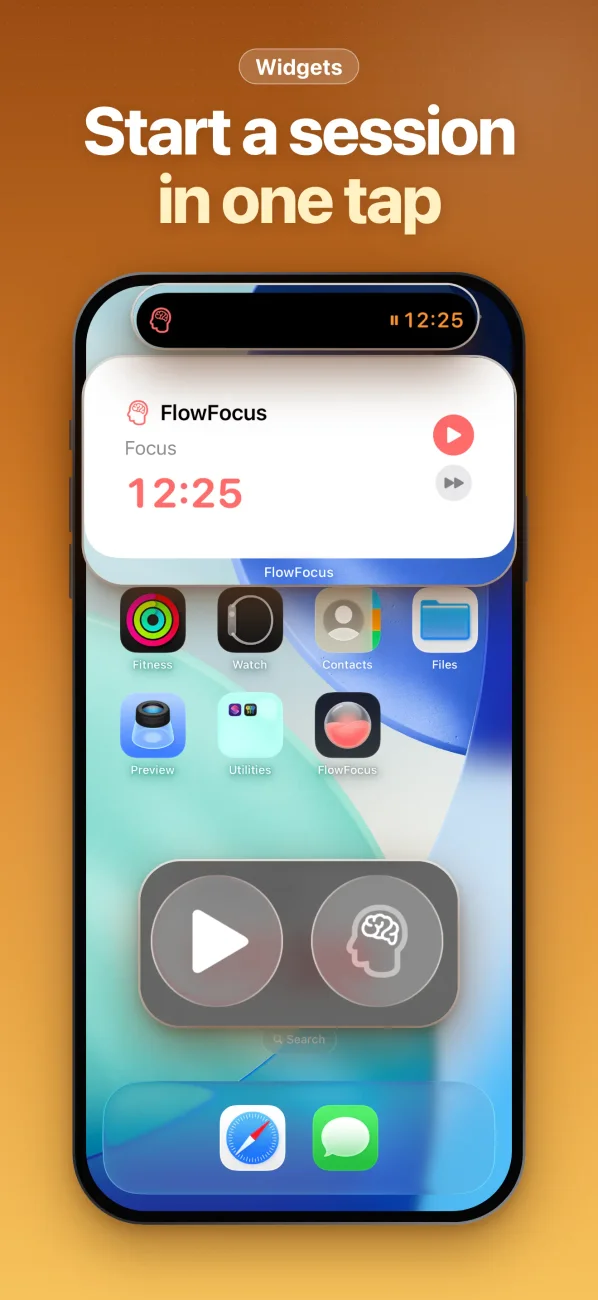
• Live Activity on the Lock Screen and in the Dynamic Island
• Home Screen widgets and Control Center controls to start a session in one tap
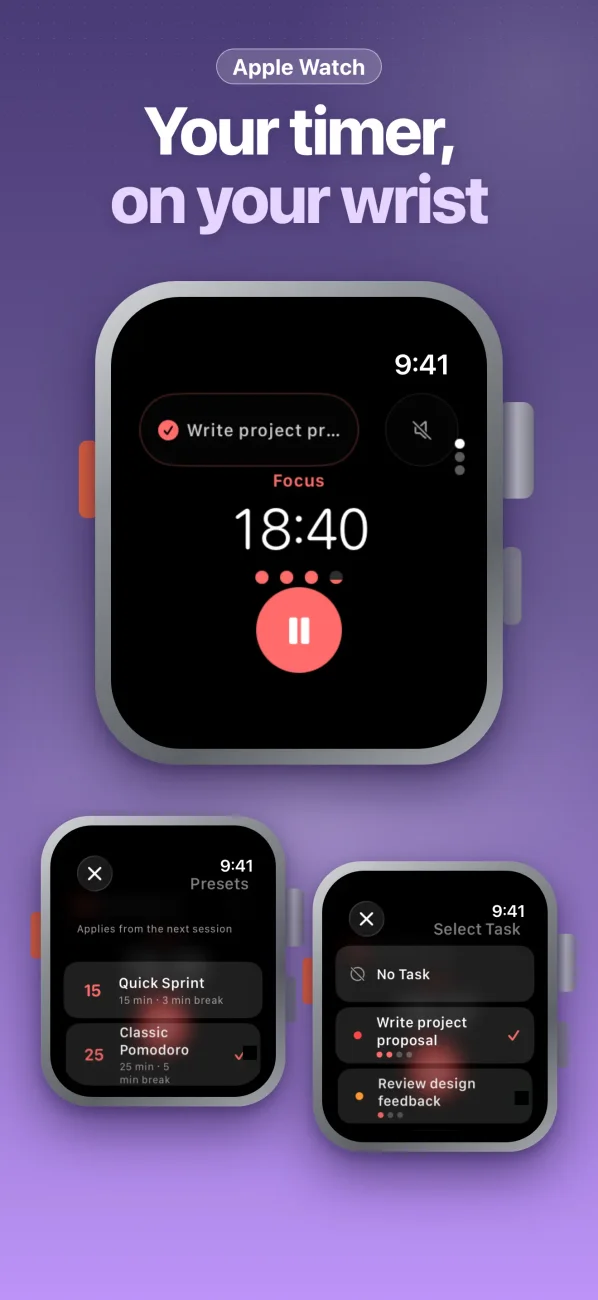
• Apple Watch app: start, pause and follow your timer from your wrist
• Siri and Shortcuts: start a focus session with your voice
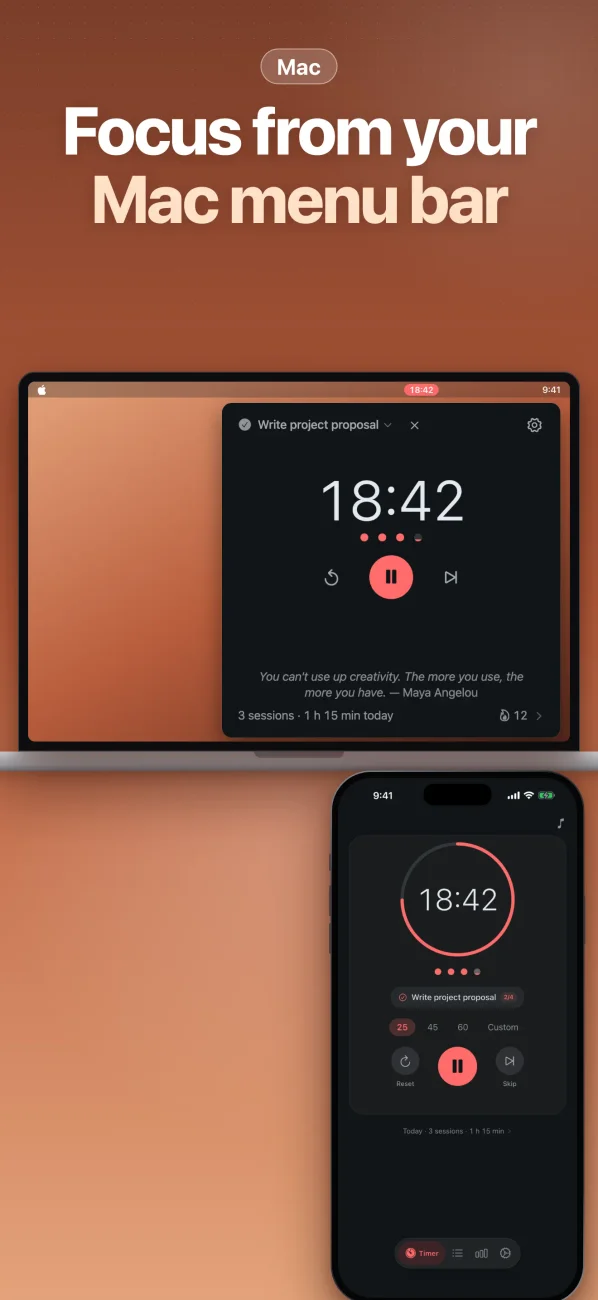
• Mac menu bar app with global keyboard shortcuts
TASKS THAT KEEP SCORE
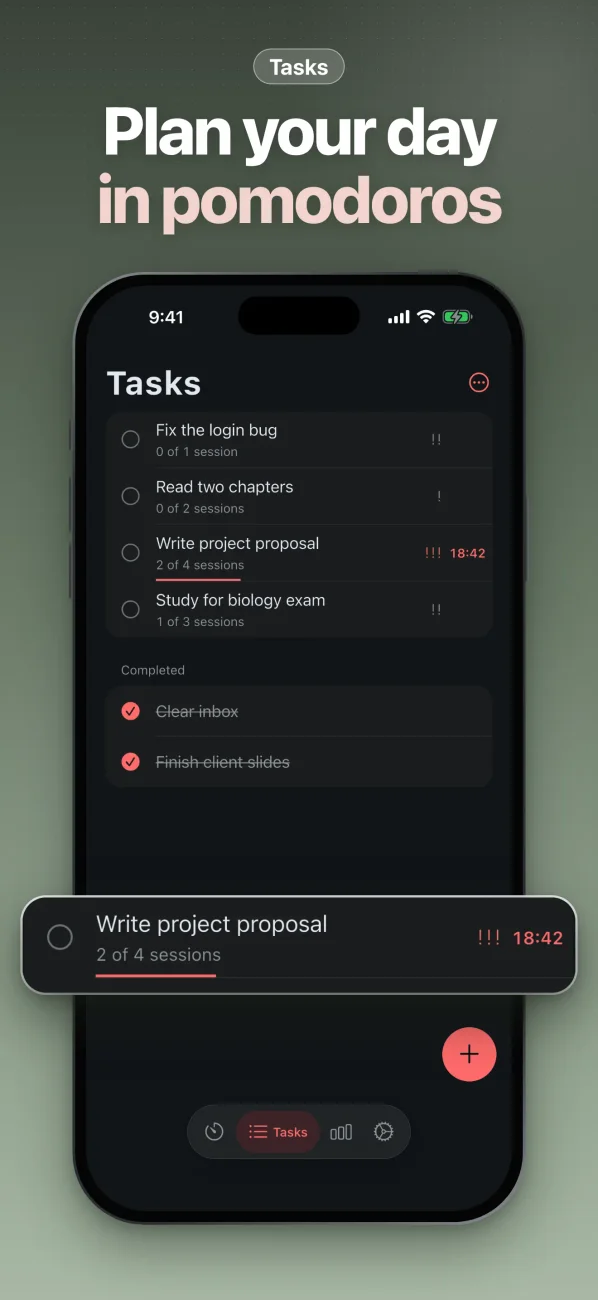
• Estimate how many pomodoros a task needs and see how many you have done
• Priorities and due dates
• Pick the task you are working on right from the timer
SEE YOUR PROGRESS
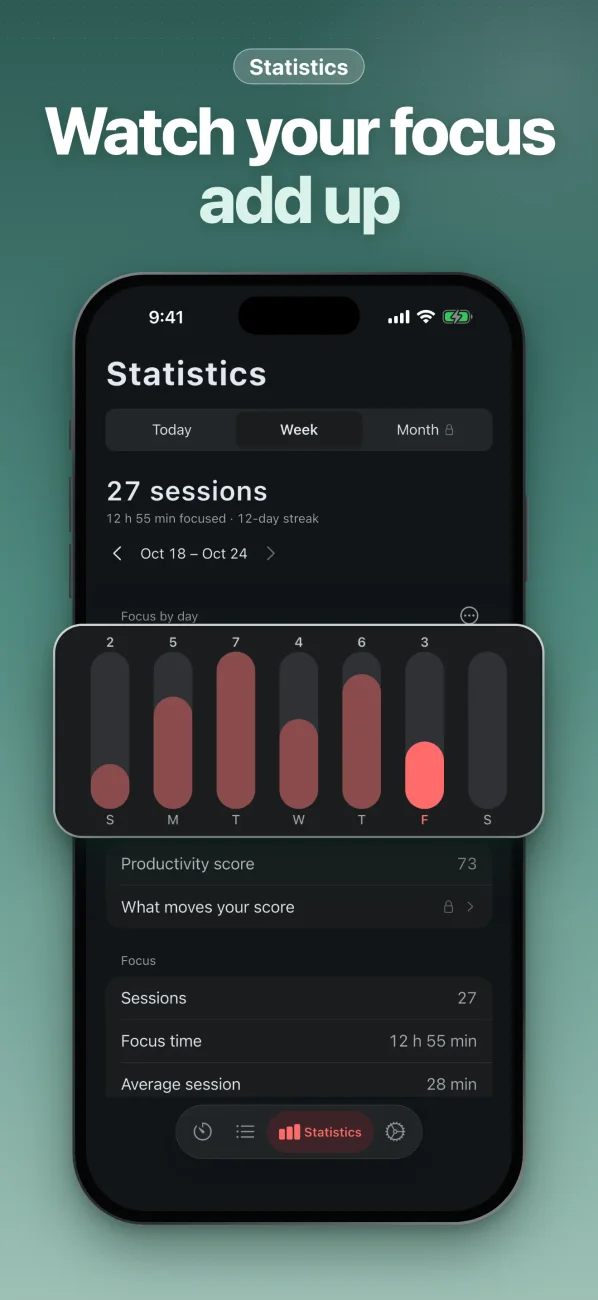
• Today and This Week focus charts
• Full session history
• Streak calendar that shows every day you focused
• Export your data any time, or log sessions to your calendar if you turn it on
PRIVATE BY DESIGN
• No sign-up: your tasks and sessions sync on their own between your iPhone, iPad and Mac when they use the same Apple Account
• No ads and no tracking across other apps
• Delete all of your data from inside the app at any time
FLOWFOCUS PRO (OPTIONAL)
Everything above stays free. If you want more, FlowFocus Pro adds:
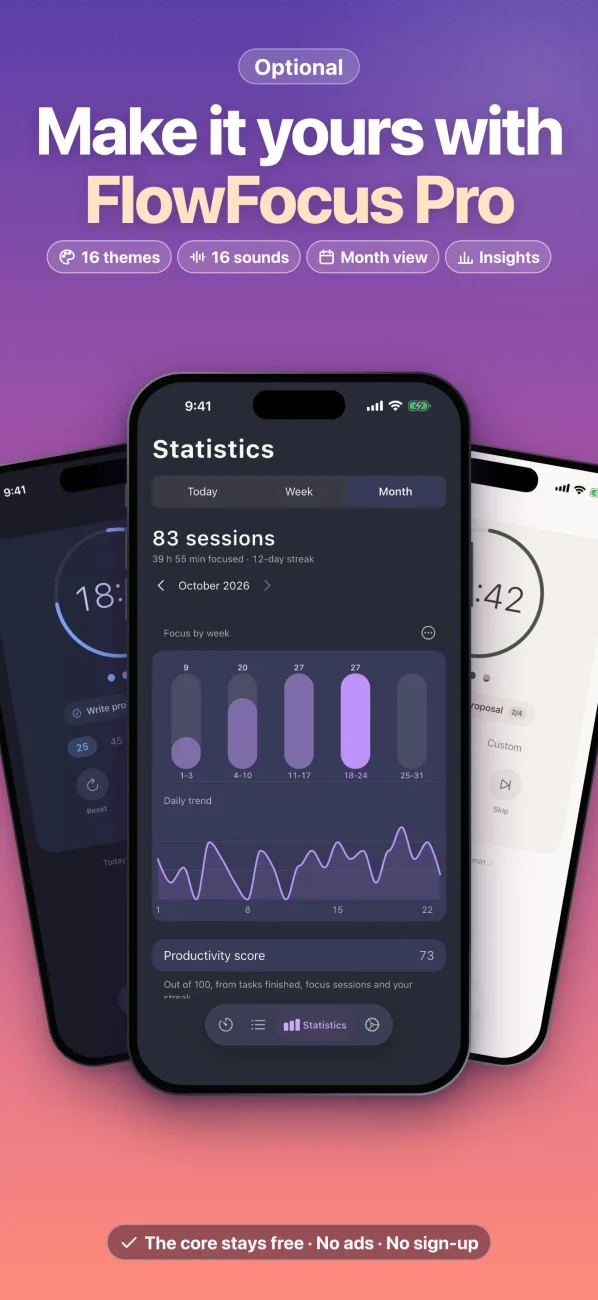
• All 16 color themes and all 16 focus sounds
• Commitment mode: once a session starts, it cannot be paused, reset or skipped
• Unlimited app blocking with Screen Time: block every app and category that distracts you until the session ends (one is free)
• Month view and insights in Stats
• CSV export
• Unlimited custom presets
FlowFocus Pro is available as a monthly or yearly subscription, each with a 3-day free trial, or as a one-time lifetime purchase. Prices are shown in the app before you buy. Payment is charged to your Apple Account when you confirm the purchase, or when the free trial ends. A subscription renews automatically unless it is cancelled at least 24 hours before the end of the current period, and your account is charged for the renewal within 24 hours before the period ends. You can manage or cancel your subscription in your App Store account settings at any time. Restore earlier purchases from Settings in the app.
Made for students revising for exams, developers in deep work, writers on a deadline, and anyone who works better in focused sprints.
Questions or ideas? Write to support@tappect.com. We read every message.
Terms of Use (EULA): https://www.apple.com/legal/internet-services/itunes/dev/stdeula/
Privacy Policy: https://www.tappect.com/apps/flowfocus/privacy
What’s new
Version 1.2.14 · Oct 28, 2026
Thanks for using FlowFocus, the free Pomodoro and focus timer for ADHD, study and deep work, with no ads and no sign-up. Your sessions follow you from iPhone to Apple Watch, the Lock Screen, the Dynamic Island and the Mac menu bar.
• New in FlowFocus Pro: block distracting apps with Screen Time while you focus. Commitment mode locks pause and blocking for the rest of the session
• Your timer stays in step across iPhone, Apple Watch and Mac: a pause, reset or finish on one device shows on the others, and every session counts once
• Sessions you run on Apple Watch away from your iPhone are saved once, with the times you actually focused
• Calendar export adds exactly one event per focus session
• The Undo and Copy email bars now go away on their own
App privacy
What Tappect LLC declares on the App Store about how this app handles data.
-
Data linked to you
May be collected and linked to your identity.
- Purchases
- Contact info
- Identifiers
- Usage data
-
Data not linked to you
May be collected but is not linked to your identity.
- User content
- Diagnostics
Privacy practices may vary, for example with the features you use or your age.
Information
- Seller
- Tappect LLC
- Category
- Productivity
- Version
- 1.2.14
- Updated
- Oct 28, 2026
- Released
- Oct 5, 2026
- Size
- 128.8 MB
- Requires
- iOS 13.0 or later
- Age rating
- 4+
- Price
- Free
- In-app purchases
- Yes
- Languages
- English, Spanish
- Copyright
- © 2026 Tappect LLC
You might also like
-
 Cairn: Focus & Study TimerPomodoro deep work & habits
-
 Deep Focus in Orbit - OrbitoneSpace sounds for concentration
-
 FocusScape: Rain & White NoiseFocus, Sleep & Pomodoro Timer
-
 Complete FocusPromodoro Timer and Focus
-
 Voicini: Voice NotesPrivate, offline transcription
-
 Pomo Tender - Pomodoro timerADHD-friendly focus timer
-
 PomoTask: Focus & Study TimerPomodoro Timer & Task Manager
-
 Stillr: Pomodoro Study TimerQuiet Focus with Rain & Forest
-
 TimeTurtle: ADHD Task TimerVisual day planner & routines
-
 GlassTime: Focus TimerStudy, Deep Work & Calm