
FlowMate: Focus Timer
Time awareness, not pressure
Designed for iPhone, iPad, iPod touch
Free
- Age rating4+
- CategoryProductivity
- DeveloperLydia Studio LLC
- LanguagesEnglish
- Size41.2 MB
Links to the official App Store page
Download.org hosts no file of FlowMate: Focus Timer. The button opens its official App Store page, published by Lydia Studio LLC. Listing last checked on Nov 12, 2026.
Screenshots


About
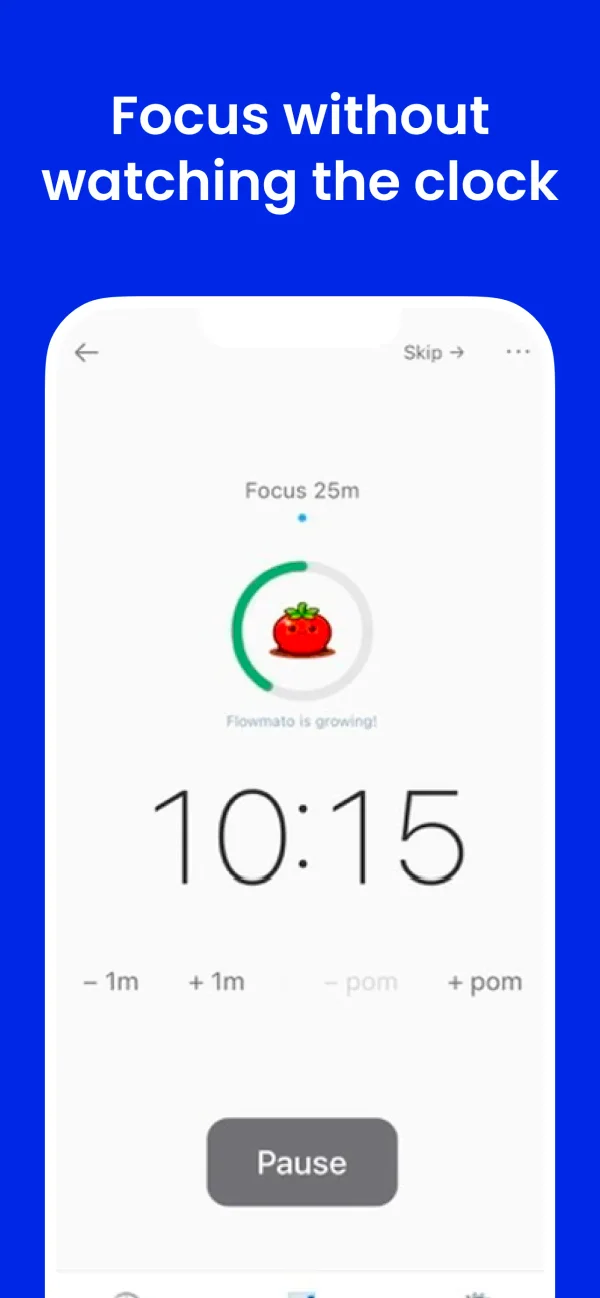
FlowMate is a gentle focus timer that supports time awareness without pressure. It helps you stay present with what you’re working on without constantly watching the clock. It’s especially helpful if you experience time blindness or overwhelm, or find traditional productivity timers stressful.
Start by naming what you’re focusing on. If it helps, jot down a few small tasks to ground your attention without turning your session into a to-do list.
For things you return to regularly, keep reusable checklists. Arrange items in the order you want to work through them, and let completed items move out of the way so what’s left stays in view.
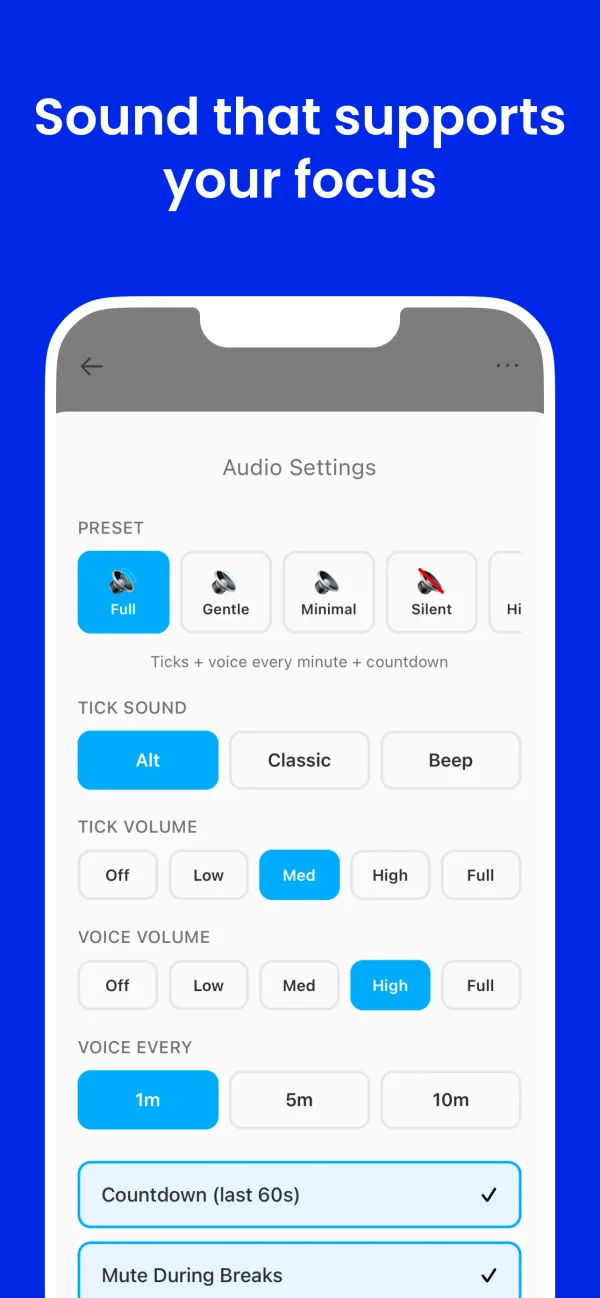
Choose calm visual timers that help you feel time passing. Optional sound cues and spoken time updates can help you stay oriented, or you can work in complete silence.
FlowMate adapts to how you work. Use Pomodoro sessions or set your own pace. Pause, adjust, or stop anytime. There are no streaks, performance scores, or guilt for changing your plans. When you want to look back, your session history can help you notice your focus patterns.
Use FlowMate without an account, or sign in to sync your sessions across your phone, the web, and the FlowMate browser extension.
FlowMate is for anyone who wants a calmer relationship with time, including people with ADHD, time blindness, or sensory sensitivity. Use it for studying, creative work, daily routines, care tasks, or moments when getting started feels hard.
Whether you’re settling into deep focus or simply trying to begin, FlowMate supports you at your pace.
What’s new
Version 1.2.0 · Oct 22, 2026
A bigger update than usual:
• Checklists: reusable task lists you can drag to reorder. Finished items move to the bottom.
• Sign in with Apple, Google, or email to keep your sessions and checklists in sync across devices.
• Sound presets now change what you actually hear, and time announcements cover 25 to 60 minutes and whole hours.
• A redesigned timer screen that stays readable at large text sizes.
• History: Repeat and Start fresh begin a session right away, and an unfinished session picks up where you left off.
• Stats: see when in the day you focus, a 12-week heatmap, and CSV export.
• You can now delete your account from Settings.
• Plus many smaller fixes.
App privacy
What Lydia Studio LLC declares on the App Store about how this app handles data.
-
Data not collected
The developer does not collect any data from this app.
Privacy practices may vary, for example with the features you use or your age.
Information
- Seller
- Lydia Studio LLC
- Category
- Productivity
- Version
- 1.2.0
- Updated
- Oct 22, 2026
- Released
- Mar 24, 2026
- Size
- 41.2 MB
- Requires
- iOS 15.1 or later
- Age rating
- 4+
- Price
- Free
- Languages
- English
- Copyright
- © 2026 Lydia Studio LLC
You might also like
-
 Focus Flow: Cozy PomodoroStudy Timer & Ambient Sounds
-
 First05Start with just 5 minutes
-
 Thrive - AI RoutineProductivity
-
 Just Start - Habit TrackerStart Small, Start Now
-
 LoFi PomodoroWork & Study Focus Music Timer
-
 FocusBox - AI Task PlannerAI Focus Timer & Task Manager
-
 Focus schedule: todo plannerPlan, balance & achieve more
-
 My Boosting AIProductivity
-
 Nombox: Cooking AssistantAI Meal Plan, Recipes, Grocery