
Flowplan – Notes & Projects
Docs, databases, whiteboards
Designed for iPhone, iPad
Free
- Age rating4+
- CategoryProductivity
- DeveloperYannic Schuller
- LanguagesEnglish+ 3 more
- Size42.9 MB
Links to the official App Store page
Download.org hosts no file of Flowplan – Notes & Projects. The button opens its official App Store page, published by Yannic Schuller. Listing last checked on Nov 24, 2026.
Screenshots

About
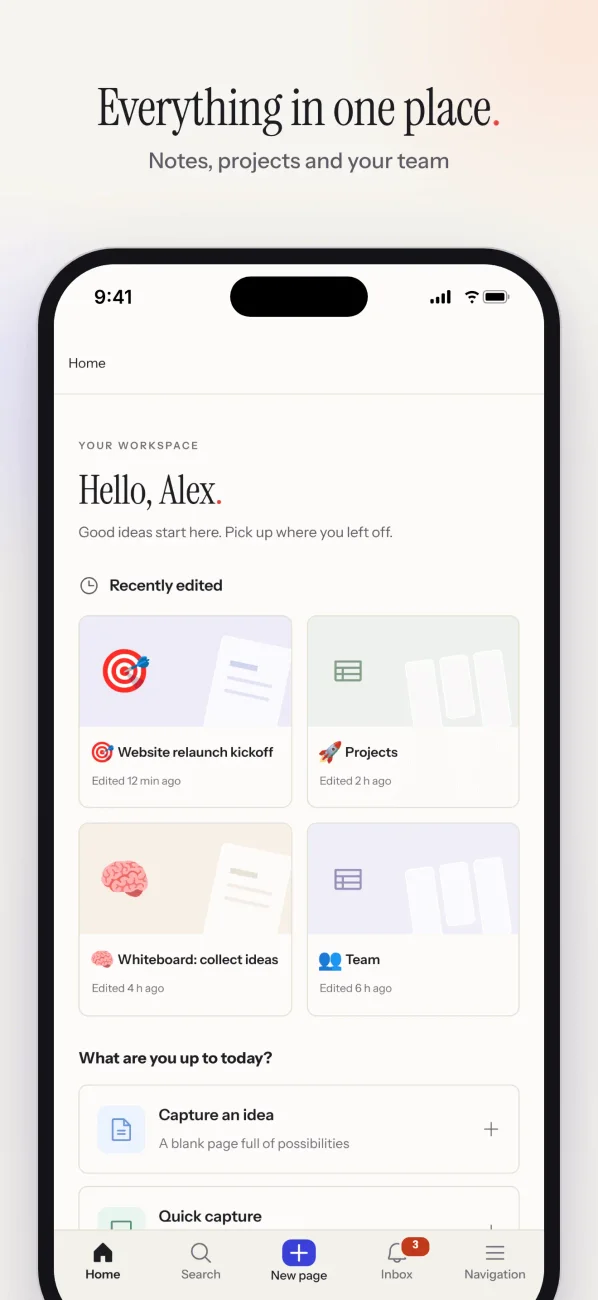
Flowplan is your workspace for notes, projects and your team – now as an app for iPhone and iPad.
DOCUMENTS THAT GROW WITH YOU
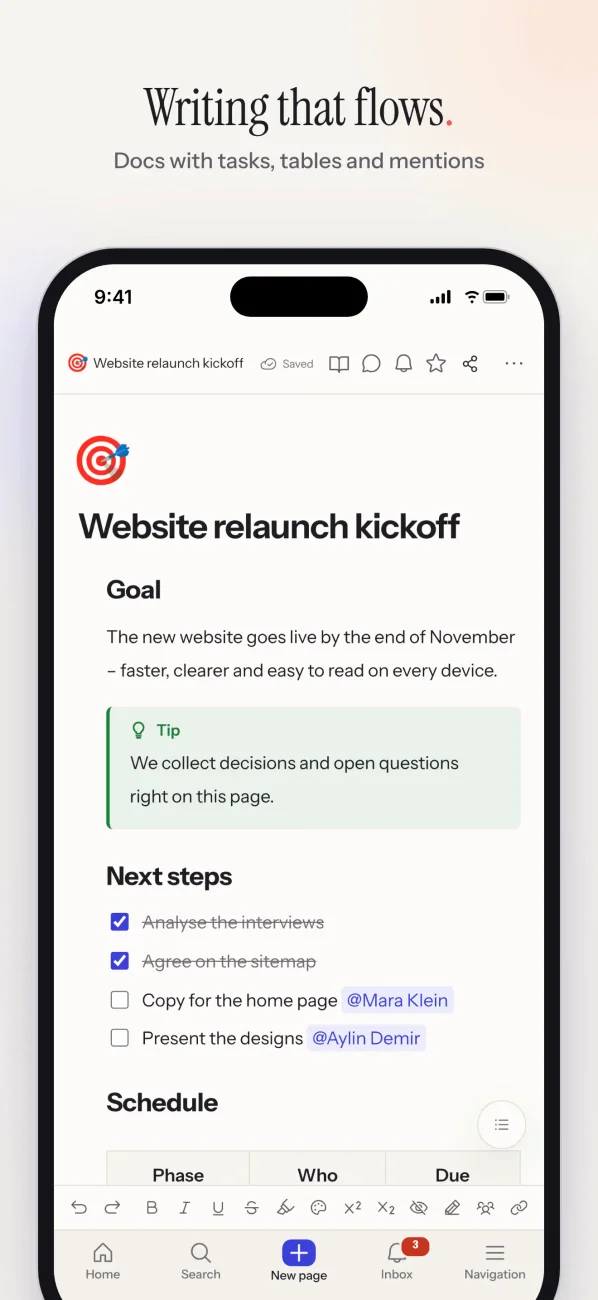
Write notes, briefs and wikis in a fast editor: headings, lists, to-dos, tables, images, code, mentions and links between pages. Several people can edit a page at the same time.
DATABASES FOR EVERYTHING
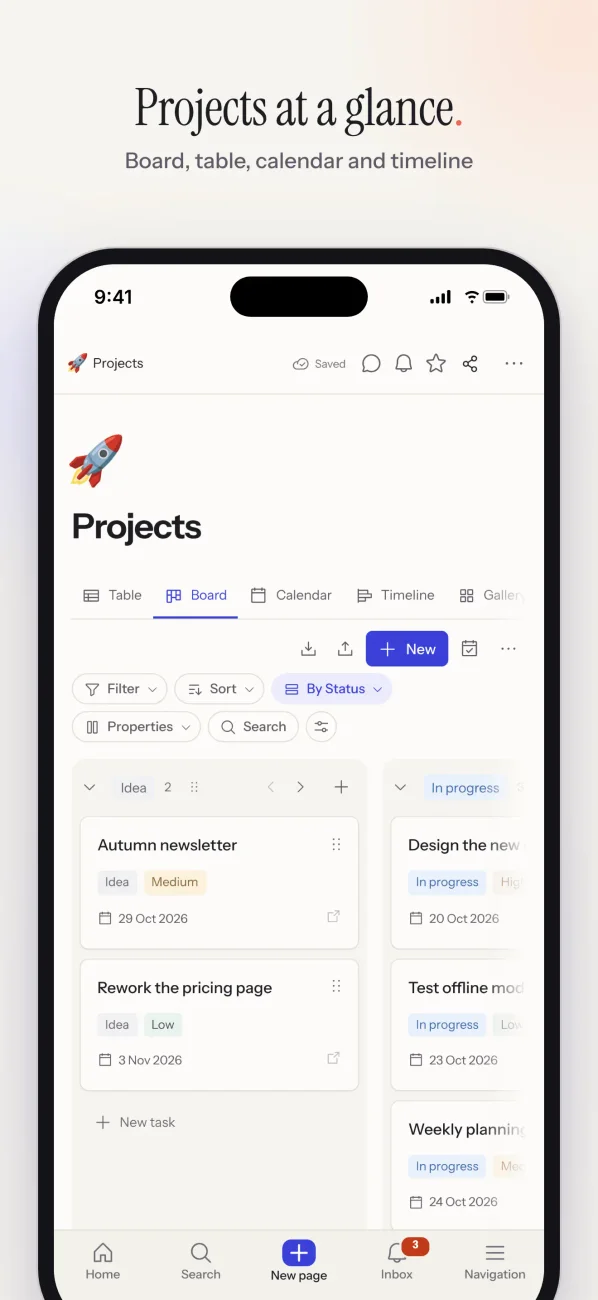
Projects, roadmaps, reading lists or contacts: one database, many views – table, board, calendar, timeline, gallery, list and form. Filter, sort, group and calculate with formulas.
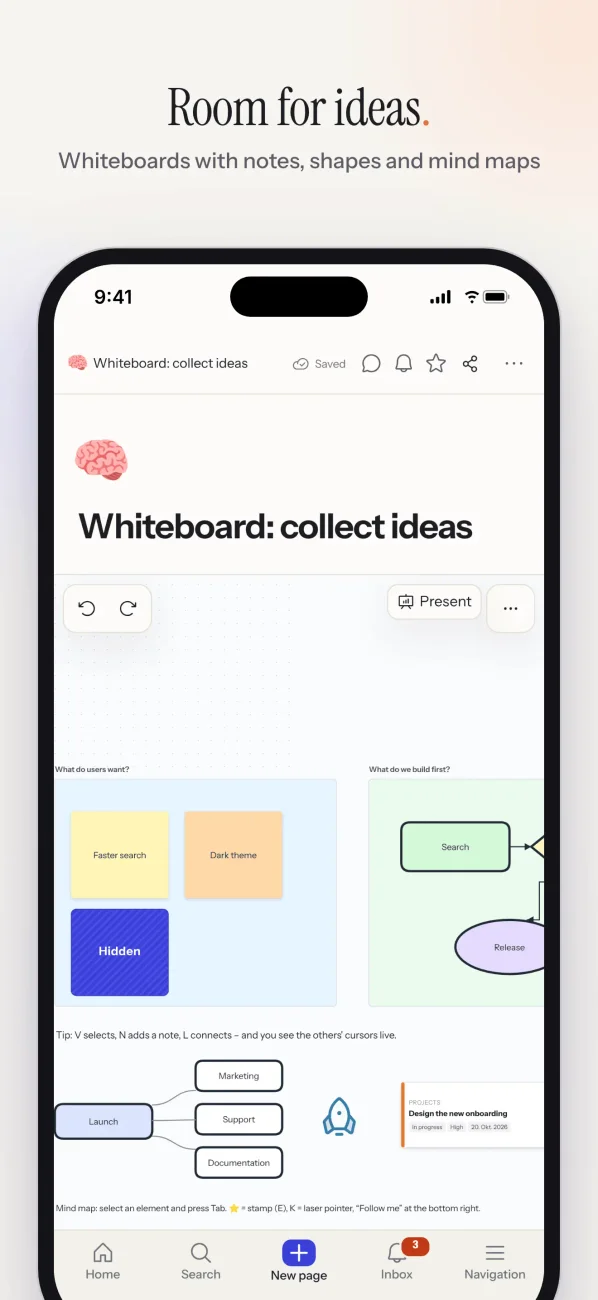
WHITEBOARDS
Collect ideas, sketch flows and connect cards on an endless canvas – with your finger or Apple Pencil.
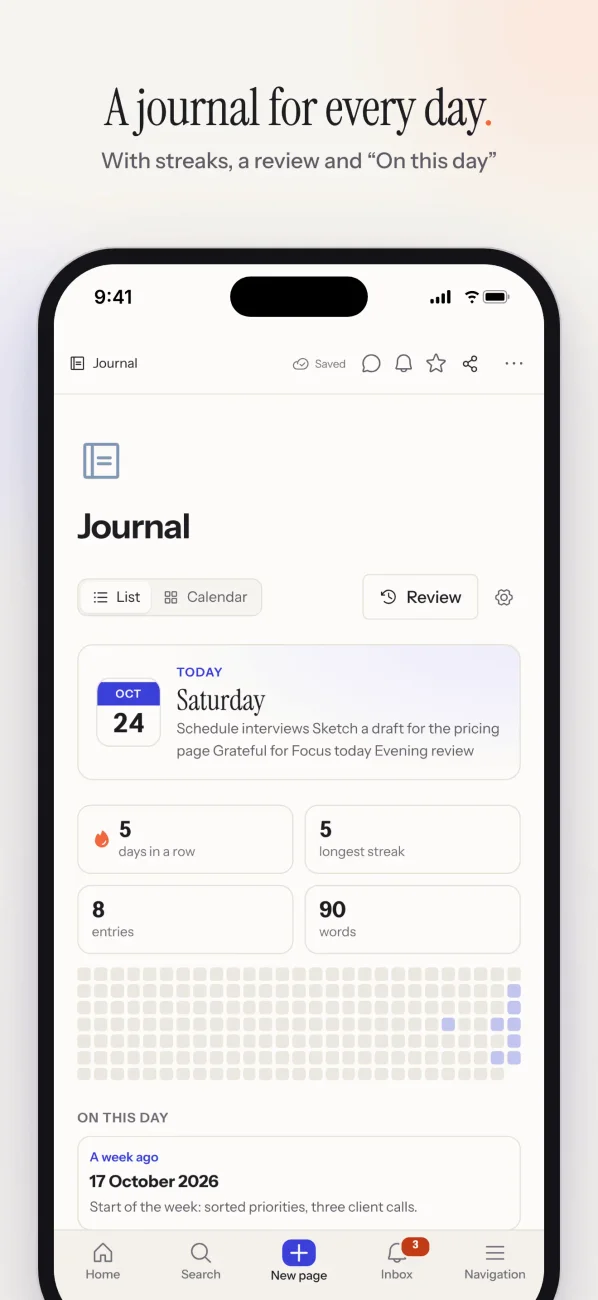
JOURNAL
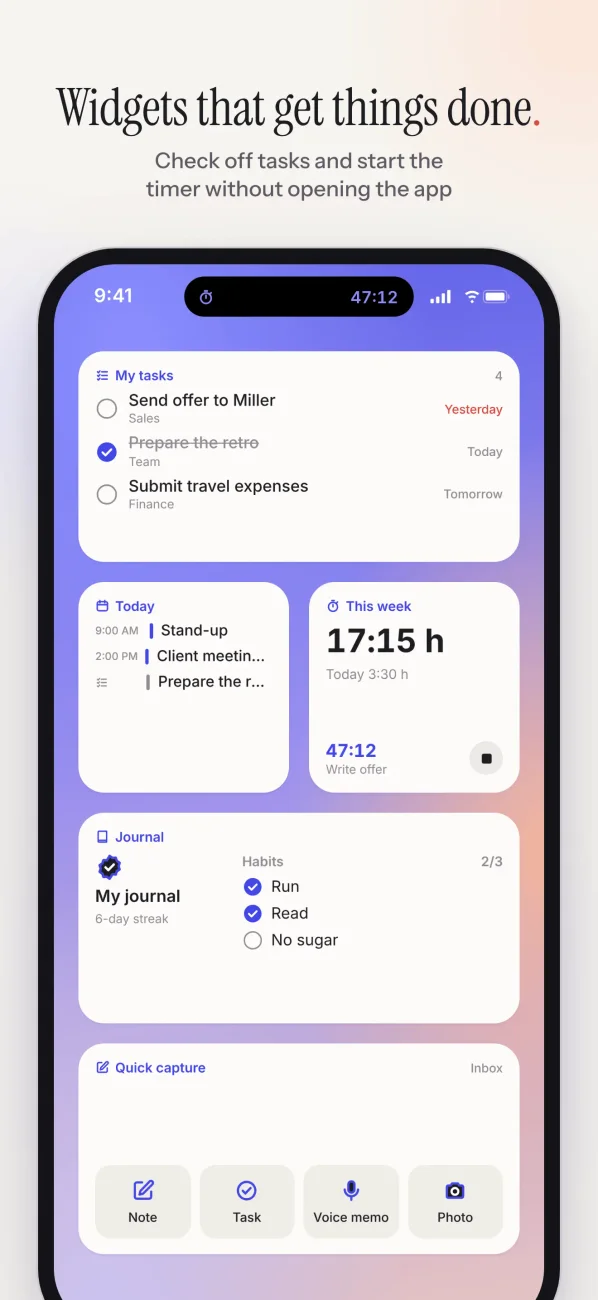
One entry a day, with a review, streaks and "On this day". For a diary, a work log or the daily stand-up.
FOR TEAMS
Teamspaces, permissions, comments, mentions, notifications, templates and search across everything.
WIDGETS, SIRI AND CONTROL CENTER
Check off tasks right on the home screen, see today's appointments, favorites, numbers from your databases, journal and habits, this week's time, mentions and form responses – each widget shows one thing and has its own settings. Capture notes, voice memos and photos in one tap, also with Siri, in Control Center or with the Action button. Focus, the meeting now, imports and the timer appear as Live Activities.
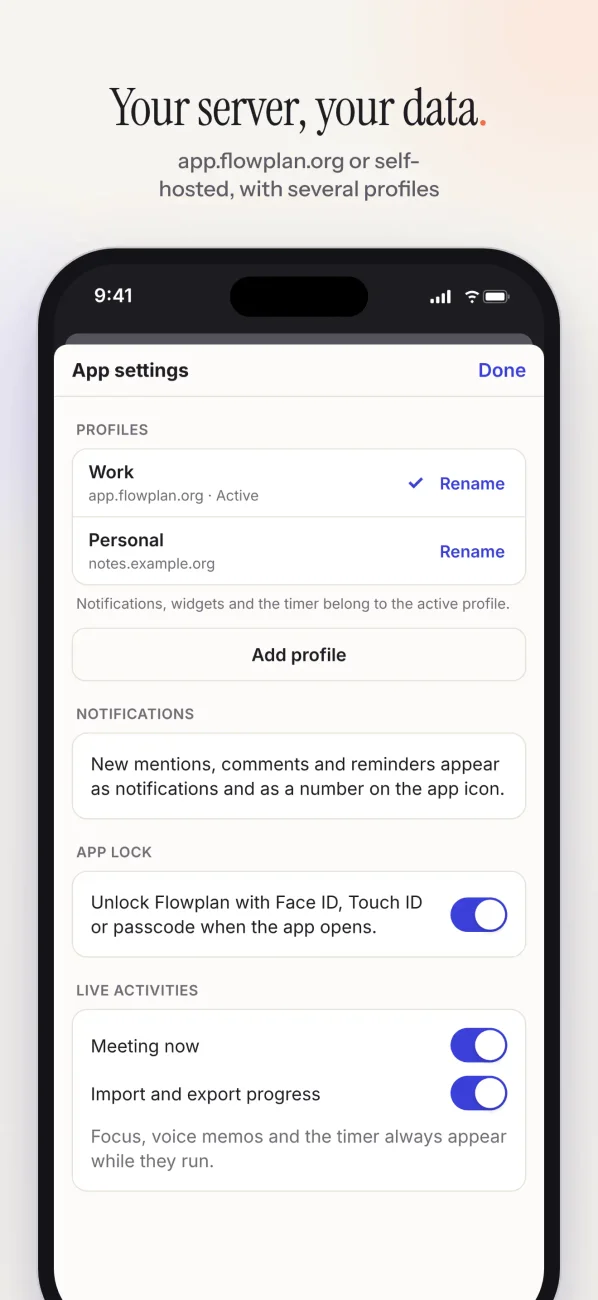
YOUR DATA, YOUR SERVER
Flowplan is open source (AGPL) and can be self-hosted. The app connects to app.flowplan.org or to your company's Flowplan instance – just enter its address on first start. Several instances, for example work and private, are saved as profiles and switched with one tap. Your content lives on that server, not in the app. The app itself collects no data and contains no tracking.
SIGN IN YOUR WAY
E-mail and password, passkeys or your organisation's single sign-on (SSO) – passkeys and SSO run securely through the system's sign-in window.
The same Flowplan everywhere: in the browser, as a desktop app for macOS, Windows and Linux, and now on iPhone and iPad. New features arrive with the server and need no app update.
Questions and guides: docs.flowplan.org
What’s new
Version 1.1.5 · Nov 23, 2026
New in this version:
• Switching instances with a short transition that shows which instance is opening (no animation with Reduce Motion).
• Printing: pages and documents open the system's print dialog – to a printer or "Save as PDF" (with Flowplan 0.11.1).
• Fixed: the app did not start on some iPhones, iPads and Macs.
• Minor improvements and bug fixes
App privacy
What Yannic Schuller declares on the App Store about how this app handles data.
-
Data linked to you
May be collected and linked to your identity.
- Contact info
- User content
- Identifiers
Privacy practices may vary, for example with the features you use or your age.
Information
- Seller
- Yannic Schuller
- Category
- Productivity
- Version
- 1.1.5
- Updated
- Nov 23, 2026
- Released
- Nov 4, 2026
- Size
- 42.9 MB
- Requires
- iOS 16.4 or later
- Age rating
- 4+
- Price
- Free
- Languages
- English, French, German, Simplified Chinese
- Copyright
- © 2026 Flowplan
You might also like
-
 Clover: Notes for TriliumRead & write TriliumNext notes
-
 Retila - Read It LaterSave links to read them later
-
 NotesHub: Notes, Kanban BoardsYour second brain in Markdown
-
 Infoplane: Short Notes ManagerRemembers everything for you
-
 pclipAI Companies on Paperclip
-
 JottreMinimalistic handwriting
-
 Todura: Task Manager OrganizerDaily Planner,Calendar,Agenda
-
 Atomic Habit Tracker HabitEaseAccountability Self Discipline
-
 AliasVaultPassword & Email Alias Manager
-
 TrinoteNative Trilium client