
- Age rating4+
- CategoryPhoto & Video
- DeveloperGergo Barany
- LanguagesEnglish+ 8 more
- Size68.8 MB
Links to the official App Store page
Download.org hosts no file of Fluence’d. The button opens its official App Store page, published by Gergo Barany. Listing last checked on Nov 22, 2026.
Screenshots


About
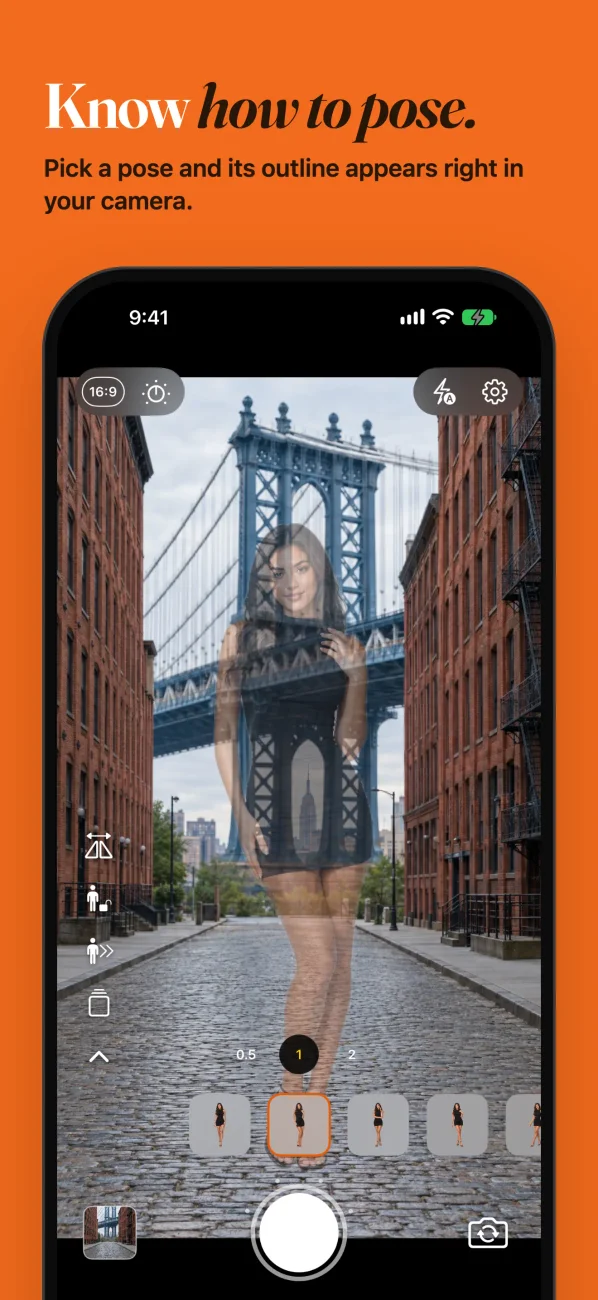
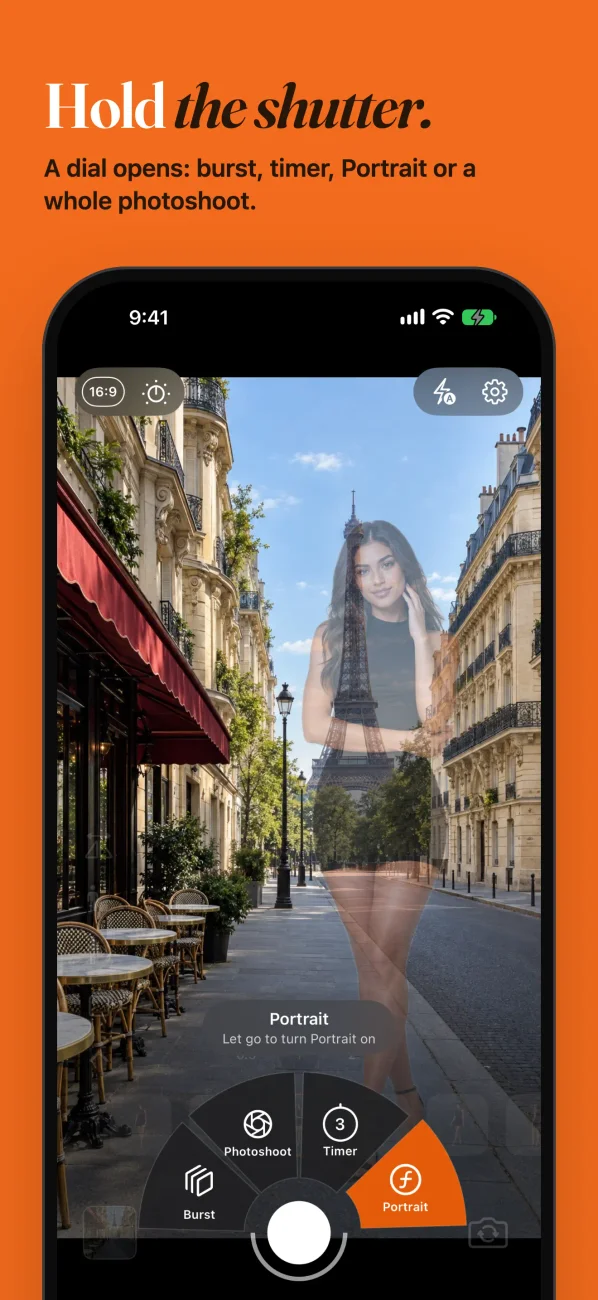
Fluence’d puts the pose you want right in your viewfinder. Pick a pose and a translucent guide appears over the live camera. Line your subject up with the silhouette, match the framing, and shoot. No more showing someone a screenshot and hoping.
POSE OVERLAYS
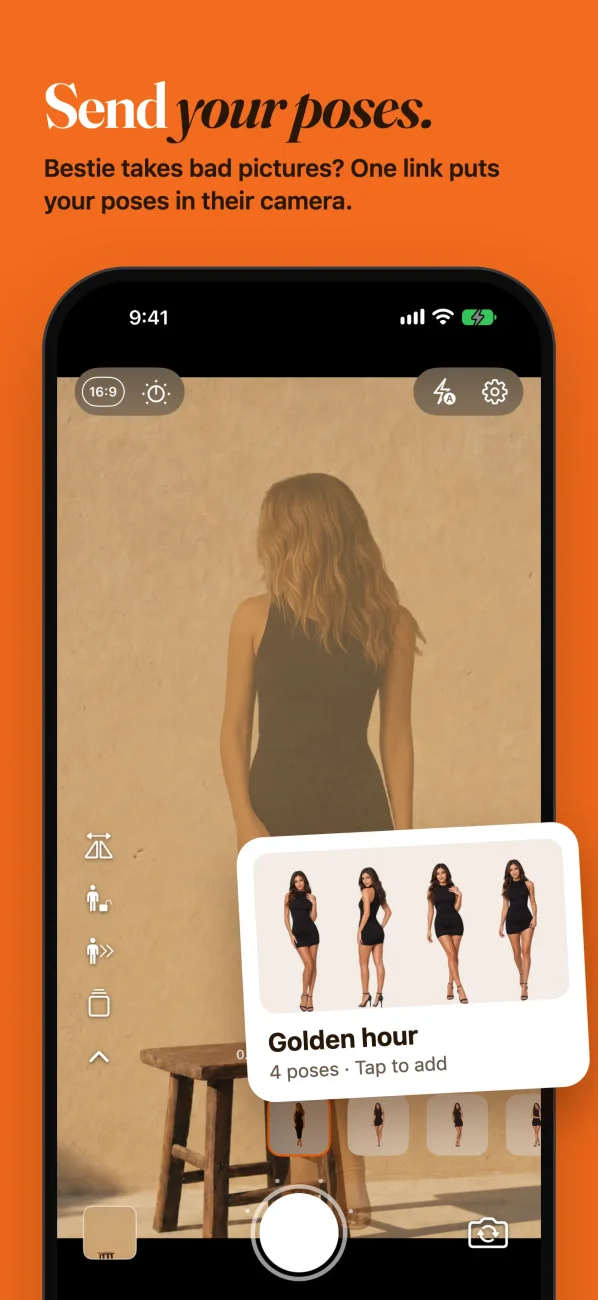
Choose a pose and see it as a ghost over the camera. Scale it, move it, flip it until it fits your scene. Your framing is remembered per pose, so the next shot starts where you left off.
YOUR OWN POSES
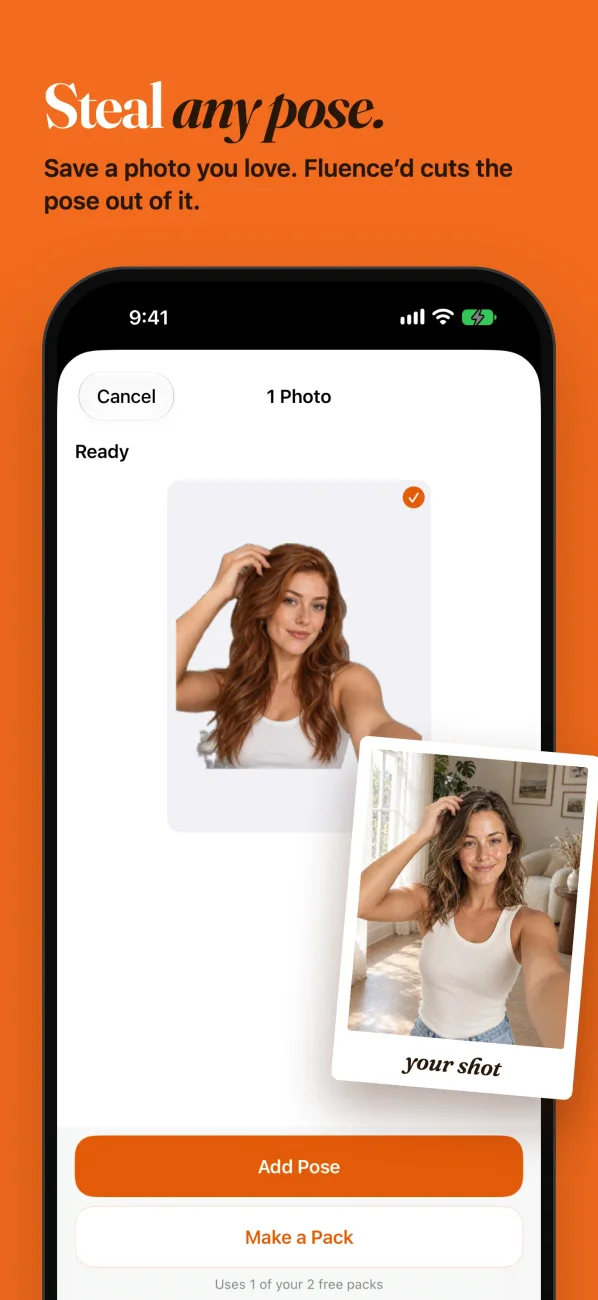
Found a pose you love? Import the photo and Fluence’d cuts the subject out into a reusable guide. Build a pose library from the pictures that actually inspire you.
POSE PACKS
Organize poses into packs for a shoot, a trip, or a person. The built-in Inspo and Selfie packs get you started.
SHARE PACKS
Send a pack to the person behind the camera. They install it with one tap and see exactly the shots you want. Bad vacation photos, solved.
SHUTTER DIAL
Hold the shutter and a dial opens: burst, a timer, Portrait or a photoshoot. Drag to one and let go.
PHOTOSHOOT
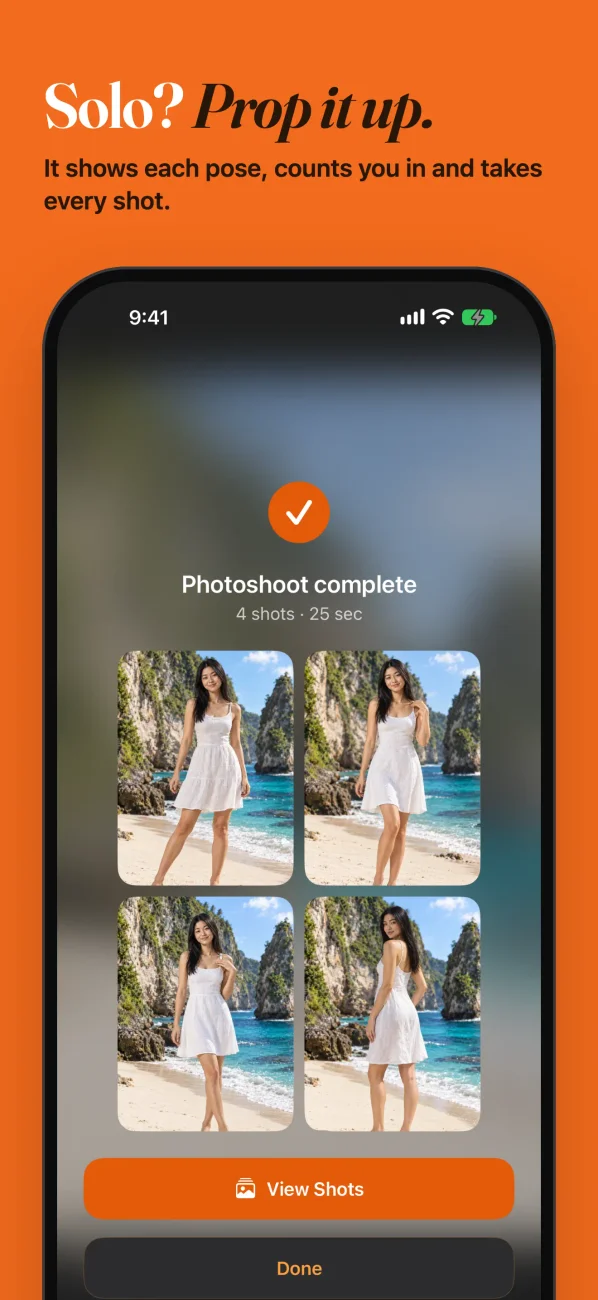
No photographer? Prop your phone up, pick a pack and press start. Fluence’d shows each pose, counts you in and takes the shot, all the way through the pack.
APPLE WATCH
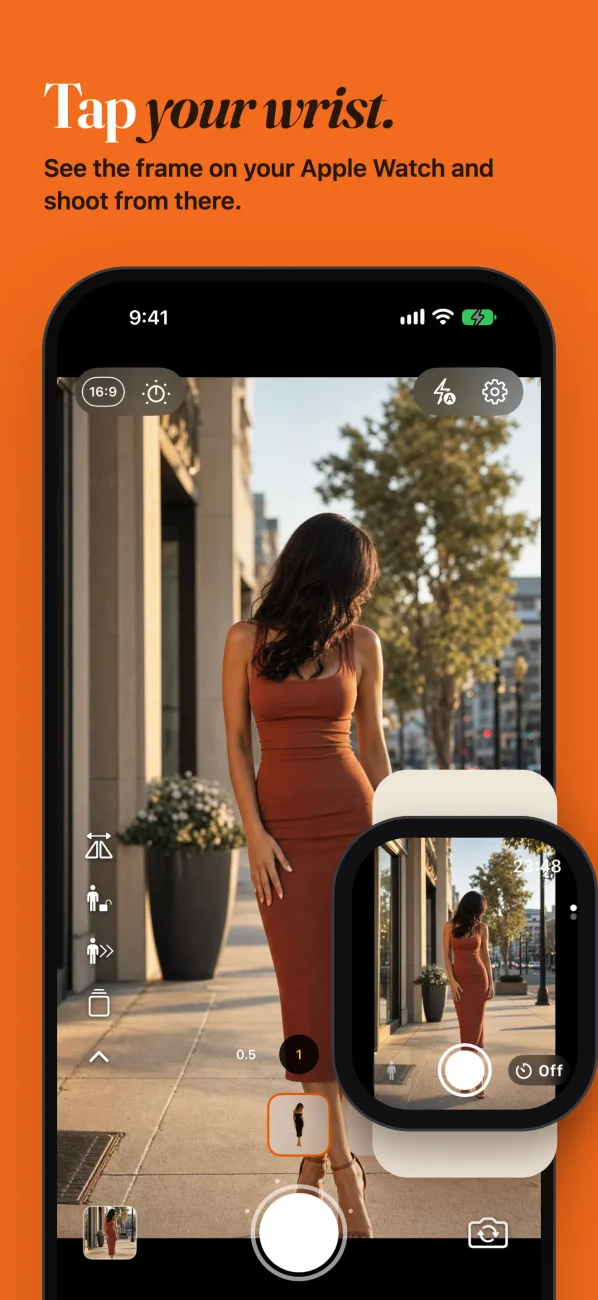
Prop your phone up and see the camera on your wrist. Pick a pose, take the shot or run a photoshoot from your Apple Watch.
ONION SKIN
Turn on onion skin to echo your last shot for a consistent series.
FLUENCE’D PRO
Go unlimited with Fluence’d Pro: unlimited packs, unlimited pose imports, full-size pack sharing, and photoshoot extras (up to 6 frames per pose and 3 passes).
Fluence’d Pro is an auto-renewable subscription: $1.99 per week or $49.99 per year, each starting with a 7 day free trial. Payment is charged to your Apple Account at confirmation of purchase. Subscriptions renew automatically unless canceled at least 24 hours before the end of the current period. Manage or cancel your subscription in your App Store account settings.
Terms of Use: https://fluence-d.com/terms
Privacy Policy: https://fluence-d.com/privacy
What’s new
Version 2.3.9 · Nov 19, 2026
Run the camera from your Apple Watch, and blur the background with Portrait.
• Apple Watch: prop your phone up, see the shot on your wrist, pick a pose and take it, or start a Photoshoot.
• Portrait: hold the shutter and drag to Portrait for a softly blurred background, on either camera.
• Pose tools: Packs, Pose Lock and Flip Pose sit on the camera’s left edge, and flip camera is next to the shutter. Tap the arrow under them for their names, New Pack and Import Pose.
• Tips: Fluence’d shows you the dial, Portrait and the watch remote when each first helps.
• Shots: swipe between your photos. Shots saved under Add Photos Only appear once you allow Full Access.
App privacy
What Gergo Barany declares on the App Store about how this app handles data.
-
Data linked to you
May be collected and linked to your identity.
- Contact info
- User content
- Identifiers
- Usage data
- Diagnostics
-
Data not linked to you
May be collected but is not linked to your identity.
- Contact info
Privacy practices may vary, for example with the features you use or your age.
Information
- Seller
- Gergo Barany
- Category
- Photo & Video
- Version
- 2.3.9
- Updated
- Nov 19, 2026
- Released
- Aug 17, 2026
- Size
- 68.8 MB
- Requires
- iOS 18.0 or later
- Age rating
- 4+
- Price
- Free
- In-app purchases
- Yes
- Languages
- English, French, German, Hungarian, Italian, Japanese, Korean, Portuguese, Spanish
- Copyright
- © 2026 Gergo Barany
You might also like
-
 TorunePhoto & Video
-
 Pose Camera - Photos Guide#1 Pose Camera Photos Guide
-
 Pose Camera: AI Posing CoachSelfie, Portrait & Body Editor
-
 PoseMe AI CameraAI pose & photo enhancer
-
 AlphaLuma - Film RecipesSony Camera Monitor & Remote
-
 Perfect Pose Photography IdeaGolden Hour - Magic Poser
-
 Action ControlAction Camera Remote Control
-
 Muse — Composition CameraYour eye for composition
-
 Tripix Cam: Photo Timer CameraSelf Timer & Hands Free Shots
-
 SnapPose: AI Photo Pose IdeasSelfie, Shoot & Portrait Guide