Flyout: Notes, Markdown, Code
Reminders, checklists, tags
Designed for iPhone, iPad
Free · In-app purchases
- Age rating4+
- CategoryProductivity
- DeveloperGORKEM YILDIRIM
- LanguagesEnglish+ 7 more
- Size12.3 MB
Links to the official App Store page
Download.org hosts no file of Flyout: Notes, Markdown, Code. The button opens its official App Store page, published by GORKEM YILDIRIM. Listing last checked on Nov 23, 2026.
Screenshots




About
Flyout is a markdown note app for iPhone and iPad. Capture from the share sheet, Control Centre, a Home
Screen widget or Shortcuts, then find the note again with folders, tags and search.
Turn on iCloud sync and your notes travel through your own iCloud account — nothing passes
through our servers. Buy "Flyout for iPhone, iPad and Mac" and the Mac app is included, where a full
editor slides out from the edge of your screen over your work. There is an iPhone-only option at
a lower price.
WHAT YOU GET
• Quick notes — a tabbed scratchpad for what you never need to file
• A real editor — headings, lists, tables, code blocks with syntax highlighting, images, files
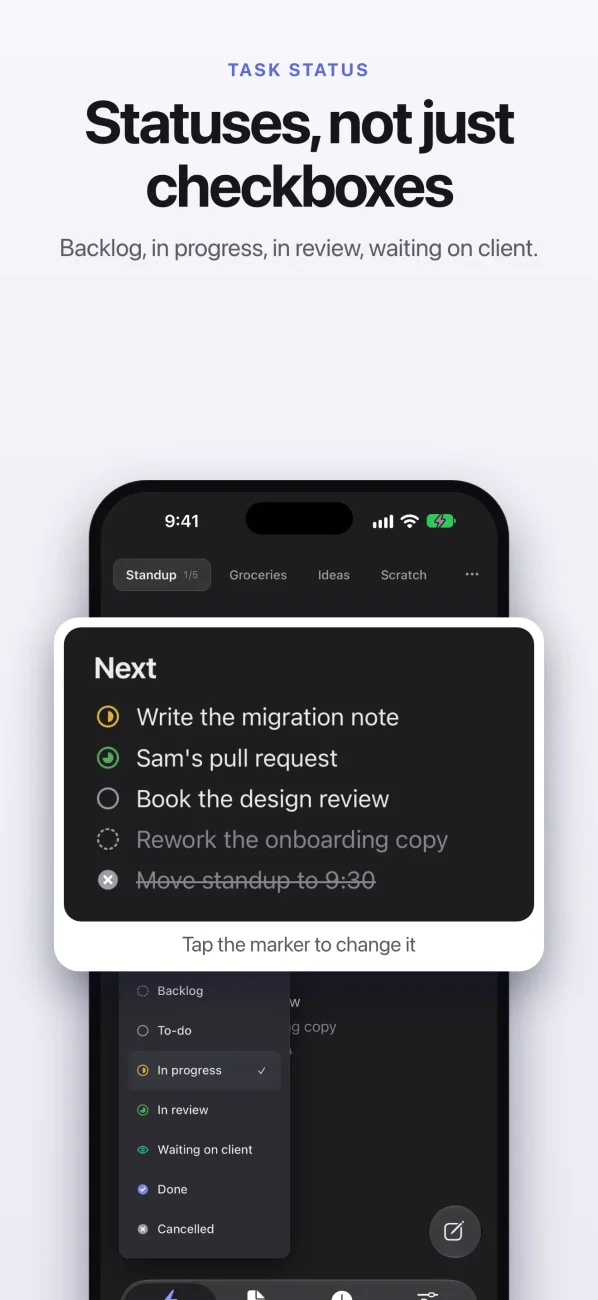
• Reminders that live inside the note, not in a separate app
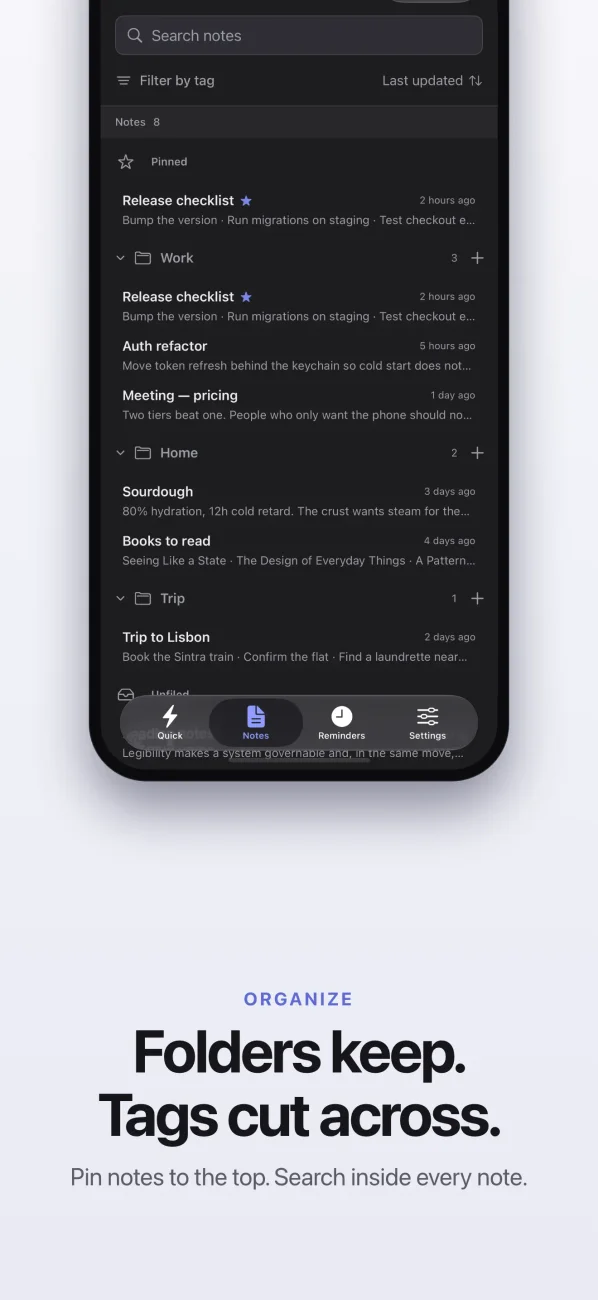
• Tags that cut across folders, and folders for everything else
• Lock a note with a password — it is encrypted on your device and in iCloud
• iCloud sync on your own account — nothing passes through our servers
• Capture from the share sheet, Control Centre, a Home Screen widget or Shortcuts
TRY IT FIRST
Seven days, everything unlocked. When the trial ends, Flyout locks until you buy it. Your notes
are not deleted: they keep syncing if sync is on, and you can export them as Markdown.
PRIVACY
Sync stays off until you turn it on. Once it is on, your notes travel through your own iCloud
account. We do not run a server that holds notes, we cannot read them, and there is no account
to create. Locked notes are encrypted with a key derived from your password.
What’s new
Version 1.2.6 · Nov 19, 2026
• Notes that contain an image now show a small thumbnail of it in the Notes list. Locked notes never show one.
• Reminders that aren’t attached to a note no longer disappear when you reopen the app.
• Deleting a task line now deletes its reminder too. Undo brings both back.
• When you accept the suggested reminder for a line like “Call Sam tomorrow”, the reminder is named “Call Sam”, without the date.
• A reminder set on a line of a locked note no longer shows that line’s text in Reminders or in its notification.
• A table cell that holds only an image is no longer saved empty.
• Email addresses you type or paste stay plain text instead of becoming links.
• Reminder underlines are easier to see in dark themes, task checkboxes grow with the text size, and red text is easier to read in the light theme.
• Colored notes in the Full page style now keep their color behind the keyboard and the format bar.
App privacy
What GORKEM YILDIRIM declares on the App Store about how this app handles data.
-
Data linked to you
May be collected and linked to your identity.
- Contact info
Privacy practices may vary, for example with the features you use or your age.
Information
- Seller
- GORKEM YILDIRIM
- Category
- Productivity
- Version
- 1.2.6
- Updated
- Nov 19, 2026
- Released
- Aug 22, 2026
- Size
- 12.3 MB
- Requires
- iOS 18.0 or later
- Age rating
- 4+
- Price
- Free
- In-app purchases
- Yes
- Languages
- English, French, German, Italian, Japanese, Simplified Chinese, Spanish, Turkish
- Copyright
- © 2026 Görkem Yıldırım
You might also like
-
 Smolpad - markdown notesYour text files in sync
-
 Idea CardsStack ideas. Swipe to sort.
-
 Stillwater FocusLock the apps that own you.
-
 pocketbriefProductivity
-
 LinknProductivity
-
 InMind: Smart Life AssistantMeds, Bills, Car & Vault Notes
-
 TrackOut: Habit TrackerTasks, Notes & Journal
-
 Daily Grind: Time TrackerFreelance hours & invoicing
-
 em — Markdown Writer & EditorOwn your drafts and blog posts
-
 Text StatsHelps you write better