
Focus Drift
AI planner & workday tracker
Designed for iPhone, iPad, Mac
In-app purchases
- Age rating4+
- CategoryProductivity
- DeveloperNico Poorta
- LanguagesEnglish+ 5 more
- Size19.3 MB
Links to the official App Store page
Download.org hosts no file of Focus Drift. The button opens its official App Store page, published by Nico Poorta. Listing last checked on Nov 12, 2026.
Screenshots
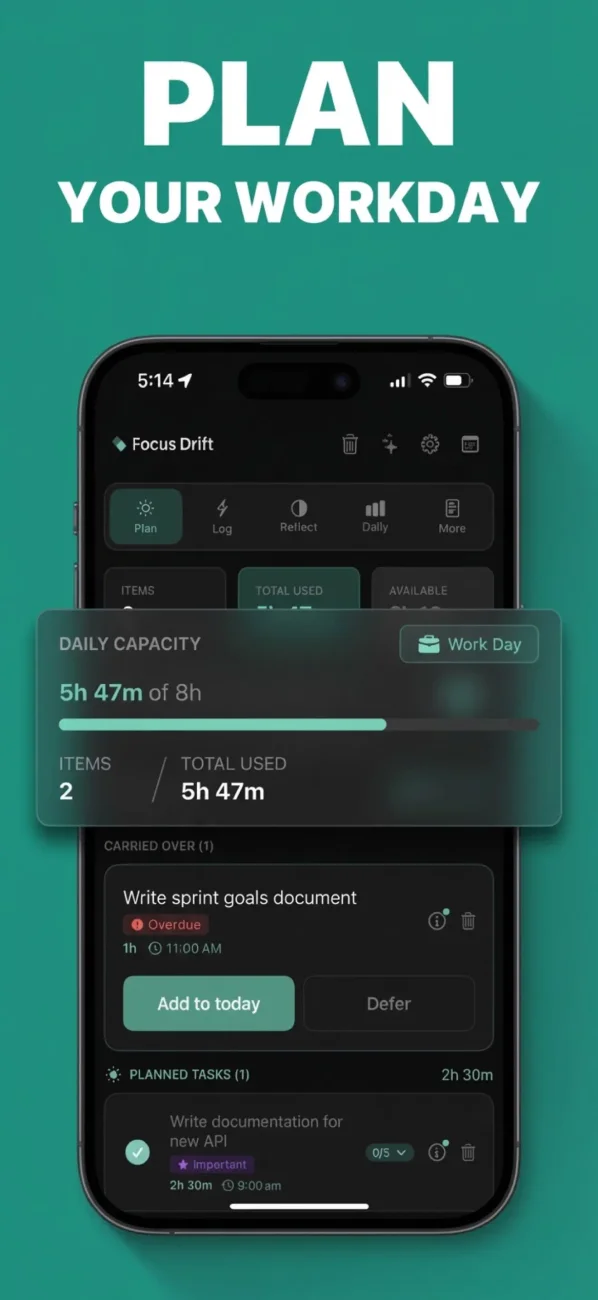

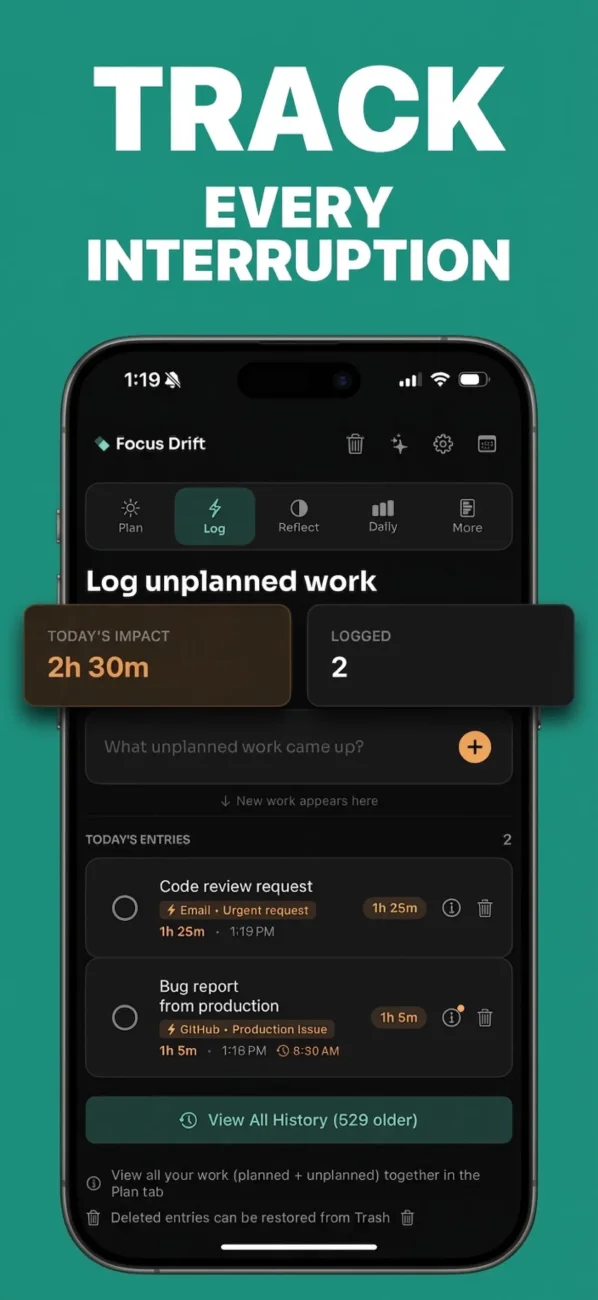

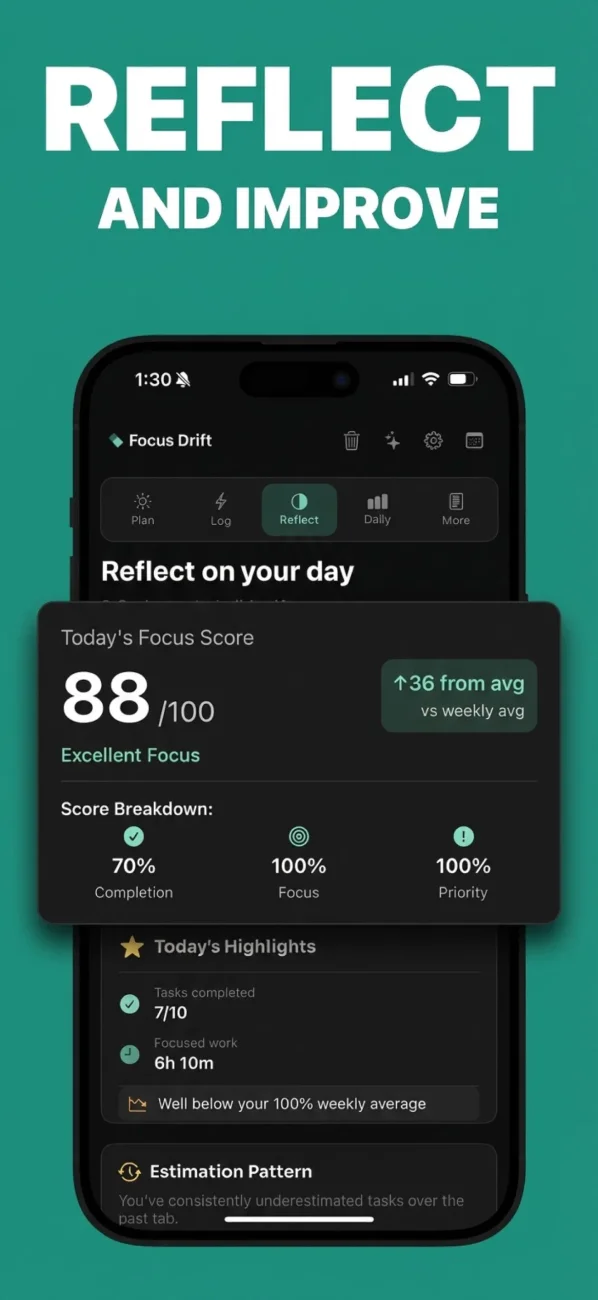
About
Focus Drift isn't another to-do list, and it isn't another time tracker. It tracks the gap between the day you planned and the day you actually had — so you can finally see where your time goes and take it back.
Plan your day with priorities. Log interruptions the moment they hit, with their source and real cost. Reflect at day's end. Then let AI turn it all into a report that actually tells you something.
FREE TO USE • Plan your day with time estimates and a real capacity bar • Log interruptions and unplanned work — who or what caused it, and what it cost • End-of-day reflection and a daily Focus Score • Today's report, ideas, and deadlines • Works fully offline, single device, no account needed
UPGRADE TO PRO • Sync across your devices • Cloud backup and restore • Weekly and custom-range reports with trends • Full report history, plus PDF and image exports • Connect your AI assistant (Claude, ChatGPT, Gemini, any MCP client) to read your plan, add tasks, and pull your reports — hands-free
WHY FOCUS DRIFT To-do apps track what you planned. Time trackers total your hours. Focus Drift tracks the difference: interruptions and their sources, unplanned work and its cost, your real daily capacity, and what carries over — then explains the patterns.
PRIVATE BY DESIGN Your data lives on your device. No ads, no trackers, nothing sold. Sync is optional and encrypted in transit. Tasks you mark private are never shared with AI or in reports.
Plan your day. Then see what actually happened.
What’s new
Version 1.3.1 · Aug 8, 2026
Focus Drift is now free to use. Plan, log, and reflect on a single device at no cost — no account, no trial. Upgrade to Pro anytime for cross-device sync, cloud backup, weekly & custom reports, and AI-assistant access. This update also brings a refreshed onboarding with live theme customization.
App privacy
What Nico Poorta declares on the App Store about how this app handles data.
-
Data not linked to you
May be collected but is not linked to your identity.
- Contact info
- User content
- Identifiers
Privacy practices may vary, for example with the features you use or your age.
Information
- Seller
- Nico Poorta
- Category
- Productivity
- Version
- 1.3.1
- Updated
- Aug 8, 2026
- Released
- May 11, 2026
- Size
- 19.3 MB
- Requires
- iOS 26.0 or later
- Age rating
- 4+
- In-app purchases
- Yes
- Languages
- English, Dutch, French, German, Japanese, Spanish
- Copyright
- © Evergreen Media
You might also like
-
 FlowState: ADHD Focus & TasksTasks matched to your energy
-
 StarTimerSchedule you Timers
-
 Cadencia : ADHD PlannerVisual Schedule & Task Manager
-
 Contact NotesProductivity
-
 Save Links: Bookmark ManagerQuick URL organizer & widget
-
 Dayblok Daily Schedule PlannerVisual Time Blocking & Tasks
-
 NanoSteps: ADHD & AI PlannerTask Breakdown & Focus Timer
-
 DayboardProductivity
-
 TODO Timer | Task Timer & ToDoPick a task. Start the timer.
-
 timeblazer: timeboxing plannerTimeboxing Planner & calendar