
- Age rating4+
- CategoryProductivity
- DeveloperSzu-Yu Wang
- Size4.5 MB
Links to the official App Store page
Download.org hosts no file of Focus Lab Blocker. The button opens its official App Store page, published by Szu-Yu Wang. Listing last checked on Nov 16, 2026.
Screenshots
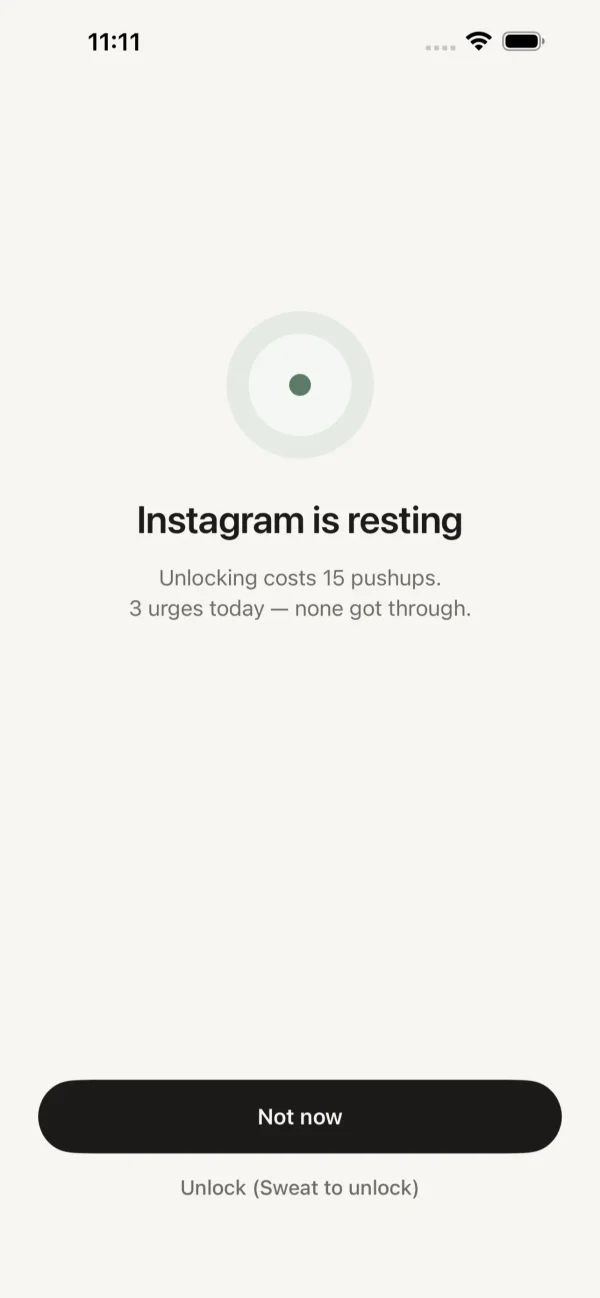

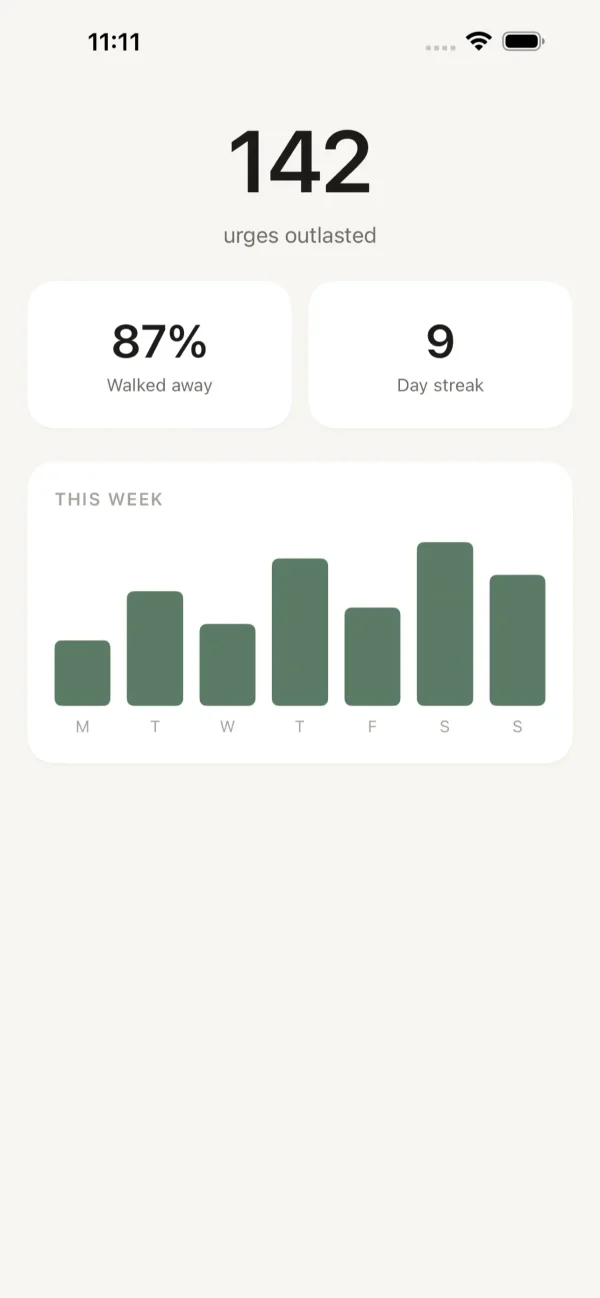
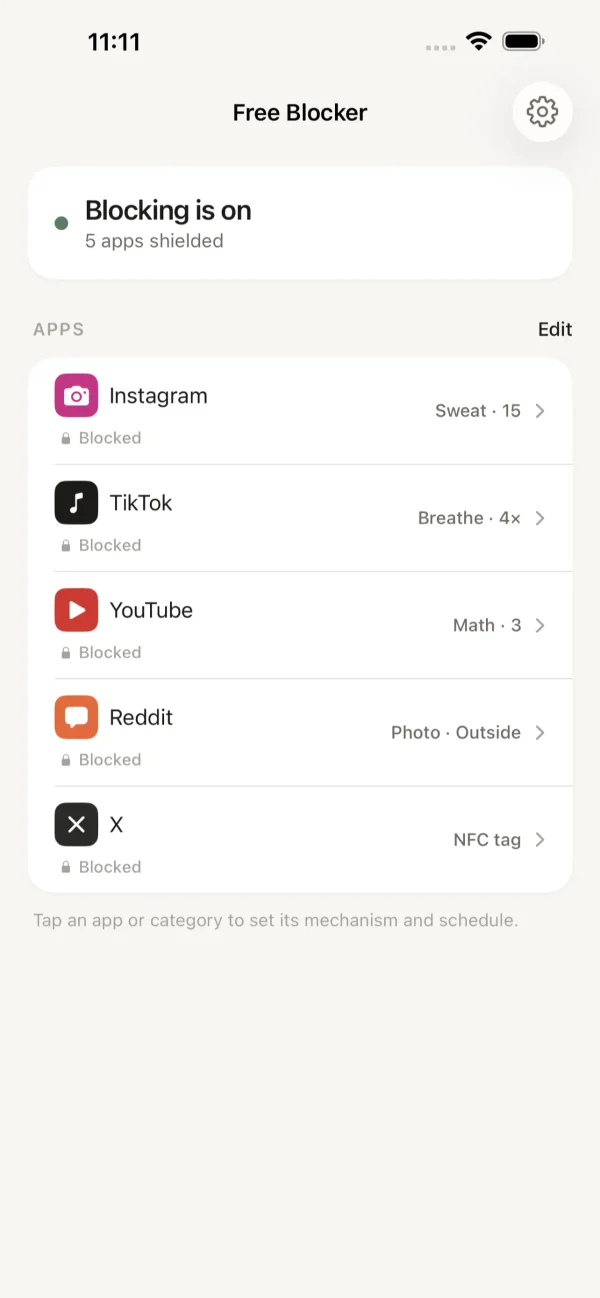


About
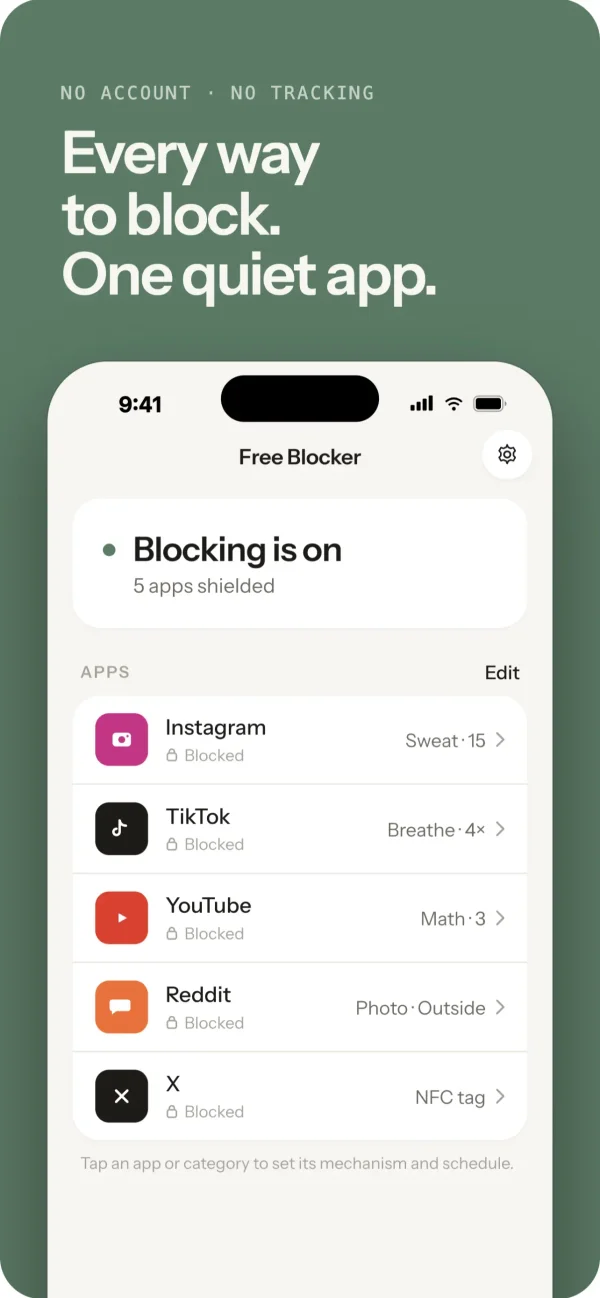
Focus Lab Blocker puts a moment of friction between you and the apps that pull at you — so opening them becomes a choice, not a reflex.
Most blockers are just a wall with an "off" switch. Focus Lab Blocker is different: when you hit a blocked app, you have to earn your way in with a small ritual. By the time you're done, the urge has usually passed.
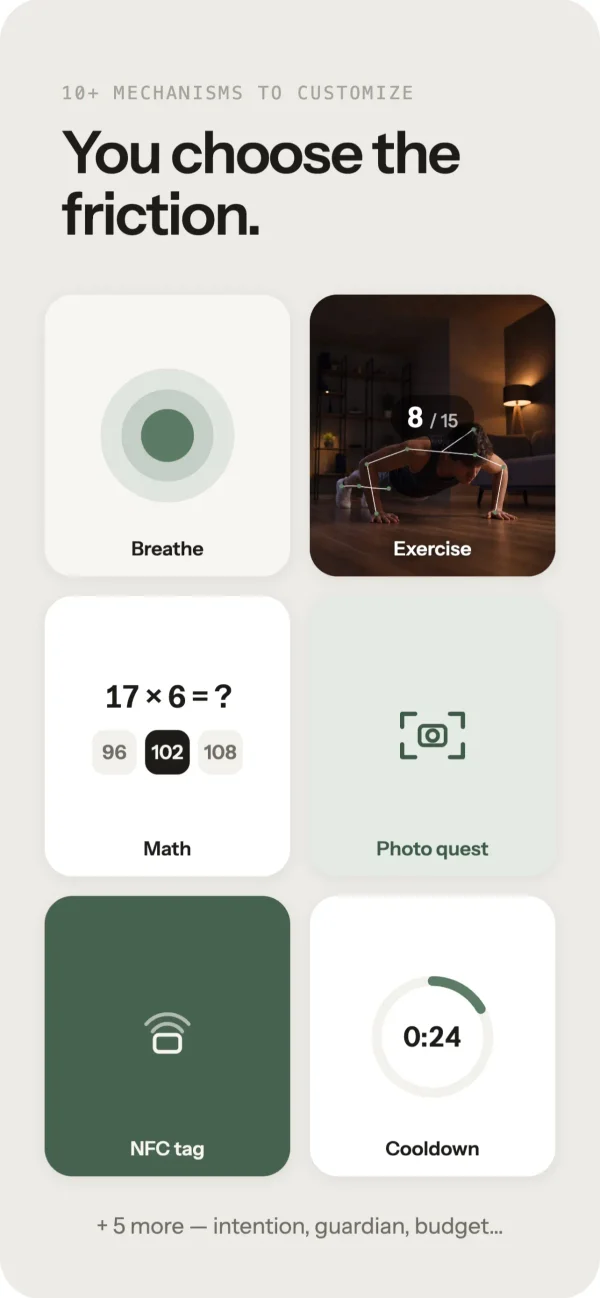
CHOOSE YOUR FRICTION
Every app gets its own unlock ritual:
• Breathe — a few slow breaths before you go in
• Cooldown — wait out a short timer
• Intention — type why you need this app right now
• Math — solve a few quick problems
• Sweat — pushups, squats, or jumping jacks, counted live by the camera
• Photo quest — go photograph grass, a book, the sink… something real
• NFC tag — tap a physical tag you left in another room
• Guardian PIN — a trusted person sets a PIN you don't know
• Daily budget — a fixed number of opens, or minutes, per day
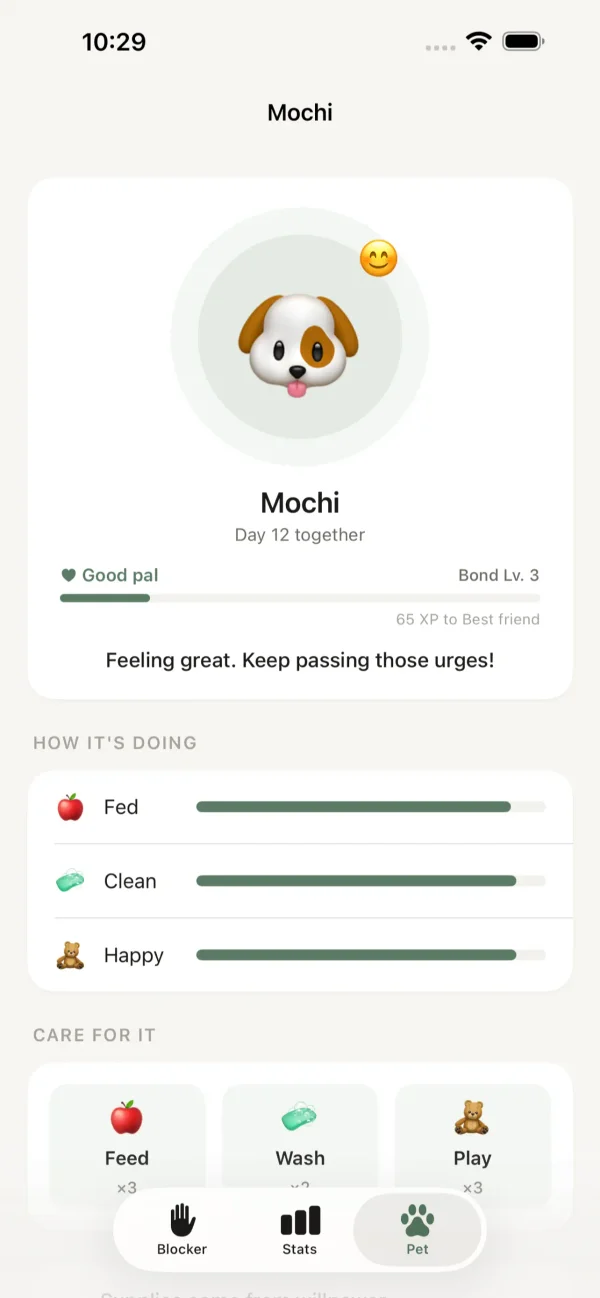
A COMPANION THAT LIVES OFF YOUR WILLPOWER
Adopt a pet that hatches from an egg and lives off your self-control. Every urge that hits a shield dings one of its meters — and every urge you resist earns the care item that heals it. No urges means a healthy pet and nothing to do: it never nags you into opening the app. But let its meters sit empty and it gets sick, and eventually leaves.
BUILT TO RESPECT YOU
• No account, no sign-up.
• No ads.
• Nothing leaves your phone. Photo and exercise checks run entirely on-device with Apple's Vision framework. No servers, because there's no network.
Focus Lab Blocker uses Apple's Screen Time to enforce blocking, so it's as reliable as iOS itself.
Reclaim the ten seconds before the scroll. That's usually all it takes.
What’s new
Version 1.1 · Aug 6, 2026
First: we misspelled our own app's name. Turns out you really do have to Focus to spot the typo — "Foucs Lab Blocker" is now Focus Lab Blocker. Sorry, and also, kind of proud.
New in this version:
• Text a friend — a new unlock mechanism. To open a blocked app, you send a real text to a friend you chose: confess the urge ("It's 1 AM and I'm trying to open Instagram for the 3rd time today…") or just say hi instead of scrolling. Only hitting Send unlocks. Your friend doesn't need the app — they just need to know you.
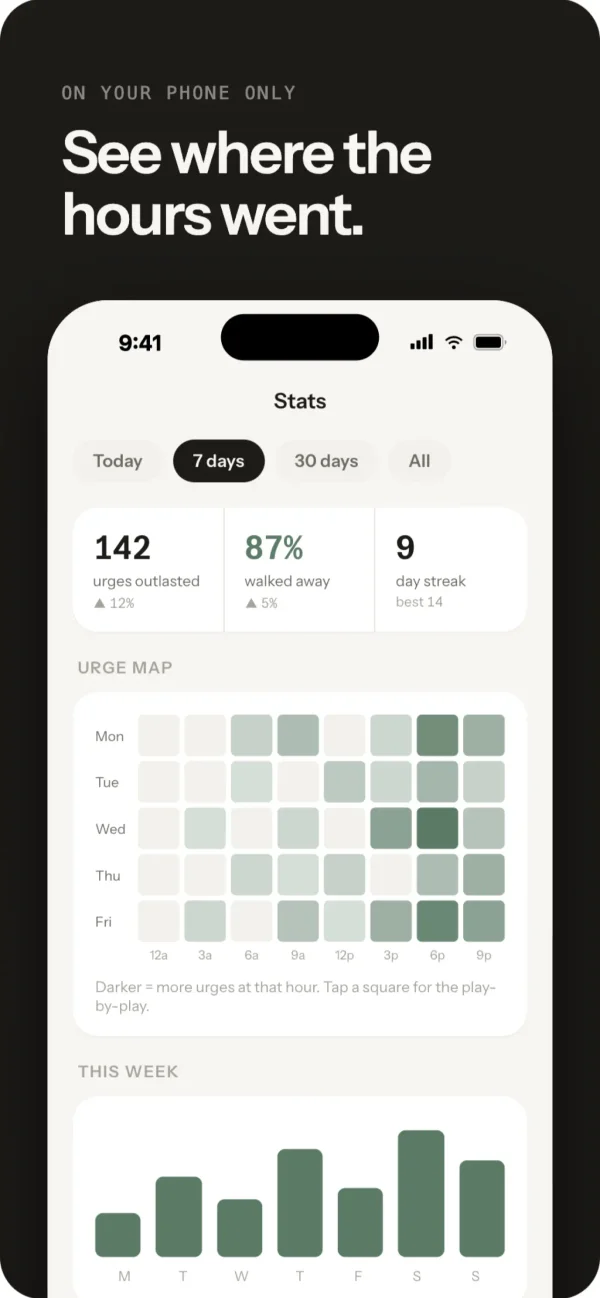
• Share cards — turn your companion ("Both still alive.") or your stats ("70% of my urges died at the door") into clean little images, scoped to the time range you're viewing. Rendered on your phone, shared only when you choose.
• Onboarding now asks for notification permission and explains why: a notification is how the shield hands you off to your unlock ritual.
• Mechanism settings live on the mechanism itself — breaths to take, seconds to wait, message style — right where you pick it.
• Polish: tighter onboarding copy, a steadier mechanism picker, honest button labels throughout.
App privacy
What Szu-Yu Wang declares on the App Store about how this app handles data.
-
Data not collected
The developer does not collect any data from this app.
Privacy practices may vary, for example with the features you use or your age.
Information
- Seller
- Szu-Yu Wang
- Category
- Productivity
- Version
- 1.1
- Updated
- Aug 6, 2026
- Released
- Jul 19, 2026
- Size
- 4.5 MB
- Requires
- iOS 16.0 or later
- Age rating
- 4+
- Price
- Free
- Copyright
- © 2026 FocusLab
You might also like
-
 NuphosYour team’s agents, on the go
-
 decidexRandom Decision Maker
-
 Daily Identity AlignmentIdentity and Goal Reminders
-
 QFlash – Quick FlashcardsCards made fast, powered by AI
-
 Osmi: Audio to Meeting MinutesDecisions and next steps
-
 Focus Labs: Study TimelapsePomodoro Timer & Goal Tracker
-
 Blinker | Eye RestChill
-
 Stillroom FM: Lofi Study TimerChillhop Radio & Sounds
-
 SmriAi Reminder and Calendar, GTD
-
 Cavanion: Locked InLock In. Cultivate Your World.