FocusFlow: Gentle ADHD Timer
Start small, follow through
Designed for iPhone
In-app purchases
- Age rating4+
- CategoryProductivity
- Developer江 吴
- LanguagesEnglish+ 17 more
- Size8.5 MB
Links to the official App Store page
Download.org hosts no file of FocusFlow: Gentle ADHD Timer. The button opens its official App Store page, published by 江 吴. Listing last checked on Nov 8, 2026.
Screenshots
About
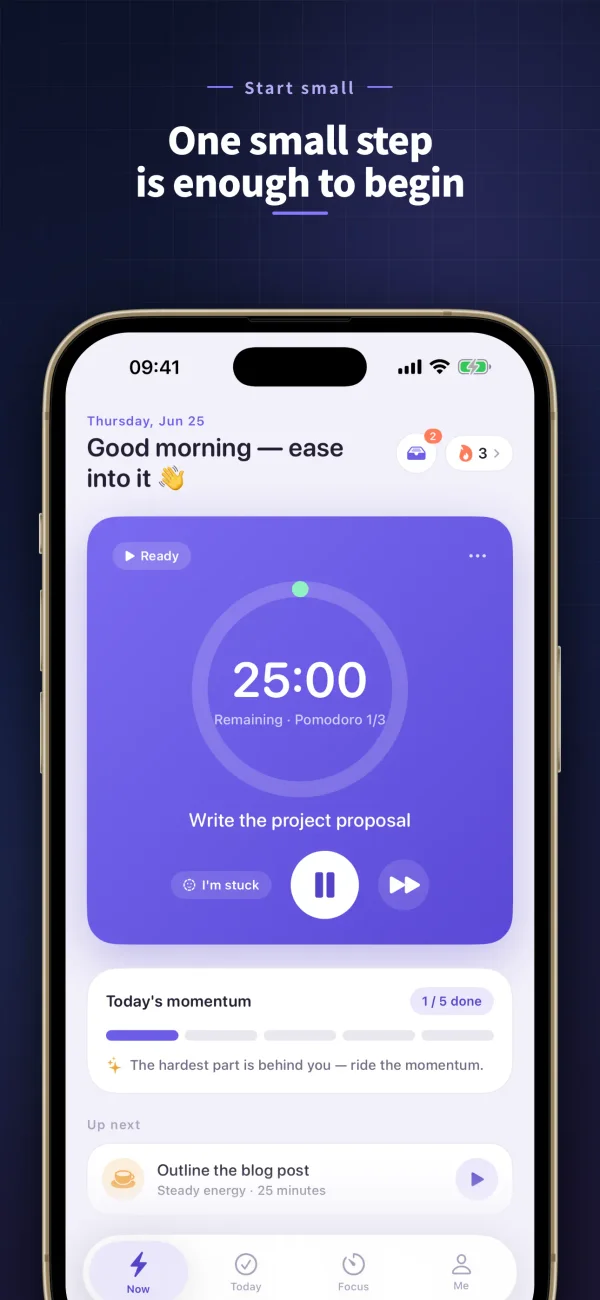
FocusFlow isn't here to push you harder. It's here to make starting easier.
Built for ADHD brains — and anyone who finds "just focus" easier said than done — FocusFlow lowers the barrier at the hardest moment: getting started.
WHY IT FEELS DIFFERENT
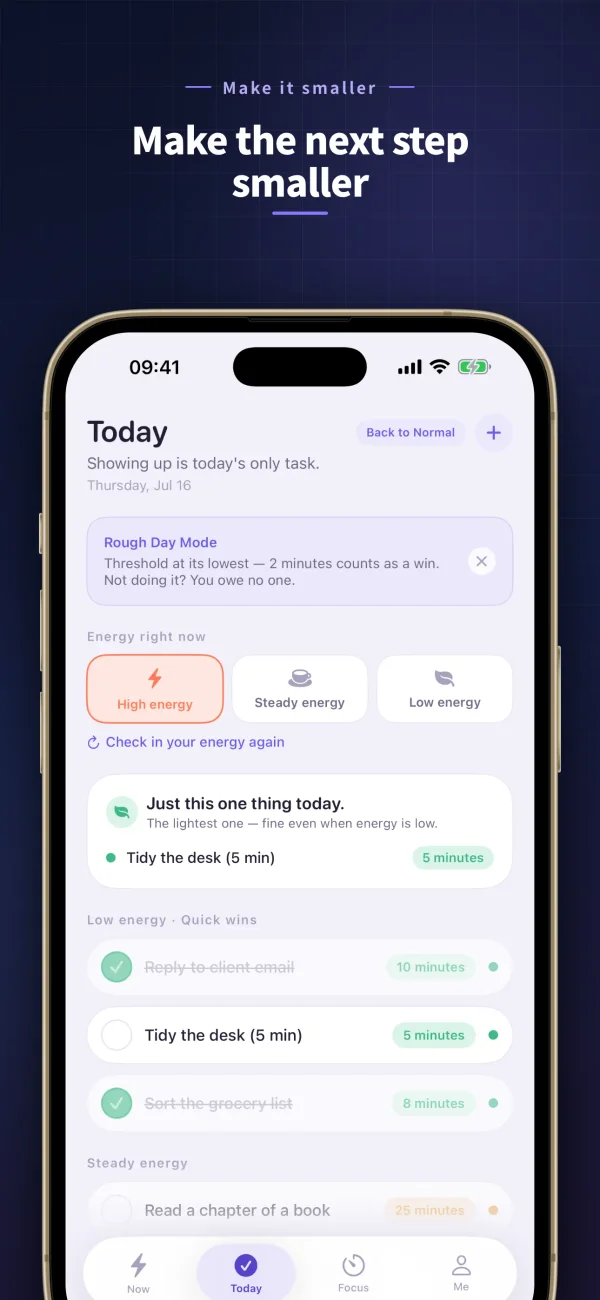
• Start the smallest step. Stuck? FocusFlow hands you a 2-minute first move, not a lecture.
• Work with your energy, not against it. Pick tasks by how you feel right now — high, steady, or low. Every state has its place.
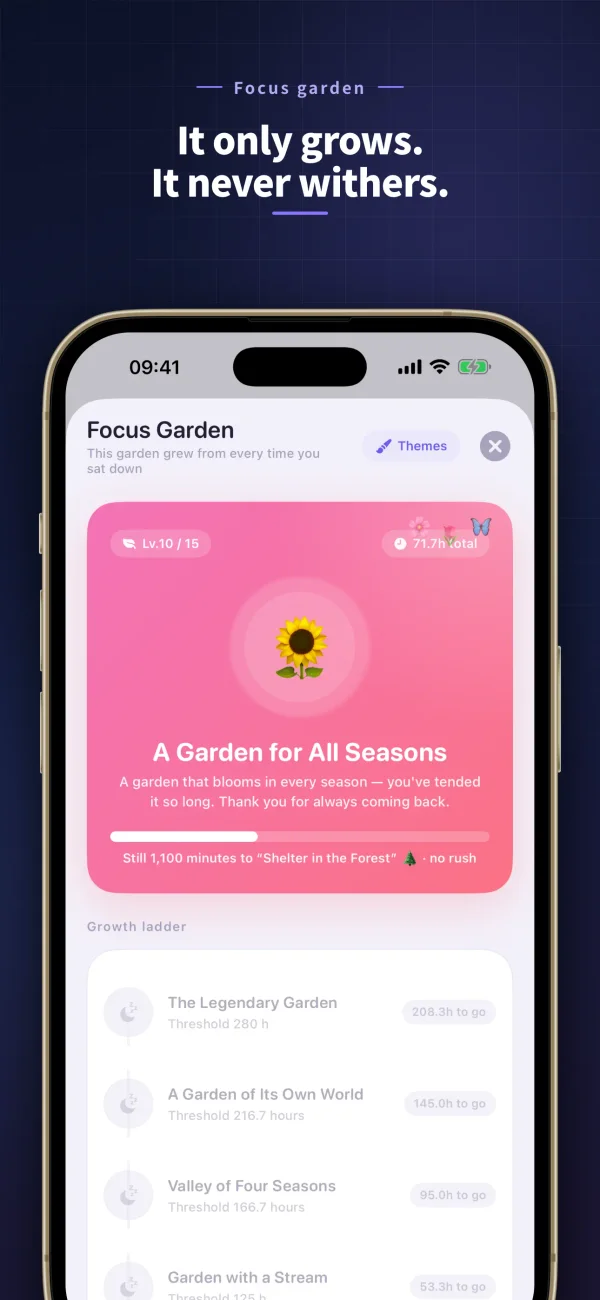
• Rewards for showing up, not output. Every focus session grows your Focus Garden. Miss a day? No penalty, no shame — your garden remembers every minute you came back.
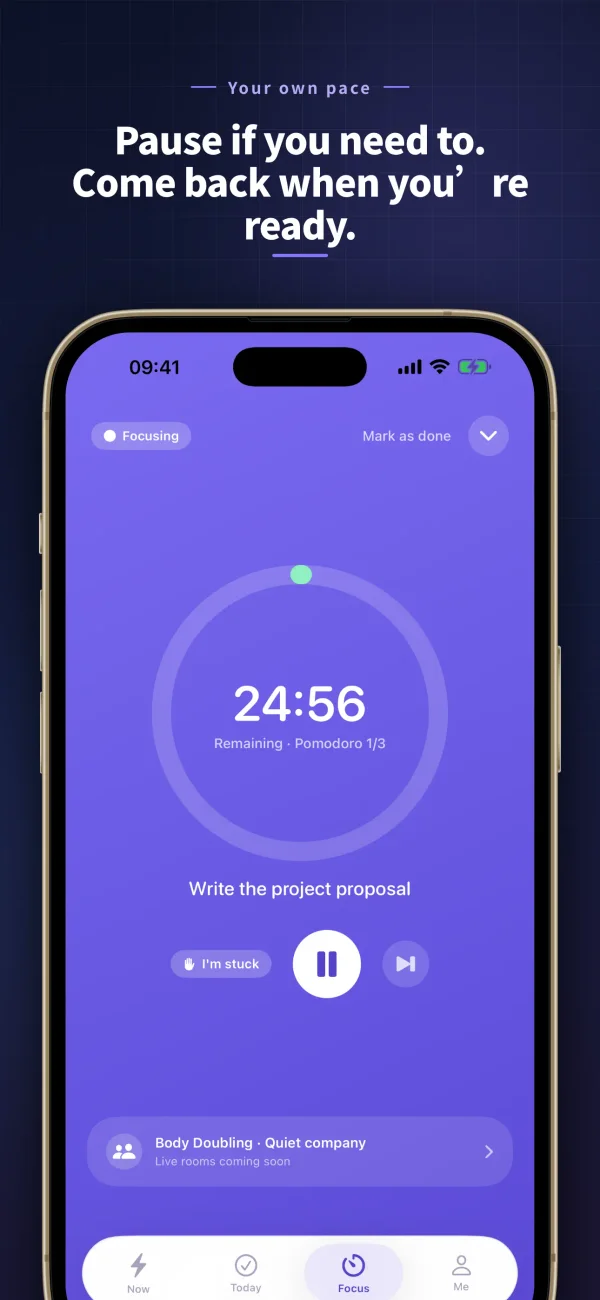
• See time pass. A calm countdown, plus a Live Activity on your Lock Screen and Dynamic Island, so time stops quietly slipping away.
• Catch every thought. Zero-friction Quick Capture — type it or just say it out loud — so ideas don't disappear before you use them.
GENTLE BY DESIGN
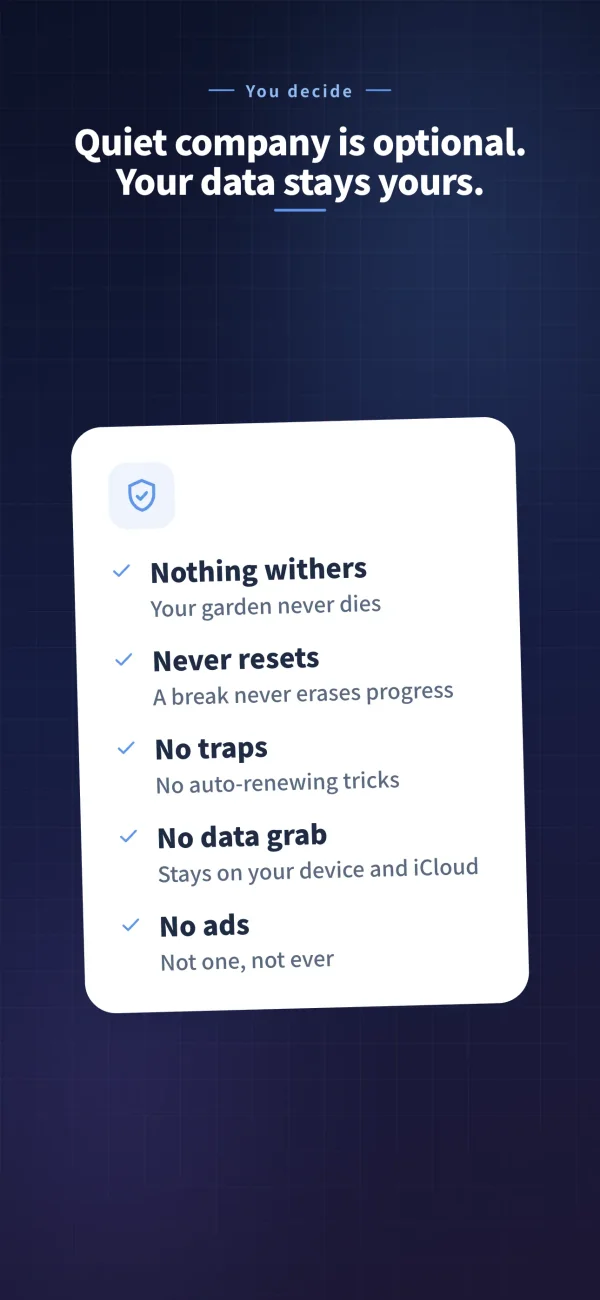
No streak guilt. No monitoring. No "you're behind." FocusFlow is a warm coach, never a taskmaster — because shame is the number-one reason focus apps get deleted.
PRIVATE BY DEFAULT
Your tasks, energy, and garden stay on your device, optionally synced through your own private iCloud. No account needed.
BRING YOUR OWN AI (OPTIONAL)
Want a hand breaking a big task into tiny steps? Add your own API key (works with major AI models). Your key lives in your device's Keychain — never on our servers.
FocusFlow is free. Open it, and start with one small thing.
What’s new
Version 1.9.0 · Nov 2, 2026
Deleted something by mistake? Now you can take it back.
• After you long-press to delete a task on Today, an "Undo" appears at the bottom for 4 seconds. Tap it and the task, its steps and its return cue come back exactly where they were.
• If you tap "End round" before a full minute, it now says "Under a minute, so it wasn't counted" instead of seeming to do nothing.
• The "Focus together" explainer drops a duplicate button and keeps just "Focus alone first".
• In right-to-left languages such as Arabic, arrows now point the right way.
App privacy
What 江 吴 declares on the App Store about how this app handles data.
-
Data linked to you
May be collected and linked to your identity.
- Contact info
- User content
-
Data not linked to you
May be collected but is not linked to your identity.
- Purchases
- Location
- Identifiers
- Usage data
- Diagnostics
Privacy practices may vary, for example with the features you use or your age.
Information
- Seller
- 江 吴
- Category
- Productivity
- Version
- 1.9.0
- Updated
- Nov 2, 2026
- Released
- Jun 27, 2026
- Size
- 8.5 MB
- Requires
- iOS 17.0 or later
- Age rating
- 4+
- In-app purchases
- Yes
- Languages
- English, Arabic, Dutch, French, German, Hindi, Indonesian, Italian, Japanese, Korean, Portuguese, Russian + 6 more
- Copyright
- © 2026 FocusFlow
You might also like
-
 ChronionChronion Time Tracking
-
 Solo Focus: ADHD Task TimerA focus timer for ADHD minds
-
 Viper GTO – Poker TrainerStudy, train and review hands
-
 PurrductivityFocus with cat companions
-
 Klokk: Focus & Pomodoro TimerDeep Work, Study & Flow
-
 LifeHabit - Tiny Habit BuilderMicro-Habits with Fogg Method
-
 Unlock: AI Action&Goal PlannerTurns ideas into actions - AI
-
 Foliamemo - Little MomentsMood & Memories, Daily Life
-
 TimeLog: Time Budget & TrackerLog hours, manage & analyze
-
 aimpathLife Development AI Notebook