- Age rating+4
- CategoryProductivity
- DeveloperAras TOKDEMIR
- LanguagesEnglish
- Size5.1 MB
Links to the official App Store page
Download.org hosts no file of FocusGrid: Task & Routine. The button opens its official App Store page, published by Aras TOKDEMIR. Listing last checked on Nov 18, 2026.
Screenshots
About
FocusGrid: Clarity in Every Grid.
Stop drowning in cluttered lists and overwhelming planners.
FocusGrid is designed for those who value both function and
form. It is a minimalist sanctuary for your productivity,
built on one simple philosophy: Focus on what truly matters.
With its refined "Aether" UI and symmetric design, FocusGrid
transforms your daily chaos into a structured, visual
journey.
WHY FOCUSGRID?
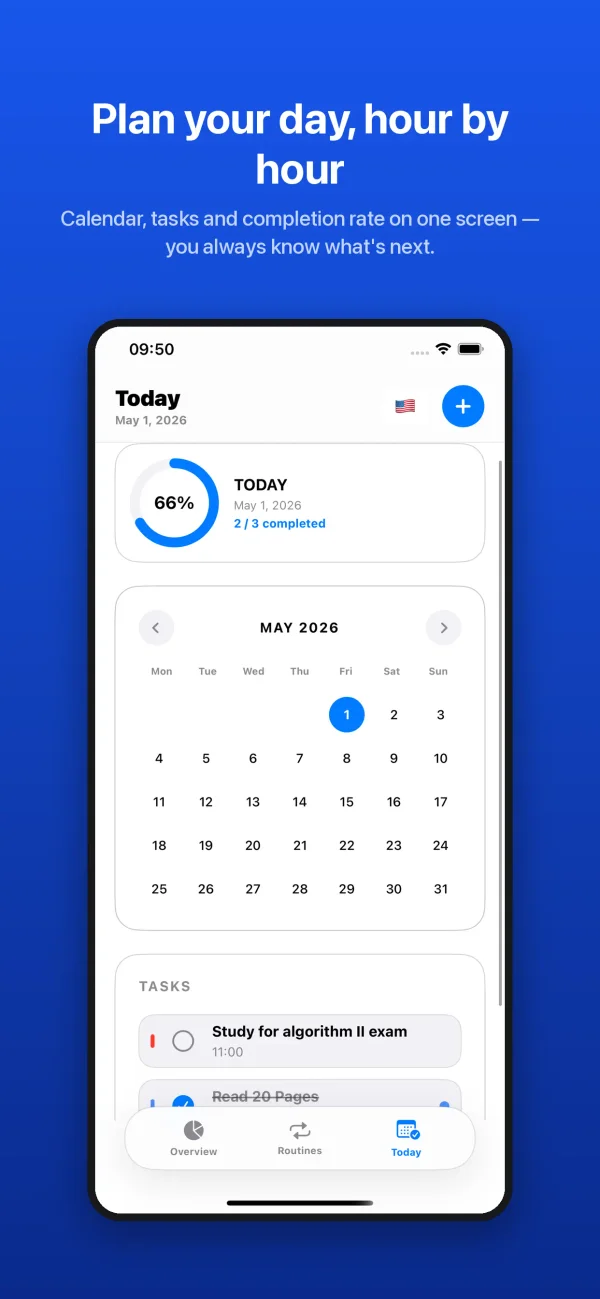
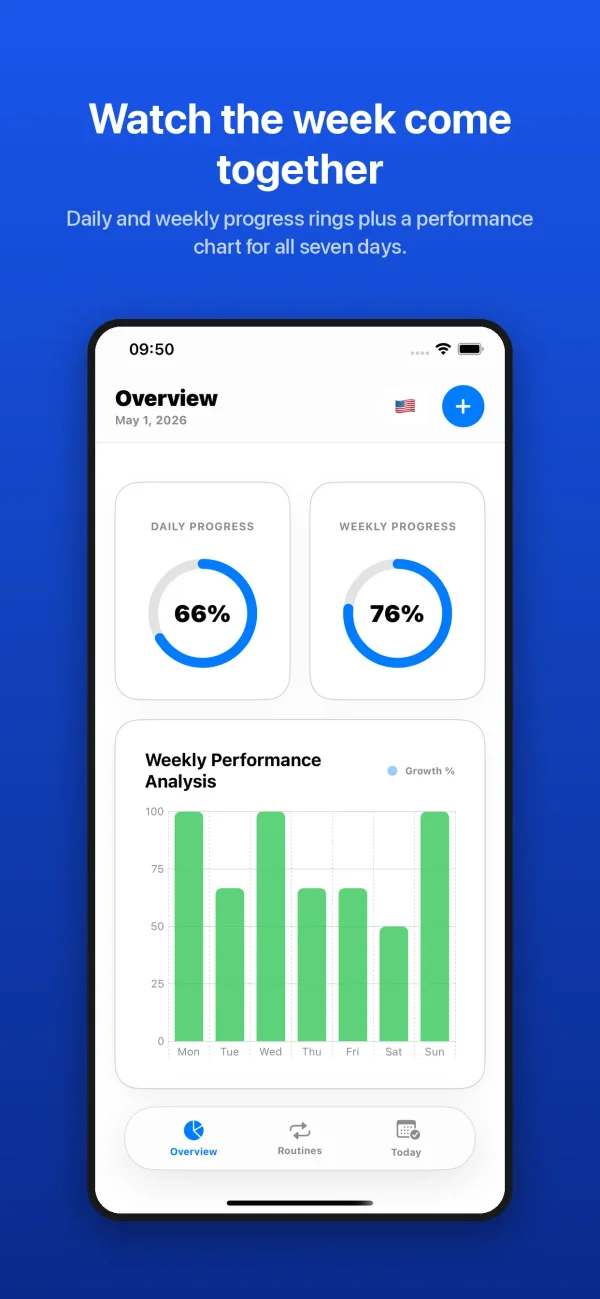
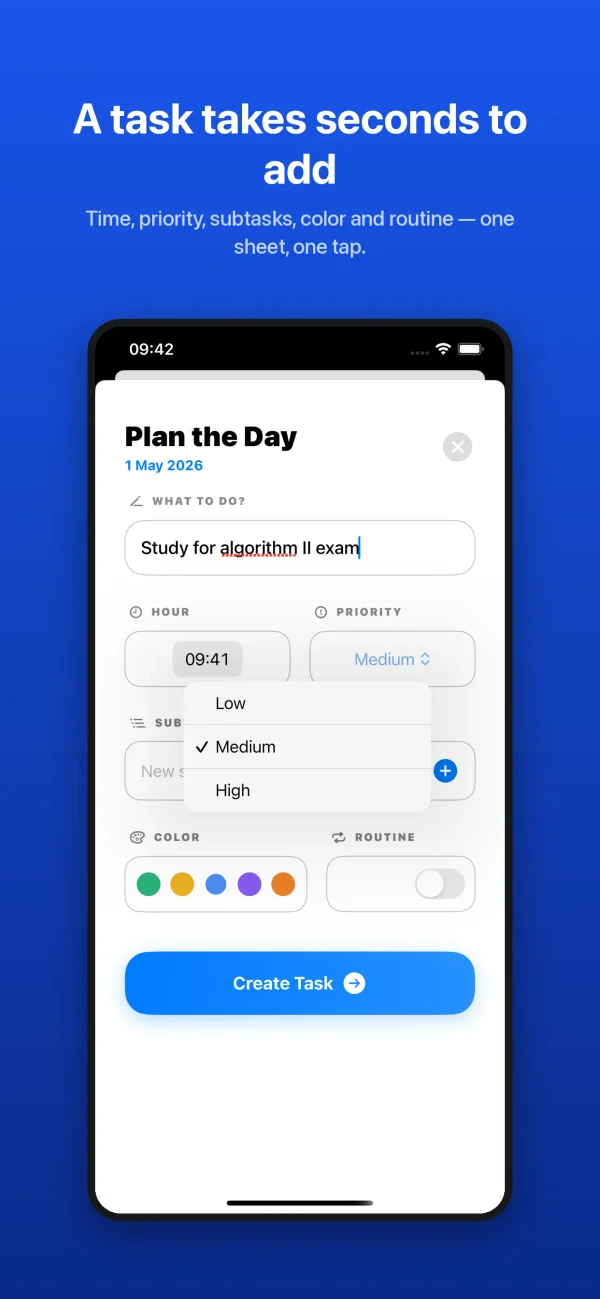
• Visual Intelligence: Don’t just list tasks—visualize them.
Our symmetric progress rings and weekly performance charts
give you an instant pulse on your growth.
• Prioritize with Intent: Not all tasks are equal. Use our
priority system to anchor your most important work at the
top with clear, elegant color indicators.
• Seamless Habit Tracking: Build lasting rituals with our
one-tap habit bar, integrated directly into your overview.
• Subtask Mastery: Break down complex goals into manageable
steps without losing the minimalist feel.
Master your day. Master your focus. Master your grid.
What’s new
Version 2.0.6 · Aug 24, 2026
What's New in This Version
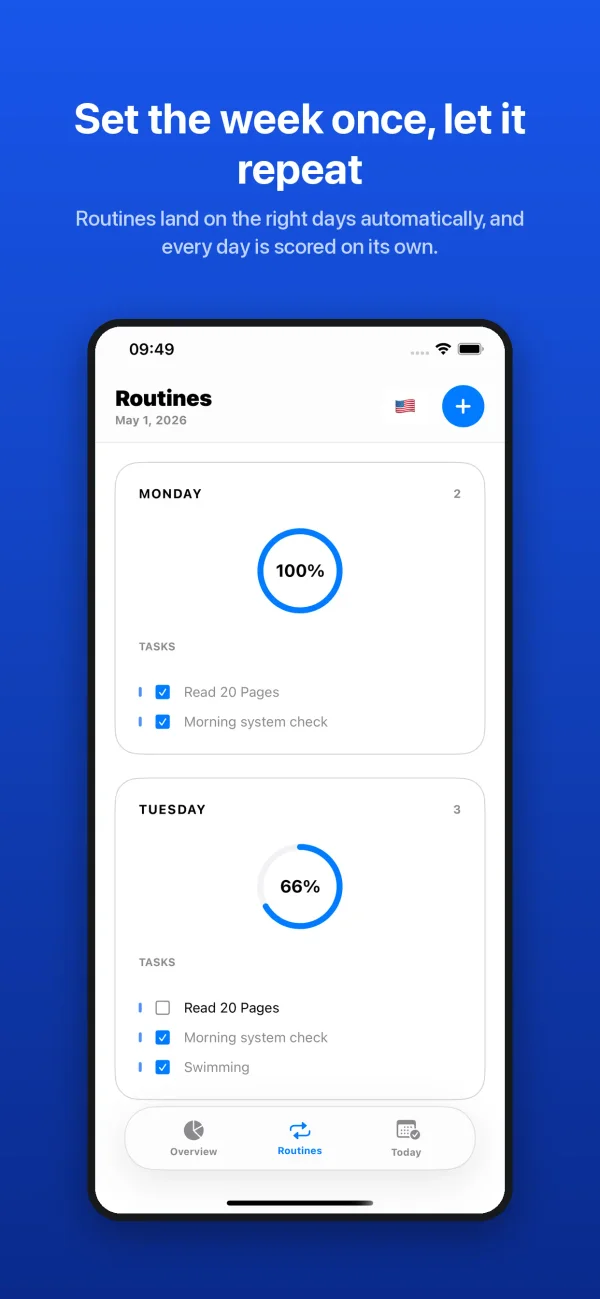
Routines now live on multiple days as a single entry.
-
When creating or editing a routine, you can pick any combination of days (e.g. Monday + Wednesday). No more duplicate tasks per day — one routine shows up on every day you selected.
-
Moving a routine to a different day (e.g. Tuesday → Wednesday) is done from the Routines screen. When you edit a routine from Today, its weekly schedule is preserved — only details like the title and time are updated.
Completion is now per day.
-
Completing a routine on Monday no longer marks it as done for Wednesday. Each day has its own progress — if you did it on Monday, it's still waiting for you on Wednesday.
-
Day-specific completion is reflected in Today, the Weekly Plan, and the Dashboard.
Notifications follow each day's schedule.
-
Multi-day routines get a separate reminder on every selected day, triggered at the routine's own time on each day.
-
When you complete a routine on a given day, that day's notification is cancelled — while the routine's schedule for the coming weeks stays intact.
Widget stays in sync.
-
The home screen widget now shows only the routines that fall on today, and excludes the ones you've already completed today.
App privacy
What Aras TOKDEMIR declares on the App Store about how this app handles data.
-
Data not collected
The developer does not collect any data from this app.
Privacy practices may vary, for example with the features you use or your age.
Information
- Seller
- Aras TOKDEMIR
- Category
- Productivity
- Version
- 2.0.6
- Updated
- Aug 24, 2026
- Released
- May 4, 2026
- Size
- 5.1 MB
- Requires
- iOS 18.6 or later
- Age rating
- +4
- In-app purchases
- Yes
- Languages
- English
- Copyright
- © 2026 Aras Tokdemir
You might also like
-
 The Decision NavigatorClarity for career decisions
-
 Task&Log: Plan & ReflectPlan tasks, log what happened
-
 DecisionOSCompare. Evaluate. Invest.
-
 PeakTask: Ranked To-Do ListDo More with Smart Task Lists
-
 How Many Times: Life RecorderDaily Habit & Life Log Tracker
-
 SimplyTask: To-Do & ReminderTask Manager with Focus Mode
-
 Habitly: Goal & Mood TrackerBuild Habits, Track Streaks
-
 Focus Grid - Habit TrackerVIsualize Your Habits
-
 WeekOS: Weekly Planner & GoalsBrain Dump & Habit Calendar
-
 SnapTask – Plan Your LifePlan goals, focus, get rewards