
Focusity: Concentration Timer
Dopamine detox & app blocker
Designed for iPhone, iPad
Free · In-app purchases
- Age rating4+
- CategoryProductivity
- DeveloperHiroaki Arimura
- LanguagesEnglish+ 8 more
- Size163.0 MB
Links to the official App Store page
Download.org hosts no file of Focusity: Concentration Timer. The button opens its official App Store page, published by Hiroaki Arimura. Listing last checked on Nov 22, 2026.
Screenshots

About
You sat down to get things done. An hour later, you're still scrolling.
A quick check turns into endless feeds, videos, and headlines — and the work, the studying, the things that actually matter slide to "later." When you finally look up, all that's left is the same quiet guilt: another day, nothing moved.
It's not that your willpower is weak. These apps are engineered by the smartest people and the biggest budgets in the world to do one thing: take your time.
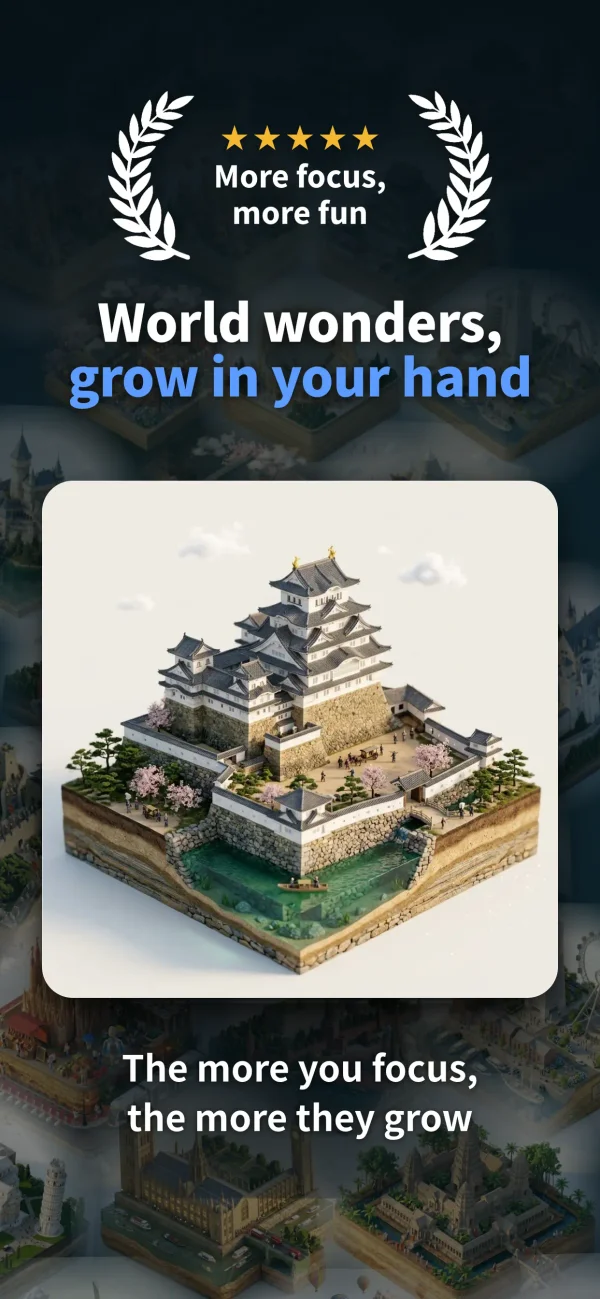
So Focusity stopped fighting them on willpower alone. Instead, the time you spend off your phone turns into something you can see — a world wonder, rising one stage at a time. It turns "resisting" into "building."
HOW IT WORKS
1. Pick how long you want to focus (5–120 minutes) and start
2. Every focused minute builds a world landmark — the Sagrada Família, the Taj Mahal, and more — stage by stage
3. Finish it, and it's yours to keep in your collection
Optional: choose apps to block, and they stay locked during your session
Because the payoff is something you can actually see, it's a habit that sticks.
BUILT FOR YOU IF
• You reach for your phone without thinking, and nothing gets done
• Plain focus timers felt too cold to stick with
• You want to cut your screen time — but actually enjoy doing it
FEATURES
— Focus, and Wonders Rise
While you focus, a diorama slowly takes shape. The Taj Mahal, the floating torii of Itsukushima, the Sagrada Família, Angkor Wat — build the world's landmarks with your own focus.
— Ambient Sounds for Deep Focus
Rainfall, ocean waves, a flowing river, brown noise. Put on a study-friendly soundscape and sink into your work. Forest breezes, summer-night insects, quiet space, and more unlock with Premium.
— Block Apps & Sites
Auto-block the apps and websites you don't want to open during a session (powered by iOS Screen Time). Try to open one, and you'll see how many minutes are left and how much focus time you've already banked. So a reflexive tap on a feed doesn't cost you the session.
— Home Screen Widget
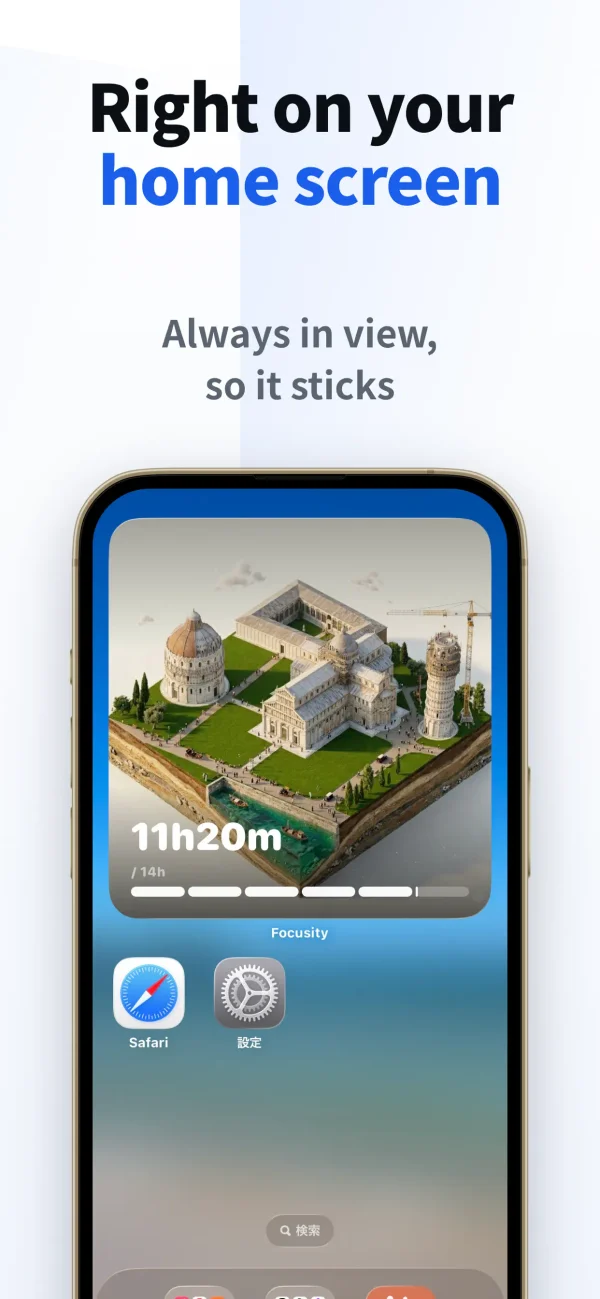
Your building-in-progress and today's focus time, right on your Home Screen. You see how far you've come without opening the app — and your hand stops reaching for the phone.
— Collection
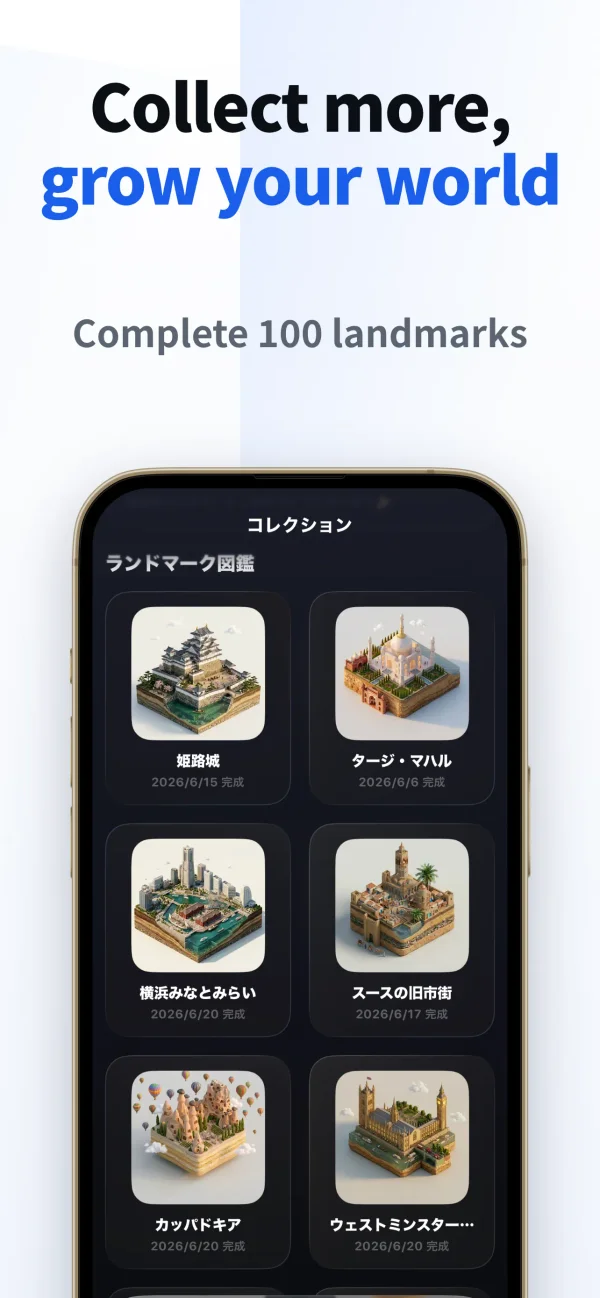
Every finished landmark goes into your collection. The row of wonders you've built is proof of every minute you stayed focused.
— Bonuses That Keep You Moving
Early stages finish fast, so your first sense of progress comes quickly. And if you keep resisting your phone after the timer ends, that time counts toward your build as a bonus.
— AI Craft: A City That's Only Yours
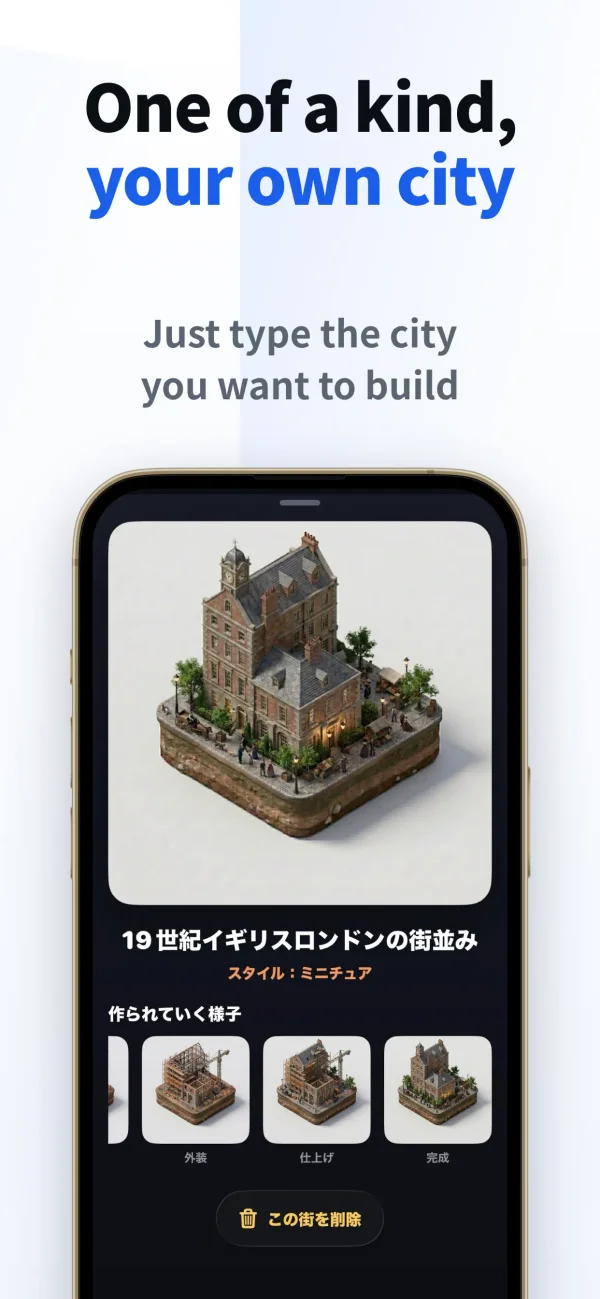
Enter any theme and AI generates a one-of-a-kind city, made just for you — your own companion to keep you focused. Each city you create uses one Craft Ticket (sold separately, not included in Premium).
— Share
Share your finished landmarks and original cities to social media in a single tap.
FOCUSITY PREMIUM
• Build premium-exclusive landmarks like Kinkaku-ji and Mont-Saint-Michel
• Pick exactly which landmark to build (free plan: random)
• See finished landmarks at sunset and lit up at night
• View them close-up, looking up, and from the other side
• Show your finished builds on the widget
• Use every ambient soundscape
PRIVACY
Your focus time and building data are stored on your iPhone.
Note: only when you use the AI Craft feature, the theme you enter is sent to a server to generate your city (the images are AI-generated).
SUBSCRIPTION
• Payment is charged to your Apple ID account
• Auto-renews unless canceled at least 24 hours before the current period ends
• Manage or cancel anytime in iPhone Settings → [your name] → Subscriptions
Terms of Use: https://hiro0211.github.io/focusity-legal/terms.html
Privacy Policy: https://hiro0211.github.io/focusity-legal/privacy.html
What’s new
Version 2.2.21 · Nov 18, 2026
Minor improvements
App privacy
What Hiroaki Arimura declares on the App Store about how this app handles data.
-
Data used to track you
May be used to track you across apps and websites owned by other companies.
- Identifiers
-
Data linked to you
May be collected and linked to your identity.
- Purchases
- Location
- Contact info
- User content
- Identifiers
- Usage data
- Diagnostics
- Other data
-
Data not linked to you
May be collected but is not linked to your identity.
- Diagnostics
Privacy practices may vary, for example with the features you use or your age.
Information
- Seller
- Hiroaki Arimura
- Category
- Productivity
- Version
- 2.2.21
- Updated
- Nov 18, 2026
- Released
- Jun 18, 2026
- Size
- 163.0 MB
- Requires
- iOS 26.0 or later
- Age rating
- 4+
- Price
- Free
- In-app purchases
- Yes
- Languages
- English, French, German, Japanese, Korean, Polish, Portuguese, Simplified Chinese, Spanish
- Copyright
- © 2026 Hiroaki
You might also like
-
 Nook: Cozy Virtual Study RoomAmbient sounds & body doubling
-
 OAZUKEPhone down, treat chilling
-
 もちのう: スマホ依存対策・スクリーンタイム制限Productivity
-
 HabitCity - Build with HabitsTrack habits, build landmarks
-
 SideFlow|集中タイマー・スマホ制限・勉強と仕事の記録Productivity
-
 SwingCat - Focus TimerProductivity
-
 Zentime: Screen Time ControlSet limits. Auto-lock apps
-
 Sandbar - ADHD Focus TimerPomodoro that grows an island
-
 集中旅行者 - フォーカスフライトでスマやめ 勉強時間記録Productivity
-
 Cat's Study: Focus TimerPomodoro, Stopwatch & Tracker