FocusPro AI: Focus Timer
Pomodoro, Study & App Blocker
Designed for iPhone, iPad, iPod touch
In-app purchases
- Age rating4+
- CategoryProductivity
- DeveloperAkash Lukhi
- LanguagesGerman+ 32 more
- Size55.5 MB
Links to the official App Store page
Download.org hosts no file of FocusPro AI: Focus Timer. The button opens its official App Store page, published by Akash Lukhi. Listing last checked on Nov 23, 2026.
Screenshots


About
FocusPro AI is a focus timer, Pomodoro timer and app blocker in one, with Ori, an AI coach that helps you plan the day. Made for students, deep work and anyone who loses hours to their phone.
Start free with the full timer, Pomodoro, tasks and notes. Pro adds the app blocker, Ori the AI coach and your focus stats: pay monthly, yearly or once with Lifetime.
FOCUS YOUR WAY
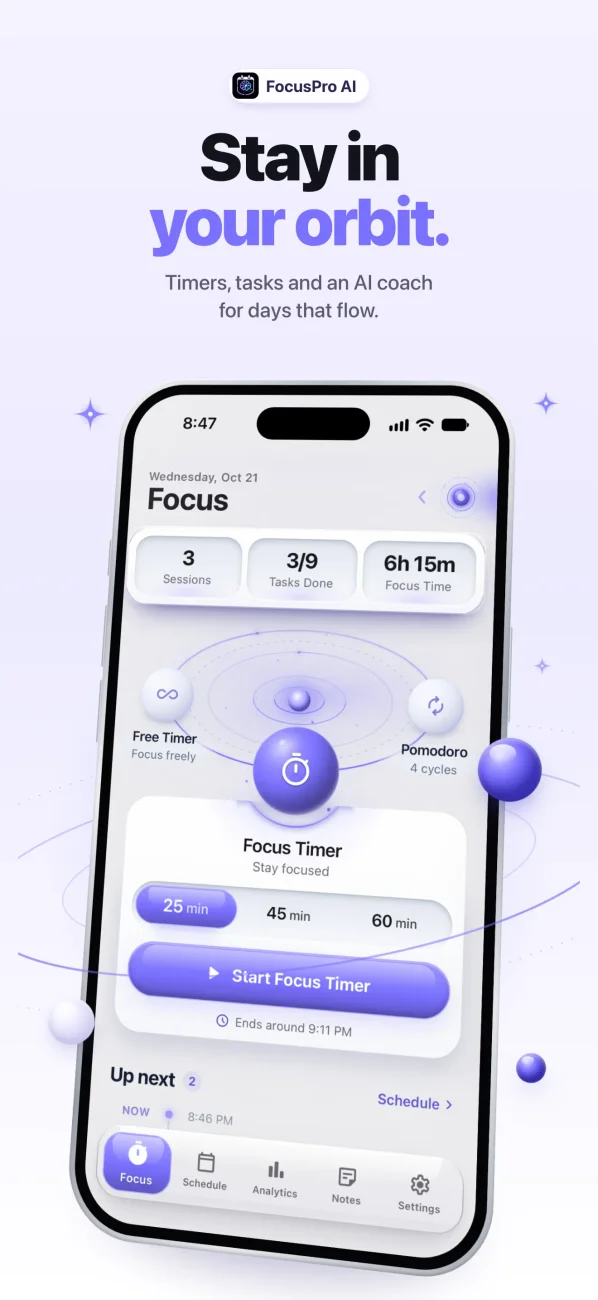
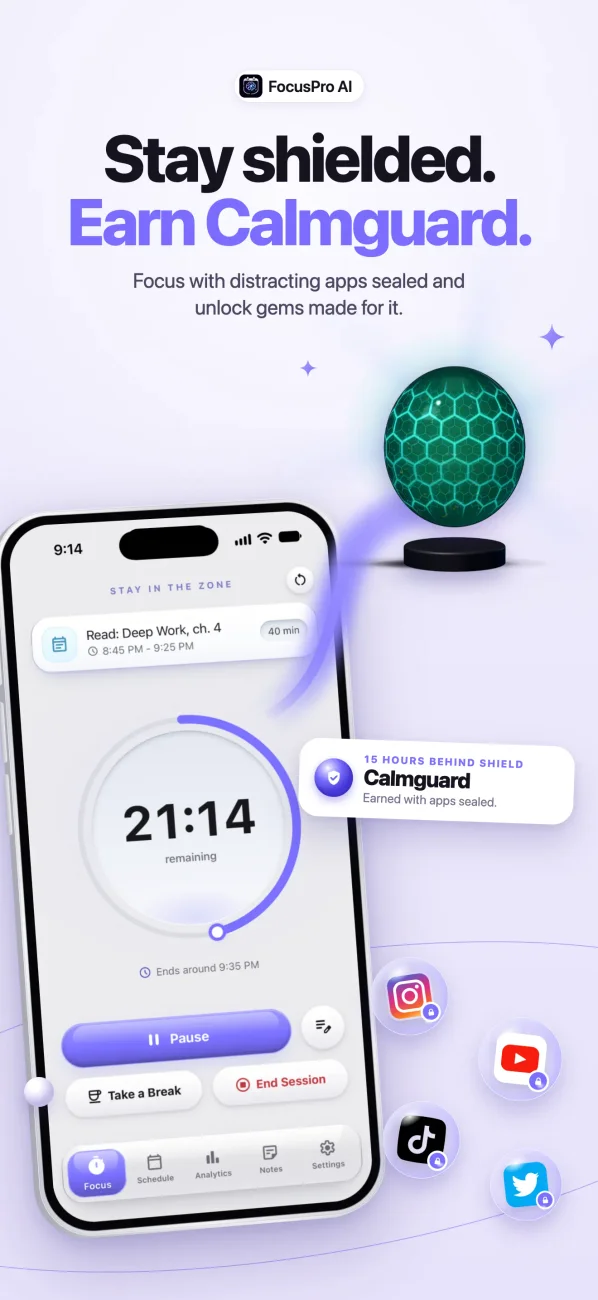
- Pomodoro: four 25-minute focus rounds with 5-minute breaks and a 15-minute long break
- Focus Timer: 25, 45 or 60-minute sprints
- Free Timer: an open-ended count-up for long study and deep work sessions
- Your timer stays on the Lock Screen and in the Dynamic Island while it runs
- Start a focus session from any task, timed to its length
BLOCK DISTRACTING APPS (Pro)
- Distraction Shield blocks the apps and categories you pick during every focus session
- Lock now: lock distracting apps for 15 minutes to 2 hours, even without a session
- Pausing the timer never unblocks your apps, and a lock has no early exit
- Built on Apple's Screen Time: Apple keeps your app choices private, even from us
- While a shield runs, FocusPro AI can't be deleted, a speed bump for weak moments
REVISION AND EXAM SEASON
- Pomodoro rounds for revision, homework and reading, with breaks built in
- A revision timetable as tasks with start times, lengths and reminders
PLAN THE DAY
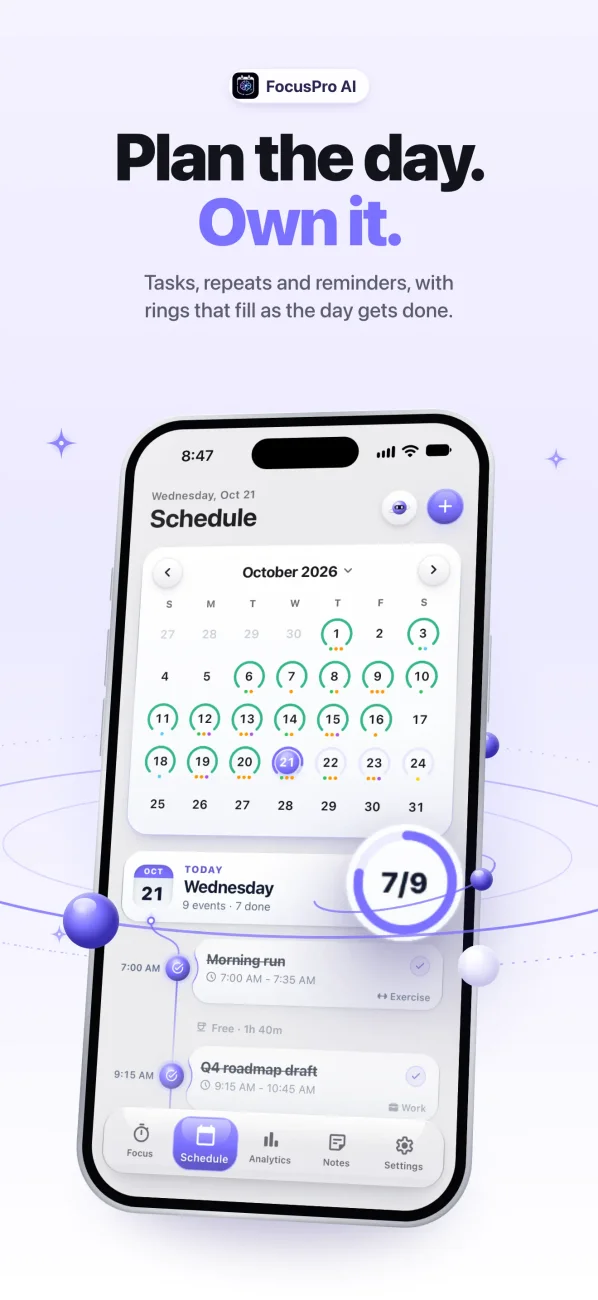
- Tasks with priorities, categories, reminders and daily, weekly or monthly repeats
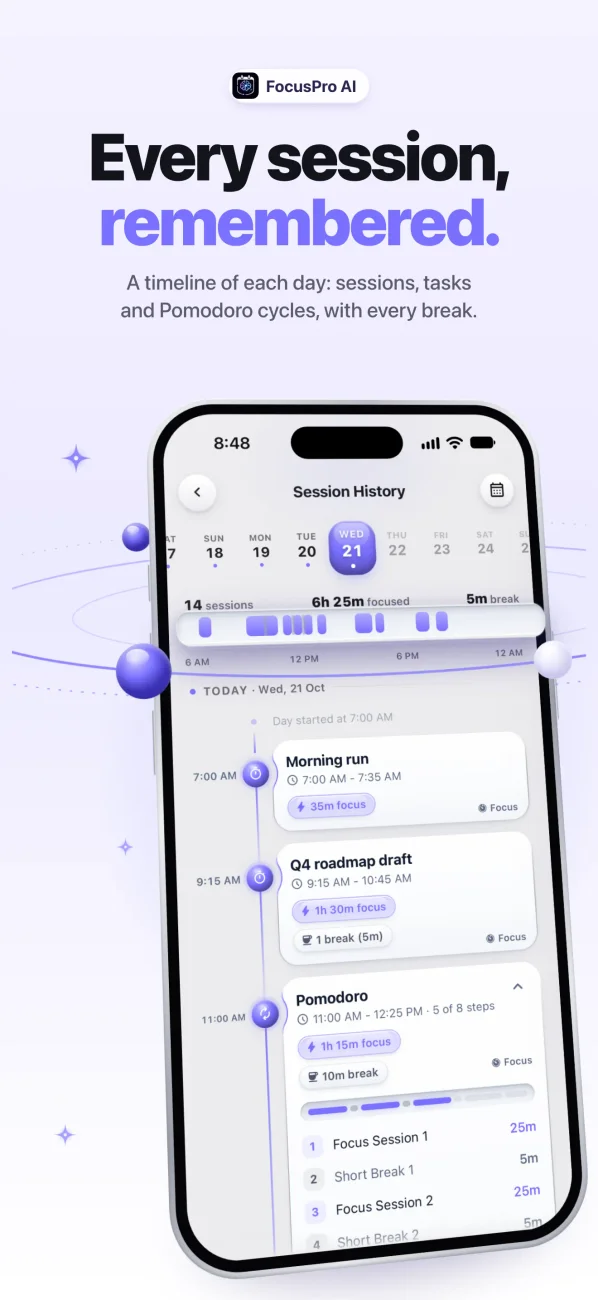
- A daily timeline with Up next, free time and missed items
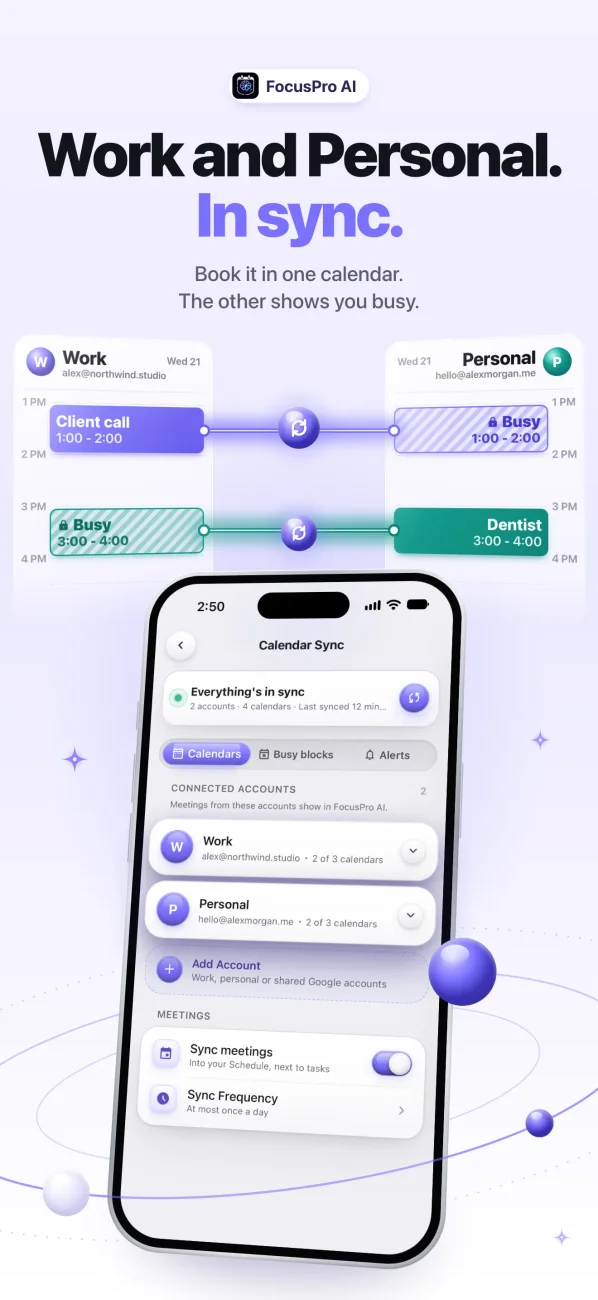
- Google Calendar sync for several Google accounts, with clash warnings (Pro)
- Block busy time: your tasks appear as anonymous "Focusing Session" blocks in your calendars, never with their real names (Pro)
ORI, YOUR AI COACH (Pro)
- Chat with Ori about your focus, your tasks and your week, by typing or speaking
- Say or type a task in plain words and Ori turns it into a ready-to-save task
- AI reports on your own day, week or month, with an action plan
PROGRESS (Pro)
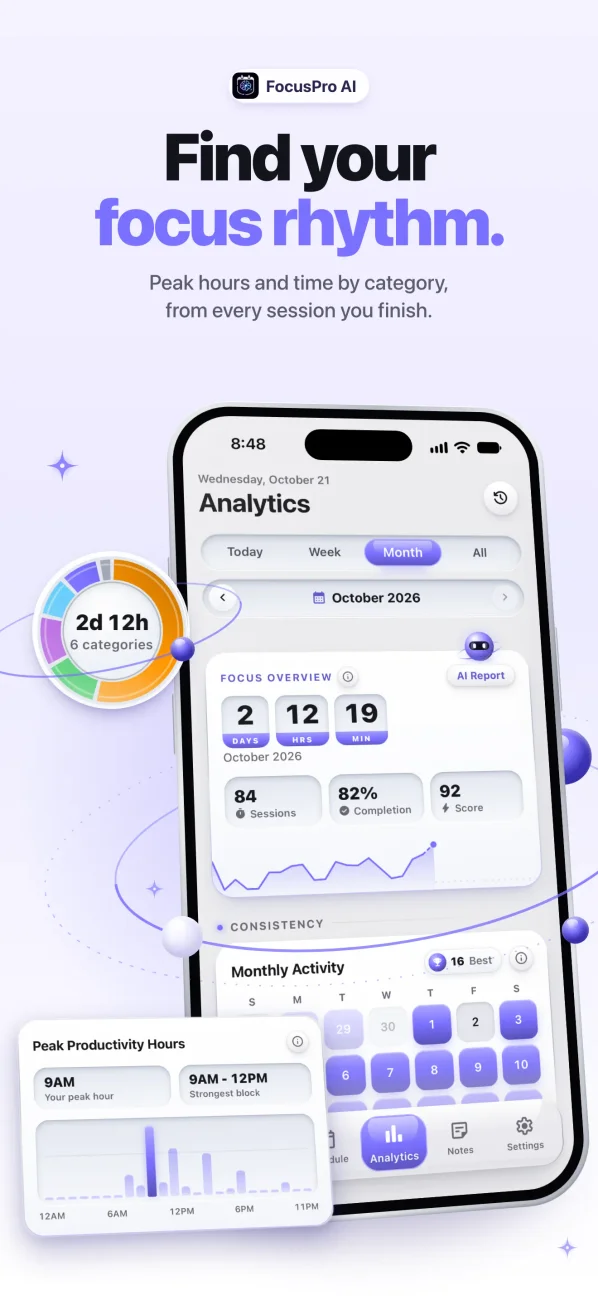
- Analytics: focus time, active days, peak hours, categories, tasks and Pomodoro cycles
- Session History: every session, break and finished task, day by day
PRIVATE NOTES
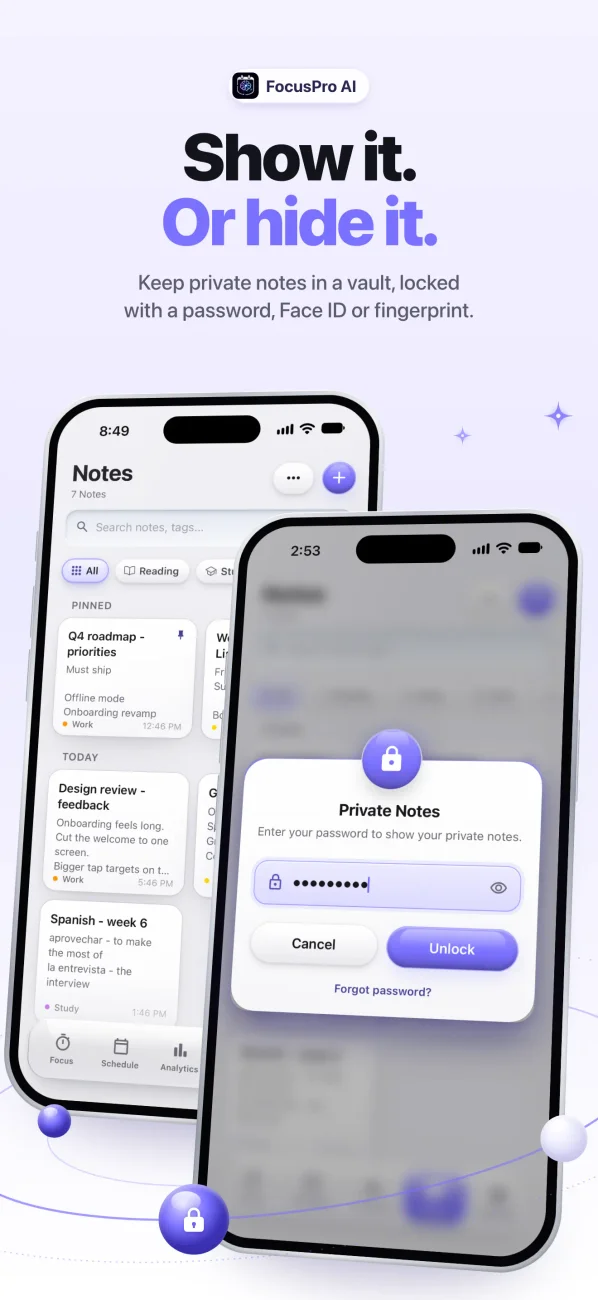
- Notes in the same categories as your tasks, with tags, pins and search
- Hide private notes behind a password, Face ID or Touch ID (locking new notes is Pro, unhiding is always free)
MAKE IT YOURS
- Six home screen widgets: Focus Shortcut, Today's Tasks, Next Task, Daily Progress, Weekly Stats and Next Clash (Pro)
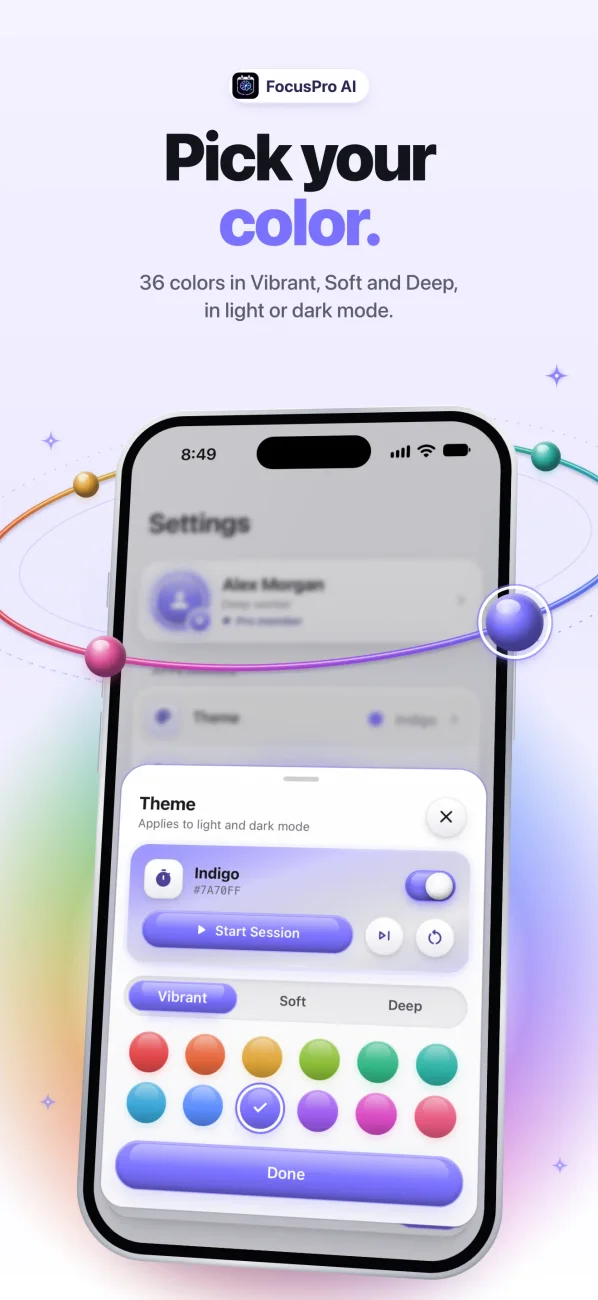
- 36 theme colours in light and dark mode (2 free, all 36 with Pro)
- Available in 33 languages
PRIVATE BY DESIGN
- No account needed. Your tasks, notes and focus sessions stay on your iPhone
- Optional Cloud Backup to iCloud or Google Drive (Pro)
FREE AND PRO
Free: the full focus timer, Pomodoro, tasks with reminders and repeats, and notes.
Pro: Distraction Shield, Ori the AI coach, Analytics, Session History, Google Calendar sync, widgets, Cloud Backup, custom categories, all theme colours and locking new hidden notes. One Pro plan unlocks everything. Pay monthly or yearly, or pay once with Lifetime: no renewals.
FAQ
Can FocusPro AI block apps while I study?
Yes, with Pro. Distraction Shield blocks the apps you choose during every focus session, and Lock now blocks them for a set time without a session.
Is there a Pomodoro timer with an app blocker?
Yes, with Pro. The apps you pick stay blocked for every Pomodoro focus round, even when you pause.
Does it work offline, and where is my data?
The timer, tasks and notes work offline; only AI, calendar sync and backup need internet. Your tasks, notes and sessions stay on your iPhone and no account is needed. AI features send only the text they need, such as your question.
Subscriptions renew automatically unless cancelled at least 24 hours before the end of the current period. Manage or cancel them in your App Store account settings.
Terms of Use: https://focusproai.app/terms-of-service.html
Privacy Policy: https://focusproai.app/privacy-policy.html
What’s new
Version 1.5.4 · Nov 18, 2026
A few bug fixes and improvements.
App privacy
What Akash Lukhi declares on the App Store about how this app handles data.
-
Data not collected
The developer does not collect any data from this app.
Privacy practices may vary, for example with the features you use or your age.
Information
- Seller
- Akash Lukhi
- Category
- Productivity
- Version
- 1.5.4
- Updated
- Nov 18, 2026
- Released
- May 20, 2026
- Size
- 55.5 MB
- Requires
- iOS 15.1 or later
- Age rating
- 4+
- In-app purchases
- Yes
- Languages
- German, Arabic, Danish, English, Finnish, French, Greek, Hebrew, Hindi, Indonesian, Italian, Japanese + 21 more
- Copyright
- © 2026 Akash Lukhi
You might also like
-
 TaskFlow: AI PlannerAI Task & Timetable Planner
-
 AtomicWins: AI Goal PlannerTurn goals into tiny wins
-
 TREE.Ai - Know Yourself.Local, Private, Sovereign Ai.
-
 Listen AI ProRecord, transcribe, analyze
-
 Zeno: Screen Time & FocusBlock apps, earn back time
-
 AquaHabitGamify Habits & Focus
-
 DailyKit · AI Coach & HabitsYour AI Wellness Coach
-
 Daystack: AI Focus PlannerFocus Better. Achieve More.
-
 365 - Todo & Habit TrackerDaily Planner & AI Coach
-
 Atlas: Tasks & FocusTo-do, agenda & focus timer