
FocusScreen: Lock Screen Tasks
To-Do List in Dynamic Island
Designed for iPhone, iPad
Free · In-app purchases
- Age rating4+
- CategoryProductivity
- Developer璞 菅
- LanguagesEnglish+ 1 more
- Size10.0 MB
Links to the official App Store page
Download.org hosts no file of FocusScreen: Lock Screen Tasks. The button opens its official App Store page, published by 璞 菅. Listing last checked on Nov 15, 2026.
Screenshots
About
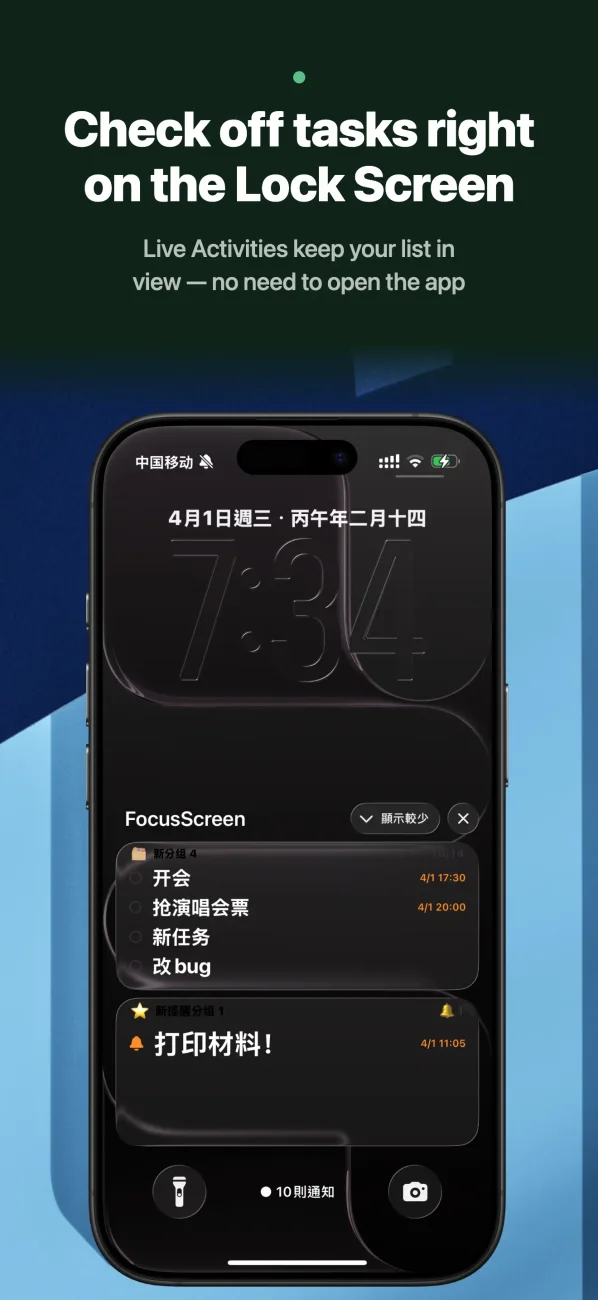
FocusScreen puts today's tasks on your Lock Screen and in the Dynamic Island. See what's next at a glance and check it off with a tap — no need to open the app.
LIVE ACTIVITIES ON YOUR LOCK SCREEN
• Grouped tasks stay on the Lock Screen and Dynamic Island with clear progress
• Complete tasks right from the Lock Screen; the app stays in sync
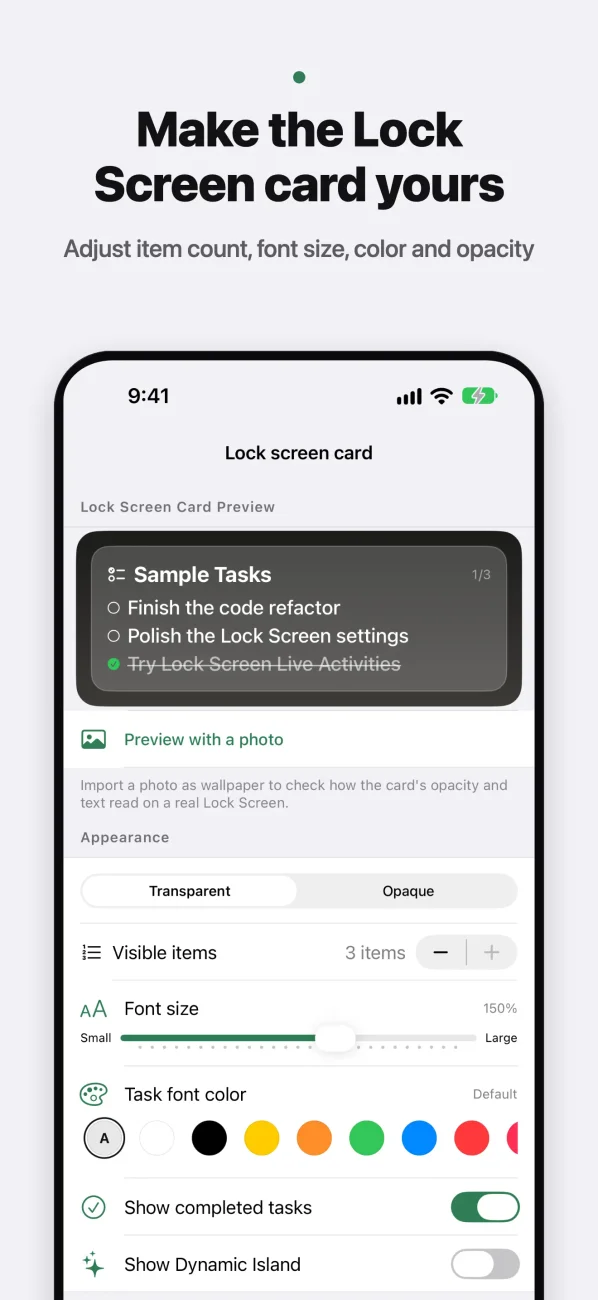
• Adjust item count, font size, color and opacity to suit any wallpaper
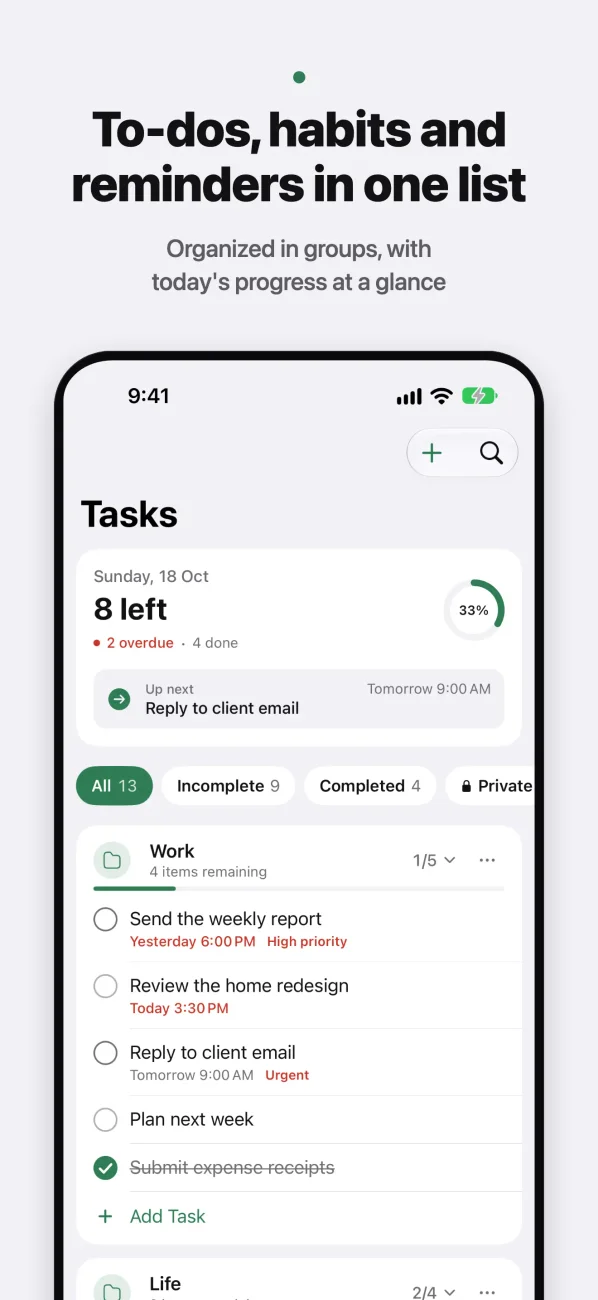
THREE KINDS OF TASKS, ONE LIST
• To-dos with due dates, priorities and repeat rules
• Daily check-ins that reset every midnight for building habits
• Reminders that alert you right on time
PLAN SMARTER
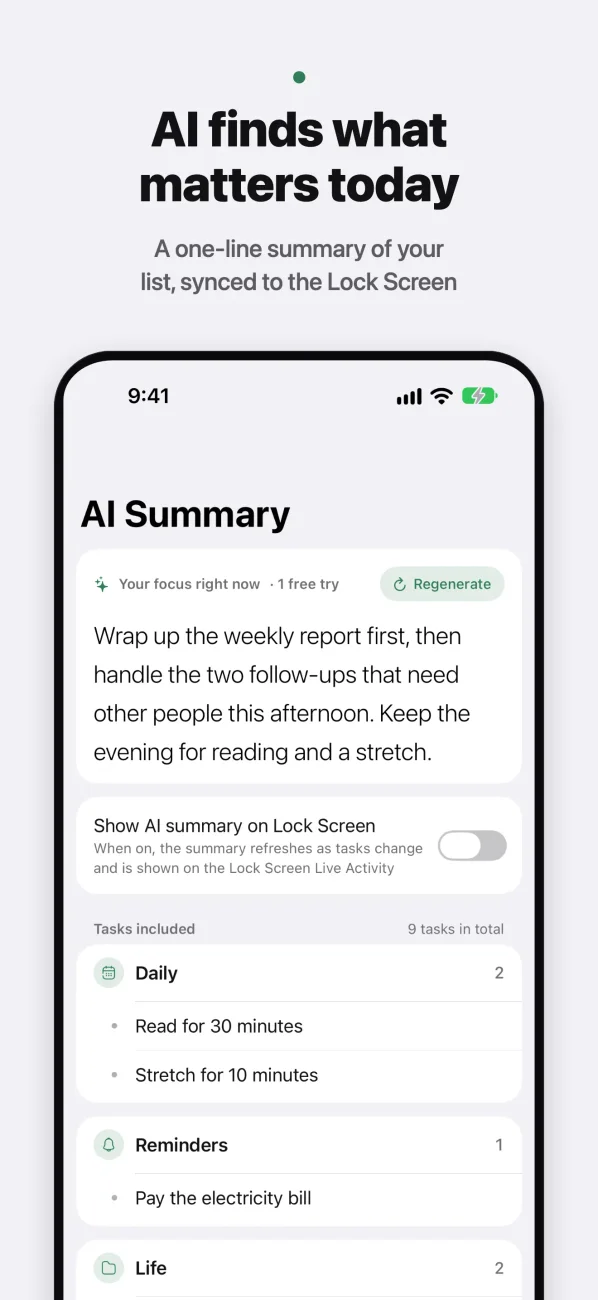
• AI Summary turns your list into one sentence about what matters today
• Smart reminders notify you ahead of scheduled time
DESIGNED FOR IPHONE DUO
Check things off on the outer display when closed. Open it and the list becomes two columns; when partly folded, content stays clear of the fold, and every posture change transitions smoothly.
PRIVACY AND PERSONALITY
• Private Space protected by Face ID, never shown on the Lock Screen
• Home Screen widgets, plus quick task entry with Siri
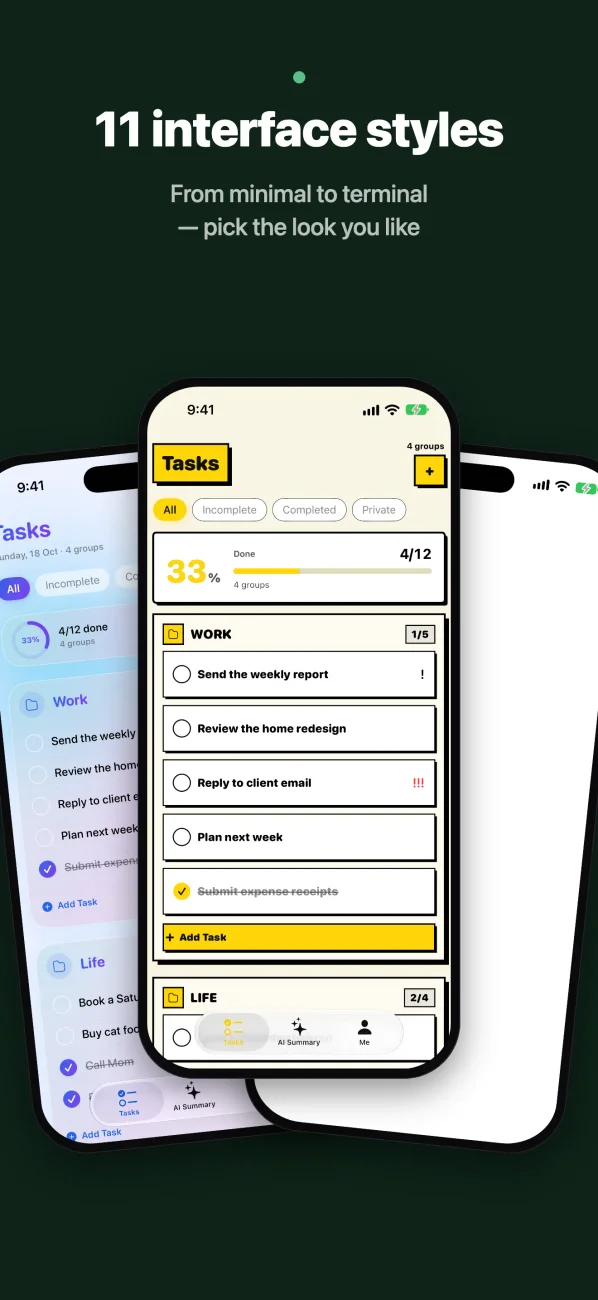
• Labs: 11 interface styles to choose from
FocusScreen Pro unlocks multiple Lock Screen groups, more visible items, Private Space, smart reminders, AI Summary and every interface style. Subscriptions renew automatically for the selected period and can be cancelled anytime in Settings.
Terms of Use: https://www.apple.com/legal/internet-services/itunes/dev/stdeula/
Privacy Policy: https://www.freeprivacypolicy.com/live/5daf2aaa-018e-4125-ab59-34e22297c747
What’s new
Version 5.2 · Oct 27, 2026
Introducing QingTeng Account: one sign-in for every QingTeng app — plus a fresh launch animation and a round of reliability fixes.
NEW: QINGTENG ACCOUNT
• Sign in from Me › QingTeng Account with Apple, GitHub or Microsoft
• Link several sign-in methods; your personal account card sits at the top of the page
• Sign out or delete your account anytime — your local to-dos, groups and settings are never touched
CLEARER PRIVACY CHOICES
• AI Summary asks for your consent before it runs. You can withdraw it anytime, and everything else works either way
POLISH & FIXES
• A new launch animation
• The launch screen works better with VoiceOver, and sign-in and account flows are more reliable
App privacy
What 璞 菅 declares on the App Store about how this app handles data.
-
Data not collected
The developer does not collect any data from this app.
Privacy practices may vary, for example with the features you use or your age.
Information
- Seller
- 璞 菅
- Category
- Productivity
- Version
- 5.2
- Updated
- Oct 27, 2026
- Released
- Jan 17, 2026
- Size
- 10.0 MB
- Requires
- iOS 18.6 or later
- Age rating
- 4+
- Price
- Free
- In-app purchases
- Yes
- Languages
- English, Simplified Chinese
- Copyright
- © 菅璞,赵豪伟
You might also like
-
 ViewDo - Lock Screen To-DoNotes & Tasks on your screen!
-
 PocketReminder: Voice ReminderRecurring Tasks & Daily Alerts
-
 Today3每天只专注 3 件事
-
 今夕-NownProductivity
-
 OverlayFocusPomodoro Focus App
-
 Readicorn: Save & Read LaterSave Social Posts & Web Links
-
 MOMOTODO - Lock Screen To-DoReminders, Plans & Focus Timer
-
 Mote DailyRecord moments. Find meaning.
-
 悦记 - 愉悦记录,快乐生活Productivity
-
 Glance Notes: Lock ScreenReminders, To-Dos & Widgets