
FocusWall: Site Blocker
Block Apps & Websites to Focus
Designed for iPhone, iPad
In-app purchases
- Age rating4+
- CategoryProductivity
- DeveloperErkan OZSOY
- LanguagesEnglish+ 1 more
- Size4.6 MB
Links to the official App Store page
Download.org hosts no file of FocusWall: Site Blocker. The button opens its official App Store page, published by Erkan OZSOY. Listing last checked on Nov 12, 2026.
Screenshots


About
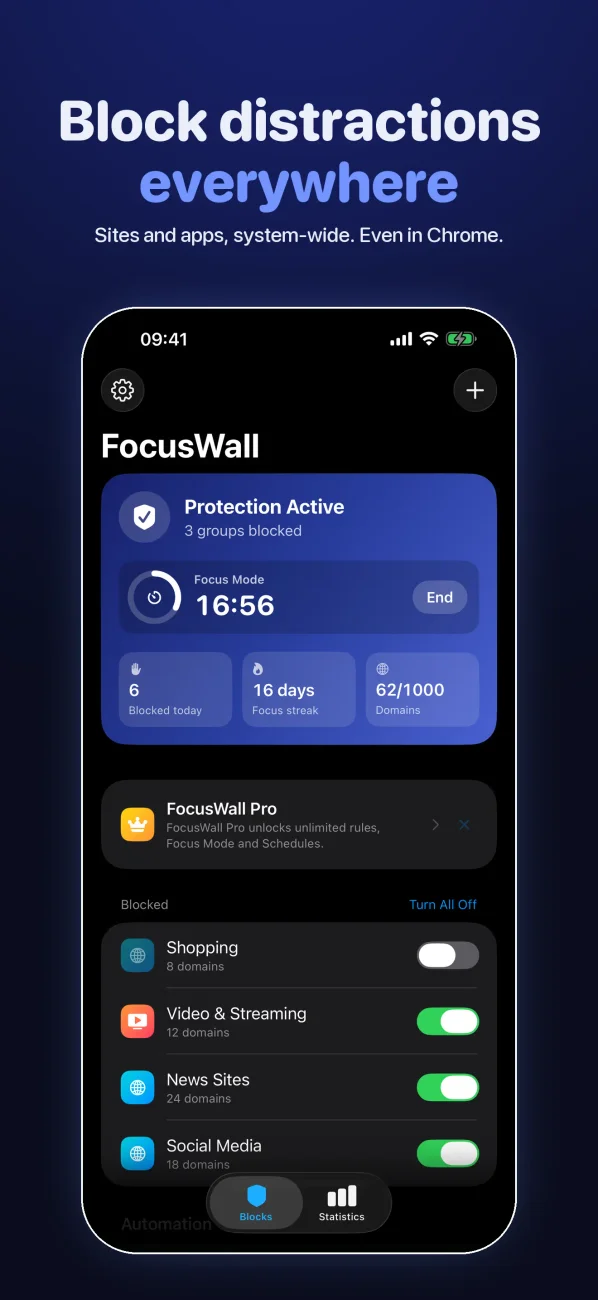
FocusWall blocks distracting websites and apps across your whole device, in every browser, including Chrome.
KEY FEATURES
• System-wide blocking
Websites and apps are blocked everywhere on your device, not just in one browser.
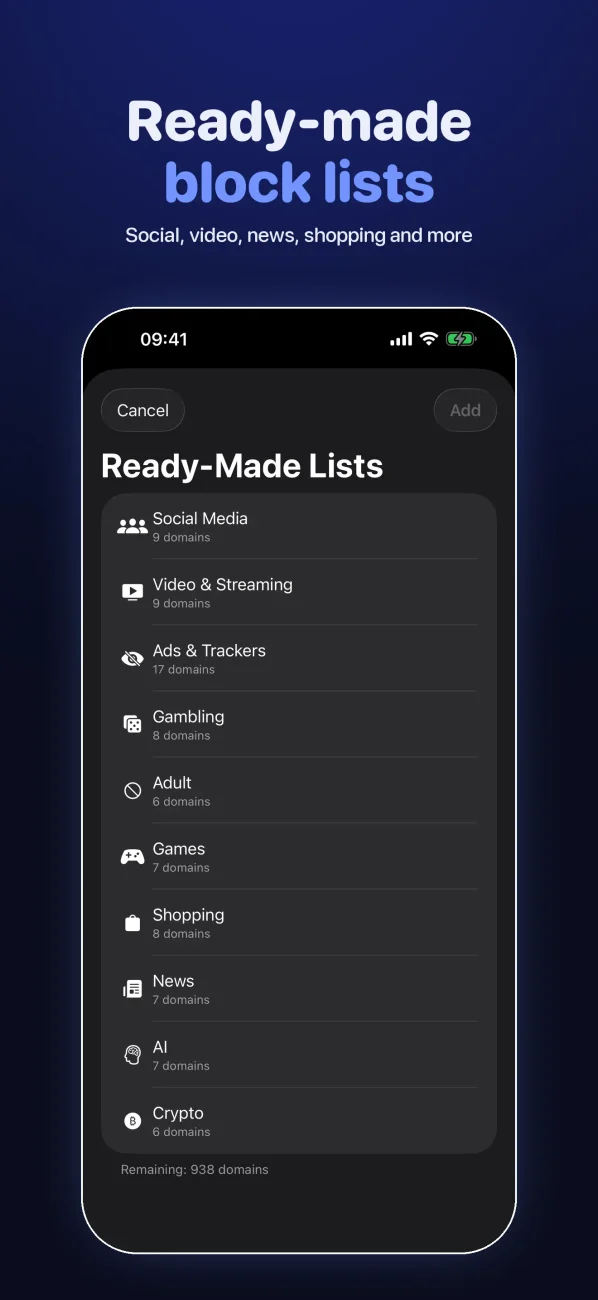
• Ready-made lists
One tap adds whole categories: social media, video & streaming, gambling, shopping, news, crypto and more.
• Smart domain matching
Type "youtube" and get all country variants, so redirects can't sneak past your block.
• Focus Mode
Drag the dial to pick 5 to 180 minutes and every rule locks in. The countdown follows you on the Lock Screen, in the Dynamic Island and on your widgets, and blocks lift by themselves when time is up.
• Allowed sites only
For studying and deep work: during Focus Mode, keep only the sites on your list open and block the rest of the web.
• Schedules
Automate your blocks: work hours on weekdays, evenings off, whatever fits your routine.
• Daily limits
Set a per-app daily usage limit. When you go over, the app is blocked until midnight.
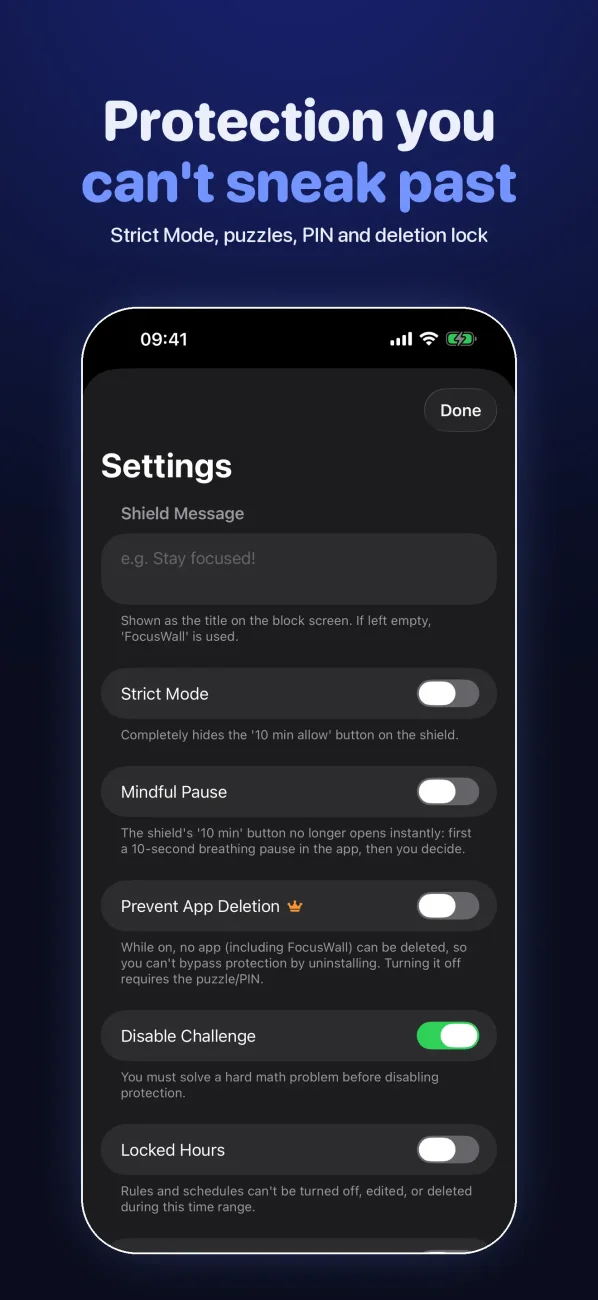
• Mindful pause
Turn it on and the 10-minute allow button no longer opens anything instantly: you get a 10-second breathing pause first, then decide.
• Protection you can't sneak past
Strict Mode removes the allow button entirely, a puzzle and an optional PIN stand between you and the off switch, Locked Hours freeze your rules at night, and app deletion can be blocked so uninstalling isn't an escape.
• Shortcuts and Control Center
Start Focus Mode from Shortcuts automations, for example when you arrive at work, or from a Control Center button.
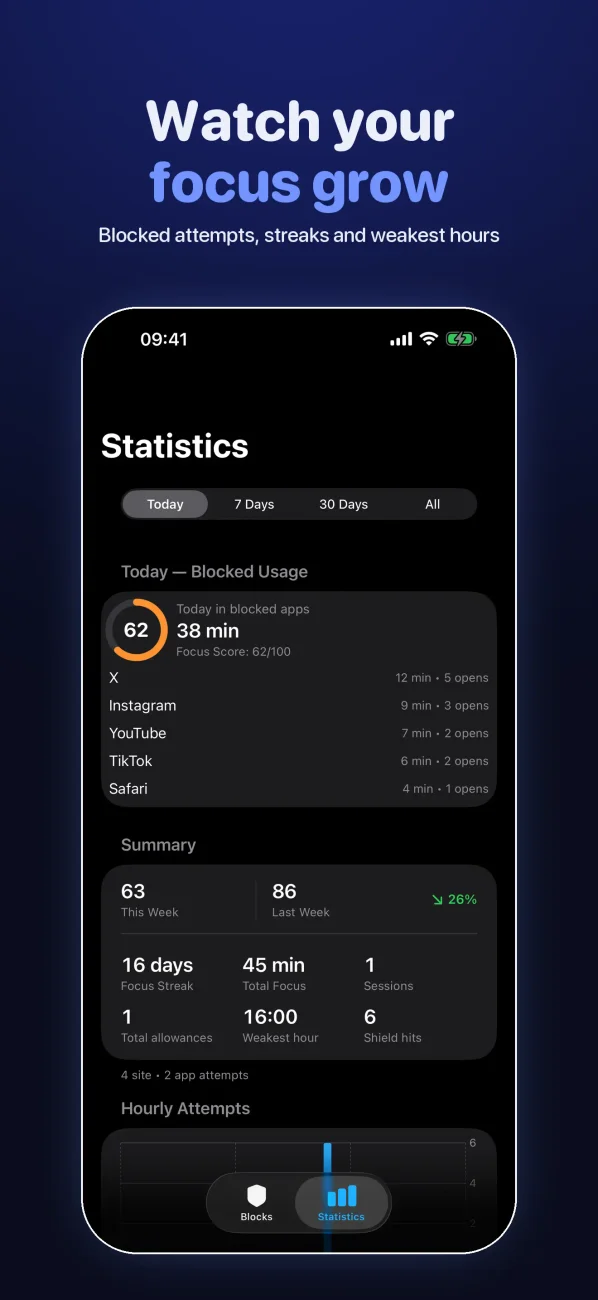
• Insights
Blocked attempts, attempts by hour and day, focus streaks, weekly trends, your weakest hours and a weekly summary notification.
PRIVACY FIRST
All your data stays on your device. No accounts, no analytics, no tracking.
FOCUSWALL PRO
Unlimited rules and domains, Focus Mode, allowed sites only, schedules and app deletion blocking are available with FocusWall Pro, monthly, yearly or lifetime.
Terms of Use (standard Apple EULA): https://www.apple.com/legal/internet-services/itunes/dev/stdeula/
What’s new
Version 1.1.0 · Oct 6, 2026
• Focus Mode, redesigned: drag the dial to set your time, and follow the countdown on your Lock Screen and in the Dynamic Island.
• New "Allowed sites only" mode: keep just the sites you need open while you study or work.
• Mindful pause: an optional 10-second breath before any 10-minute allow.
• Block app deletion, so uninstalling isn't a way out.
• Start Focus Mode from Shortcuts or a Control Center button.
• Weekly summary notification with your blocked attempts and focus streak.
• A fresh home screen with today's blocked attempts and your focus streak, plus a new Pro screen.
• Fixed: the 10-minute allow now works for every blocked item, even with very large block lists.
App privacy
What Erkan OZSOY declares on the App Store about how this app handles data.
-
Data not collected
The developer does not collect any data from this app.
Privacy practices may vary, for example with the features you use or your age.
Information
- Seller
- Erkan OZSOY
- Category
- Productivity
- Version
- 1.1.0
- Updated
- Oct 6, 2026
- Released
- Sep 30, 2026
- Size
- 4.6 MB
- Requires
- iOS 17.0 or later
- Age rating
- 4+
- In-app purchases
- Yes
- Languages
- English, Turkish
- Copyright
- © 2026 Erkan Özsoy
You might also like
-
 Still Block Apps / SitesDigital Detox & site blocker
-
 Sisyphus: Web BlockerBLOCK THE WEB
-
 Reflections: Better DecisionsDecision making for leaders
-
 SlowPebble: AI Website BlockerThe blocker you never turn off
-
 Daybreak: Block Adult ContentBlocks adult sites, fast.
-
 Godward Focus: App BlockerSacred Screen Time Control
-
 Website Blocker - FocusBlock Distracting Websites
-
 Oto NabızProductivity
-
 ivBlock - Website BlockerBlock sites, stay focused.
-
 Entrepreneur QuotesDaily Business Inspiration