
- Age rating4+
- CategoryBooks
- DeveloperYana Khalikova
- LanguagesRussian+ 1 more
- Size37.0 MB
Links to the official App Store page
Download.org hosts no file of Foliant — Book Reader. The button opens its official App Store page, published by Yana Khalikova. Listing last checked on Nov 22, 2026.
Screenshots


About
Foliant is a reader for people who read a lot, and for a long time. Books are typeset by its own engine, so a page looks the way a typesetter would set it — not like a web page.
LIKE PRINT
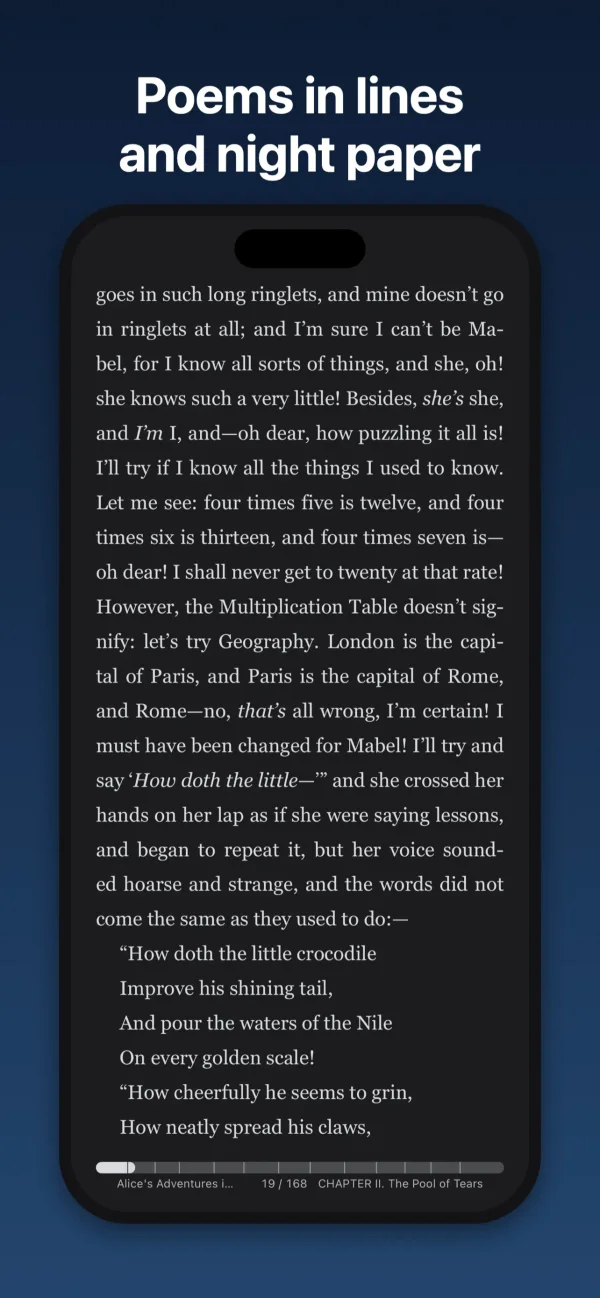
• Hyphenation and justified text — without rivers of spaces.
• Footnotes at the bottom of the page, as in a printed book. A long footnote continues on the next page.
• Images, tables and poems keep the look the book gives them.
• Lines are never cut by the screen edge: a page holds only whole lines.
TURN PAGES YOUR WAY
• Tap, swipe or use the volume buttons.
• Page turn effects: page peel or slide. Or none at all.
• Scroll reading with auto-scroll — change the speed on the go.
• Adjust brightness with a gesture at the screen edge.
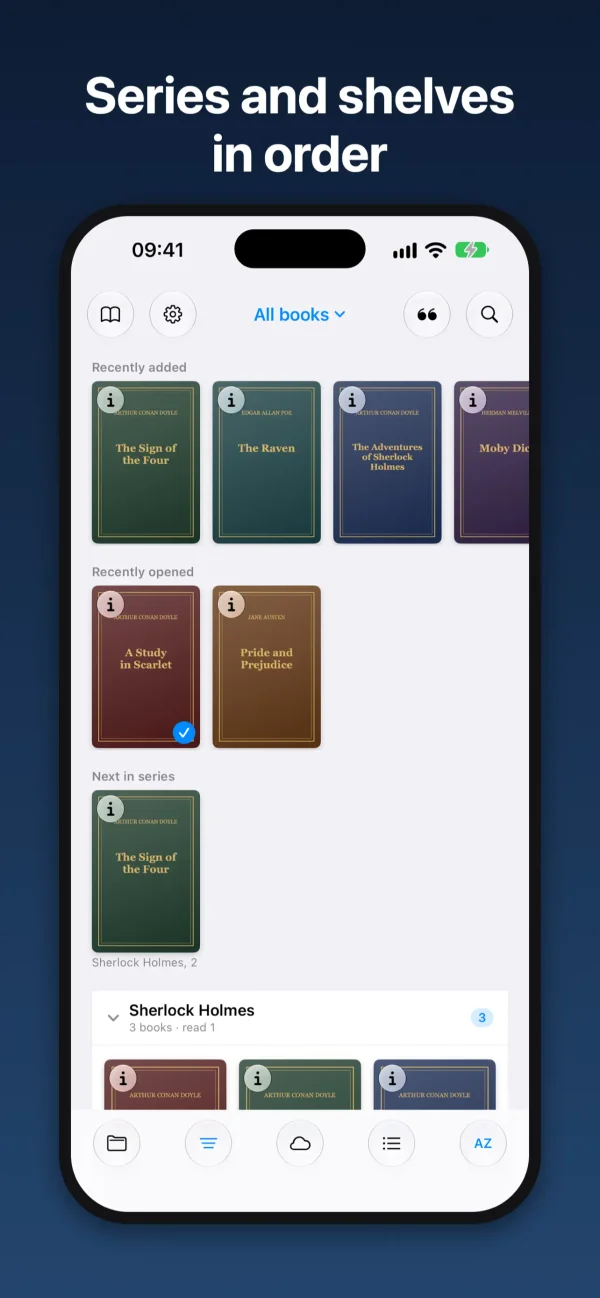
SERIES AND SHELVES
• Books of a series gather on their own shelf, in order.
• Finished a volume? The next one is already prepared — it opens with a page turn, no trip back to the library.
• Your own shelves, “read” marks, ratings and thoughts about a book.
• Recently added books wait at the top of the library.
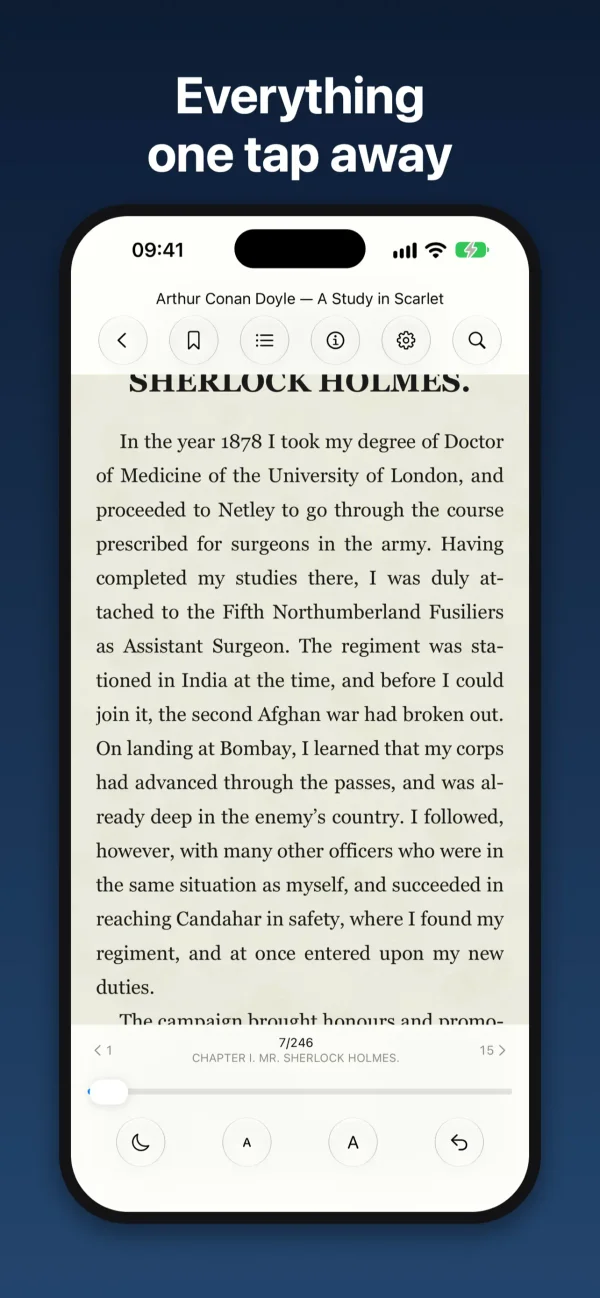
EVERYTHING AT HAND
• Table of contents with progress by chapter.
• Bookmarks, quotes and notes tied to a place in the book.
• Search in a book and across the whole library.
• Translate a selection and look words up in the system dictionary.
MAKE IT YOURS
• Fonts, size, line spacing, margins and indents.
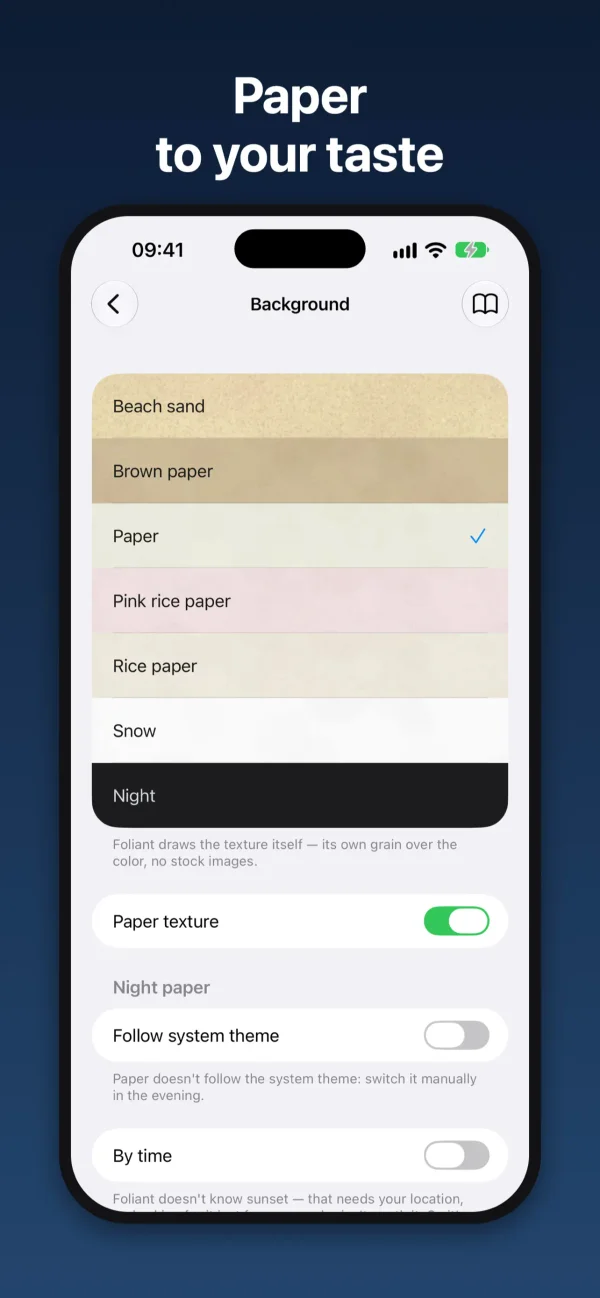
• Paper to choose from: rice, brown, beach sand, snow, night and more — with texture or a solid color.
• Reading indicator at the top or bottom: chapter, pages, clock.
• Give any book its own settings.
BOOKS FROM ANYWHERE
• Add books from Files, via Share (several at once) or from zip archives.
• Book covers appear right in the Files app.
• OPDS catalogs and WebDAV servers.
• Sync your reading position with KOReader and other readers via KOSync.
• “Continue reading” widget on the Home Screen.
NO TRACKING
No ads, analytics or sign-up. Your books and notes stay on your device; the app only connects to servers you add yourself.
What’s new
Version 1.3.1 · Nov 16, 2026
When using the chapter arrows, the beginning of the chapter now appears below the top toolbar, ready to read.
Fixed the right arrow so it takes you to the last page of the book.
Removed extra tick marks near the ends of the progress bar in Book Info.
App privacy
What Yana Khalikova declares on the App Store about how this app handles data.
-
Data not collected
The developer does not collect any data from this app.
Privacy practices may vary, for example with the features you use or your age.
Information
- Seller
- Yana Khalikova
- Category
- Books
- Version
- 1.3.1
- Updated
- Nov 16, 2026
- Released
- Sep 27, 2026
- Size
- 37.0 MB
- Requires
- iOS 17.0 or later
- Age rating
- 4+
- Languages
- Russian, English
- Copyright
- © 2026 Khalikova Y.A.
You might also like
-
 VibeRead - Оффлайн ридерBooks
-
 Yoly EPUB FB2 PDF DJVU ReaderMOBI, AZW3, DOCX, RTF & TXT
-
 eLib: читалка для книгBooks
-
 Cool ReaderManga, comics & book library
-
 Book: EPUB, PDF & FB2 ReaderReading Tracker & Read Aloud
-
 DuckreadsBook tracker & Reading log
-
 Eluna Reader: Books, EPUB PDFEbook, Manga, Comics, Library
-
 SheafsAn open-source ebook reader
-
 Oku: Your Reading RoomE-book reader & audiobooks
-
 Smriti for CalibreA reader for your Calibre-Web