Fontbridge: Custom Fonts
Install fonts on iPhone & iPad
Designed for iPhone, iPad
$1.99
- Age rating4+
- CategoryProductivity
- Developer鹤 苏
- LanguagesEnglish+ 1 more
- Size10.8 MB
Links to the official App Store page
Download.org hosts no file of Fontbridge: Custom Fonts. The button opens its official App Store page, published by 鹤 苏. Listing last checked on Nov 17, 2026.
Screenshots


About
Bring your fonts to iPhone and iPad.
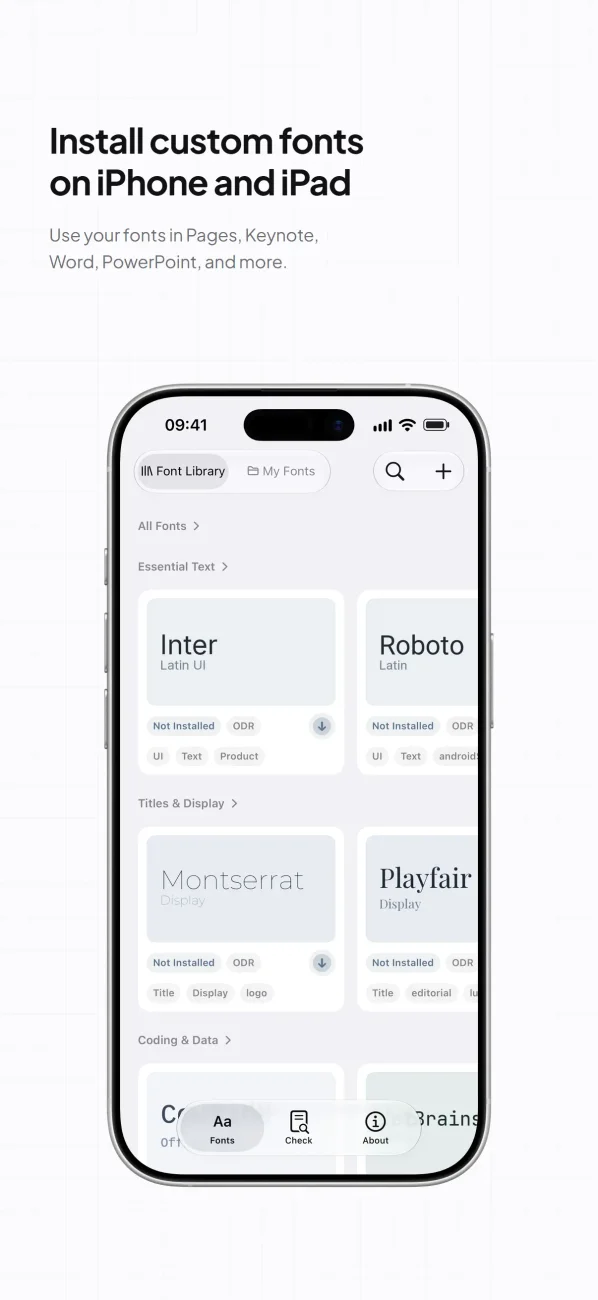
Fontbridge makes it easy to import, install, check, and manage your own fonts on iOS and iPadOS.
Import TTF, OTF, TTC, and ZIP files, install fonts on your device, and use them in compatible apps such as Pages, Keynote, Numbers, Word, PowerPoint, Excel, and more.
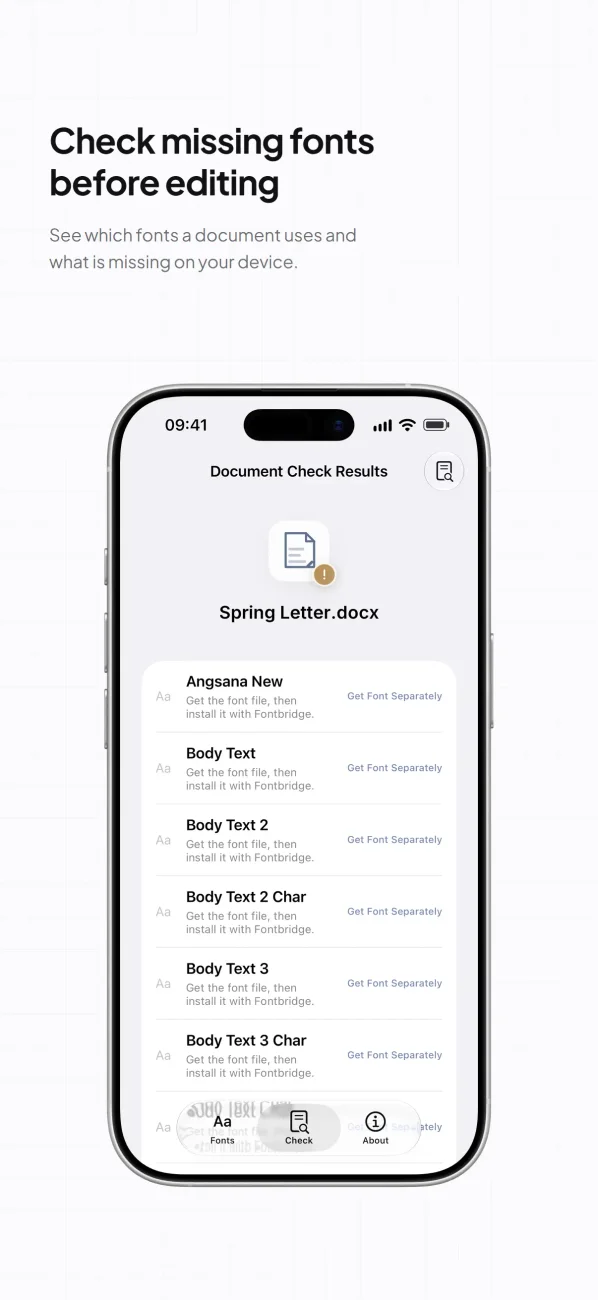
Fontbridge can also check documents for missing fonts, so you can quickly see which fonts a file uses, which ones are already available on your device, and which supported missing fonts can be installed.
Key Features
・Import multiple TTF, OTF, and TTC font files
・Import ZIP archives and skip fonts you already have
・Create and install font profiles on iPhone and iPad
・Manage your imported fonts in one place
・Check documents for missing fonts
・Install multiple available missing fonts at once
・Browse selected open-source fonts
・Works on iPhone and iPad
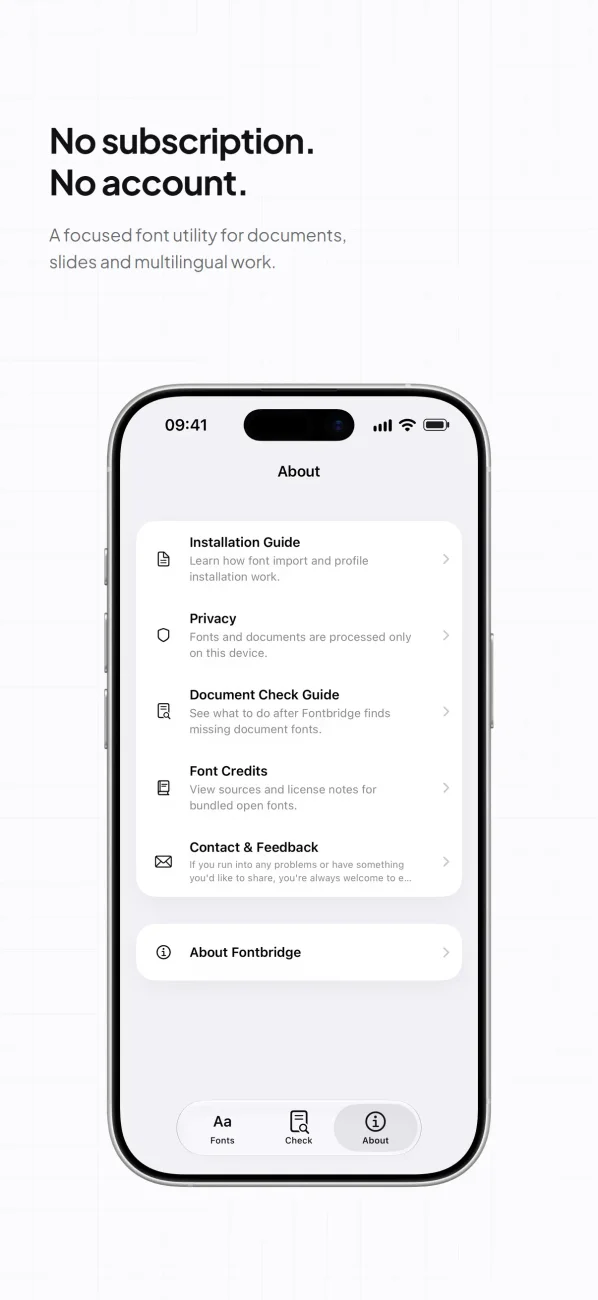
・No account required
・No subscription required
Fontbridge is useful for documents, presentations, multilingual typography, course materials, contracts, resumes, and other files where the correct fonts matter.
It works especially well when moving files between devices or when you need to make sure a document has the fonts it was designed to use.
A simple font utility, not a font marketplace.
Fontbridge does not replace the iPhone or iPad system interface font and cannot force apps to use custom fonts. Installed fonts are available to apps that support system-installed fonts or custom font selection.
Font availability depends on iOS, iPadOS, and each app’s own font support. Some apps may need to be restarted before newly installed fonts appear.
What’s new
Version 1.1.1 · Oct 28, 2026
1.1.1 Release Notes
Added multiple open-source fonts.
Adjusted button positions for more convenient and visually appealing use.
Made open-source fonts easier to view.
Fixed an issue where the bottom tab bar background displayed abnormally on iOS 18.
Fixed several minor issues and improved the overall experience.
App privacy
What 鹤 苏 declares on the App Store about how this app handles data.
-
Data not collected
The developer does not collect any data from this app.
Privacy practices may vary, for example with the features you use or your age.
Information
- Seller
- 鹤 苏
- Category
- Productivity
- Version
- 1.1.1
- Updated
- Oct 28, 2026
- Released
- Jun 22, 2026
- Size
- 10.8 MB
- Requires
- iOS 17.0 or later
- Age rating
- 4+
- Price
- $1.99
- Languages
- English, Simplified Chinese
- Copyright
- © 2026 he su
You might also like
-
 Rar Sharp+Productivity
-
 YapRunVoice Typing That Never Leaves
-
 搬小库 imaProductivity
-
 微书笔记-微信读书笔记管理微信读书笔记同步,碎片化时间阅读笔记,温故笔记
-
 OpenCody - An OpenCode ClientCode with OpenCode on the go
-
 KLink AI - Agents & AI ChatHermes & AI Models Hub
-
 极米记得Productivity
-
 AI for WorkPowered by kore.ai
-
 microAIAI Powered by Your Devices.
-
 Time Plan-Productivity