- Age rating4+
- CategoryFinance
- DeveloperQuoc Minh Trinh
- LanguagesEnglish+ 9 more
- Size2.2 MB
Links to the official App Store page
Download.org hosts no file of Forex News Lockscreen. The button opens its official App Store page, published by Quoc Minh Trinh. Listing last checked on Nov 17, 2026.
Screenshots


About
Know every high-impact forex release before it moves the market, without opening a single app.
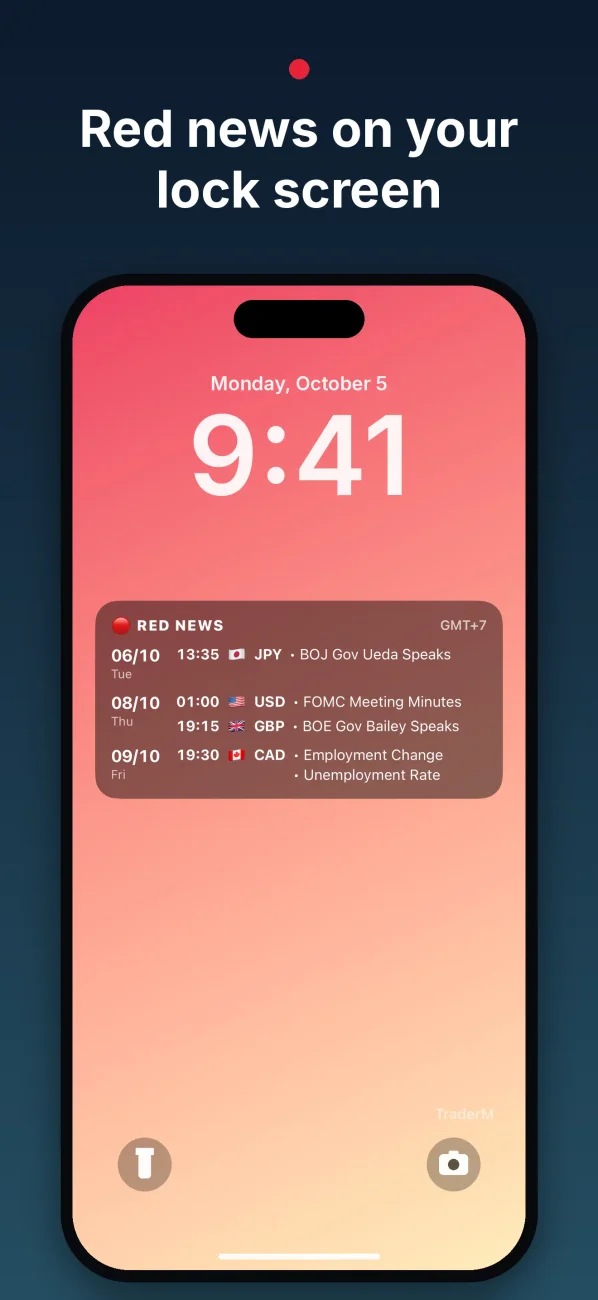
Forex News Lockscreen turns this week's red news into a clean lock screen wallpaper, converted to your time zone. Glance at your iPhone or iPad and see exactly when NFP, CPI, FOMC and central bank speeches hit, and which currencies they affect.
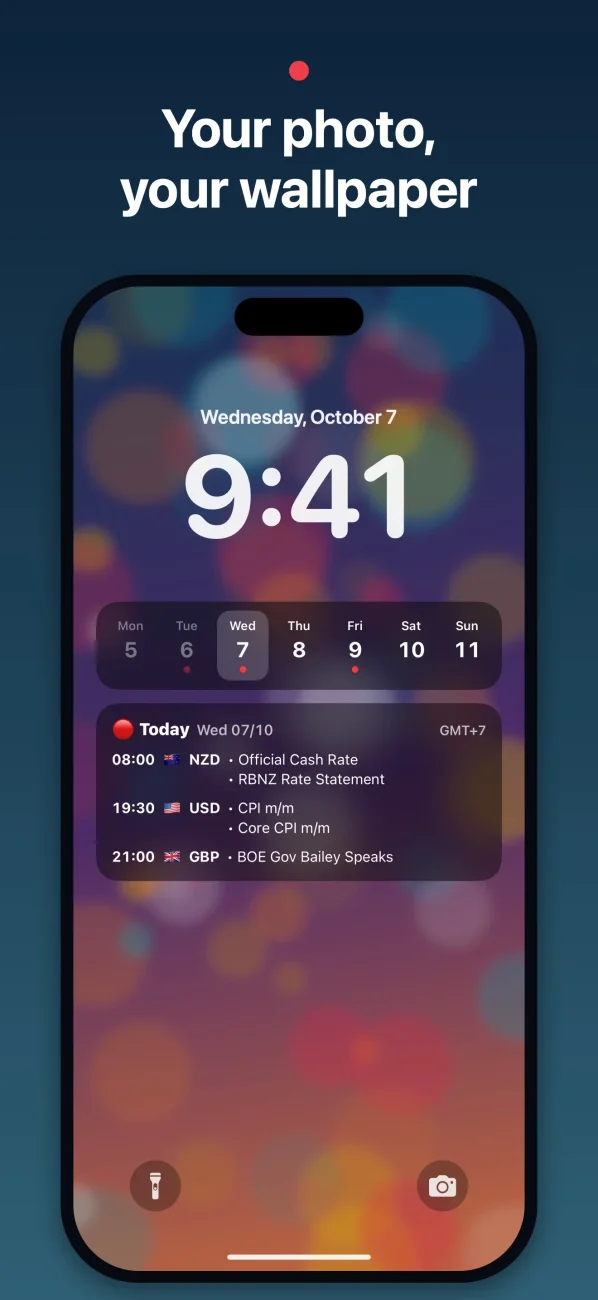
LOCK SCREEN WALLPAPER
- "Weekly list": every red news event of the week
- "Week + Today" (Premium): this week as a 7-day strip with today highlighted, plus today's events in detail
- Only what matters: date, time, currency and event
- Leaves room for your lock screen clock
- Save to Photos and set it as your wallpaper in seconds
FRESH EVERY MORNING
- Use the "Create today's wallpaper" action in the Shortcuts app
- Pair it with "Set Wallpaper Photo" in a daily automation and your lock screen shows today's news every morning
- Or tap "Regenerate today's wallpaper" anytime
YOUR TIME ZONE, AUTOMATICALLY
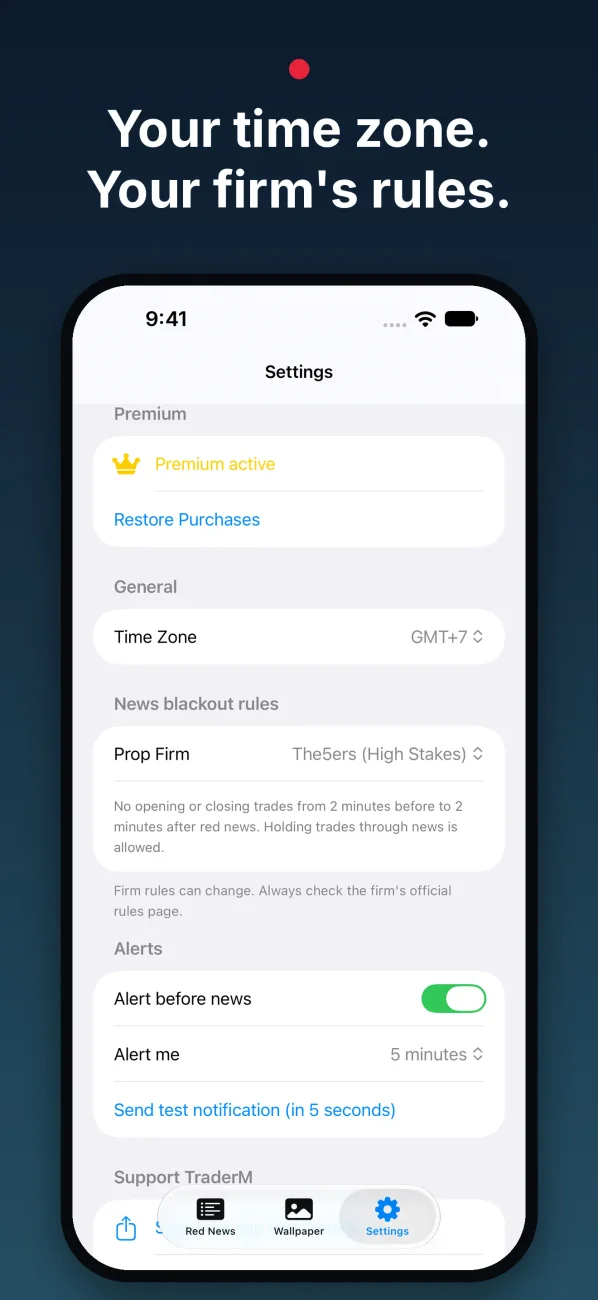
- Pick any GMT offset and every time updates instantly
- No more converting times by hand or missing a release by an hour
ONLY THE CURRENCIES YOU TRADE
- Show all red news, or only USD, EUR, JPY or any mix you choose
- The filter applies to the list, countdown, alerts, wallpaper, widgets and Shortcuts
WIDGETS
- Home Screen widgets in three sizes: the next red news with a live countdown, today's news, or the rest of the week
- Lock Screen widgets under and next to the clock
- On a Mac with macOS Sonoma or later, put the widget on your desktop with iPhone widgets
- Uses the same time zone, currencies and prop firm rule as the app
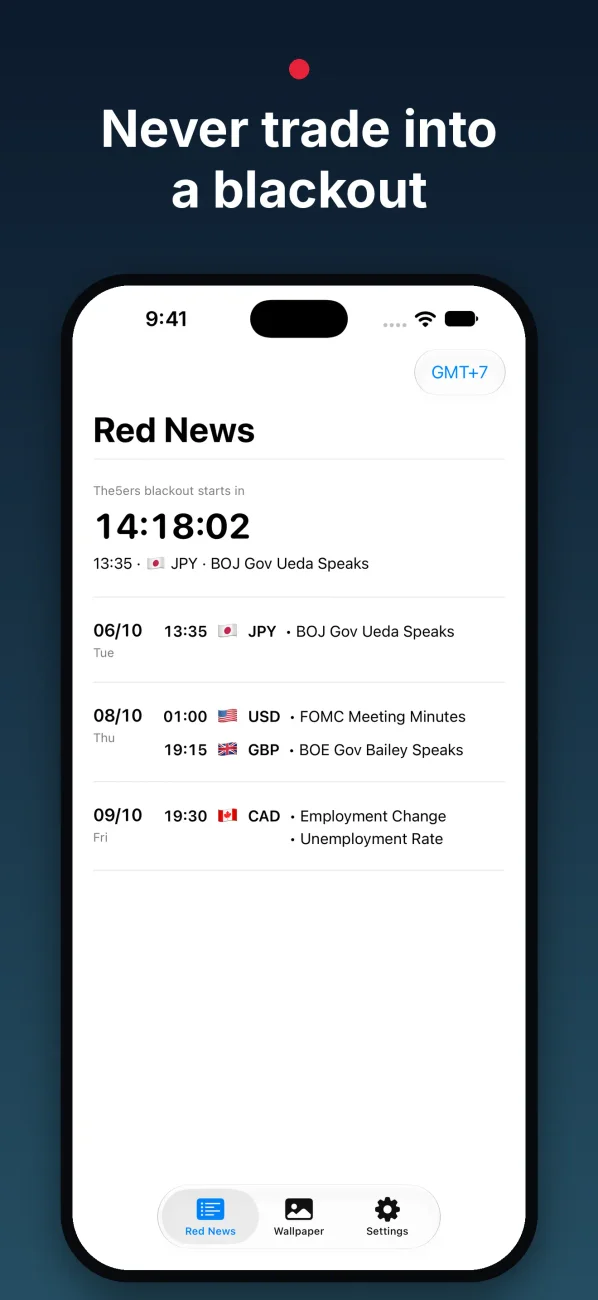
NEWS BLACKOUT COUNTDOWN
- Live countdown to the next red news release
- Choose The5ers (High Stakes) or FTMO rules to count down to the start of the ±2 minute blackout window
- A clear red warning while the blackout is active
ALERTS BEFORE EVERY RELEASE (PREMIUM)
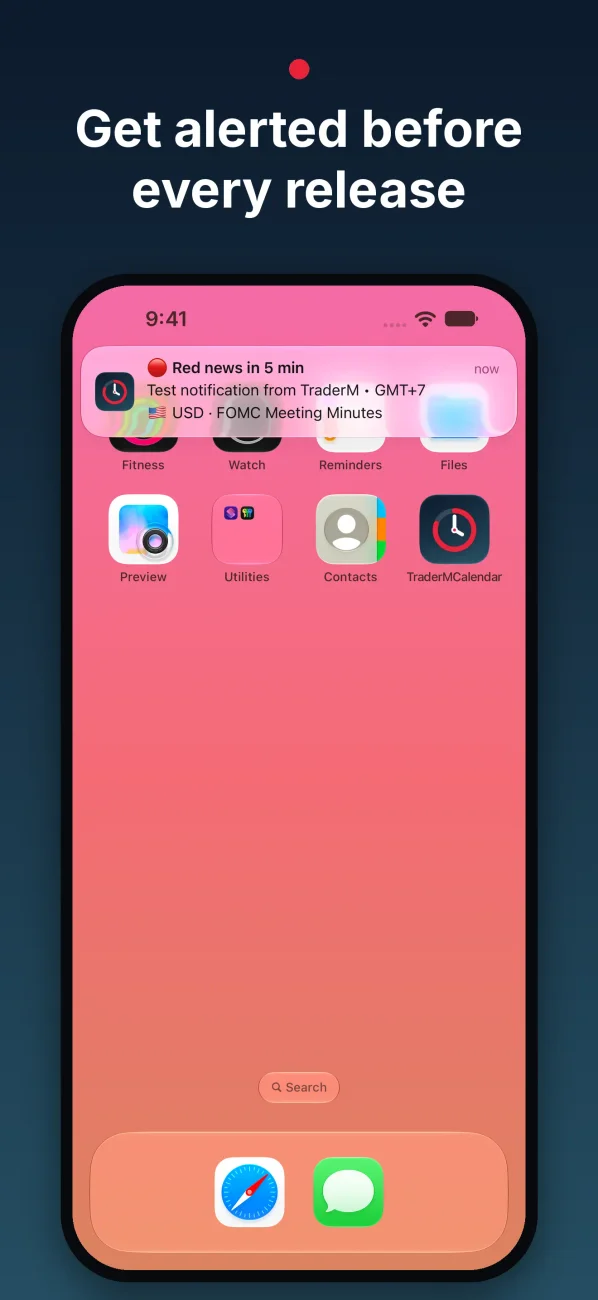
- Get notified 3, 5, 10, 15 or 30 minutes before each red news event
- Each alert shows the time, currencies, events and blackout window
MAKE IT YOURS (PREMIUM)
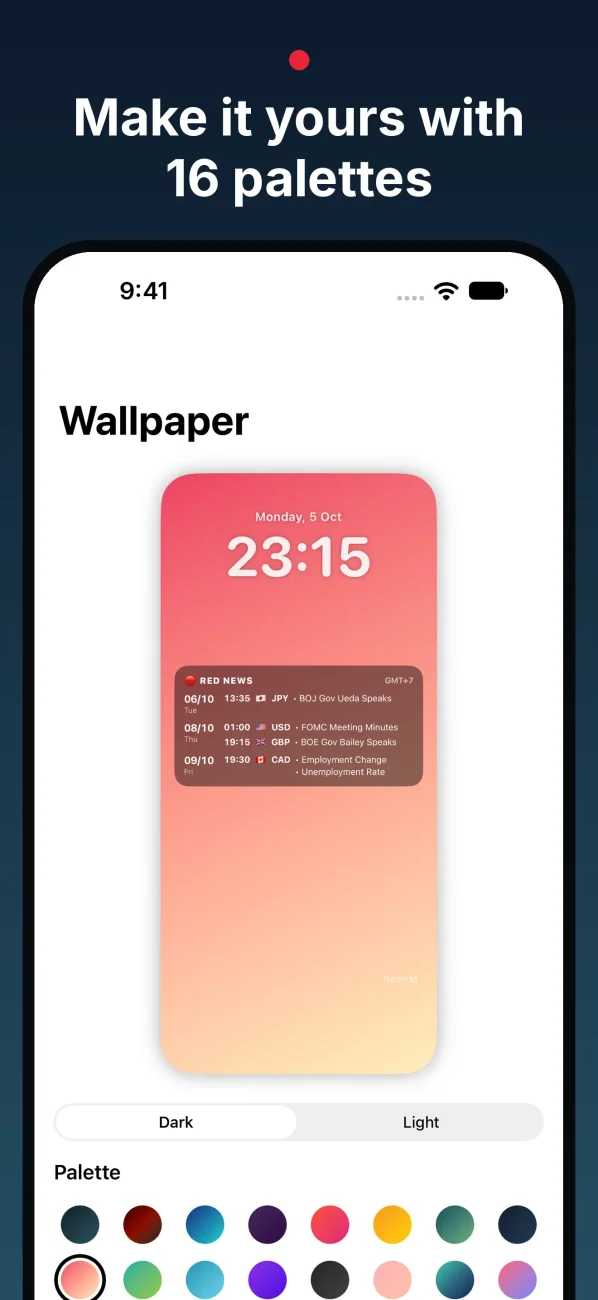
- Use your own photo as the background, with dimming and a blur behind the text
- Light and dark themes
- 16 gradient palettes
- Remove the TraderM watermark
PRIVATE BY DESIGN
No account, no ads, no tracking. Your settings stay on your device.
Available in English, Vietnamese, Spanish, Chinese (Simplified and Traditional), Japanese, Korean, Thai, French and German.
PREMIUM
Premium is available as a monthly or yearly auto-renewing subscription, or as a one-time lifetime purchase. Payment is charged to your Apple Account at confirmation of purchase. Subscriptions renew automatically unless turned off at least 24 hours before the end of the current period. Manage or cancel anytime in Settings > [your name] > Subscriptions.
Terms of Use: https://www.apple.com/legal/internet-services/itunes/dev/stdeula/
Privacy Policy: https://traderm0812.github.io/traderm-privacy/
Forex News Lockscreen is not affiliated with The5ers, FTMO or any prop firm. News times and firm rules are provided for convenience and may change. Always confirm with official sources before trading. This app does not provide financial advice.
What’s new
Version 1.4 · Nov 4, 2026
What's new in 1.4
• Home Screen and Lock Screen widgets: the next red news with a live countdown, today's news, or the whole week.
• With a prop firm selected, the widget counts down to the blackout window and turns red while it is active.
• On a Mac with macOS Sonoma or later, add the widget to your desktop with iPhone widgets.
• The widget follows your time zone, currencies and language from the app.
App privacy
What Quoc Minh Trinh declares on the App Store about how this app handles data.
-
Data not collected
The developer does not collect any data from this app.
Privacy practices may vary, for example with the features you use or your age.
Information
- Seller
- Quoc Minh Trinh
- Category
- Finance
- Version
- 1.4
- Updated
- Nov 4, 2026
- Released
- Oct 20, 2026
- Size
- 2.2 MB
- Requires
- iOS 17.6 or later
- Age rating
- 4+
- Price
- Free
- In-app purchases
- Yes
- Languages
- English, French, German, Japanese, Korean, Simplified Chinese, Spanish, Thai, Traditional Chinese, Vietnamese
- Copyright
- © 2026 Quoc Minh Trinh
You might also like
-
 Forex: Economic CalendarReal-time Economic Data
-
 FXNews – Forex Calendar & NewsEconomic Events & Market Hours
-
 Signal Station: Forex CalendarEconomic News, Trading Journal
-
 FedWhispersYour Edge on Interest Rates
-
 Insider Tracker: Stock TradesInsider Trading & CEO Buys
-
 iChart BullseyeEconomic calendar & alerts
-
 FinasharkFinance
-
 Forex & Crypto News for TraderInstant AI-rated macro alerts
-
 CoinWorldCap: Crypto TrackerWhere the World Tracks Crypto
-
 TradeTrack: Trading JournalJournal, analyze, improve