
Form+ for Google Forms
Surveys, Quizzes & Responses
Designed for iPhone, iPad, Mac, iPod touch
Free · In-app purchases
- Age rating4+
- CategoryProductivity
- DeveloperAmad Marwat
- LanguagesEnglish+ 36 more
- Size143.1 MB
Links to the official App Store page
Download.org hosts no file of Form+ for Google Forms. The button opens its official App Store page, published by Amad Marwat. Listing last checked on Nov 23, 2026.
Screenshots


About
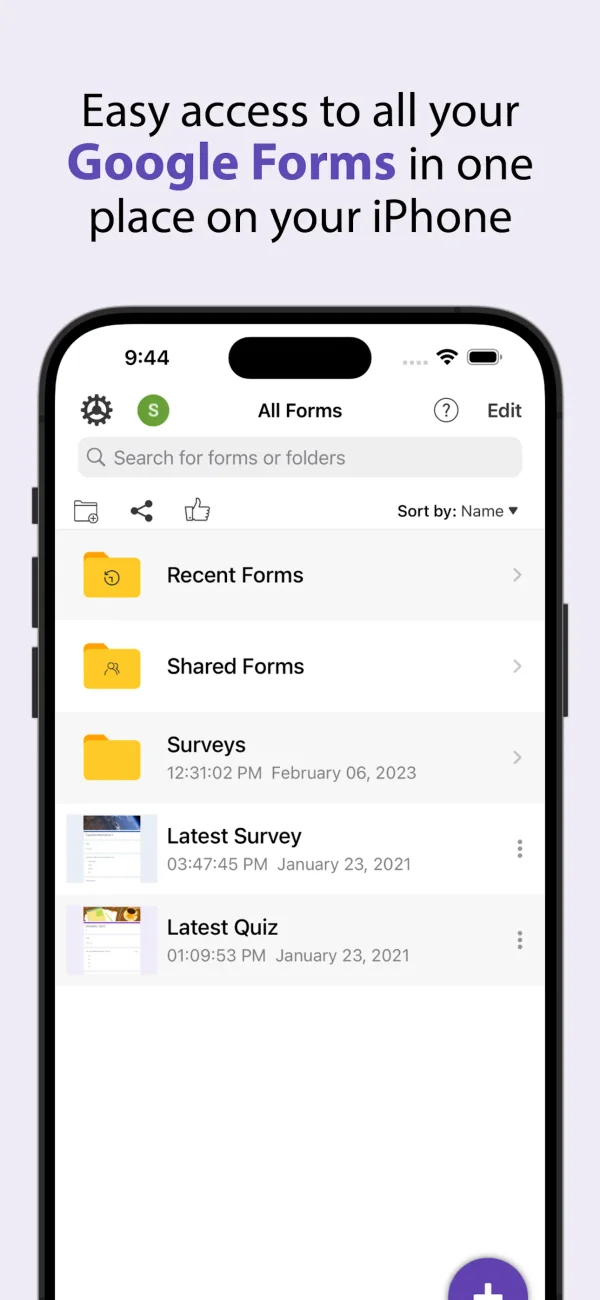
Create, edit, and manage all your Google forms on your iOS, iPhone, iPod or iPad with the free FormApp. With this app you can:
Create new forms:
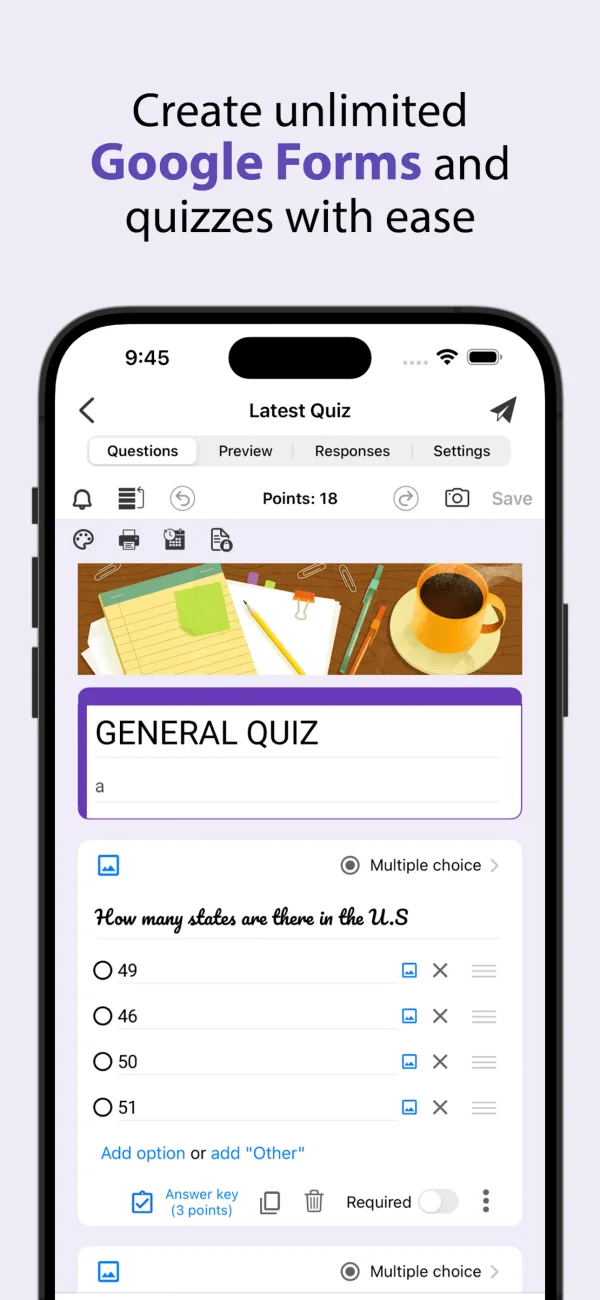
• Create new forms on your iOS device.
• Tons of beautiful templates to choose from.
• Import questions from existing forms.
• Add collaborators / editors to your forms.
Edit existing forms:
• Open any form from your Google Drive on your iOS device.
• Create or edit any question.
• Undo / redo support.
• Re-order questions.
• Preview forms.
• Add and remove sections.
• Add response validation.
• Add images and videos.
• Ability to set points.
• Ability to set correct answers.
• Ability to add feedback with url links.
Response notifications:
• Get notified via notifications whenever some submits a new response.
Scan questions:
• Scan questions using camera.
• Scan questions using images from photos library.
• Scan questions using doc, pdf, ppt etc files from the Files app.
• Scan questions using clipboard.
View form responses:
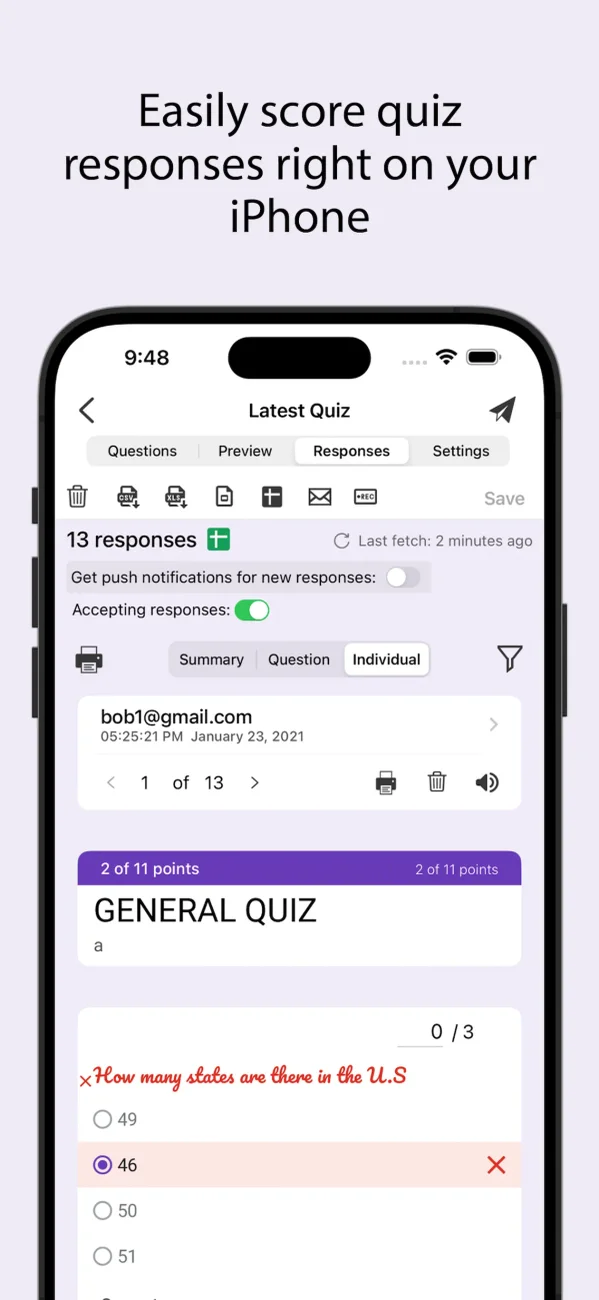
• View forms in three modes i.e. Summary, Questions and Individual responses mode on your iOS device.
• Export responses in CSV or Excel file format.
• Record responses in mp4 file format and share them in apps like Tiktok, Snapchat or Instagram etc.
• Responses are shown in beautiful graphs in summary mode.
• Ability to copy response charts to clipboard or save them to photos library.
• View responses based on questions in Questions mode.
• View responses from individual users in Individual mode.
• Ability to delete a single response or all responses.
• Ability to set individual feedback for responses to questions in quizzes.
• View and set score for quiz responses.
• Ability to filter form responses based on date, email, questions and score.
Disclaimer: This is a third party app not associated with Google. All trademarks are property of their respective owners.
Privacy Policy: https://www.byteflowapps.com/FormsPRO/policies/Privacy/
Terms of Use: https://www.byteflowapps.com/FormsPRO/policies/TermsOfUse/
GOT QUESTIONS? CAN'T FIGURE OUT HOW TO DO SOMETHING?
Please email us at support.formspro@byteflowapps.com and we’ll help you figure it out.
What’s new
Version 1.9.5 · Oct 18, 2026
• Ul improvements and minor bug fixes.
App privacy
What Amad Marwat declares on the App Store about how this app handles data.
-
Data used to track you
May be used to track you across apps and websites owned by other companies.
- Usage data
-
Data linked to you
May be collected and linked to your identity.
- Purchases
-
Data not linked to you
May be collected but is not linked to your identity.
- Identifiers
- Usage data
- Diagnostics
Privacy practices may vary, for example with the features you use or your age.
Information
- Seller
- Amad Marwat
- Category
- Productivity
- Version
- 1.9.5
- Updated
- Oct 18, 2026
- Released
- Jan 25, 2021
- Size
- 143.1 MB
- Requires
- iOS 15.6 or later
- Age rating
- 4+
- Price
- Free
- In-app purchases
- Yes
- Languages
- English, Arabic, Bosnian, Catalan, Croatian, Czech, Danish, Dutch, Finnish, French, German, Greek + 25 more
- Copyright
- © 2026 ByteFlow Apps
You might also like
-
 Forms for Google DocsCreate Forms & View Responses
-
 Forms for Google Forms.AI Form, Quiz, Surveys & Polls
-
 Forms for Google DriveCreate Forms & View Responses
-
 Forms for Google Forms ․AI Build Forms,Survey, Analyze
-
 Forms: Online Form BuilderCreate Form & View Responses
-
 Forms fоr Google FormCreate and View Responses
-
 Brick - Ditch DistractionsMake your phone a tool again
-
 Google Tasks: Get Things DonePlan, Organize & Schedule Work
-
 VPN Protector & ProxyProductivity
-
 OurHouseOrganization Management