FormSync: Swing & Form Compare
Side by side video analysis
Designed for iPhone, iPod touch
Free · In-app purchases
- Age rating4+
- CategoryPhoto & Video
- DeveloperHiroki Sugiyama
- LanguagesEnglish+ 6 more
- Size36.0 MB
Links to the official App Store page
Download.org hosts no file of FormSync: Swing & Form Compare. The button opens its official App Store page, published by Hiroki Sugiyama. Listing last checked on Nov 22, 2026.
Screenshots

About
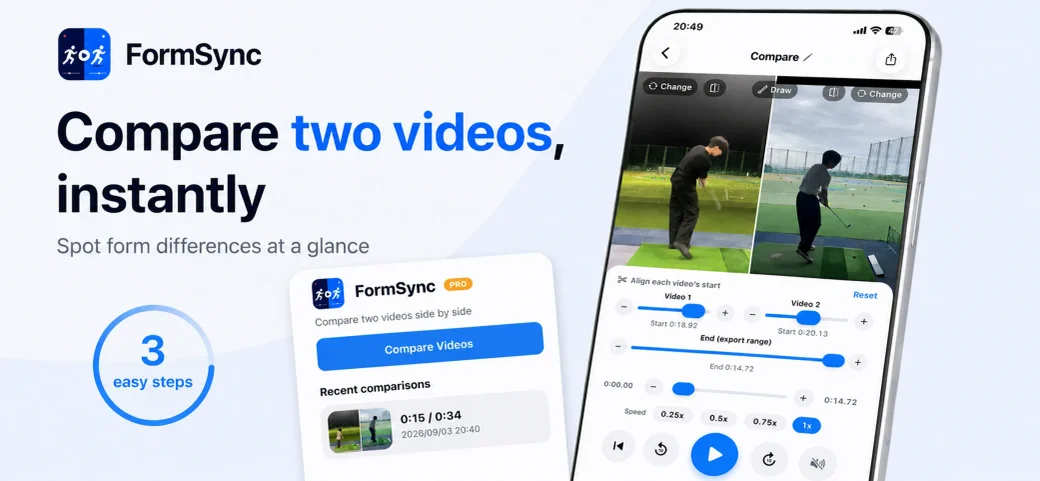
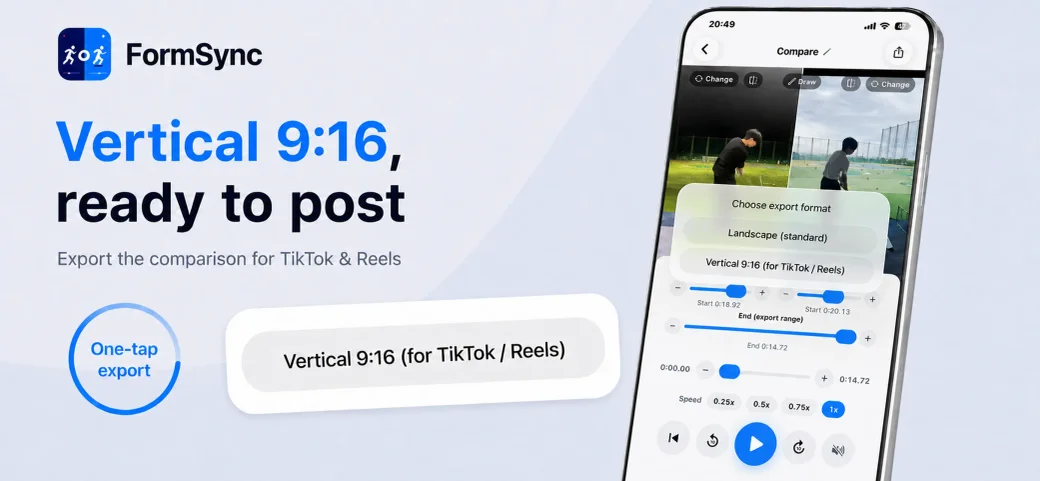
FormSync lets you place two videos side by side and play them together — a simple app for checking form.
Compare any kind of movement: dance, golf, tennis, baseball, training, and more. Put a reference next to yourself, or your past form next to today's, and spot the differences at a glance.
Features
- Pick two videos from your camera roll and view them side by side
- Play and pause both videos at the same time
- A shared seek bar to move both to the same position
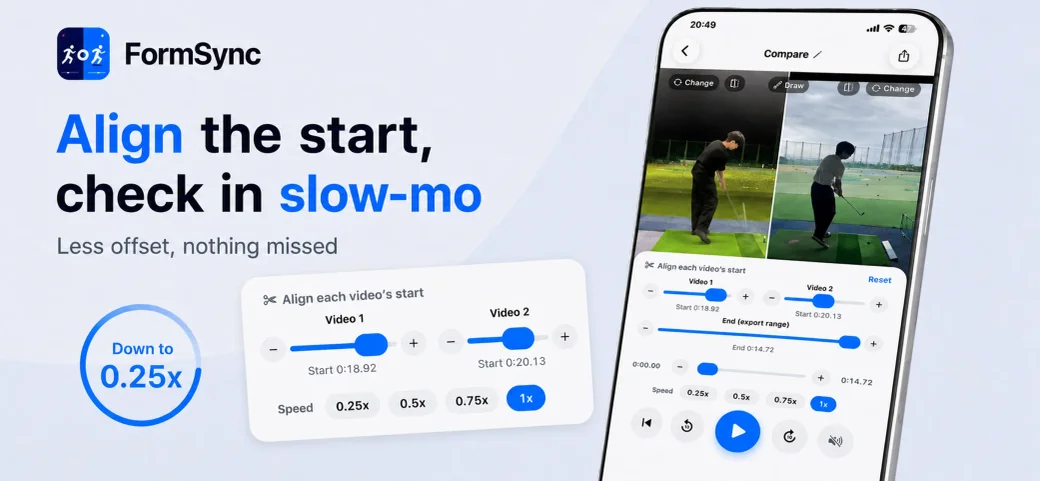
- Slow-motion playback (0.25x / 0.5x / 0.75x / 1x)
- Set a start point for each video and fine-tune it in 0.05s steps
- Jump to start / skip forward 10s / back 10s
- Pinch to zoom in and check the fine details up close (zoom is kept in your exports too)
- Landscape mode on the compare screen
- Swap one video and keep the other — compare new takes against your reference, one after another
- Mirror view — flip either video horizontally to match your reference's direction
- Draw straight lines to compare form — angle and alignment (PRO)
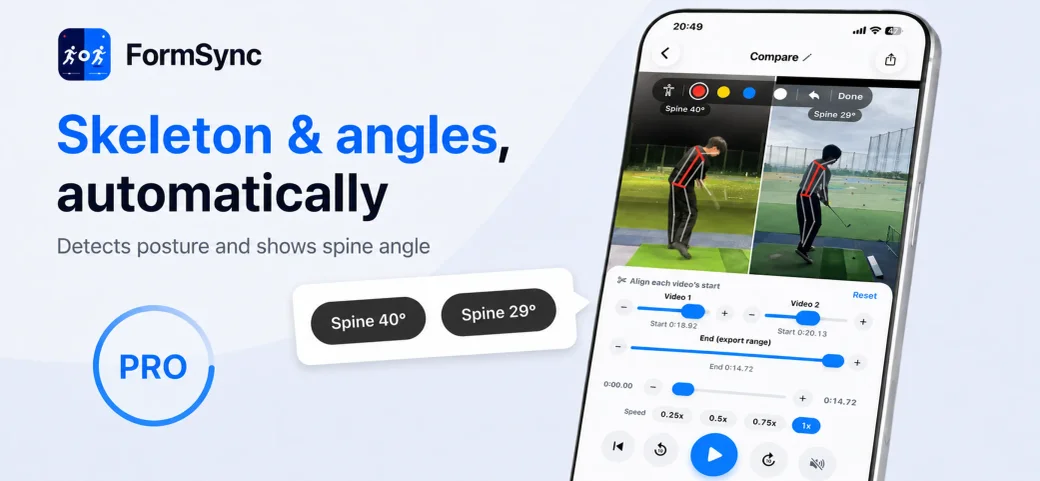
- Auto-detect pose — full-body skeleton and spine angle drawn in one tap (PRO)
- Export your comparison as a single video, landscape or vertical 9:16 (saved to your camera roll, ready to share)
- Set an end point and export just the range you want to show
- Save your comparisons to history, name them, and revisit them
Free
- Compare any videos — preview plays 10 seconds from your chosen start points
- Export comparisons up to 10 seconds (with a small watermark)
- Keep your 5 most recent comparisons in history
PRO (one-time purchase)
- Play and compare videos in full length
- Draw straight lines to compare form — angle and alignment, baked into your exports too
- Auto-detect pose — full-body skeleton plus spine angle for your golf swing, in one tap
- Export full-length comparisons (watermark can be turned off)
- Keep unlimited history
All videos are processed on your device and are never uploaded to a server.
For iPhone.
What’s new
Version 1.12.2 · Oct 26, 2026
- Fixed an issue where some videos stored in iCloud couldn't be selected and showed "couldn't load the video"
- Minor improvements
App privacy
What Hiroki Sugiyama declares on the App Store about how this app handles data.
-
Data not linked to you
May be collected but is not linked to your identity.
- Purchases
- Identifiers
- Usage data
Privacy practices may vary, for example with the features you use or your age.
Information
- Seller
- Hiroki Sugiyama
- Category
- Photo & Video
- Version
- 1.12.2
- Updated
- Oct 26, 2026
- Released
- Jun 18, 2026
- Size
- 36.0 MB
- Requires
- iOS 15.1 or later
- Age rating
- 4+
- Price
- Free
- In-app purchases
- Yes
- Languages
- English, German, Japanese, Korean, Simplified Chinese, Spanish, Traditional Chinese
- Copyright
- © 2026 Hiroki Sugiyama
You might also like
-
 Frame by Frame: Slow Mo VideoDance practice & form analysis
-
 MOVINdow - Multi Video PlayerPhoto & Video
-
 Form ComparePhoto & Video
-
 スノボカメラ - オフトレ施設専用Photo & Video
-
 ChallengeMe - AI dance compareAI · Real-time / pose analysis
-
 GameEye: Sport Video AnalysisSlowMo, Compare, FrameByFrame
-
 Form Camera: Ski / SnowboardRecord & compare side by side
-
 Video Tiles: Collage and GridSplit Screen Video Maker
-
 Compare Video & Photo—SidefoldSplit screen before and after
-
 TennisforcePhoto & Video