
Formula Kit
Equation Editor LaTeX Math
Designed for iPhone, iPad, Mac
In-app purchases
- Age rating4+
- CategoryEducation
- LanguagesGerman+ 43 more
- Size60.7 MB
Links to the official App Store page
Download.org hosts no file of Formula Kit. The button opens its official App Store page, published by . Listing last checked on Nov 12, 2026.
Screenshots

About
Type, edit and export LaTeX formulas in one app: change a formula right in the preview or edit the LaTeX source itself; photos, images and handwriting all turn into editable code; 544 templates, a 258-symbol keyboard, live KaTeX rendering and one-tap high-res PNG / LaTeX / MathML export.
Whether you are writing academic papers, preparing lesson notes, or organizing science and engineering notes, you can input, edit and export formulas in one app.
Core Features
• Preview editing and LaTeX code editing: the preview area is the editing area. Tap a formula to change it on the spot — what you see is what you get; you can also edit the LaTeX code directly.
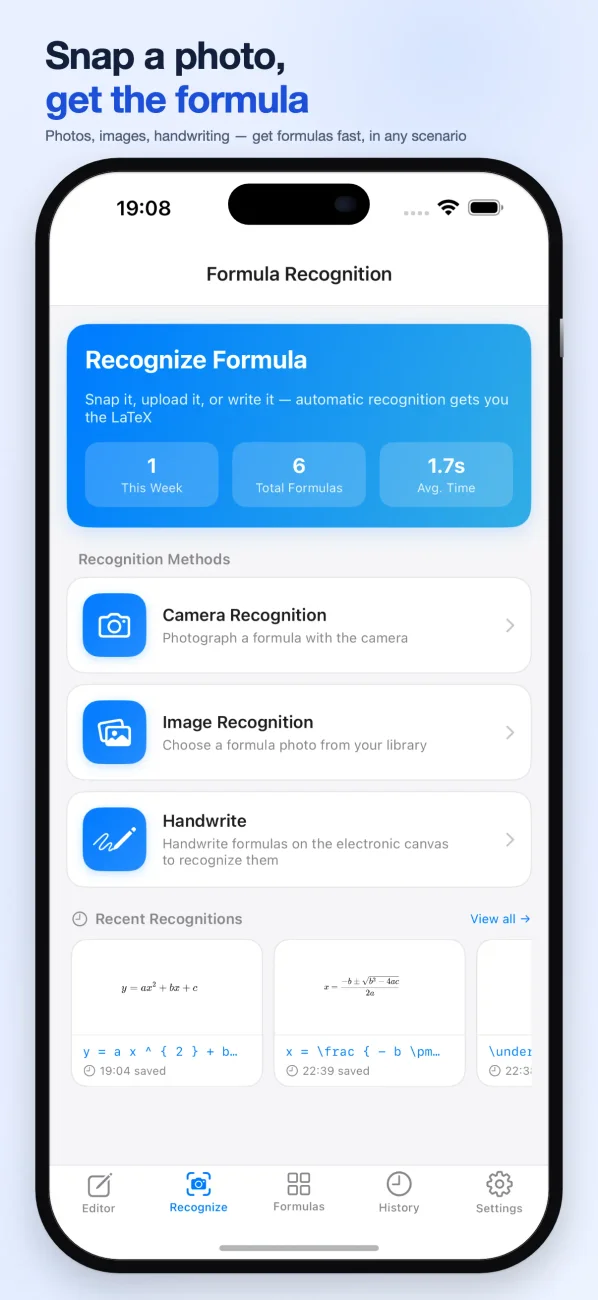
• Formula recognition: take a photo, pick one from your photo library, or write by hand — all are recognized as LaTeX code automatically.
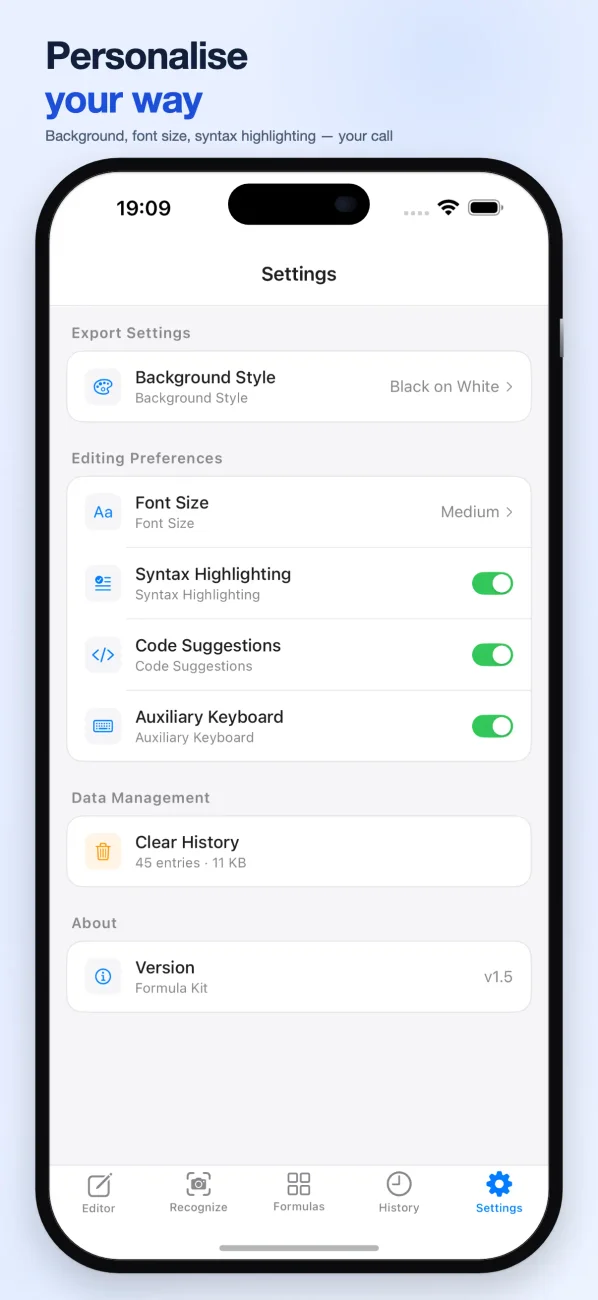
• 258-symbol keyboard: a custom keyboard built for formula input, with a clearly organized symbol panel (8 categories, 258 symbols: common, arithmetic, Greek letters, structures, arrows, functions and more), precise cursor dragging and LaTeX command autocomplete — much faster input.
• One-tap high-res PNG and LaTeX / MathML export: save a formula as a high-resolution PNG in one tap (no watermark with Pro); export LaTeX, MathML, HTML or SVG code for papers, web pages and slide decks.
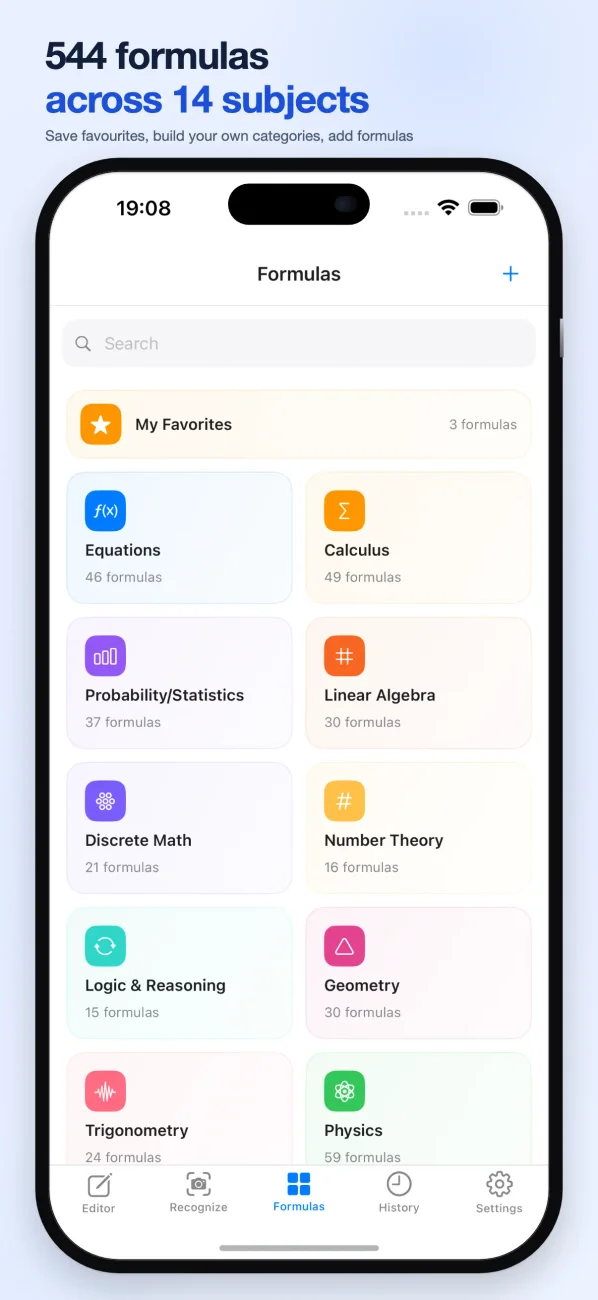
• 544 formulas, live preview: 544 built-in formula templates across 14 subjects including math, physics, chemistry and computer science, ready out of the box; rendered in real time with the KaTeX engine so you see results as you type, with instant syntax hints; one-tap favorites and custom categories keep everything organized.
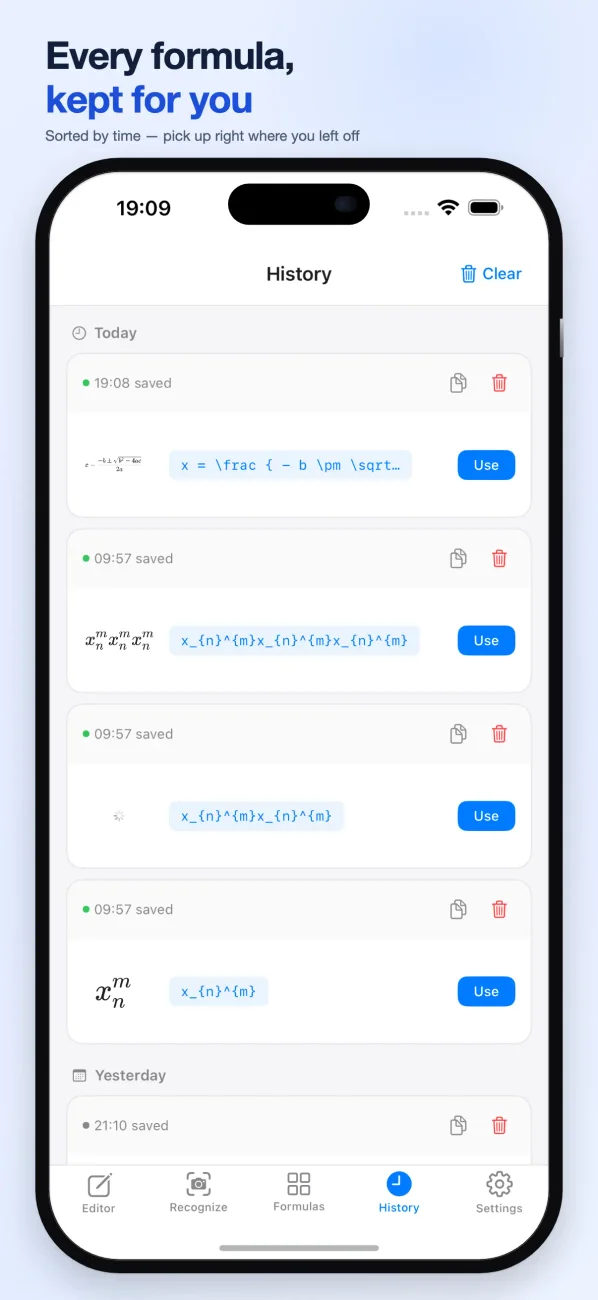
• History and full-screen preview: editing history is saved automatically and easy to browse as thumbnails; full-screen preview appears automatically after you copy a formula.
Why Formula Kit
• Lightweight and fast — quick launch, smooth rendering
• iPhone, iPad and Mac
• Core features are free; upgrade to Pro to unlock full recognition, watermark-free export and unlimited favorites (yearly subscription or lifetime purchase)
Who it is for
• Students (high school / university / graduate)
• Teachers and professors
• Researchers
• Engineers and technical writers
• Anyone who needs to type mathematical formulas
Terms of Use (EULA): https://www.apple.com/legal/internet-services/itunes/dev/stdeula/
What’s new
Version 1.6 · Oct 18, 2026
1. Improved camera recognition, image recognition and handwriting recognition.
2. Improved editing formulas directly in the preview area.
App privacy
What declares on the App Store about how this app handles data.
-
Data not collected
The developer does not collect any data from this app.
Privacy practices may vary, for example with the features you use or your age.
Information
- Seller
- 玉良 刘
- Category
- Education
- Version
- 1.6
- Updated
- Oct 18, 2026
- Released
- Aug 2, 2026
- Size
- 60.7 MB
- Requires
- iOS 17.0 or later
- Age rating
- 4+
- In-app purchases
- Yes
- Languages
- German, Arabic, Bengali, Danish, English, Finnish, French, Greek, Gujarati, Hebrew, Hindi, Indonesian + 32 more
- Copyright
- © 2026 yuliang liu
You might also like
-
 MathCapture365 Equation EditorCompatible with Office
-
 TeXAntOffline Mobile LaTeX Editor
-
 Mathix: Symbolic MathsSymbolic Maths & Plots
-
 TeXitorEquations for Education & Work
-
 Physics Formulas - PhysRefEquations, Constants & Solver
-
 DiamMathGraphs, calculus, formulas
-
 MiFormulas - Math NotebookWrite text and math together
-
 Note Mplus - Math NotesWrite Math Notes Easily
-
 RYORAKUPlay with quantum physics
-
 Learn Greek Alphabet LettersHiragana, Katakana, Cyrillic