
Foto Notes - Timestamp Camera
GPS, Date & Compass on Photos
Designed for iPhone, iPad
Free · In-app purchases
- Age rating4+
- CategoryProductivity
- DeveloperTobias Huppertz
- LanguagesEnglish+ 27 more
- Size30.0 MB
Links to the official App Store page
Download.org hosts no file of Foto Notes - Timestamp Camera. The button opens its official App Store page, published by Tobias Huppertz. Listing last checked on Nov 20, 2026.
Screenshots

About
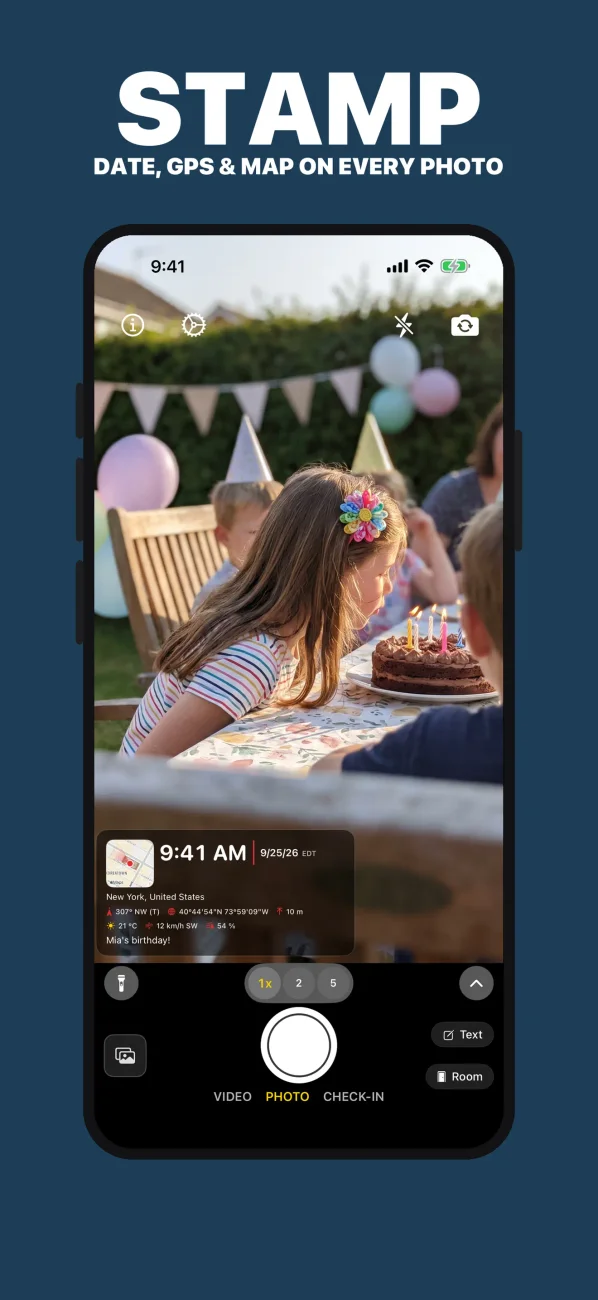
Foto Notes burns the date, time, street address, GPS coordinates, compass, altitude, a small map, the weather and your note right into your photos. There is nothing to edit afterwards and no separate notebook.
Construction site, apartment viewing, handover, inspection or survey: the photo shows when and where it was taken, and the details stay on every copy.
THE DOCUMENTATION STAMP
An info card that updates live in the viewfinder:
- Large clock with seconds, date and time zone
- Full street address with street, number and city
- Exact GPS coordinates, altitude and compass direction (true or magnetic north)
- A map thumbnail of your position, standard or satellite (Pro)
- The weather at capture: temperature, wind and humidity (Pro)
- Your note
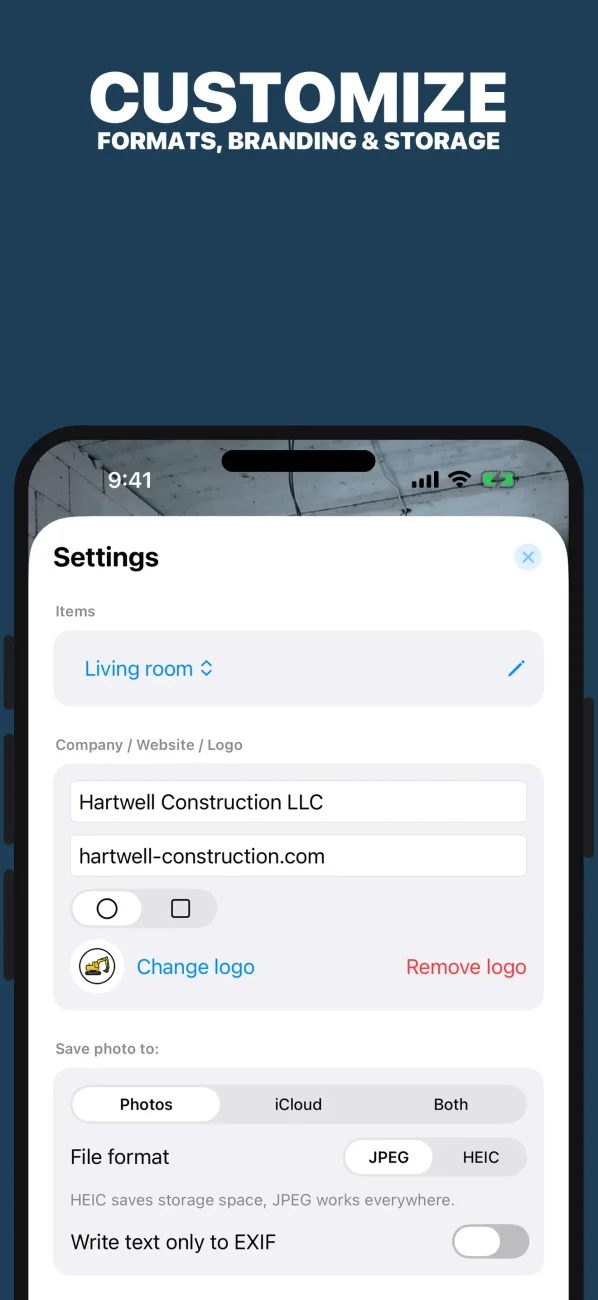
- Your logo, company name and website (Pro)
Hold the stamp to show or hide each element. What you see in the viewfinder is exactly what gets burned in.
DESIGN RIGHT IN THE CAMERA
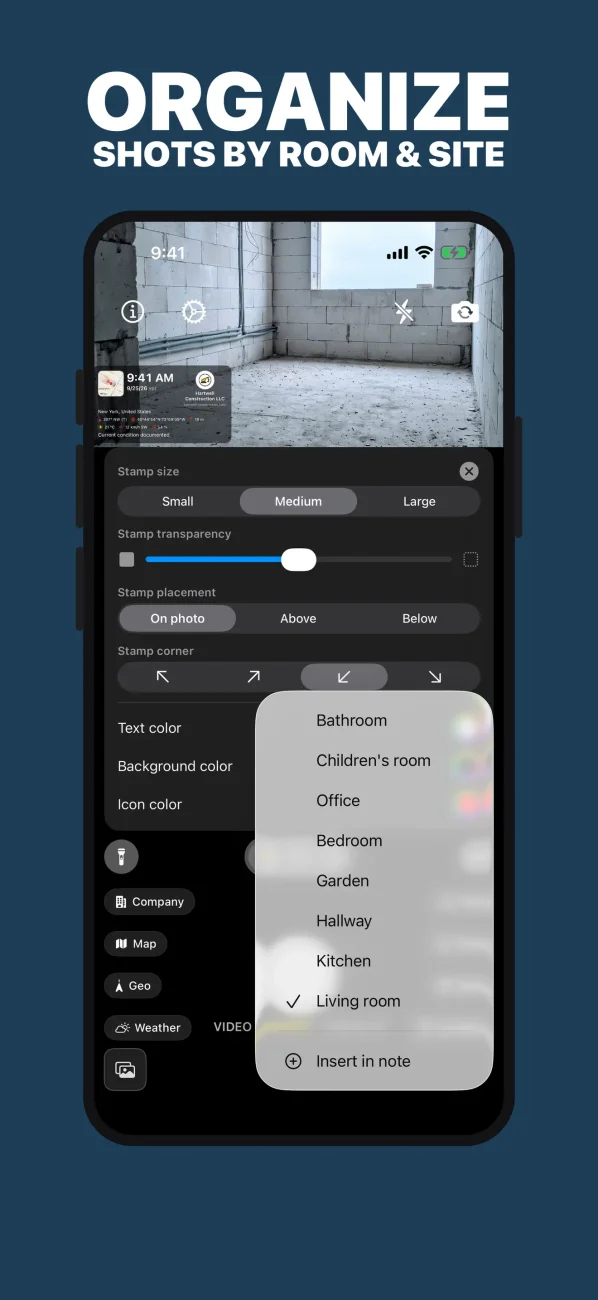
Change transparency, colors and placement in the adjust panel next to the shutter, and the viewfinder shows each change instantly. The stamp sits in a corner or above/below the photo, so it never covers a detail. Stamp size: small, medium or large.
VIDEO WITH A TIMESTAMP (NEW, PRO)
In video mode the stamp is burned live into every frame. The clock keeps running, and the compass and map dot follow your movement. Records in Full HD with optional sound and saves straight to your photo library.
SIX TAGS FOR YOUR NOTE
Tap a tag and it drops into your note as a badge:
- Date: today's date in the format you choose
- Time: the current time, to the second
- Location: city, country or full street address
- Room: an entry from your room list (kitchen, bathroom, office …)
- Coordinates: exact GPS position, even offline
- Company: your company name and website (Pro)
MADE FOR VIEWINGS AND JOB SITES
Pick the room before each shot, from the built-in list or, with Pro, from your own. Three viewings later you still know which bathroom belongs to which apartment. On the job site, date, coordinates and map record every step.
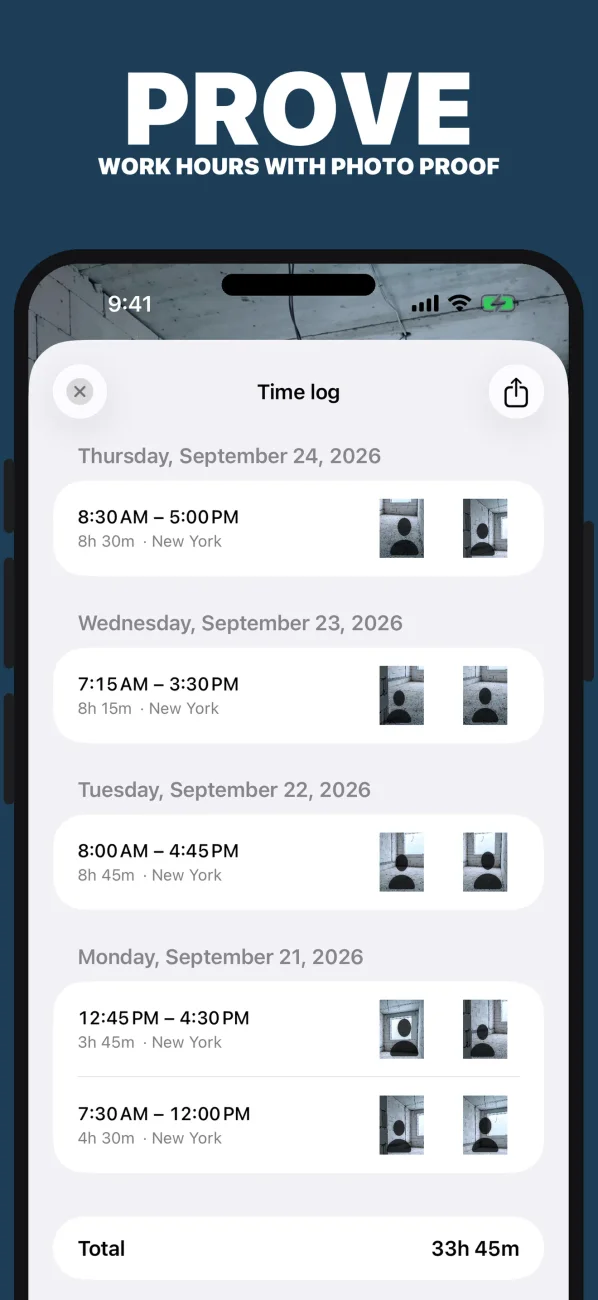
CHECK-IN: WORK HOURS WITH PROOF
Check-in mode clocks you in and out with a proof photo from the selfie camera, with the time burned into it. The app reminds you to check out, times you add or correct later are marked in the report, and iCloud backup keeps your time log through a reinstall. Export the work time report as a PDF with photos, daily totals and signature lines, or as CSV. Your first report is free, after that it is part of Pro.
STAMP PHOTOS YOU ALREADY HAVE (PRO)
Stamp existing photos from your library or the Files app. Date, time and location come from the original's capture data (EXIF), and the originals stay untouched.
TRY EVERYTHING FIRST
Your first 3 photos after installing carry the full Pro stamp, including the map and your own branding. Then you decide what to keep.
NO ADS
The free version takes unlimited photos and shows no ads. In return it carries a small Foto Notes badge inside the stamp.
FOTO NOTES PRO
Pro replaces that badge with your logo, company name and website on every photo you hand to clients, insurers or contractors. It adds video mode, the map thumbnail and stamp layouts above/below the photo. Get Pro as a subscription or as a one-time lifetime purchase, which launches at an introductory price.
ALSO ON BOARD
- Quick zoom presets, flash, continuous light and front camera
- Flexible date, time and location formats
- Save photos to your photo library or your own iCloud Drive
PRIVACY
The app uses the camera, microphone and location only to take the photo or video and render the stamp. Your photos stay on your device or in your own iCloud Drive and are never sent to us or anyone else. The app needs no account and does not track you.
Terms of Use (EULA): https://www.apple.com/legal/internet-services/itunes/dev/stdeula/
What’s new
Version 2.3.0 · Sep 25, 2026
New: Videos with a timestamp (Pro)
• New Video mode next to Photo and Check-in. The stamp is burned live into every frame, and the clock, compass and map dot move along
• Records in Full HD (1080p) with optional sound and saves to your photo library, location included
Improvements
• The map and the seal icon now also appear on iOS 16
• Tidier menus on small screens such as iPhone 8 and SE
• More stable camera, more reliable backup of your work hours and reviewed translations
App privacy
What Tobias Huppertz declares on the App Store about how this app handles data.
-
Data not collected
The developer does not collect any data from this app.
Privacy practices may vary, for example with the features you use or your age.
Information
- Seller
- Tobias Huppertz
- Category
- Productivity
- Version
- 2.3.0
- Updated
- Sep 25, 2026
- Released
- Feb 2, 2022
- Size
- 30.0 MB
- Requires
- iOS 16.6 or later
- Age rating
- 4+
- Price
- Free
- In-app purchases
- Yes
- Languages
- English, Arabic, Czech, Danish, Dutch, Finnish, French, German, Greek, Hungarian, Indonesian, Italian + 16 more
- Copyright
- © Tobias Huppertz 2026
You might also like
-
 StampCam Watermark CameraGPS Timestamp, Date & Location
-
 TimePhoto - Timestamp CameraPhoto Stamp, GPS Watermark
-
 GPS Timestamp CameraProductivity
-
 TaskMate ProSmart Daily Task Manager
-
 TimeNow: Timestamp Camera GPSPhoto & Video Proof of Work
-
 Eidica - Visual NotesSnap Photos & Add Notes
-
 TimeBox FocusPlan your day with time bucket
-
 Personal OfficeTasks and docs, no account
-
 Gaston - Assistant IAProductivity
-
 인카 - 인프라스마트 현장 카메라Productivity