FoxTake: Talking-Head Studio
Record, Edit & Caption
Designed for iPhone
Free · In-app purchases
- Age rating4+
- CategoryProductivity
- DeveloperLengjie (beijing) Technology Co., Ltd
- LanguagesEnglish+ 7 more
- Size8.6 MB
Links to the official App Store page
Download.org hosts no file of FoxTake: Talking-Head Studio. The button opens its official App Store page, published by Lengjie (beijing) Technology Co., Ltd. Listing last checked on Nov 24, 2026.
Screenshots
About
A video workspace for independent professionals. Prepare your own words, read close to the lens, and turn a recording into a captioned video.
PREPARE A SCRIPT
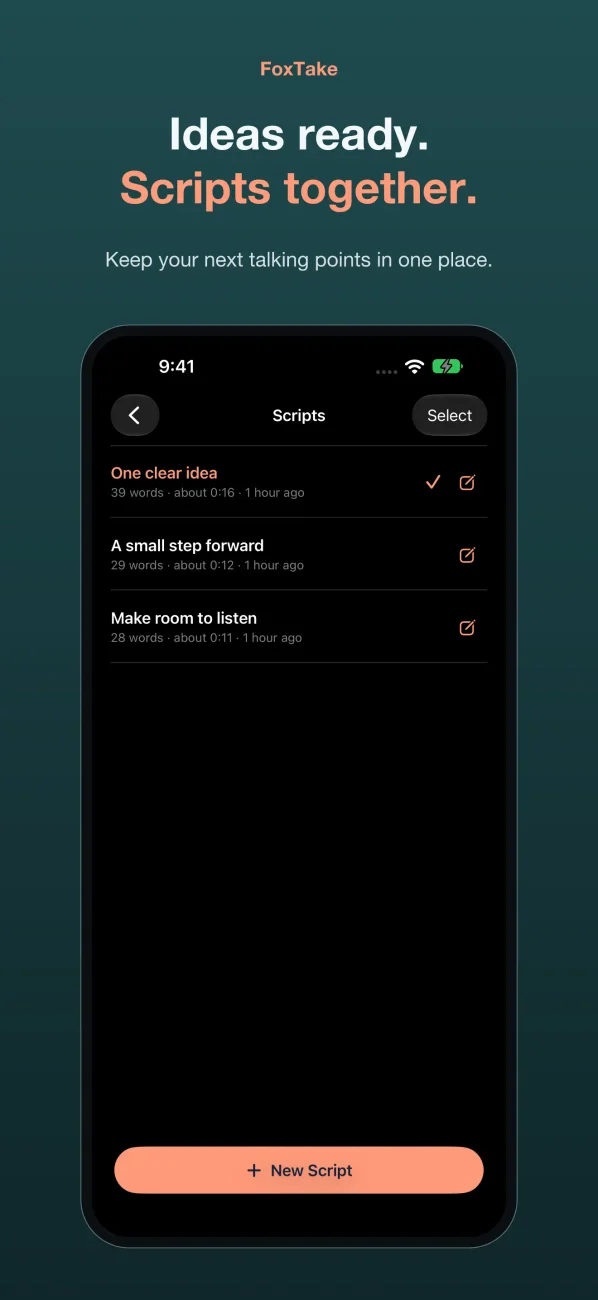
Type, paste, or dictate into one editable draft. Pick the spoken language and tap to start or stop dictation at your cursor. Explicitly choose AI Polish to fix recognition mistakes and repetition, turn a long article into a spoken script (keep the information, or condense it to a target length), or translate the whole draft faithfully. Preview before replacing, and undo recent edits.
READ AND RECORD
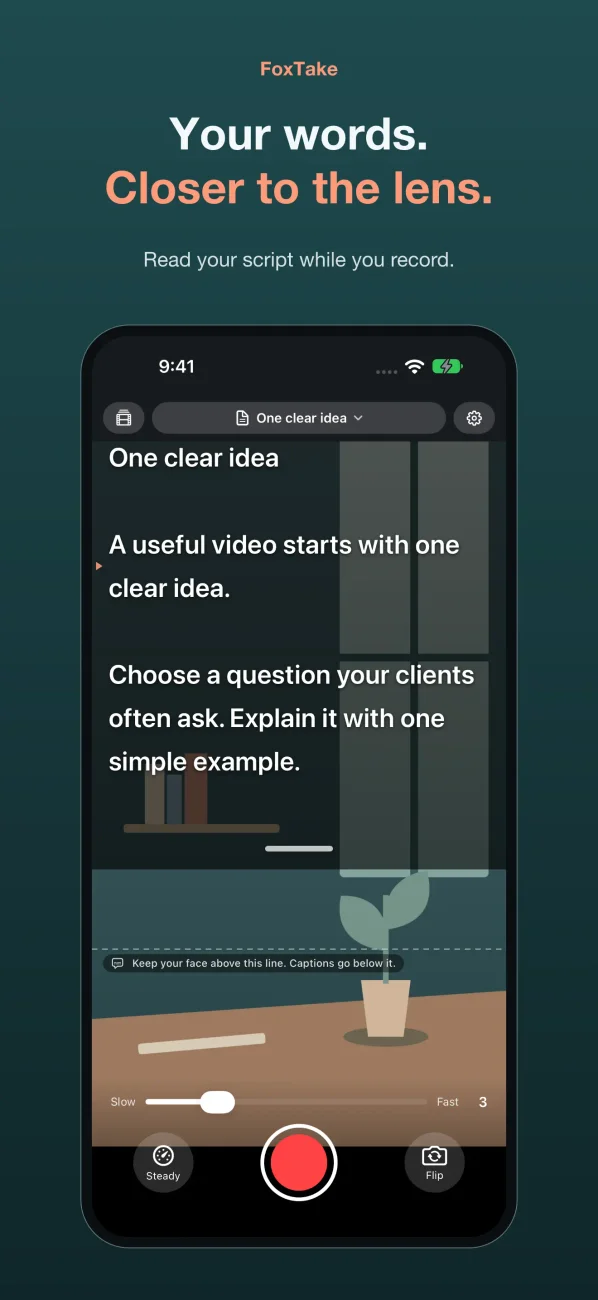
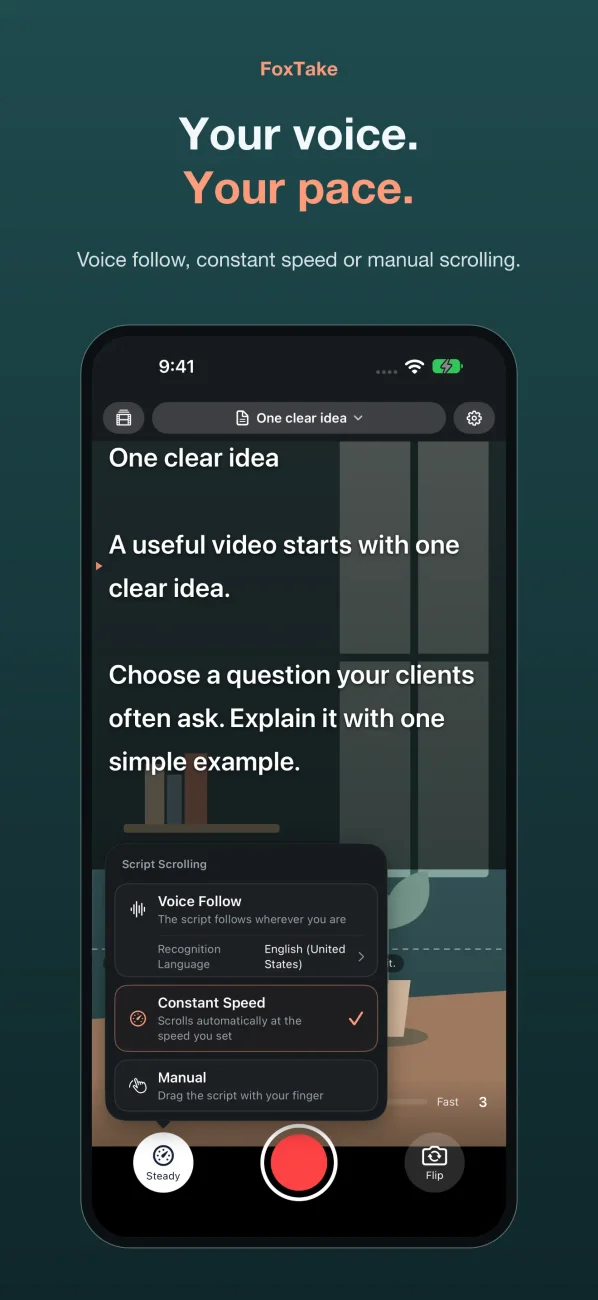
Voice Follow scrolls with your speech, waits when you pause and follows a repeated sentence. Constant-speed and manual scrolling work too. Tap the script to pause, double-tap to go back a sentence, long-press to edit, and pinch to resize text. Record portrait video with the front or back camera and save it to Photos.
MAKE A VIDEO
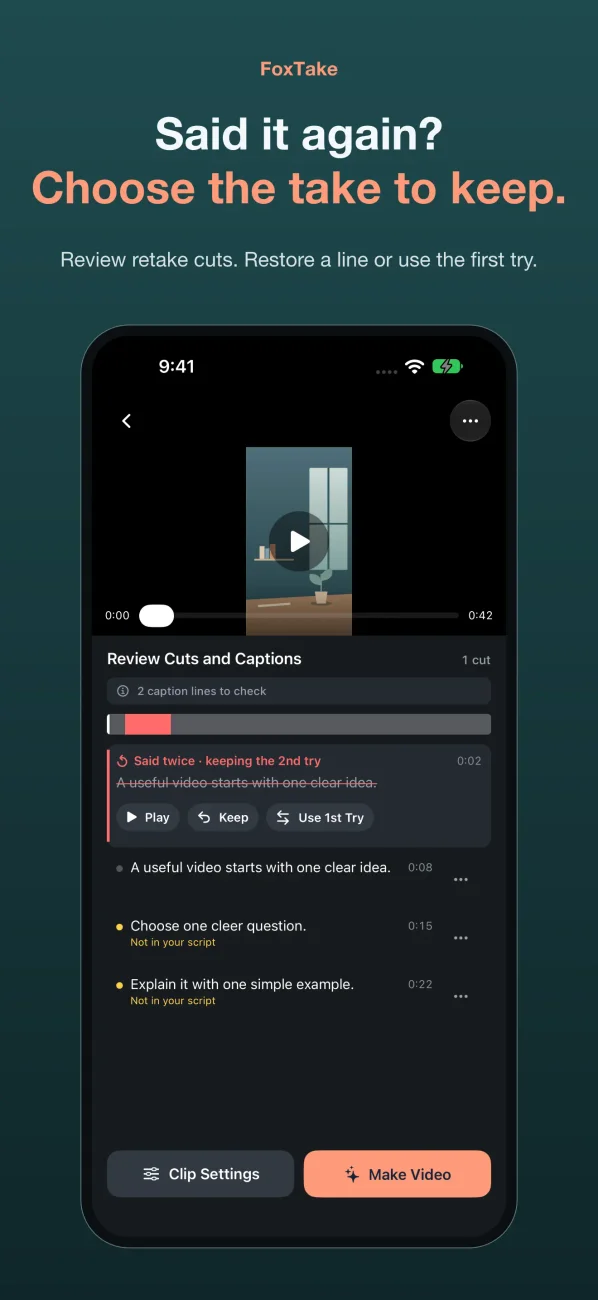
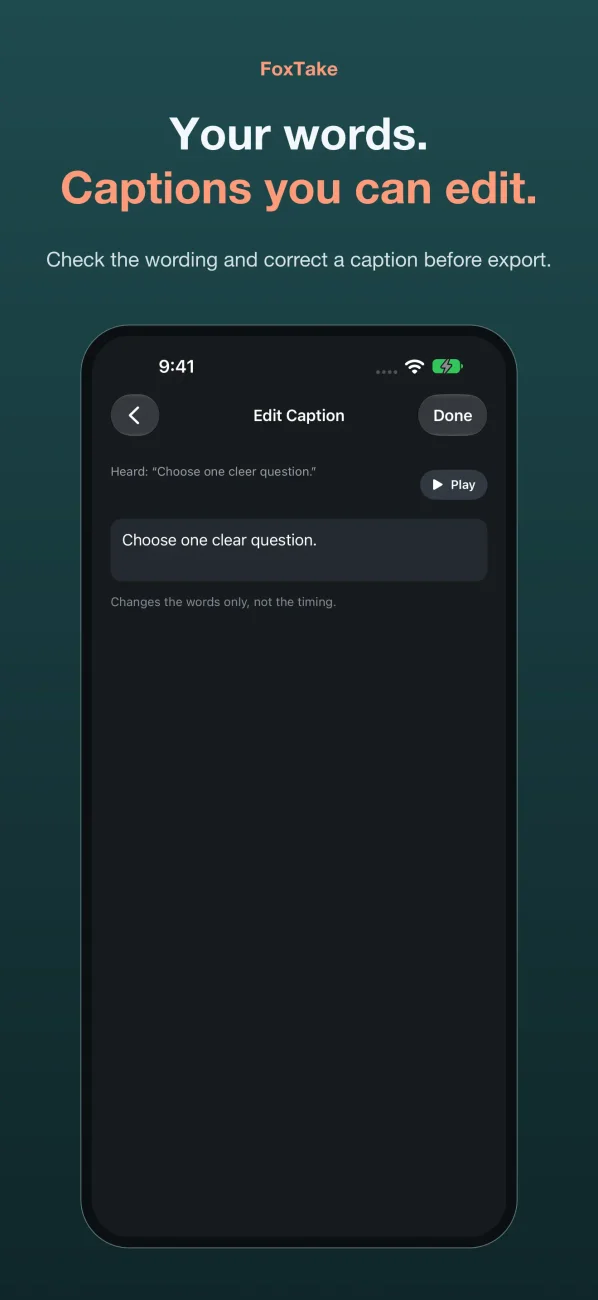
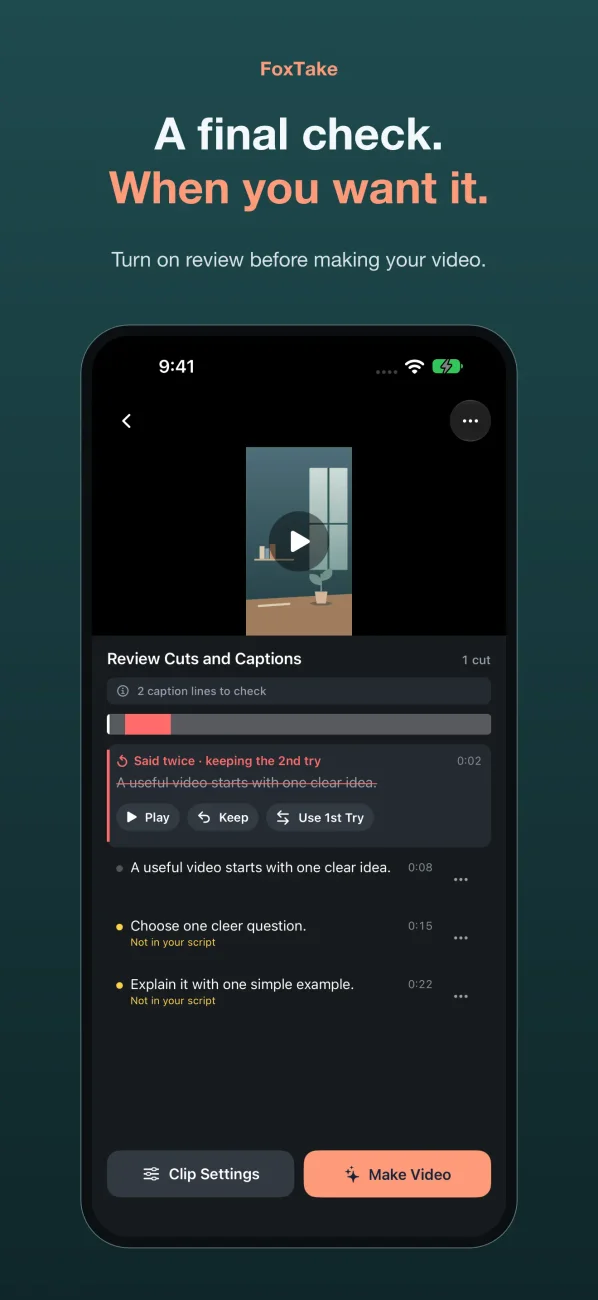
Detect retakes, trim silent ends and shorten long pauses. Captions come from on-device speech recognition, with the script as a correction aid, not a replacement for what you said. Choose caption styles, an optional translation line, video captions, .srt or both. Captions sit below the face guide; they do not avoid every platform's controls. Adjust loudness, speed and beauty, or export a project for editing on a computer. Add a name plate, a video title and covers in 9:16, 3:4 and 16:9. After making a video, fix flagged caption lines against the audio and make a new version; the earlier one stays in Photos. Check important facts, names, numbers and translations; automated results can be wrong.
LANGUAGES
Fully supported: English, Chinese, Japanese, Korean, German, French, Spanish, Portuguese and Italian. Other recognizable or translatable languages are Beta; check their captions carefully.
PRIVACY AND REQUIREMENTS
Requires iOS 26 or later; on-device speech and translation language support varies. Recording, editing, on-device speech recognition and Voice Follow run on your iPhone. Online AI stays off until you allow it once; one permission covers title suggestions, AI Polish, AI Check, caption translation and cloud transcription of languages your iPhone can't recognize. Then, opening a take not yet made into a video sends its script (or captions, if there is none) in the background for title suggestions. Only the text or audio clips needed are sent to our server, which passes them to AI providers in the US or EU through OpenRouter. Video pictures are never uploaded. Our proxy keeps no content; see the Privacy Policy for how providers handle data. Turn off AI Features in Settings at any time; on-device features keep working.
FOXTAKE PRO
The teleprompter and recording do not use credits. One-tap video, AI Check, online caption translation, AI Polish, cloud transcription, dictation (1 credit per draft; not charged when your balance runs short), Voice Follow and project export use AI credits, because they use limited AI computing. Each Apple Account gets starting credits once for trying these features. FoxTake Pro adds credits for each billing period (every month on the yearly plan); unused period credits do not carry over. Subscribers can add credit packs, which do not expire. There is no free trial period. Videos you have already made can still be remade on your iPhone.
Monthly: $7.99/month. Yearly: $39.99/year (US prices). The App Store shows local prices before purchase. Online AI also has daily usage protection; at the limit, supported on-device results remain available.
Payment is charged to your Apple Account on confirmation. The subscription renews automatically unless cancelled at least 24 hours before the current period ends; renewal is charged within its final 24 hours. Manage or cancel in Apple Account subscription settings. Your scripts and saved videos remain yours.
Privacy: https://deskfox.ai/foxtake/privacy
Terms: https://deskfox.ai/foxtake/terms
Apple EULA: https://www.apple.com/legal/internet-services/itunes/dev/stdeula/
What’s new
Version 2.3 · Nov 15, 2026
One-tap video now adds a video title, a name plate and cover images.
• Video Title: when AI Features is on, a main title and subtitle can be suggested from your script or captions. You can always type or edit the title yourself.
• Name Plate: enter your name and profession once, and choose to use it for future videos.
• Cover images in 9:16, 3:4 and 16:9. Adjust each size on its own. When using a frame from your video, FoxTake tries to pick one with your eyes open and your mouth relaxed, or you can use a custom image.
• After making a video: Remake, Adjust Captions, or change just the covers. Earlier videos stay in Photos.
• A redesigned top bar on the recording screen, with the first line of your script closer to the lens.
• A redesigned Adjust Captions screen that shows your script next to the suggested wording. Re-record a single sentence and compare it before you use it.
• Settings you change for one video now apply to that video only. Set defaults in Settings > Clip Settings.
• A clearer explanation of AI Features in Settings.
App privacy
What Lengjie (beijing) Technology Co., Ltd declares on the App Store about how this app handles data.
-
Data linked to you
May be collected and linked to your identity.
- Purchases
- Identifiers
- Usage data
-
Data not linked to you
May be collected but is not linked to your identity.
- User content
Privacy practices may vary, for example with the features you use or your age.
Information
- Seller
- Lengjie (beijing) Technology Co., Ltd
- Category
- Productivity
- Version
- 2.3
- Updated
- Nov 15, 2026
- Released
- Sep 27, 2026
- Size
- 8.6 MB
- Requires
- iOS 26.0 or later
- Age rating
- 4+
- Price
- Free
- In-app purchases
- Yes
- Languages
- English, French, German, Japanese, Portuguese, Simplified Chinese, Spanish, Traditional Chinese
- Copyright
- © 2026@DeskFox.Ai
You might also like
-
 InTeleprompter ProIntelligent Voice Scroll
-
 Studio: TeleprompterThe powerful teleprompter app
-
 PSA-AuditProductivity
-
 Top Notch TeleprompterTeleprompter
-
 Autoprompt Lite TeleprompterAI Voice Script Scroller
-
 Speakflow: TeleprompterOfficial app for speakflow.com
-
 Cue: Floating TeleprompterRead Video Script Auto Scroll
-
 AI Text To Speech: VoiceifyTTS Create Quality Voiceovers
-
 Telepromptme Lite: PrompterTeleprompter autocue scroller
-
 Any Display: Second MonitoriPad as Screen, Pen & Webcam