
Fragments: Mini Vlog Camera
Shoot Your Day, Tap to Finish
Designed for iPhone
Free · In-app purchases
- Age rating4+
- CategoryPhoto & Video
- DeveloperEDISON MODESTO
- LanguagesEnglish
- Size45.8 MB
Links to the official App Store page
Download.org hosts no file of Fragments: Mini Vlog Camera. The button opens its official App Store page, published by EDISON MODESTO. Listing last checked on Nov 25, 2026.
Screenshots

About
Stop editing. Start vlogging.
Record short clips all day, tap once at night for a finished mini-vlog.
Private by default. Clips stay on your phone unless you turn on optional cloud backup.
HOW IT WORKS:
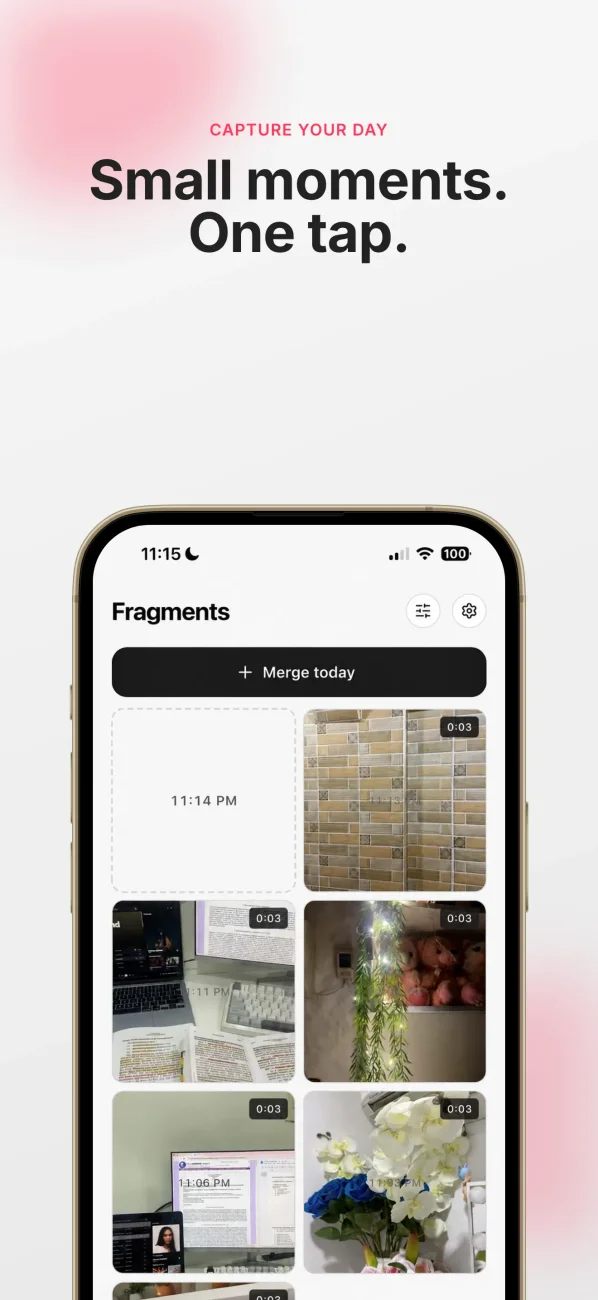
1. Capture your day — 3s, 5s, 15s, 30s or No Limit
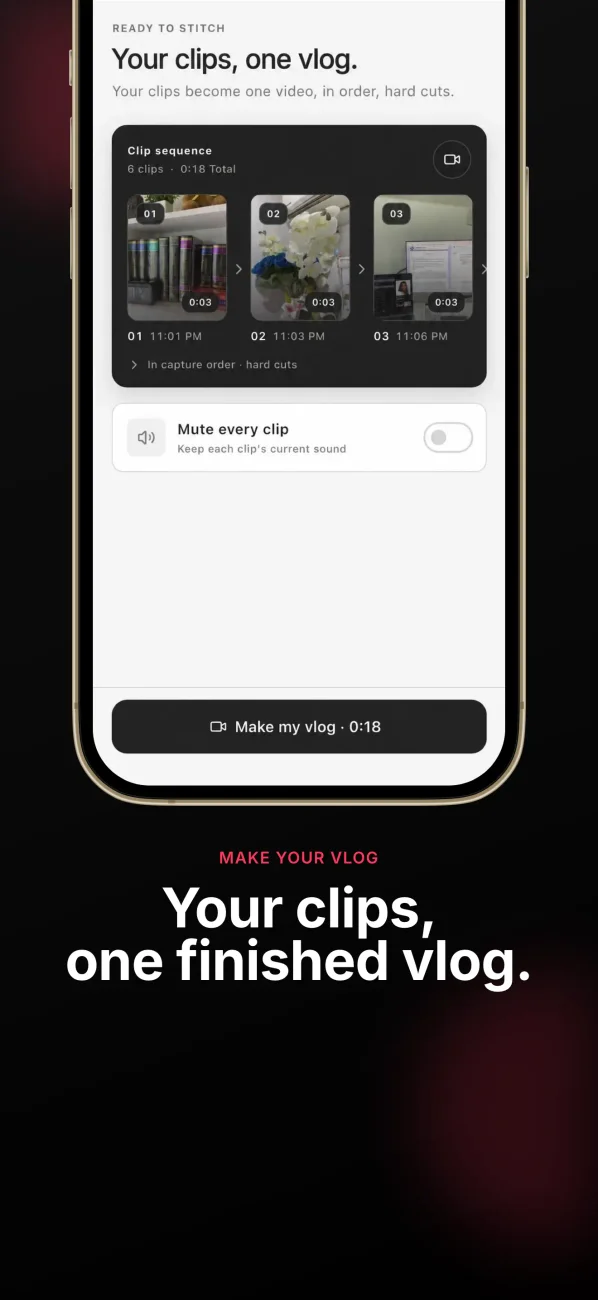
2. Tap Make my vlog — clips stitch in order, hard cuts
3. Share — save to Photos or post straight to TikTok & Reels
WHY FRAGMENTS?
• Small moments. One tap. No timelines, no editor.
• Your clips, one finished vlog — chronological, ready to post.
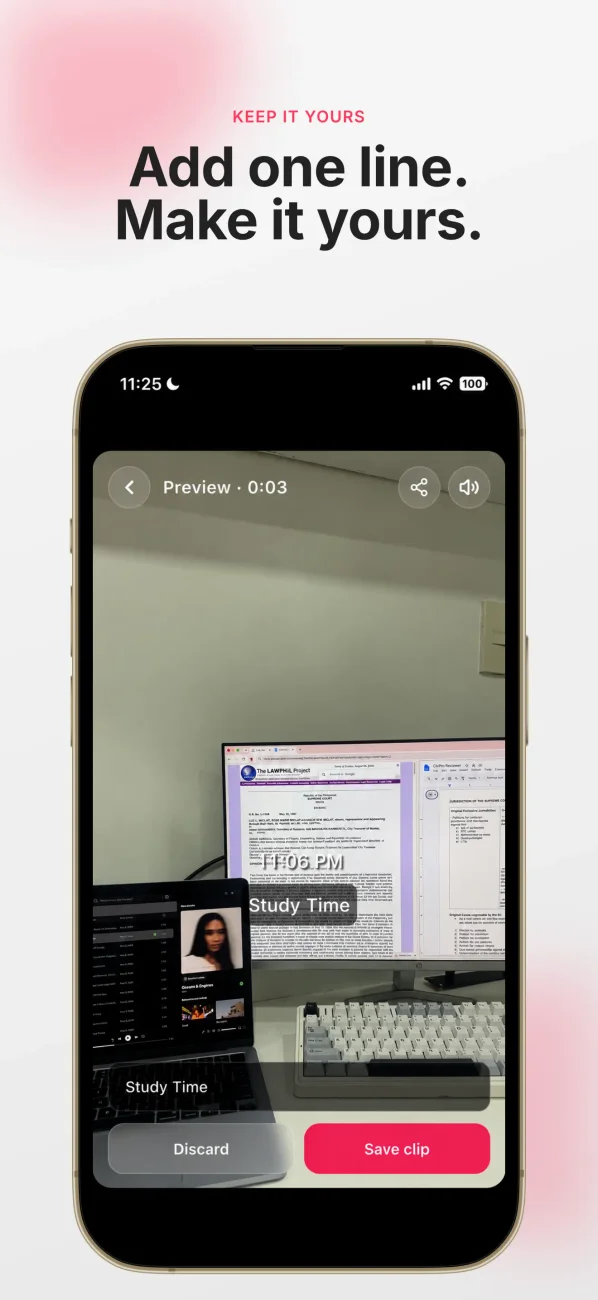
• Add one line. Make it yours — optional caption on every clip.
• Mute noisy clips, keep only the sound that matters.
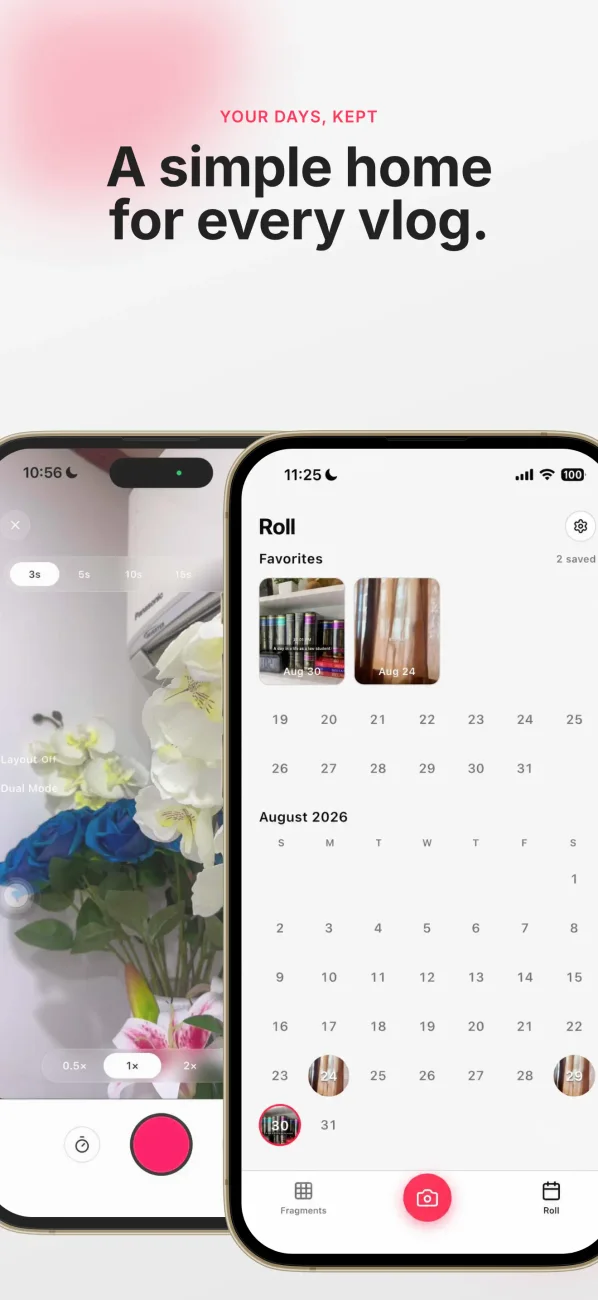
• 3-2-1 timer for hands-free shots.
• A simple home for every vlog — Archive, Favorites, daily reminder.
PRIVATE BY DESIGN
Local-first. Your vlogs live on this iPhone. Cloud backup is optional, turn it on and a copy survives a reinstall; leave it off and deleting the app deletes your vlogs. That's the point.
Built for daily vloggers. Portrait 9:16. Free for iPhone.
Record your day. One tap. Done.
Terms of Use (EULA): https://www.apple.com/legal/internet-services/itunes/dev/stdeula/
Privacy Policy: https://www.devtastic.tech/fragments/privacy
Support: https://www.devtastic.tech/fragments/support
What’s new
Version 1.6.0 · Nov 23, 2026
v1.6.0
• Password recovery — if you forget your email password, you can now request a
reset link from sign-in and set a new one without starting over.
• Import that shows more — video imports now page through your library more
reliably, and Fragments tells you when Photos access is limited.
• Your merge, your clock — choose whether capture timestamps appear in the final
vlog. Captions still stay when you leave timestamps out.
• Backup that keeps going — close the storage sheet and move around the app while
backup continues, with clearer progress, an ETA, retry for failed items, and
restore when a video is only in the cloud.
• Free up space safely — Pro backup removes local video only after the cloud copy
is confirmed, and brings it back when you need to watch or edit it.
• Fragments on your Lock Screen — add the widget for one-tap access to the
camera.
• Email sign-in feels clearer — better validation, password visibility, loading,
confirmation, and recovery states.
• Bug fixes and performance improvements throughout.
App privacy
What EDISON MODESTO declares on the App Store about how this app handles data.
-
Data linked to you
May be collected and linked to your identity.
- Purchases
- Contact info
- User content
- Identifiers
- Usage data
- Diagnostics
Privacy practices may vary, for example with the features you use or your age.
Information
- Seller
- EDISON MODESTO
- Category
- Photo & Video
- Version
- 1.6.0
- Updated
- Nov 23, 2026
- Released
- Sep 7, 2026
- Size
- 45.8 MB
- Requires
- iOS 17.0 or later
- Age rating
- 4+
- Price
- Free
- In-app purchases
- Yes
- Languages
- English
- Copyright
- © 2026 Edison Modesto
You might also like
-
 Moments - Day in the life vlogRecord & share daily moments
-
 MiniView: Vlogging CameraEasy Grip and Quick Cleanup
-
 Mini Vlog: Easy Vlog MakerVlogs for Travel & Everyday
-
 MellowDay Daily Vlog DiaryShort Clips for Daily Videos
-
 shots: cinematic story makerimage size, blur and frames
-
 Fragments - Capture momentscapture world in a new way
-
 Daylog: 5-Second Video DiaryDaily memories · monthly films
-
 Keep the DayYour camera roll, on this date
-
 Laplus - Daily Vlog & MovieStitch Clips into One Story
-
 Recapday: Group Vlog & MomentsDaily Video with Friends