FrameAgain: Repeat Photography
Before & After Photo Compare
Designed for iPhone
Free
- Age rating4+
- CategoryPhoto & Video
- DeveloperLIFEVEN LLC
- LanguagesEnglish+ 7 more
- Size16.2 MB
Links to the official App Store page
Download.org hosts no file of FrameAgain: Repeat Photography. The button opens its official App Store page, published by LIFEVEN LLC. Listing last checked on Nov 14, 2026.
Screenshots
About
Recreate a photo with the original visible over your camera. Keep each return in the same project so you can compare photos and follow changes over time.
Choose the project shape that matches what you are trying to repeat:
FRAME: RECREATE ONE PHOTO
Keep one reference beside the live camera while you recreate a family pose, revisit a childhood photo, return to a place years later, or repeat a composition for a renovation or creative project.
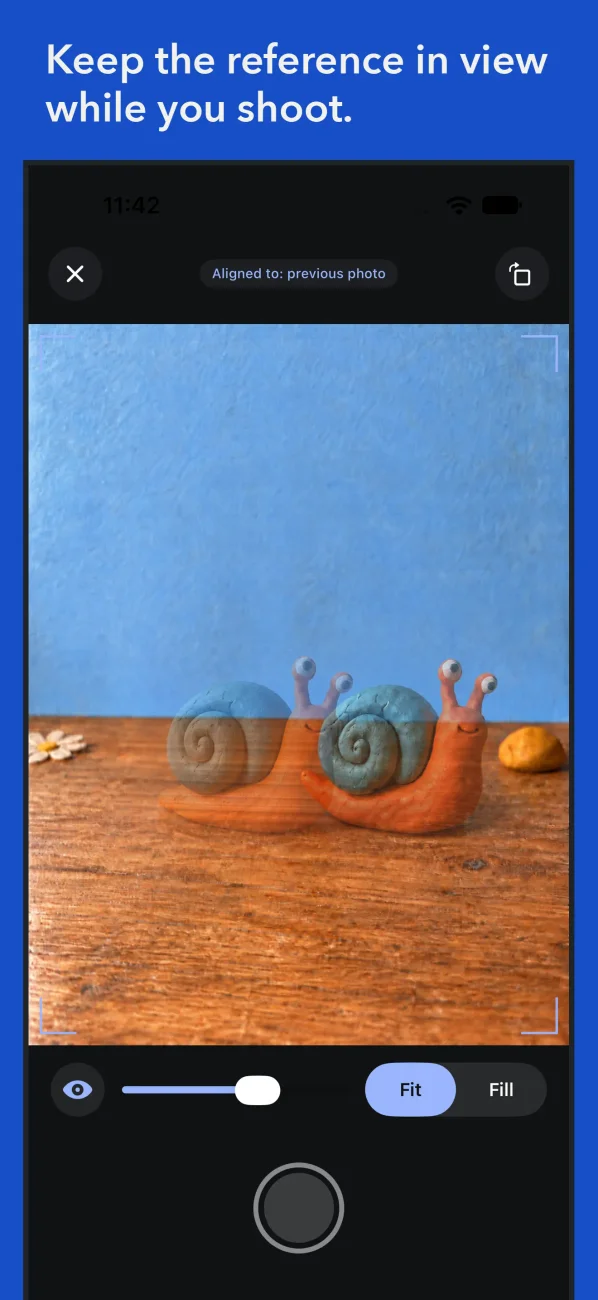
Adjust the reference opacity, move your camera and pinch to zoom until the framing matches, then capture the new photo. The reference guides your framing but does not appear in the final image.
COLLECTION: COMPLETE A RELATED SET
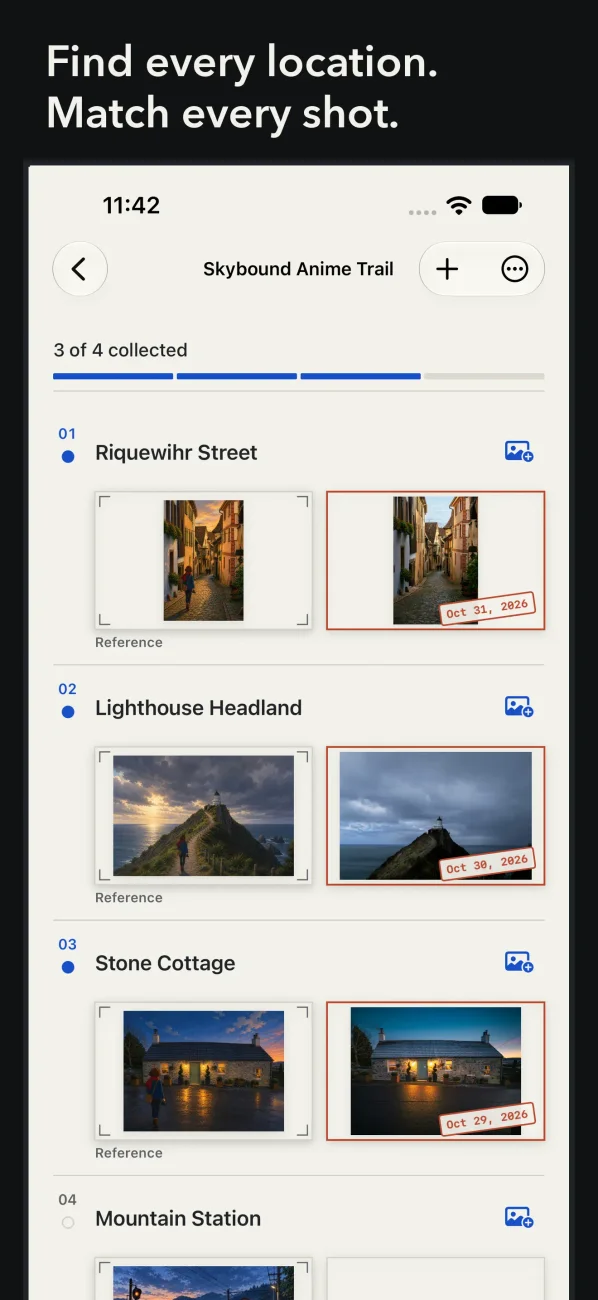
Collect several references that belong together, then work through them whenever each place or moment is available. A Collection can be a set of filming locations, a music-video or game-inspired checklist, architectural details, public art, or any themed group of real scenes you want to recreate.
Every reference is an independent item with its own capture state and history. There is no required order, so you can return to one location today and another months from now.
SERIES: RETURN TO ONE VIEW
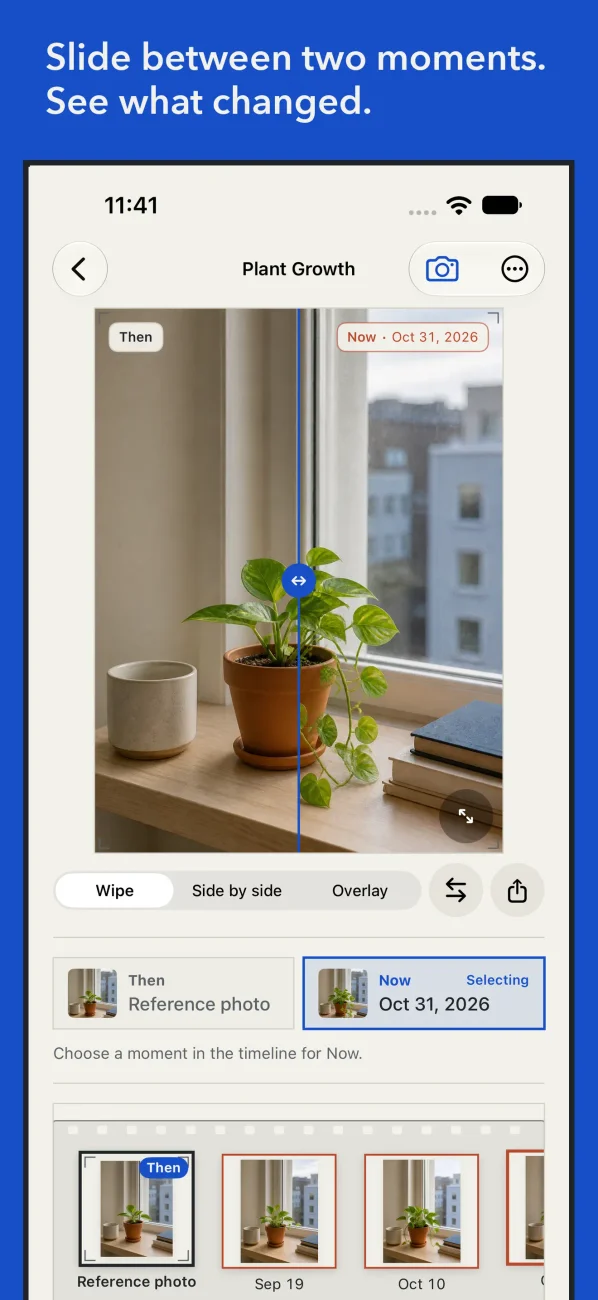
Use a Series for the same viewpoint over days, months, or years: a growing plant, a changing room, a construction project, a seasonal scene, or an everyday moment worth returning to.
Series keeps each return on one chronological timeline. Choose any two moments as Then and Now, and decide whether the next capture should use the original reference or the previous photo.
COMPARE THE MOMENTS
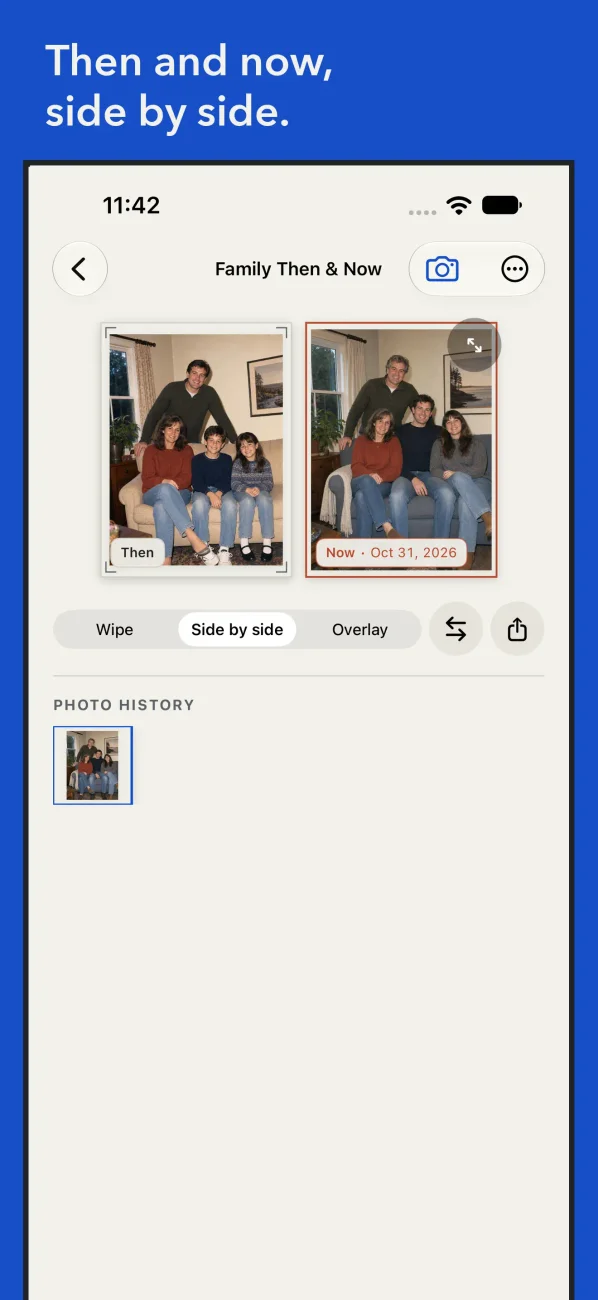
Review a reference and capture with Wipe or Side by side. Portrait photos sit naturally beside each other; wide photos are shown one above the other so the framing stays readable. Keep the photo history connected to the project that produced it.
REFERENCE-LED CAPTURE
- Live reference overlay with adjustable opacity
- Fit or Fill reference presentation
- Rotate the reference to suit your framing
- Pinch to zoom and tap to focus
- Portrait and landscape capture
- Frame, Collection, and Series project templates
- Wipe and Side-by-side comparison
- Then & Now composition
- Photo history for every reference
- Optional capture location
- Full project archive export and import
Projects and media stay on your device. No account or login is required.
What’s new
Version 1.3.0 · Nov 2, 2026
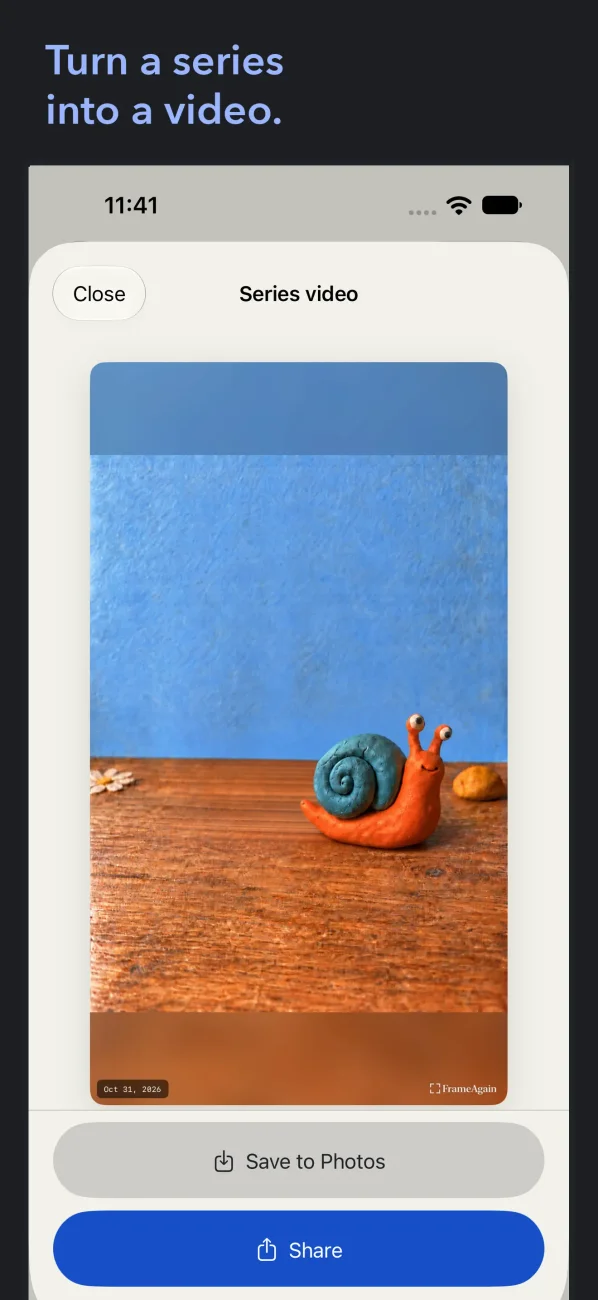
Make a video from a Series or Collection. Pick vertical 9:16 or the photo's own shape, choose how long each photo stays, or switch to stop-motion. Dates can appear on every photo.
Share a Then and Now pair as a vertical image or as a short Reveal clip.
When a Series uses Previous photo as its guide, the camera stays open after each shot, which makes stop-motion much quicker. New installs include a clay snail example to try.
Collections now look like a stamp book, Series detail has a dated film strip, and tapping a photo opens it full screen.
App privacy
What LIFEVEN LLC declares on the App Store about how this app handles data.
-
Data not collected
The developer does not collect any data from this app.
Privacy practices may vary, for example with the features you use or your age.
Information
- Seller
- LIFEVEN LLC
- Category
- Photo & Video
- Version
- 1.3.0
- Updated
- Nov 2, 2026
- Released
- Oct 7, 2026
- Size
- 16.2 MB
- Requires
- iOS 18.0 or later
- Age rating
- 4+
- Price
- Free
- Languages
- English, French, German, Japanese, Korean, Simplified Chinese, Spanish, Traditional Chinese
- Copyright
- © 2026 LifeVen LLC
You might also like
-
 Reprise — Photo RecreationBefore & After Photo Compare
-
 AlignCam: Repeat PhotosMatch Your Previous Shot
-
 KURABEPhoto Compare, Mark & Retake
-
 SameFrame: Before & AfterAlign Progress Photos
-
 re.photosStand where history stood
-
 Shadow Camera: Pose OverlayRecreate Photos & Video Trends
-
 Overlay Camera - MatchShotAlign your shots, effortlessly
-
 Toniq - AI Photo Color GradingAI Filters & Presets for Photo
-
 SameShotBefore & after camera
-
 GhostFrame: Recreate Any PhotoPhoto & Video